Instagram Story Ideas for Business: 6 Proven Formats That Drive Revenue
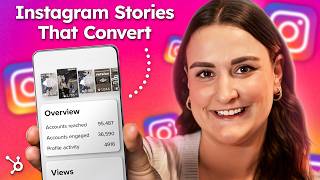
A practical YouTube tutorial (hosted by Bridget O'Rourke) that teaches six Instagram Story formats small businesses can use to drive views, engagement, and sales: 1) Flash sales with link stickers; 2) Question-sticker Q&A for feedback/market research; 3) Branded testimonials saved to highlights; 4) Behind-the-scenes process videos; 5) Product tutorials (step-by-step demos); and 6) Casual personal recommendations/soft-sells. Each format includes a short rationale, a real-business example, and a concise 3–5 step walkthrough. The video also provides technical tips (1080×1920 ratio, captions, native Instagram stickers), measurement cues (views, taps forward, replies, sticker taps), and a recurring recommendation to save evergreen stories to Highlights. A free HubSpot Instagram marketing kit (templates) is promoted as a companion resource.
Chapters
Foreign. 500 million people use Instagram stories every day. And businesses that use them strategically, they see more engagement, stronger brand awareness, and, yeah, more sales. But here's the thing. Most small businesses are either posting randomly, winging it, or ignoring stories altogether. In this video, I'm walking you through six story formats that you can start using today to drive views, boost conversions, and actually grow your business. For each format, we're going to look at a real life example from a small business that's crushing it. I'll give you a step by step tutorial on how to recreate what they do. Plus, I'm going to give you a free Instagram marketing kit from HubSpot that will make all of this way easier. Let's start with one of the fastest ways to drive traffic and sales using stories. Now, this might seem simple, but urgency and simplicity equals clicks. And that's what we're looking for, right? Let's talk about itk. This brand uses Instagram stories to move product fast. They post Flash sales with direct links to each discounted item and their followers. They're clicking. There's no deep funnel, no complicated pitch. Just here's the deal, here's the link, it's ending soon. And here's how you can do this in five simple steps. Right now, even if you've never run a sale before. Step one, screenshot a product or a service image, and then crop the image using your phone's edit feature. Step two, in your Instagram stories, create a canvas. I love this hack. Take a picture with your front camera of your face. Don't worry, nobody will see this, so embrace those double chins. Then select the three dots. Select draw. Pick a color. I like white because it looks clean. And then tap and hold the screen. This is your canvas now. Okay? Step three, add your image. Head to the little face icon. Select photo. Add your screenshot. You can readjust as needed by pinching the screen and readjusting. Step four is to pitch the sale through text. Select text and choose your color and font. Write your product name and a little blurb about how popular it is, how fast it's selling, how they only have one more day of the Flash sale to get theirs and they need it before it sells out. Cool. Resize and reposition on the screen. Step five is to add a link sticker. Head up to the little face icon again. This time, select link, add the URL that goes directly to your product, and customize the sticker text. Make it say something like, get yours now and reposition as needed. Now this is important. You don't have to wait for a site wide sale to use this. It could be a one day promo, a limited stock drop, a bundle offer, or even just free shipping for the next six hours. And hey, if you're thinking Bridget, that sounds amazing, but I don't have time to design all that. I've linked a free Instagram marketing kit from HubSpot below. It's got customizable story templates that you can drop your products into right now and customize it to fit your branding. There are templates for reviews, testimonials, Ask Me Anything, stories and a ton more. No design skills needed so go download it and thank me later. All right, limited time offers check. Let's move on to format number two, the easiest way to get feedback and build engagement at the same time. This is one of the most underrated ways to use stories. Did you know that you can get to know your audience, what they like, what they want from you and AKA market research using your stories. This one's straight out of left on Friday's Playbook. They use the question sticker on stories to ask their followers what they want to know. Then they answer those questions right there in their stories. Super simple, crazy effective. But why does it work? Because it hits three birds with one sticker, you get content ideas straight from your audience, you build trust by actually listening to them and you keep your DMs active, which the Instagram algorithm loves. Here's how you do it in four simple steps. Step 1 Take a picture of yourself pointing to a section on the screen. Step 2 Add a question sticker, go up to the little face, select question, Ask whatever you want to drive questions. A great one to start with is Ask us anything you want to know about our product. Readjust the box to be where you are pointing. Step 3 Open up the responses and pick a few to share if something gets asked more than once or is a question that you get asked really frequently. Those are great ones. To start with, select Share response and you can answer it in a video, which I do recommend because it's going to help you build a face to face connection with your followers. Or you can type your reply over a photo or a boomerang, whatever fits your vibe. Step 4 Save those replies to an FAQ's highlight. This becomes bingeable trust building content that people can watch anytime. You can do this by viewing your story after it's been posted. Select highlight and create a new highlight or add to an existing one. And here's a Good tip. If you get 0 replies the first time we've all been there, just ask a team member or a friend to send one in. Break the ice and real responses will follow. And if you notice the same question popping up again and again, boom. You just found your next blog post or real topic. This format also works if you're planning a launch. Ask people what they'd want in a new product, what color they prefer, how much they'd pay. That's not just engagement, that's free market research. Just saying. This is how you build trust while building your brand. Okay, ready for the next format? Let's talk about the easiest way to build trust and boost conversions with new followers Testimonials Done the right Way we're stealing this move from social media coach Jackie Richards, who absolutely nails it. She takes real customer reviews, whether it's from Google DMs, emails, client generated content, wherever and turns them into beautifully branded high impact story slides. The thing is, it doesn't look like a screenshot, it looks like content. And that's the key because social proof only works if people actually stop and read it. So make your testimonials pretty and easy to digest and more people pay attention and more people buy. Here's how to create these for your brand in four easy steps. STEP 1 screenshot Positive feedback and crop it using the edit function on your phone so it just shows the review. Step two you're going to do the same thing that we did earlier. Create a blank canvas by taking a picture, choosing draw, selecting a color and tapping and holding the screen. If you want to get a little wild here. You can also design a custom background using a website like Canva that you can use specifically for your testimonials. Or check out those Instagram templates from HubSpot that I've linked below. Step 3 Add the screenshot, go to the face, select photo, upload the screenshot and resize and reposition it as needed. Bonus points here if you include a photo or a video of the customer or their order in real life. Step 4 Post these to your stories and then save them to a reviews or a love notes highlight. That highlight now becomes your evergreen proof bank. New followers can binge it and future buyers can scan through it while they're deciding. Toss in a link sticker to book with you or browse your site on each review to make it an easy, easy next step for the viewer and then add a soft lo fi music track to the background. This makes people stop scrolling and listen. You can use the music feature right here and search Lo fi. Choose one that you like and add it to your story. Bottom line, your future customers are more likely to trust past customers than your best sales pitch. So let them speak for you. Just make sure that it looks good doing it. All right, ready to get personal? Up next, we're going behind the scenes with one of the easiest and most effective types of content. Okay, so you know that saying people buy from people. This story format proves it. XXL Scrunchie is a great example of showing your followers how you run your business. No fancy lighting, no staged content, just straight up behind the scenes action. They film themselves making orders, packing shipments, even messing up sometimes. And people eat it up. Why does this work? It humanizes your brand. It shows the work that goes into your product. And let's be honest, it is oddly satisfying to watch. Here's how to create your own behind the scenes stories in four easy steps. Set your phone up on a windowsill or a tripod. Don't overthink this. Natural lighting can be even better than studio lighting. Step two Hit record while you're doing the thing. Whether it's recording a video like me, or packing orders, prepping materials, or organizing your workspace, just film your real process. Step 3 Add short on screen captions explaining what's happening. For example, what it's like to shoot a YouTube video. Step 4 Toss on a trending audio track or lo fi background music using Instagram's music sticker that I showed you earlier. And of course, Stephen, save all your behind the scenes clips to a BTS highlight so new followers can peek into your process at any time. Next up, we're diving into one of the most powerful formats for driving product understanding and conversions. Alright, so we've shown behind the scenes, but what about showing your product in action? Beardbrand nails this they use quick Instagram stories to show customers exactly how to use their products step by step. No fluff, no rambling, just clear, helpful content. Why does this work? When people see how something works, they're way more likely to trust it and buy it. Plus, tutorials tend to get longer watch times, which helps your reach. Here's how to create it in four easy steps. Step 1 Choose one product and one specific use case. Don't try to show everything. For example, how to use our new dry hair oil. Step 2 Film quick vertical videos of each step. You can do this yourself or ask a friend or a UGC creator to demo. Natural light and a steady hand are your best friends. Step 3 each step should be a new story slide. You can use a voiceover or on screen text to guide the viewer through the steps. Whatever fits your style. Step 4 Add a link sticker on the final slide that takes them directly to the product. Tutorials do not have to be complicated. The more useful and snackable they are, the better. Okay, we are almost there. But this last format, it might be the most underrated of them all. This one is so simple, but so incredibly powerful. Clean, simple, eats casually jumps on their stories to talk about their best sellers, how they use them, what's in them, why people love them. No fancy setup, no hard sell, just genuine personal recommendations. This is what we like to call a soft sell with a big impact. It feels like a friend sharing something they love, not a brand pushing a product. And it converts because people trust people. Here's how to do it in four easy steps. Step 1 Pick your best selling product, the one people always ask about, or the one that you personally use the most. Step 2 Flip your camera to selfie mode and just start talking. Keep it casual. Just you, your product and your real opinion. Think FaceTime with a friend. Share how you use it, when do you use it? Why do you love it? What results have you noticed? Step 3 Use captions and add a link sticker to direct people straight to the product page. Don't make them search. Step 4 Save it to a highlight called something like My Faves or Top Picks. Keep it short. Aim for two to three slides max. If you want to go deeper, split it into a mini series. Faves, part one, part two, etc. Now one last bonus reminder that applies to all six of these formats. Save them to highlights. The real magic of stories is that they don't have to disappear in 24 hours. All of the small businesses that we featured today have highlights like FAQs, how to deals, reviews, behind the scenes. These are bingeable evergreen sales assets. They're working 24. 7 for your brand. You just set it up once and every new follower has instant access to your best content. Alright, and now you've got the story formats down. Let's make sure that they actually look good and perform well. Here is your story toolkit. Always design in 1080 by 1920 pixels. That's a 9 by 16 or vertical ratio. It fits perfectly on any screen. No cropping, no awkward zoom ins. Most people watch stories on mute, so add text overlays to every frame and captions. Or subtitles if you're talking. Instagram loves when you use its native tools. Here are the ones that boost engagement Polls give you the chance to ask fun or useful questions. Countdowns build anticipation. Questions spark replies and links drive traffic to where you want it. Don't post randomly. Use a tool like HubSpot's Social Media Planner to plan your week of stories in one go. That way you stay consistent even on busy days. Here's one last pro creator tip. Every month, post a new here intro story. It's like a mini welcome tour for your new followers and it builds connections fast. Okay, real talk. Don't just post and ghosts. Here's what to track so you know what's working. You can see all of these analytics when you swipe up under your story or in your professional dashboard views. Are people watching? This is your first signal of interest. Taps forward Too many taps forward means your content might be too long or not engaging enough replies. These are gold. More replies means more engagement. More means more reach. Sticker taps this is your conversion metric. If no one is clicking, try testing a new call to Action text or repositioning the sticker. But what do you do if your story completely flops? Don't delete it. We've all been there. Just repost at a different time or update the first slide with a new cover image to grab attention. Instagram doesn't penalize reposts. Use that to your advantage. Look, I know creating stories consistently can feel like a full time job, but but it doesn't have to be. Remember that I have linked HubSpot's free Instagram marketing kit below and inside you'll get plug and play story templates that make this whole process so much easier. So just download it, customize it and get back to running your biz. Hit the link in the description to grab it now. And hey, if you are trying one of these formats this week, drop a comment and let me know which one you're starting with. Thanks so much for hanging out with me. If you're new here, I'd love to see you back here next week week. So make sure to hit subscribe for the best updates in digital marketing every single week. And if this video helped you out, I would love to know it. Let me know by hitting that thumbs up button right under this video. My name is Bridget o'. Rourke. It was an absolute pleasure. Feel free to connect with me online and I will see you next time. Bye Sam.
More from Patrick



A NEW BREED OF PARTNER: The Partnership Ecosystem Model Journey of Patrick Biddiscombe, Part 1








Customer Success Workspace: Never Lose Sight Of What Matters Most | HubSpot Spotlight