Leveraging Automation to Improve Your Service Experience | INBOUND 2023
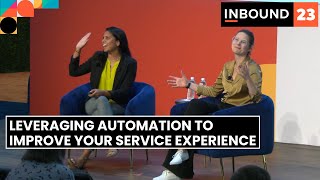
Adrithi Gholati and Joy Monroe, senior inbound professors at HubSpot Academy, show how automation improves customer service without losing the human touch. They share real strategies HubSpot Academy uses to balance automated responses with personal interaction.
Chapters
Okay, so welcome to leveraging automation to improve your service experience. My name is Adrithi Gholati. I am a senior inbound professor on HubSpot Academy. I focus on all things customer service and messaging. And I'm joined by my lovely co host, friend, colleague. Hi.
Hello. I'm Joy Monroe and I'm also a senior inbound professor with HubSpot Academy and I'm more on like the data side, like the reporting, the ops hub to.
Together we have a collective 15 years of HubSpot experience now that has ranged from customer support, customer onboarding, marketing to most recently HubSpot Academy.
You might go through this space and think, what is this team all about? Why does this team really exist? And really we're in the business of transformations. And what I mean by that is helping you transform your careers and your business by essentially empowering you through our certifications and our lessons and our like bite sized Kyle tips and tricks videos to really help you maximize your career potential. So we are essentially a HubSpot marketing team here for you and to help you grow.
So we do this by providing both product specific and product agnostic content. So let's say you're a customer service rep and you need to know everything there is to know about help help desk. Well, come to HubSpot Academy.
There's a lesson for that.
And let's say you are the director of sales. You need to know more about the inbound methodology. Come to HubSpot Academy. Kyle's got you covered. So we could probably talk about HubSpot Academy all day long for the whole session.
Probably.
So we'll talk about how we can balance automation and the human touch. Jory's then going to talk about finding specific spots in our customer journey to introduce automation and then we'll actually get into the tool talk about kind of table stakes automation that we have with.
Service hub and small caveat also before we get started. So when we're talking about automation today we are talking about rules based automation. So this is not an AI talk, but just to make sure we got some guardrails. We're talking about rules based, like pre scripted. Yes, automation.
So let's talk about the pros of rule based automation. Really it comes down to two things. Reducing costs and increasing productivity. When you take away those boring, repetitive tasks from customer support, they find more meaning in their work. You're also going to get more out of them because they're working on deeper problems that actually require more thought rather than just kind of data entry, things like that. You also have support available 247 with automation. And then faster responses. I don't care how fast you type, you're not faster than a bottle.
Probably not.
I am like my worst self when I'm talking to customers. Support, especially when something's wrong and I can't get my answer right. So I don't need a bot, right? I need someone who can empathize. I need someone who can help. Research has shown that we also still prefer having people solve our problems rather than automation. And then finally, less work for employees can mean more work for customers. It's very rare that a customer comes to us and just needs a yes or no question. How nice would that be? But right, there's always, there's extra questions, there's caveats, things like that.
Verifications. Yeah, right.
So they have to do their own digging. A lot of times if we just spit out a link, if we just spit out a couple sentence answer. Now, knowing these pros and cons, we've come up with kind of the conclusion that customer service automation is a way to speed up standardized processes. It's also an addition, not a replacement. So we want to elevate our employees, not eliminate them. And then finally, it's just one of the many ways for your customers to get their needs met. Now you might be wondering, okay, great, I understand. I'm not going to automate everything, but what should you automate?
So looking at those pros and cons, there should be two themes that immediately jump out at you, right? There is the need to be helpful for your customers, but there's also the need to be human with your customers. And sometimes it can feel like a balancing act on where to go with automation and where to make sure that your customers are talking to someone that can empathize with them and really help solve for their needs. So it becomes a bit of a balancing act to figure out when to do one and when to do another. So that's where the customer journey comes in to play. In order to properly visualize the touch points that your customers are having with your brand, it's really important to consider building what we call a customer journey map. Now, a customer journey map is a essentially going to be that be all, end all visualization of here's every single action our customers are taking throughout the entire flywheel, or buyer's journey. In this case, we're going to talk about it through the context of post sale interactions because it is a customer service talk, but essentially it is everything they are doing and ways they are Interacting with your business. Now what can that look like? So you could do this at a full business scale, right? You could start from the point that a customer is a stranger and then go all the way to when a customer is an advocate. I find that actually that can be really exhaustive work. So it can be really helpful when you are trying to find out a way to optimize a segment of your customer journey to really focus in. So the example that you see right here is just looking at after a customer has closed, closed with you with a very your sales rep or e commerce platform, here's what they're doing with you. So in this case, this is a bit more of a SaaS example where it's like maybe your customer is normally using your software, that's awesome. But they might encounter an issue. That's our second action from there. After encountering an issue or maybe they have a complaint about something, the next step in this example would be that they go ahead and ask for help. Now that could look like navigating your knowledge base. A lot of times with SaaS, it means contacting support. From there, that action is speaking with the support rep and hopefully then resolving the issue. Now you could stop there and most people actually do, but you're going to miss out on a very key piece of your data and understanding your customer mindset and that is figuring out not just what your customers are doing, but what they're thinking while they're doing that action and what they're feeling and why that is. And actually I feel like it's that emotional angle, how they're feeling in that moment that's going to help you unpack. Is this something that I can automate? Are they feeling like they're going to quit being a customer, in which case we might want a person on that, or are they just asking a standard question that we know that customers interact with and have often when being, for example, onboarded in our software. So this is going to be one of the most data driven ways that you're going to be able to identify those points. When you can start to bring automation into the picture. And if these actions are a bunch of question marks for you, talk to your support team, talk to your services team, really understand how often customers are interacting with you and what they're asking, how they're interacting with you at all. And this can start to help you fill out this chart. If you're looking at this and you're like, I don't really know how my customers are engaging with my company, so make sure to bring in the services team. This is not something that you should do in a silo or, or as an island onto yourself. Now, to prove that this actually works, I brought some examples to you and I brought some HubSpot Academy specific examples to say, hey, we're doing this too. And like, it's working. So the first thing that we noticed is we mapped out a bunch of the interactions that HubSpot Academy users have with our app, and we noticed something immediately. When people get to our homepage, they are encountering a huge library that can feel really overwhelming if you're a new user and you don't know where to start. So what were people doing closing their laptops? They were leaving. And we decided, like, this is something I feel like we could add some automation to, because essentially they were just figuring out where to go. So what we ultimately ended up doing is added some chatbots to our site to, in a automated way, start to guide people into the right direction based on what they were trying to do. When they first got to this page, we actually had some interesting results. Not only did we reduce our bounce rate, but we actually noticed a decline in support tickets because people were reaching out to support to be like, I don't know how to navigate Academy and I just need some help to know where to get started. And our chatbots were actually able to alleviate that pressure and do it effectively. Another example is actually a lot more recent. And I was part of this. I was in charge of this experiment and I was so excited because we noticed that when people would start a lesson or a certification again, there was a point when they could start to wander away. And so we started to think, okay, so we know that people are really excited when they start our education, but there seems to be some point when they're like, this is too long. Maybe this isn't what I'm looking for. So we decided to implement an automated email that was basically a hello and welcome message from whichever professor that lesson or certification was from. And the email was essentially just encouraging people to, to come back and get started. You can do this skill. I know that it might seem overwhelming at first, but we've got this. We're in this together. And really it was just encouraging re engagement. And we saw some amazing results. So when we had a visitor view one of these emails and they had started a lesson after engaging with this email, they were 7% more likely to complete that lesson, to go back and finish that content. And for certifications, we actually noticed that when users would Go and start a certification, abandon it, but then get a email from Kyle which totally relatable. They would actually go back and we're 13% more likely to go back and complete that certification. Now I know 7 13% that might seem like a little low, but think of the business impact. All we did was set up a workflow and put together an email that was welcoming them back and getting them excited for that experience that they signed up for. So in a super low effort way we were able to have massive business impact. This was one workflow running. So really understanding these friction points and some ways that you can automate all that outreach can, can have some long term business impact. That's really exciting to see on the customer service side. Now I'm not going to leave you hanging. Absolutely. You can have this template if you're interested in getting started today with mapping your customer journey, which I highly recommend if you're. It is a brilliant exercise to really empathize and understand your customers, but then also get together with your team and share some of that knowledge that some people may have and some people may not.
So if you are also looking for results that Jori gave to HubSpot Academy, look no further than Service Hub. Service Hub has so many opportunities for you folks to automate different parts of the customer journey. And the four kind of table stakes ones that we're going to talk about today are routing. So when a conversation, a ticket comes in, how do we ensure that the right person is answering this? Second is chat bots. Again this is rule based chat bots. AI chat bots are coming. That's in private beta. But if you based folks, rule based one more time, rule based. If you want to get started right away, start with rule based chat bots. I also think this is a good kind of introduction to before just adding something powered by AI. Next is ticket creation and organization. So how do you ensure that tickets that are coming through are being looked after, they're not falling through the cracks and then finally feedback making sure that you are providing the best possible experience for your customers. Let's talk about routing. Now I'm of the mindset that nothing that comes into your CRM should like be unassigned.
Oh my gosh.
Right.
I've had some interesting conversations when you think about dirty data. And the flip side of this, being able to assign things immediately is going to get you ahead of so many reporting issues. So please do that.
Yes, yes. And it's so easy to do it. You can do round robin assignment. So this is great for if you have a team that all has the same expertise.
Right.
They all have the same expectations, the system will look at your team and equally distribute the ticket or conversation. If you do have a couple more nuances, let's say you have a escalation specialist. What I've seen people do is with a pro and enterprise account you can actually set up a workflow that says if a ticket is associated with this company. So let's say it's a company at risk of churning or maybe it's a company that just really expects that white glove service, you can have it just rotate between maybe two people within the team. Now, as a former support rep, tell me what you think about this one. If the email subject line has urgent or like asap and then they were thinking of routing it between escalation specialists.
Ooh.
What do you think about that?
Getting ahead of it? I like it. As long as your customers don't all figure out that urgent means that they get routed. I think then that yes, it's scalable.
Yeah, I think that's a good one.
I think that's an awesome use case. Yeah.
So, but the kind of TLDR here, make sure that every ticket, every conversation that comes into your CRM is being assigned. I also just talked to someone who was worried that then they wouldn't have the full kind of 360 degree view of what's happening in their tickets board. But that's okay. Depending on your permissions. You can also just see your tickets. You can also see everyone's tickets. So that's great for management. That's great for just getting that holistic feel. Next up we have what type of chatbots?
Rule based chatbots. See I know my cue.
If it was up to me, I would want everyone to use chatbots because I think that's such a time saver. But I do think you need to look at your business strategy. Ask yourself some questions before implementing it. One is human bandwidth a constraint? Chatbots are great if you would rather have your live agents somewhere else. It's also great if you don't have an international team, but you have international customers.
Right.
So you need to be on 24 7. So if human bandwidth is a constraint, consider using chatbots. Next. Do you need to collect on data or conversations? Now probably everyone who uses a chatbot asks name email address problem. There is no reason a human needs to be doing that. Right. That's very easily done by a chatbot and then transferred over to a human. So you can take A hybrid approach too, right? It's not all or nothing. Three, is the cost of making a mistake low? What are the expectations of your customers? Is it that they get live agent support all the time? Then maybe chatbots aren't the right. Also chatbots are like, they kind of work like workflows, right? So you really need to anticipate everything that your customer is going to say. It does take a while to set up, I will be honest. And if you miss something, always have a fail safe. So if your customer is getting frustrated, they're not getting their answers, what you can do is say, call this number, email this person, right? Always have a backup option. And then finally, do your customers need standardized answers? So what are your support tickets saying? Are they, can they be answered by Knowledge Base articles? If so, a chatbot's a great use case here. So look at these questions, answer them. And also know that a chatbot isn't all or nothing. You can have a hybrid approach. Either the chatbot starts the conversation out and passes it over or is maybe only available between the hours of like 5pm and 9am all right, so this.
Is my favorite automation tip when it comes to tickets. So to peel back the curtain a little bit, if you called HubSpot support six to seven years ago and you found yourself trapped on a phone call with a very loquacious support rep, it was me. Hi. Hello, Jory. But this ticket creation automation is a game changer. So so essentially how it works, when a ticket comes in, you can have different statuses automatically assigned to it. So for example, when a ticket comes in new, you can have it in the unassigned bucket, then have it round robin assigned to one of your teammates. But then you can do some interesting things. So anytime that you email a customer or interact with the ticket, you can have it set to waiting on them. That lets your support reps know that, that in their pipeline there are tickets that are waiting on the customer to action or clarify or give some additional information before they can essentially action that ticket anymore. So that's something you're waiting on the customer for. When the customer emails you back, you can then have the status automatically update to waiting on us. Which as a support rep, when I would log in the morning, I would essentially always look at the view of like, okay, what's waiting on me as the support rep? Because that's where I'd start my day. So you can have it automatically have the status on waiting on us. And that lets your support reps know that, hey, there's a ticket that you need to action immediately. There's also service level agreements. So service level agreements can be set based on when you are interacting with your different customers and how long it's taking for you to reach out to your customers ultimately or having the ticket closed. So be sure to always set service level agreements to make sure that you as the services manager are keeping your teams on track and you're able to actually report on that. So not necessarily an automation pro tip but like using tickets in your pipelines Pro tip make sure you're setting your service level agreements just to make sure that you're solving for the customers in the ways that you're promising to solve for them. And then I feel like we've talked a lot about support use cases a lot. But I also just want to say that the tickets in HubSpot are such a flexible tool. So I want to also challenge you to get creative with how you're using this software. Because one of my favorite use cases of this tool is when a sales rep this is kind of a SaaS example. But when your sales rep closes a deal, what you can do is set up automation that will allow you to create a new ticket for whichever onboarding specialist is going to take up the reins of that customer and notify them immediately that this is a customer that needs to be actioned. At the same time you can say send an email to that customer saying hey, welcome to our company. Here's a meeting link to that onboarding specialist so that you can start to get started and then ultimately maybe even give them some resources on how they can also kind of self serve and get started with your company. So there's a lot of things that you don't have to have a person physically emailing them out. You can just have automated and off of your plate. My it was a it's a second clip close favorite but is what the automation that you can do with your feedback surveys. So when I worked in support I was the escalation specialist. All of the spicy customers came to me which makes me really good at power pausing. So feedback surveys what you can do is when a ticket reaches a certain status so for example ticket close you can automate a feedback survey being sent out immediately. Then based on on those survey responses you can actually automate next steps. This is very important because customers will probably have a range of experiences with you as we saw in the customer journey probably experience a range of emotions as well. So when a customer gives you Maybe on your CSAT a 1 to 3 didn't necessarily have the most ideal experience. What you can do is automatically send a notification, maybe to a manager, maybe it is to your escalation specialist, letting them know that hey, there's a customer that didn't necessarily have the experience they were looking for and we might need to reach out and see a, do they have their answer? But B, is there anything we can do to make that experience a little bit better? On the more positive side, say a customer is like, hey, that went well. I'm going to give you a six or a seven. That was amazing. Well, you can also automate a potential email that's like, hey, do you want to give us a review? You want to be an advocate for us? So all those marketers and in the audience, you can really empower your advocates right from the moment that they're the happiest with you and your customer service by simple automation. In terms of just from your feedback surveys, which is so exciting.
And one of my favorite aspects of our feedback tool is it actually integrates seamlessly with Slack. So something we do at HubSpot is for NPS surveys, we'll funnel all of that feedback into a public Slack channel. So then the responsibility of understanding customer sentiment isn't just on one team or one person. It's the entire company's duty to understand what our customers are saying about us.
And it's not meant to be like a panopticon of like what customer service rep did bad, but it's really just to get a general trend of how your your customers are engaging with you and the types of experiences they're having. For sure.
All right, so we're coming to the end of inbound. We're coming to the end of our presentation. Just the TLDR service automation can cause frustration. We want to be mindful of what we automate and we can identify those points of automation through customer journey mapping. The four kind of table stakes automation that we really love at Service Hub is routing, which is available for free customers. Chatbots, also available for free customers, ticket automation and feedback. Feedback is pro and enterprise, so that's all we got. If you have technical questions, scan this QR code. This is going to go to the knowledge base. Yes. And you also have a knowledge base with Service Hub. So thank you all so much, Safe travels home and have a great inbound.
More from Patrick



A NEW BREED OF PARTNER: The Partnership Ecosystem Model Journey of Patrick Biddiscombe, Part 1








Customer Success Workspace: Never Lose Sight Of What Matters Most | HubSpot Spotlight