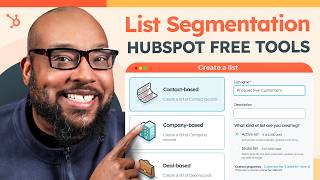
A short HubSpot tutorial where Devin demonstrates creating and using Active Lists to segment CRM contacts. The video shows how to build contact-based filters (e.g., last name starts with, HubSpot score > 45, company industry), save the list, and apply lists for email, automation, smart content, and random-sample testing.
Chapters
Crafting the perfect email is always the goal. But what about making sure the right person sees it? That's the real magic. Hi, I'm Devin and in this video we're going to go over how to use lists to segment data in your CRM. Chances are there are hundreds, if not thousands of contact records. So who do you talk to? Let's dive into the list tool and see just how granular we can get. Now that we're in our trusty portal, AKA My Happy Place, what we're going to do is take a look at this new navigation. So nice. All right, we're going to go to CRM and lists and you can see we don't have any lists in here yet. But that's going to change because we are going to create a list and we're going to name this list prospective customers. Now, there are a lot of different kinds of lists we can create. We can create a contact list, a company based list, a deal based list, but we're going to stick with a contact based list. Today, active lists filter out anyone in your CRM based on the criteria you provide. It can be as wide or as narrow as you want. As people qualify or unqualify for the criteria, they're either added or removed from the list respectively. With static lists, it's a snapshot of your CRM. The good news is whether you're going with an active list or a static list, they're both included with every tier of HubSpot. So today we are going with an active list so we have a clean slate. We're going to create a filter and there are a lot of different places we can get these filters from. We're going to go to contact Properties and what I want to do is get really specific. So we're going to go with the last name field. I'm going to say anyone whose last name starts with R and as you can see, it generates a preview of our list. But let's get a little more granular. I want anyone who has last name of R and a HubSpot score of greater than 45. And that's a very specific list. And last but not least, let's see if any of these people work in telecommunications. And just like that, we've narrowed it down to one person. Now, this list may not be entirely accurate yet as it's only a preview. The way to lock it in is to save the list. And once the list is done populating, you'll be able to pop into it and see all the names that fit your criteria. Personally, I love a good active list. They're super versatile. Now you can use them for email, but you can also use them for automation. You can even use them for smart content. That means you can change the content of your email and even your website based on list membership. But there's one more thing you can do with lists that you might not know about. All right, so I created a list called Everyone, which consists of, you guessed it, everybody. We're going to go to Actions and create random samples. This is great if you want to do random testing, if you want to compare metrics, it's very useful. It was long asked for on the Ideas forum and I'm glad it's here. You can either select the number of contacts you want to be in this random list, or you can do, say, 50%. And as you can see in our new list table, we have a new static list that has exactly half of our original list randomly selected. With a good list, instead of running and gunning with your contacts, you can target specific people with relevant messaging. This leads to higher open rates, higher conversion rates and lower unsubscribe rates. That and it's a way more effective use of your time and resources. So now you can see why HubSpot was named the most implementable CRM with the easiest admin and the best usability. But you don't have to take our word for it. If you want to try HubSpot for free, feel free to click the link in the description. That's it for me, everybody. Be sure to subscribe and hope to talk to you soon. Until then, take it easy.