Meet Breeze | INBOUND 2024
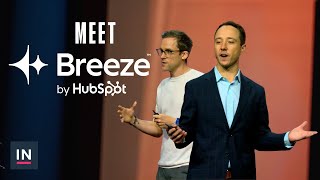
Kieran and Dylan from HubSpot show how Breeze AI handles real work: a content remixing tool for LinkedIn, email personalization that lifts response rates, and churn analysis. Breeze's three products tackle the actual friction points: a copilot assistant, agents that automate tasks, and intelligence that unifies your data.
Chapters
Foreign. So some of you may have seen me this week already. I speak a lot about AI. I'm here to talk about AI again. This is me. I'm Kieran. I work on the HubSpot marketing team. I also have the privilege of leading all of our AI use cases across the go to market, across marketing, sales, customer success support. So I spend a lot of my time trying to figure out how to make AI work for businesses. This presentation I'm going to give you a little bit of AI sugar before Dylan gives you the AI substance. So I'm going to give you a little couple of interesting tips and takeaways. I would love to start by just asking, you know, what for all of us has been our kind of AI aha moment. When did the light bulb go off? And just in terms of how transformative this technology could really be because I've really had several of those ever since I first used ChatGPT way back two and a half years ago. Maybe one of the biggest for all of us is we are at one of the largest businesses conference on the planet and just how much of it is about AI and AI has only been around for two to two and a half years. It's pretty incredible. But I want to start with one of my favorite use cases and one of the ones that I built. I've built many different types of AI functionality for how I work, for how HubSpot work, but just one of my favorites is like content remixing. I love creating content. It's one of my favorite things to do, whether I'm podcasting, trying to figure out how to be a better short form content creator, how to crack the code on YouTube, which is really, really hard. But because I create so much content, it can be hard to always have really great ideas. And AI is incredible for giving you really great ideas and taking a content asset and turning it into ideas for you. And so here's a quick thing that I did. I love LinkedIn, I love sharing my ideas in there, my thoughts on there. And so I wanted to try to build a little assistant that could help me get better at LinkedIn. And what this assistant would do is it would start with a YouTube video, grab the transcript, and then do a couple of interesting things. The first thing to realize about AI is you have to teach the AI something. And so I do believe that AI is an incredible unlock for people with deep domain expertise, people who really understand their craft. Because I have spent so much time trying to figure out how to do short form content really well. I Could teach the AI. What are the types of short form content that do well on LinkedIn? And here's a couple of those for you. The first is an educational post, but you have to do it in a certain way. And the prompt for me to teach the educational posts at the LLM is much bigger than this. This is just a snippet, but it's really a clear and concise lesson. It has to be a singular lesson. You cannot have multiple lessons. They will not perform well. It has to be a singular lesson that you can teach someone in a short amount of words or just a really quick video. The second is how the Internet kind of works today. Spicy takes. You have to have a view that is counterintuitive to what most people believe. It is not the thing that the average person believes. They work incredibly well if you can frame it properly. And then the head nod is one of my favorite. The head nod is the thing that people have on the tip of the tongue. They really believe in that thing, but they just can't articulate it. They've never been able to frame it in a certain way. And you can do that for your content. There was a post recently from Paul Graham, the founder of YC Combinator. He had a post around founder mode and founder mode took off because it really fitted this head nod category. So I teach my assistant what is good short form content. So when I give it a YouTube video and it has a transcript, it can take all of the talking points and bucket into these categories. Then the AI can teach me something. What people get wrong about AI is they think it is a copy and paste tool. It is not a copy and paste tool. It is an accelerated learning tool. It is just accelerating the way that humans have learned forever. And so what AI does for me is it teaches me what a great writing style is. And so I got fascinated by why certain writers and certain platforms did so well. So I basically took all of their content and I give it to AI. And in this case Claude and I would say create me a one page template of how I could replicate that style. Now that sounds like copy and paste. It is not. There is a copyrighted framework called copywork. And copy work is how teaches you to get better at the craft of content. By taking a piece of content that you really enjoy, that you want to be that good in the future. You want to be able to replicate that style and to write it out each and every day. To just write out that content each and every day. And that's what the AI is Doing, but just in an accelerated way. It's teaching me how to replicate those styles. But the third thing is really important. You need the human edit. You need to be able to provide your own point of view. You need to be able to provide your own, the thing that makes you different. If you do not do that, you will not get great results with AI. And so I was able to take use that assistant to take my results in LinkedIn to a whole different place. I used to get hundreds of thousands impressions. Now I get millions of impressions each and every month. And again, AI is not created in my content. It is helping me form great ideas. And then it creates first drafts based on writing styles I like, based on the type of short form content I want to create. And so AI is really a way to supercharge your creativity. It supercharges creativity. I think too many people think about it as a way to crush creativity. I don't see it that way. It really unlocks the creativity inside us. It unlocks a craft person inside us. We can go from idea to realizing that idea so much quicker and it turbocharges your iteration. I started building that assistant as a prompt. That's how I always start. I start with a prompt, then I build an agent. And then I built an app. Now I used to be a coder, a really bad one. I used to do software engineering. But with AI, I'm able to actually build real apps to do the thing I actually went to college for. It's awesome. My parents are really proud. So I want to leave with some tips in my little part here on just a couple of things that can make your AI journey much more successful. And some of them are going to seem really basic, but that's because they are, but not enough people do them. And the first one is prompt engineering, right, Prompting. I start everything with a prompt to try to validate my idea to begin with. And people I think are put off with prompts because they think this is really hard. I don't want to be a full time prompt engineer. And you don't need to be a full time prompt engineer. What people don't realize is these AI models are incredible at prompting. So when I have an idea, I talk to Claude. I say, claude, I want to build a presentation style guide, an assistant that helps me take other people's presentations and can create a style guide so I can replicate that talk. Can you create an advanced prompt for me? And it creates a great prompt, right? It's a very good prompt engineer. Is it a world Class prompt engineer. No, that's a full time job. But it's a great way to get started. It's a great way to figure out can your ideas come to life and so you can literally take out your phones and try this out on Claude. It's that simple. It is also very addictive. So I will just tell you that I spend an inordinate amount of time going back and forth with Claude and different ideas and prompting. The second is if I would take one thing away from this conference in terms of my success, how to be more successful with AI, it is this. I think this is the most important one. Context really matters to teach your assistant what good looks like. And I'll start with a little story. There was a podcast I really enjoyed recently from the founder and CEO of Klarna and he talked about their results with AI. Now they are one of the best examples of a company that have integrated AI into the go to market. Their AI does the work of 700 support reps. It's equivalent to 700 support reps. And he said to begin with, our results were not that great, right? They were not that great. And we had to get there over time. And what he realized was the problem was their onboarding docs. They're on board in docs, the docs that they would take a customer support agent through to be good at their job. Those docs were not great, therefore their results were not great. If you cannot teach the AI assistant what good looks like for the task you want it to do, you will get inferior results. The AI is a really enthusiastic junior employee. It wants to do well, but you have to teach it how to get there. I believe in the future companies are going to have teams internally that document all roles, the processes of those roles, how to do those roles. But you have to teach the AI assistant what good looks like. The last slide in mine is a little like, well, where does is AI going to show up across the typical B2B go to market? And so this is a little more forward looking. There's a great quote from Kevin Scott. He's the CTO of Microsoft and I think he has a great framing for AI. He said AI makes the impossible problems just really hard. And so what are the really hard problems in our go to market that I think AI is going to be transformative for? The first is really paid ads, right? Paid ads are something that all of us do and we usually do ABC testing. It is incredible to see how AI can transform that into A to Z testing because it can Create many variations of that ad. The text, the imagery, the video. There are tools today that do this and then it can look for the most efficient ads and get more dollars from your spend back from your spend. That is a great use case for AI today. The second is content. We are going to go much more towards video in the content we create for all of our prospects than we ever have done because the text to video tools are getting so much better. That is another use case that I would start trying today. One of my favorites is when we have to convert all of this traffic into leads, something for our sales team. Chat is a big way we do this right? Chat is like a way that customers and prospects and leads want to interact with you today. Chat for the most part is text based, right? We type some words out, someone responds. What you're going to see in the not so distant future is chat move to much more of a multimodal experience. You're going to be in chat, chatting to a business and that can turn into an avatar presenting to you a product walkthrough, a sales demo showing you visuals for the questions that you have. Again, that is a use case that you can actually start to do today. There's tools to be able to do that. Email. We've seen an increase in 80 to 100% in conversion rates by having Genai personalize the email for the individual today. For the most part B2B think in terms of segments. AI allows us to think in terms of individuals and how we personalize that email for the individual. That is a great use case to start on today. Product demo. One of the things I love about AI is it actually gives you much more coverage to provide an incredible customer experience. Today we're limited in terms of the amount of prospects we can demo our product to because we have to have a salesperson do that. In the future AI is going to be able to give you an entire walkthrough of our product. I've seen it. There are tools working within this space today that is a great use case to start to get passionate about virtual bdr. We have business development reps that can identify good fit accounts. Reach out to them in text, call and social. Today where we are in terms of AI AI is incredible to identify good fit accounts and and reaching out to warm fit leads via Genai text based emails. The results are phenomenal. I think next year voice AI enabled agents will allow us to do lightweight meetings, book meetings for our sales reps and to do lightweight non complex sales. That's where I believe Voice will be next year, but text is there today. If you are not using text to do outreach into warm fit leads, you're missing out video. How incredible was it when we as B2B marketers could personalize our email based upon our CRM data? Like that was just a huge unlock for the results we could get back from email. Where we are going today Is tools like HeyGen can take your data from your CRM and personalize video for the individual and use them in your outreach campaigns. That again, is a use case I would work on today and I'll end with two quick ones for customers. One of my favorite use cases that we build was around Churn. Churn is the silent killer of SaaS business. Churn is also hard because customers just leave and don't tell you why. Right? So you cannot fix those problems. What our team did was take great structured, unstructured data and provided structure with it through AI analysis. So we looked at all of the customers that left, provided no reasons, and used AI to look at their call logs, chat log, email logs. And by doing that, we were able to apply a reason for that customer leaving to two thirds of the customers that never had given us a reason before. So now we can fix those problems. Never before we could have done that without AI and then support. We all know that use case support turns AI and AI turns support into a brand driver, not something that creates negativity around your brand. So that's where we're going in the future. They're the use cases I would get super passionate about. But you need the right tools. You need something that makes it really easy for you. And that is why I would love to bring on Dylan Sahlberg, who's going to show you how HubSpot can start to bring AI to life for your business. Thank you.
Hello, everybody. Let's hear it again for Kieran and the HubSpot marketing team. I work on the HubSpot product team and the HubSpot marketing team is our inspiration. Very often they're pushing the boundaries with AI. They're teaching us new things. They're paving a path for where we can build our product and take our customers. They're pouring a ton of energy in. They've got a big investment in AI, frankly some money to spend, and we're really excited about AI on the HubSpot product team. I'm sure you've heard it a million times this week, but I want to double down a little bit. Bill Gates said that AI was the largest shift he has ever seen in the entire digital realm. That's Bill Gates. Mark Zuckerberg said every business would have an AI. Agent Dharmesh told us last year at Inbound that AI would take our jobs and give us better ones. Now, these are brilliant people, some of the greatest minds in the world. But when I talk to HubSpot customers, when I talk to this room, when I talk to you all, I hear a bit of a different story. There we go. I hear AI is hard to use, hard to learn. There's a steep learning curve. I hear you're not sure if you can trust AI and that you're very busy. AI is disconnected from your data. We get that. And none of you want to be prompt engineers. That is not a desirable job title for somebody who's a marketer or a sales rep. They want to keep doing what they love in the space. The AI space is moving so fast. In fact, I probably have missed an update in the last 25 minutes having my phone off. It is really incredible. The world is not going to stop for small businesses to learn how to use AI. So there's a big chasm that needs to be crossed. You hear folks like Bill Gates, Mark Zuckerberg making bold promises that I will enhance your productivity, help you scale more, deliver more insights to your business. But in reality, we're left on the other side of that chasm. And that is why we are building Breeze AI, HubSpot's AI that powers our entire platform and opens up new opportunities for you and your business. Breeze is going to help you cross that bridge. It is a trusted AI platform that is unified across your data stack, easy to use, deeply powerful, and delivers incredibly fast time to value. And today we are launching three products to help you cross that chasm, reach new levels of productivity, reach that scale, and gain new insights like never before. Breeze Copilot is your AI powered assistant. Breeze agents are experts designed to automate tasks. And Bree's intelligence unifies and enriches your Data across the HubSpot platform. So what I'm going to do for the rest of this talk today is dive deep into these three areas. We're going to go deep into Copilot, deep into agents, deep into intelligence, and understand exactly how they can apply to your business starting today. But before I do any of that, let's talk about one thing wholesale, and that is trust, transparency and accountability. Breeze AI is backed by the same promises and the same protections that all of HubSpot is. Third party models are never trained on your data. All data in and data out is SOC2 and GDPR compliant. Your data is protected. It's also optimized for businesses. We're consistently vetting new models, adding them to our stack and automatically updating so you don't need to keep up with this quick moving landscape. And we're also launching new settings, new configuration to keep you in control, allowing you to opt in or opt out of specific products, and new user level permissions that will help you adopt AI at your own pace. Now I want everybody to meet Breeze Copilot. It is your AI assistant designed for deep integration, ease of use and extensive knowledge of your customer relationships. It is designed to assist you all across HubSpot and it is not just generic AI. It is AI that speaks the language of your business. Let me show you. One of the things we deeply believe on the HubSpot product team is is you should not need to think about when AI can help. With a truly unbounded set of capabilities. It can be really difficult to know where to start. So we are introducing Copilot Previews. Copilot Previews provide contextual insights all throughout HubSpot. When you search, you'll see Copilot summaries of that record, pulling out key pieces of data. And from here you can ask Copilot more detailed questions about a customer record to help you get the information you need faster than ever before from anywhere in the HubSpot product and from the new sales workspace. When you're working deals, Copilot is going to provide you a quick rundown of the activity and details you care about about a given deal. And from there you can engage Copilot to learn more about a given deal. You can ask targeted questions about its progression and its pipeline. You can ask questions about customer engagement like have I received any text messages from this customer that would be relevant to know about? We want to save you the activity of hopping around the HubSpot platform for every piece of information you need. Now when we launched Chat Spot, for those of you who remember on this very stage last year we heard one thing on repeat bring this in HubSpot. Please bring this in HubSpot. And we didn't want to introduce another tab or another app that you had to navigate to, so we have woven it throughout the fabric of the entire HubSpot platform. Copilot can be found in the navigation page and when there's no navigation you will see a floating icon. Depending on where you open it, you'll see suggested prompts that are tailor made for that page. You can also use Copilot templates to take all of the work out of sending a prompt to Copilot. All you need to do is enter a key variable or two and the rest is done for you in just a few keystrokes. I think we have a Here we are. Sorry, we had a little slight ordering issue there. We're back. I want to show you all how Copilot understands where you are. I asked to summarize this no context. I'm on a CRM record. Copilot knows what CRM record you're on and can summarize that contact. And you can use Copilot to get more done more quickly, creating a task using nothing but natural language. Copilot is helping you get more done from anywhere in the HubSpot product, and CoPilot extends beyond HubSpot, well beyond HubSpot. For years we have tried to fit more and more of the HubSpot CRM into your pocket with the mobile app and into your browser with the HubSpot Chrome extension. But with Copilot, we have reached an entirely new order of magnitude. With Copilot on iOS and Android, you have your entire CRM in your pocket. You can easily research companies, see them on a map relative to your current location. You can instantly add contacts or companies to your CRM on the go, generate email to either send from your mobile device or or create a task for yourself once you're back at your desk. And we've ingrained all of this Copilot functionality into both the HubSpot Chrome extension and the mobile app. So Copilot is there with you whenever you need it. Now, one of my favorite ways to use AI, and you've heard a lot about it this week, is in collaboration. If you're using a popular conversational AI product, I won't name names. You probably spend a lot of time copying and pasting between that product and your actual work. Or perhaps you ask for really slight tweaks. You just want a word refined or a paragraph worded differently, and you get an entire overhaul in return. Will we have a content experience.
More from Patrick



A NEW BREED OF PARTNER: The Partnership Ecosystem Model Journey of Patrick Biddiscombe, Part 1








Customer Success Workspace: Never Lose Sight Of What Matters Most | HubSpot Spotlight