Messaging Matters: Harnessing SMS in Your Marketing | INBOUND 2023
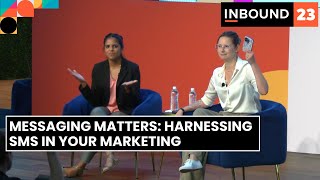
Jorie Monroe and Adrithi Ghaladi walk through SMS marketing in HubSpot: why it works (high open rates), how to set it up (register via Twilio, collect consent, send messages), and what to send (welcome messages, special offers, abandoned cart alerts). Includes opt-in tactics, personalization, and reporting.
Questions this video answers
start, unstop, subscribe
stop, unsubscribe, quit
US-based customers can send to US and Canada-based recipients
Yes — it's a paid add-on available with Marketing Hub Professional or Enterprise accounts
97% (as stated in the presentation)
Chapters
So I actually have a question for everyone in the audience right now. Raise your hand if you have your cell phone on you right now or raise your phone. Yeah, right, everyone, don't worry. Mine snoozed. And it makes sense because you're managing your inbound schedule. Maybe you're slacking your team, but you're also probably, you know, keeping connected with your family and friends because a lot of us travel to this conference and with calling and text messaging and messaging apps, it's easier than ever to really stay connected to the people that you love. And with these new SMS technologies that also includes the brands you love. So that's what we're going to talk about today. My name is Jorie Monroe and I am an inbound professor with HubSpot Academy. And I am joined today with my esteemed, very smart messaging savvy colleague. Yes.
Hi everyone, my name is Adrithi Ghaladi. I am also an inbound professor on the Academy team. I work on all things custom service and more recently, messaging. So I'm in the right spot.
And we were here, I think we were talking recently and collectively between the two of us, we have 15 years of inbound marketing experience between us, which feels kind of surreal to say out loud, if I'm being fully honest. But when I tell you that the dream team is on the stage today, I actually really mean it. But you might be thinking, okay, so we've got inbound professors, whatever that means. What is HubSpot Academy and why am I listening to these two on the stage right now?
We're the worldwide leaders in free online education for all things inbound marketing, sales and customer service. Our goal here is just to help you grow your careers and your business. And we do that in two ways. We provide product specific education as well as product agnostic education.
So you've probably heard a little bit about this SMS thing that Andy was talking about. And if you're curious about getting started, then you've come to the right place because essentially this entire presentation is going to be structured around the exact steps you'll need to take tactically to get started in HubSpot. So we're going to talk about what it actually means to register your business to have an SMS number. Then we're going to talk about consent and managing that in HubSpot. This is a permission based marketing channel which we'll get into, like what that means in just a little bit. But there are some nuances that you're going to need to consider before getting started and then we're actually going to get into the nitty gritty of like what's the experience look like in HubSpot? We're going to pull back the curtain a little bit as well as have some recommendations in terms of like SMS messages that you should have in your repertoire, like immediately now, today.
Now before we get into the meat of the presentation, I do want to call out a couple of things. First, regional considerations. As it stands today, SMS with HubSpot can only be sent from US based customers to US and Canada based customers. If you are looking for something a little more international, I highly encourage you folks to check out our WhatsApp integration also with HubSpot. SMS is also only for certain industries. Now this isn't something that HubSpot put into place. This has kind of just been bestowed upon us. So industries like high risk, financials, gambling. We'll have a list of all of those industries in the appendix section, but just keep that in mind. And then finally, SMS is a paid add on with your marketing Hub Pro or enterprise accounts.
You see, when I asked you to pull out your phones there was a point to that because when you message your customers with SMS you have a direct line of communication to your customers no matter where they are in the world and if they have access to Wi fi. So it's an incredibly direct communication channel with your customers offers. It's also really timely. 97% of text messages are opened within the first 15 minutes of communication. So all of those really time sensitive offers, product announcements, discount codes, they're going to get to your customers and get in front of them really fast. Makes it pretty timely. It's also highly personalized, transparently because of the consent, it's very rare that you're going to be text messaging a complete stranger. So when you are curating these SMS campaigns, you have this opportunity to get really personalized and really think about the demographics and preferences of the people that you're messaging to make sure that you're really delivering the right message at the right time. And finally, engaging. How engaging? Like 98% average open rate engaging. Now there is a bit of some chatter in the community of like is that truly, is it truly 98%? So I looked at a research firm and they were like, oh no, it's definitely 80%. And then I looked at a marketing firm and they were like for sure, 90%. But even if you split that difference, that's a lot more than you know, the 20ish percent that we see on email, depending on your industry. So it's a highly engaging channel.
Now, let's look at it from the consumer's point of view. 90% of consumers want to use messaging to talk to a business. 82% of folks actually open an SMS with a marketing message. Right. That split difference telling you, does anyone know what we strive for for email marketing? Open rates shout at us. 24% between 20 to 30. Do you see the difference? 82%. Come on. And then finally, 78% of consumers prefer to have a text conversation to phone or email.
So businesses love it. Consumers love it. But there's a problem. Only 48% of businesses have what they need in terms of the tool tools they need to get started today. So there's the interest on both sides, but it's really difficult to know where to start.
Yes. So today we're going to talk about the three steps that you need to take to get sms started with HubSpot. The first is registering your business to send SMS messages. And I'm going to be pretty honest, this is the hardest part of the entire section.
Most technical uplift. Yes, for sure.
We'll then talk about collecting and managing consent. So let's just be honest, SMS marketing is a rather intrusive form of marketing.
Right.
We want to make sure that we're doing it in an appropriate and an inbound manner. And then finally, the most exciting part, we're going to get into creating and sending those sms messages via HubSpot. Okay, so let's talk about registering your business. Now, HubSpot is actually not the person in charge of approving your registration. It goes through a third party called Twilio. But HubSpot is here to make it as easy as possible for you folks to get approved. The first step is just filling out this form so Twilio knows what industry you're in. This can be found in your HubSpot CRM in the settings section. And it's a form that you filled out hundreds of times before. There's really nothing special to it.
It'll take you just to feel very familiar. Yes.
Once you complete that registration form, you're actually going to provide SMS examples. So Twilio knows why you're sending these messages. Now, to be transparent, the approval process can take a couple of weeks and that's because Twilio is actually looking at these examples and ensuring that they are appropriate to send. We're here, we know a couple weeks is a long time, but we're here to try and speed up that process, try to make sure that you get approved, that first time around. So here are some best practices to keep in mind. One, keep your branding consistent. So you want to make sure that you're accurately representing the brand that'll communicate with the end user. Second, your sample message should reflect real messages. When you're registering, take some time to make sure that these are actual messages, not just something you're coming up with on the fly. I think this might be the most important one is include opt out language in at least one sample message. You want to assure the folks who are approving this that you're not spamming anyone, that they have the ability to opt out when they need to include your business name in at least one sample message. And you can of course course add personalization tokens with HubSpot and those templated fields should be indicated with brackets. And then once you've done that, the third step is to generate a new number. Now you can choose your area code, you can choose your phone number, you can do this right away. However, you're not going to be able to use the phone number until Twilio has approved your account.
All right, so then let's talk about consent. So you've gone through the process, you've followed all of Adrian's best practices and you've gotten approved. What comes next? So just a quick disclaimer is that while we're going to talk a little bit about the legalese of what it means to SMS and like have this messaging channel with your customers, we are by no means going to be the comprehensive be all, end all summary. Definitely defer to your own lawyer to get the nuances of what this means legally. So let's talk about legal things. Countries like the US and regions like the EU have done a really good job to protect their citizens against broad promotional messages from businesses. So what this means is that SMS is a permission based marketing channel and what that means is that consumers need to explicitly tell your business, yes, I want to receive these messages for you in order for you to be able to start sending all the awesome campaign content that you're about to curate. So when it comes to like thinking about, you know, getting started with sms, you're going to need to open obtain the consent of your audience before actually sending them your campaign content. Now that can feel like a bit of a barrier to entry, but I'm going to tell you why this is a bit of a win win. When you obtain your consent, when you really tackle those hand raisers that are really excited to receive this messaging from you, you're doing a Couple different things. First, you're protecting your sending reputation, right? Because much like an email, you can get reported for like spam by your users. So this is going to prevent a lot of friction and irritated customers that are like, I don't know who you are down the road. But on the positive side, what this is really doing is building trust and loyalty with your users because you're saying, hey, I respect your preferences and I'm not going to communicate with you in a way that you don't want. There's also, again, I know I keep harping on it, but the personalization that you can do is amazing. So you can really curate these highly tone targeted campaigns to high intent audiences, right? These are the people that are like, absolutely, I want to, I want to get SMS from you. Can you think about what you can do with that? It's amazing. So personalization is also a key factor in why you want to really be adhering to these consent laws. Now in HubSpot, logistically, what does this actually mean? Right, you have your business number, you've generated it, you've customized it. When a contact or a new user messages a set of keywords, which we'll see in a minute, to that business number, they're actually controlling their opt in and opt out status with your business. So that's going to be the primary way that you'll be able to get that explicit consent and manage it in HubSpot. Now there's another option, but I will say the caveat is you need to make sure that you have their express and verifiable consent because this is going to operate similar to a contact property. So, so you can manually update it both on the contact record and in bulk. But you want to be careful here because again, you need to be able to prove that they said yes, we absolutely want to receive your SMS messages. So what does this look like? What should you be including in your instructions for this channel? Well, to opt in, it's actually three simple ones. These can't be customized, they're industry standard. Your opt in keywords are going to be start, unstop and subscribe. And then because there's a lot of ways to say no, know anytime a contact messages your business number with things like stop, unsubscribe or quit, it's going to automatically opt them out. I did mention that there is an option on the contact level to be able to opt in and opt out people. It's going to feel very familiar. You can do it under subscription status on the contact level. Or you can bulk enroll on the list view. Again, careful with this option but it's going to feel very familiar as if you were just updating a contact property. Now at this point you're like, so we have this extra step. Did you think I was going to leave you hanging? No. How do you get these, how do you get these opt ins from your audience? I'm so glad you asked. This is my favorite part. So here are my pro tips for leveraging your existing channels to make sure that you're getting people to opt into your SMS channel and strategy. The one that most people have actually already seen is going to take the form of a CTA or a population pop up form on your site. This is essentially letting people know, hey, welcome to my site. We love that you're here. Did you know that we have another way to communicate with you through this SMS channel? Sometimes people will offer a discount or incentive to get started, but it's going to like really take the form of your pop up forms. This should feel familiar. You can also do social media campaigns letting people know on your social channels, hey, there's other ways that you can get in touch with us with a clear call to action or potentially a link to sign up. It's a good way to engage your social media audience outside of your website. Let people know that this exists. Email marketing. So why I like this one is because you've likely already started to segment your audience and like who's getting which email and you can take all that you know about those specific segments and think about the very different ways that you could be communicating them with an SMS message. So essentially this can be, if you're really curating different campaigns, a great way to bake in in segmentation from the get go to let them know across your different segments, hey, we've got SMS now too and maybe you want to hear some promotional offers from us and you have a pro tip.
Well I think it makes a lot of sense to just start with your advocates first, like the people who are your best customers because they're the ones who most likely want to hear from you via sms.
Too high intent audiences for sure. Now for my brick and mortar babes in store signage. Often I see this as QR codes at the checkout line to let people know that hey, you want some coupons maybe do you want to see our new loyalty program? You can sign up here using this QR code and get some SMS from our business. Again, oftentimes when first people are getting set up with sms, it's usually a discount or freebie, but you can be really creative with how you incentivize people to sign up. And then for my sassy customers, you can also train your support reps. I know we were talking a lot about how to use this channel in terms of marketing, but SMS has a lot of use cases when it comes to your sales and customer services. So having your customer services aware of the ways in which you can reach out to customers using this channel and then trained on how to bring that up creatively and fun and in a helpful human way in conversations with them, can really mean the difference in who's signing up for what types of campaigns.
All right, so we were two thirds of the way done. We've registered our business.
Yeah.
We've gotten the consent. Now we just got to create and send those messages.
The easy part is here.
I know. It's truly the easiest part of this whole thing, honestly. Yeah. So the first step is just to write it all out. And if you've ever just sent an email, this will feel very easy. The product team made it so easy to create this. So it's just a text block. You can add in links, you can add in emojis, but please, not too many emojis. And of course you can add in these personalization tokens with anything in your CRM. So a couple of personalization tokens I love, obviously first name, right? Every text I get. Hello, Adri. I've seen people use like birthday. So like a Happy birthday. Here's 20% off. And then if you want to get pretty into the weeds, you could also do things like in app behavior, last time they logged in, last website they saw, last Knowledge Base article, something like that, to really make it as personal as possible. Now after this, you preview your message, send that text message to yourself, send it to a friend, make sure that you know what it looks like on your phone. There are so many times where people have drafted something on the computer, they get it on their phone and they're like scrolling for days because they don't realize how long it is. So make sure to preview your message, send it to yourself or a friend, and then you can either send or schedule your message. Now you can send it to a list that you've created in your CRM or just specific folks. You can send it right away. This is a great option. Or you could actually schedule it. So this is great for campaigns that are launching in a week or so. I will say that when you are scheduling messages, make sure business messages are being sent during business hours. If I get a text at 3am Like 100%, we're opting out, right?
Absolutely, yeah.
And hubs that has like a check recipients table, time zones link in there. So we make it as easy as possible for you.
So after you send your campaign, the reporting situation is going to also feel very familiar if you have been using the HubSpot email tool. So we're going to see very familiar metrics like delivery rate or click through rate. We've also got this nice little conversion funnel because you need to think about everything as a conversion path and just to see how many people are taking that next step in returning to your site or signing up for your channel. It's essentially going to be like the same kind of performance and optimization tab that you're already familiar with, but it also comes pre baked with this comparison feature which if you haven't already started to check it out in your HubSpot campaigns or forums, also highly recommend you do. But in this case you can Compare up to 10 different text messages against each other. So sort of like AB testing, but more like multivariate testing and see what branding, what tone, what message is really resonating with customers. Now this screenshot is a little cut off, but you'll see that at the top there's that preview of the message that you send. And then actually if you scroll down you'll see a readout of all of the stats that we have on each of those messages. So you can really start to cross compare like what's working and what's not. And in terms of moving reporting into that optimization step, definitely do, do not let this fly by, both for SMS, but again for your other HubSpot tools as well. Sometimes people don't know that this exists, but this is already pre baked in and it can be really good as you start to think about optimizing this channel and making sure that you're doubling down on what's working. Now we're not going to leave you without examples of what every business should be doing right now. So first up, welcome messages.
The first thing that you should do when someone opts into your SMS messaging system is send them a welcome message. And now that SMS is available with workflows, this is pretty easy to do. So the goal of this welcome message is to set expectations. What kind of content are they going to expect from you from these messages? How often messages will be sent? And I would say like no more than once a month, once every couple of weeks. You don't want to you want to.
Be strategic when you're sending campaigns, for sure.
And then of course, how to unsubscribe. This is really important in that first note message so they know they're not trapped in there. They know that you're doing it in a helpful manner.
And Special offers. Think about this as your way to get people aware that you're having a sale on your website that they might not know unless they've gone to your website. So I promise you, if you're like a skincare brand or you sell me coffee or flowers, I've probably signed up. I'm getting these special offers all the time. But essentially these are meant to create this sense of like, exclusivity, insider knowledge that people otherwise would have if they hadn't subscribed to your channel.
And we've talked a lot about B2C examples. But text message is also really great for B2B. One of my favorites is Re Engagement. So let's say you've noticed that folks aren't in the app as much, or maybe they're hung up on certain knowledge base articles. You can use it as a support form too. Do you need any help about this? Let's talk something like that. You could also put in links in these text messages, so you can even treat it as abandoned Cart message. Hey, left something in this cart. Click here.
Yeah, and we were talking about this a little earlier. This is really interesting when you think about like product usage and like getting people back into your product. I think that's a really good use case. Get them back in your software.
Right?
They'll love it. If you're interested in learning more about this tool technically, this is going to take you to the listing page that tells you all the nuances that you need to know to get started in HubSpot today.
But enjoy the rest of Inbound. Thanks so much.
Thanks team.
More from Patrick



A NEW BREED OF PARTNER: The Partnership Ecosystem Model Journey of Patrick Biddiscombe, Part 1








Customer Success Workspace: Never Lose Sight Of What Matters Most | HubSpot Spotlight