My BEST LinkedIn Strategy for Lead Generation (w/ Natasha Vilaseca)
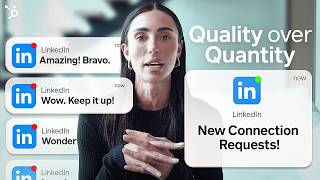
Natasha Vilaseca breaks down a four-step LinkedIn strategy: optimize your profile as a landing page, create audience-driven content without links in posts, engage by commenting on others' work, and track performance with data. A segment covers LinkedIn Revenue Attribution to measure campaign ROI.
Chapters
Hi guys. Welcome back. This is part two of the LinkedIn series. My name is Natasha Vilaseca and I am a LinkedIn lead generation consultant. If you haven't watched part one today, we're going to be going over how you can grow fast on LinkedIn in 2024 and the secret ways in which you can boost your LinkedIn business page. Go and watch that now, because part two follows on from this. In today's video, I'm going to be showing you how to build the best LinkedIn lead generation strategy for 2024. So make sure that you grab something to take not. And let's get started. One of the main questions that I get asked a lot is what separates the top 1% of salespeople from the rest? The answer is data. And throughout this video I'm going to be going over four different simple steps that you can implement straight away to make data work for you and to also approach it in a way that's less intimidating so you feel confident to jump onto LinkedIn and start generating leads as soon as possible. Number one is your LinkedIn profile. Having your LinkedIn profile set up is the most important step because it is the landing page. And the landing page is where interest is piqued and where conversions are hopefully going to come off the back end of it. When we look at your profile, you want to split it into three different sections to make it easy. The top profile, which are the visual elements, where we have your profile photo and the banner, your headline. Then we have the mid section, which is your about section, which we want to make keyword heavy with a call to action in that as well. Remember to tell people what to do in terms of the next step to getting in touch with you. And then we have the final section of the profile at the bottom, which is your recommendations and your work experience. So adding in detailed descriptions of your previous experience and then getting five to 10 recommendations from current clients or previous clients so that you're not the only person on your profile talking about great, you are. You have 10 other people to back you up with extra social proof. So me and HubSpot actually had conversations about this and we wanted to create some special resources for you that would be specifically based on the content in these videos. Now this is a resource that if it existed when I first started out and needed it, it would have changed my life. I had the most basic Google sheet content planner in the world and HubSpot has gone through all of this effort to create a step by step content planner with everything that you could possibly need and a talk through of exactly how to use it. So inside the planner you can see you have the different tabs. At the bottom we have the LinkedIn schedule, the content bank, and then LinkedIn best practices, which are mainly just reminders. In the content bank you can brainstorm different ideas of all the different pieces of content you want to create. I would recommend even like front loading this and doing 30 days at a time. So once a month you sit down and let's say you create three pieces of content for each week. So you have 12 pieces of content. Write out all of the ideas, the titles, the brainstorms, and then once you've done that, you can add it into the schedule and plan out exactly what day you want to post on, what time if you're posting for. And then we have the topics and then the hashtags and any links that you're going to put in the post. Quick reminder, do not add a link into your post, add it in beneath as a comment because adding it in the post itself will harm the SEO and the reach of your content piece. So this is today's resource. Make sure that you either pause this video now and go and download it, or grab it at the end before you leave, make a copy, add it to your drive and use this every day. Because having the strategy is one thing, but actually applying it and then tracking how effective your strategy is is going to be what separates you from success to failure, moving swiftly on to number two, which is content. Now, when it comes to content, I would rather see high quality content in a smaller frequency than content like 20 times a day. Low quality. So focus on your quality instead of your quantity and think about value first. How can you actually help somebody's day? If you were a potential client and you saw your post on mainfeed, would you stop? Would you save that post? Would you interact with it? Would you think, thank God somebody wrote this post because I really needed that answer. If the answer is a no to any of those questions, then the post probably isn't good enough and it's better to go back to the drawing board and come up with another post. When it comes to the types of posts, there's lots of different types. Articles, photos with a caption, short form text, long form text, short form video, long form video. And what I would recommend doing is maybe starting with the type of content that you're most comfortable with at first and mixing it up a little bit. And at the end of every week, just make a note inside the content planner of how many likes, comments, engagements overall that your post got. And then at the end of the month you can go and actually review that and this is where the data comes into play. You can see what's performing the best. So instead of you being skewed by like personally what you enjoy posting about, if your audience is saying that they love long form written post and short form video, you should be pushing out more of that. So let the audience tell you what they like and then let that guide your content strategy in the right direction. Step 3 and this is something that is so obvious when you state it, but the key to engagement is engaging. If you expect to receive all of these likes and comments and shares and questions and compliments and all of these things on your content, why would you not increase the chances of that happening by doing it to other people? So what you give, you shall receive. It's kind of like content karma. I would spend time every single day, even if it's five to 10 minutes, of just going through people in your space, key influencers, people that you know, people in your team, colleagues, relevant industry thought leaders, and just leaving valuable comments. And this is also going to increase your chances that everybody else who is viewing this person's post might see your name in the comments. And if you've added on more value, that person is more likely to click onto your profile, have your name top of mind, and maybe send you a connection request or engage with your content.
Hey, it's Jake again. Real quick, are you a B2B marketer struggling to measure your campaigns? LinkedIn and its marketing partners have you covered. From real time analytics to attribution reporting, LinkedIn and its trusted partners like HubSpot are transforming how you measure and optimize all of your marketing efforts. And here's something new for you. The LinkedIn Revenue Attribution report. If you're using HubSpot or Salesforce or Dynamics as your CRM, you can now sync your CRM data to see the influence of your LinkedIn campaigns on the sales pipeline. Check the link in the description for their most recent ebook to see how marketers at businesses of all sizes are measuring the ROI from their campaigns. Now let's get back to the video.
Step four is data, which I got a little bit overexcited about throughout the rest of this video. So I've kind of covered this a little bit already. But just make sure that you set aside some time every single week, analyze all of the performance of your content every month, have a look and review the weekly analysis that you've done and use that to then think about the direction that your content strategy is going to go in. Because you could end up if you didn't do this, you could just post 365 days and be posting stuff that's just not working. And what is the point? Because it's going to be a loss of time and a loss of potential profit. So make sure that you analyze the data, use the content plan that we went through, download it in the description, and start putting everything that you've learned in these two videos to good use. I hope you learned a lot. Make sure that you follow this channel and give it a thumbs up. And also leave any questions that you have in the comments or any just like nice things you have to say, leave in the comments as well. Thank you for watching.
More from Patrick



A NEW BREED OF PARTNER: The Partnership Ecosystem Model Journey of Patrick Biddiscombe, Part 1








Customer Success Workspace: Never Lose Sight Of What Matters Most | HubSpot Spotlight