NEW Instagram Updates 2023: Strategies for Success (STOP Using Outdated Tips!)
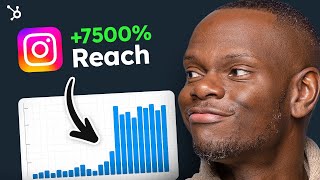
A HubSpot-produced YouTube video (uploaded May 8, 2023) where Tory, a HubSpot marketing manager, explains Instagram's 2023 priorities and practical tactics to increase organic reach. Key points: Instagram remains valuable (cites over 1 billion monthly active users); the platform is shifting toward connection, creativity, and discovery with engagement as the top priority; different app areas (Feed, Stories, Explore, Reels) use tailored ranking signals; and recommended actions include auditing followers and hashtags, optimizing post timing, favoring carousels and reels, adding on-screen text/captions and CTAs, and collaborating with other accounts. The video also gives specific operational recommendations (e.g., posting cadence, hashtag counts, and reel length).
Questions this video answers
Over 1 billion monthly active users.
Approximately 76%.
Around 90 million photos and videos per day.
About five posts per week, two reels per week, and one story per day.
Use 1 to 5 niche-specific hashtags, preferably in the 30k–300k posts range.
Chapters
Are you experiencing a drop in Instagram impressions, engagement and new followers? If so, I'm sure you're wondering if it's still a smart place to invest your time and marketing efforts. The answer is a huge yes. Despite its ever changing features and all powerful algorithms, Instagram is still one of the largest social media platforms worldwide, with over 1 billion with a B active monthly users and Gen Z and Millennial consumers make up a vast majority of Instagramm@76%. Given that the world's population is around 8 billion, this is a huge segment of the planet that can be reached with Instagram marketing. I'm Tory, a marketing manager at HubSpot, and in this video I'm going to break down Instagram's priorities for 2023, how this works with the latest algorithm updates and what this means for your Instagram strategy. I'll also show you new content types you should use to increase your organic reach, and I'll highlight popular but outdated strategies you should completely steer clear of. While Instagram's priorities in early 2022 were focused on video messaging and creator monetization, the platform recently announced a complete shift in their direction, which focuses on content amplification and making new connections. In other words, Instagram is pivoting from its previous model to one that favors connection, creativity and discovery, with engagement being priority number one. Let's start with a stat to put things into perspective. Every single day, there are around 90 million photos and videos being shared all across Instagram, referred to as a singular concept that controls and oversees what people can and cannot see on the app. But Instagram actually uses a variety of algorithms, classifiers and processes, each with its own purpose. What these are and how they work isn't really important to the casual user. However, when building a marketing strategy, you've got to understand the formula so you can tailor your strategy to hack what the algorithm is prioritizing so you can reach more users and build a community of engaged followers. Instagram's algorithms exist to make the user experience better and easier. They make sure you see relevant content on your feed instead of the equivalent of spam. Otherwise, there's just way too much out there. For brands and creators, this means that you can connect and engage with a niche audience and in a much more personalized and intimate way. Each part of the app, feed, Explore and Reels, for example, uses its own algorithm tailored to how people use it. For example, people tend to look for their closest friends in stories, but they want to discover something entirely new and Explore. Instagram ranks things differently in different parts of the app based on how people use these features. So with any ranking algorithm, how it all works can be broken down into parts. We let's start with feed and Stories the way the algorithm works in your home feed is that it gathers all of the information about a single post, then uses this data as signals to score or rank the post. So the post with the highest score ranks toward the top and informs the order of posts on that particular feed. There are many signals which affect the performance of Instagram posts organically. Here are the top three Account information this includes signals like how many people have interacted with a particular profile in the past few weeks, how often that account posts, and if users frequently liked or commented on their content. Post information these are signals about post content stuff like how popular a post is when it was posted, its location, if it's a carousel or a video, and if a video, how long it is User activity and interaction history this helps Instagram understand a person's activity and the types of posts they are engaging in, and include signals such as how often a person scrolls on the app so it can pick and choose what to prioritize. From there, the algorithm makes a set of predictions based on the likelihood of five main interactions when deciding how to rank a post on someone's home feed. These include time spent on posts, comments, likes, shares, and taps on profile. The more likely someone is to take any of these actions, the more heavily Instagram will weigh that action and the higher the post posts will actually rank. This all takes us to the importance of timing when scheduling posts. Instagram's native analytics provide data on when your followers are active on different days of the week. Simply open the app, go to your profile, tap Professional dashboard, tap See all next to account insights, tap total followers, and then scroll down to most active times. You'll want to post at times when your followers are the most most active. This way, if they're scrolling through their feed, new posts are more likely to show up for them, and early engagement can determine the success of a post. Okay, so let's move on to the Explore page. If the home feed is based on engagement with current followers, the Explore feed is where you can find new followers and is key to your growth. Content on the Explore Page comes from accounts you don't already follow, since its purpose is to help you discover new things. Therefore, the algorithm for the Explore page delivers content that it thinks you'll be most interested in based on these top posts, timing and popularity Posts that are fresh and see a ton of engagement. These signals matter much more and explore than they do in feed or stories. Niching and Engagement Content topics and types you regularly engage with, including likes, comments, saves and shares, connections and community Instagram accounts you follow and the types of posts that see engagement from those accounts you follow. Your own Explore Feed is a great place to start to learn what content these users actually engage with the most. Delve into posts, categories and niche finds to identify an approach and craft your own strategy. Questions you might be asking during this audit may include what tone seems to resonate most with your target audience. For example, is it playful, educational, sophisticated or inspirational? Is there a visual style that performs best? What type of content earns the most engagement? Is it reels? Carousels? Static posts? Live video? What type of captions prompt the most resources? By getting to know your audience and continually sharing engaging content with strong captions, relevant keywords and niche hashtags, you are optimizing your post for Explore Page potential. Similar to the Explore page, the majority of what you see on reels is from accounts you don't actually find follow. So Instagram prioritizes reels based on the algorithm's predictions of a user's interest and engagement, and then uses a set of signals to help rank that content. This makes them a great place for getting seen by a much larger audience. With reels, the focus is on entertainment. The most important predictions the algorithm will make here is how likely you are to watch a reel all the way through, like it, comment on it, and go to the audio page, which is a proxy for whether or not you might be inspired to make your own reel. Much like feed posts, Instagram prioritizes reels based on what it believes a viewer will be most likely to interact with, and then uses these signals to help rank that content. Reels should be original, entertaining or inspiring, combined with content your audience finds useful, such as tips, DIYs, or tutorials within your niche. This encourages saves for your posts, and the more saves your posts receive, the more signals the algorithm receives to show your post to even more people. It could even appear on the Explore page, which, as we know, can translate into more followers and more growth. Now, engagement rates can drop due to many reasons, so it's best to find out what caused the drop and come up with a strategy. The first step is to do an audit of your Instagram account and content to make sure you're not using outdated strategies that no longer work. Instead, replace them with these followers do not fall victim to the follow for follow culture that is common among small influencers. Small accounts often try to build followers through this approach. It creates a base of followers that rarely interacts with your actual content, which is devastating for your engagement. Also, check for spam followers and remove these accounts asap. Think quality over quantity. Engagement over followers. Your content will be perform much better, you'll receive more authentic engagement and you'll have the algorithm on your side. Hashtags Do a complete audit of the hashtags you use. Not all hashtags are created equal and not all hashtags work. With the new Instagram layout, fewer users explored by hashtags and many successful brands don't tag their posts at all. For budding small businesses, hashtags are still highly recommended but not in excess. Use 1 to 5 only. Use niche specific hashtags, mostly in the range of 30k to 300k posts. Also, be sure to make sure you are not using any banned hashtags. This could put your account at extreme risk of being completely blocked. Also Also don't use the same set of hashtags for every single post as the algorithm develops. Spamming irrelevant hashtags will not get your posts seen. Now that you understand that the algorithm is not something to be feared, but instead a power to be harnessed and used for complete good, I'm going to share five posting strategies you must pay attention to if you want to optimize your Instagram profile to increase your organic reach. Number one Perfect your timing. A five post a week, two reels a week, one story a day system is more in line with what top brands are doing in 2023 with the algorithm shift toward image posts and the decline of stories. Remember to reference Instagram's native analytics to time your posts when your followers are most active to get higher engagement, which is a critical element to getting your posts onto the Instagram Explore page number two. Use both carousel photos and reels. These are the posts that have the most organic reach that Instagram is pushing on the Explore Page Reels feed and home feedback for carousels. The algorithm emphasizes viewer retention, so you want viewers to swipe all the way through to the end. Three to five slides are recommended, no more, no less. If you have less, you're not going to get the engagement. And if you have more, the odds of you getting the user to swipe all the way through your long carousel are very slim. Pro Tip Use a hook on the first slide to lead in and encourage swipes for reals. Feature people in your reels Feature trending music post reels to both the reels tab and the feed again. The algorithm emphasizes viewer retention, so keep reels short and fun three to 15 seconds, as short reels tend to loop and will count as multiple views. You should also avoid posting reels that are low resolution, too blurry, have already been shared elsewhere, or are visibly recycled from another app. These type of reels reels will be deprioritized, meaning they'll be less likely to appear across the app Number three Include on screen text and captions. You need a hook. You need text. You need captions to capture someone's attention and draw them in. Add a hook in your videos. Before you add text, post questions in your captions so your followers can answer them in the comment section. Videos with captions tend to perform better on every engagement metric, impressions, views and likes. Plus it makes your content way more accessible to all kinds of social media users. 4 Create calls to action. Every Instagram post needs one and you need one in your bio. Adding CTAs to some of your stories is also essential. Use question stickers, emoji, sliders and polls to boost engagement. Use stories to share posts that tag your brand. Reshare those reels and posts to your story. Reels and posts are best for expanding to new audiences, but stories are great for engaging with your core group of existing followers and driving interactions. 5. Collaborate with other accounts. Build relationships through targeted interactions and replying to your community to create affinity in the algorithm. Respond to all comments and DMs to boost engagement. Don't just like the message or send an emoji back. Use the Collab Post post feature to co author content with other creators and brands in your niche. The post will show up on both of your profiles. You'll share views, likes, comments, all the good stuff. Optimizing your Instagram posts is crucial to unlocking the potential behind the algorithms to get your posts seen by more people and drive engagement. And HubSpot has partnered with the experts at Mention to create a comprehensive report that includes everything from general data on account performance performance to specific tips to help you achieve your Instagram goals. You can download from the link down in the description and while you're down there, make sure to like and subscribe. If you like what you heard and you want to hear more. Until next time, I can find this client info.
Have you heard of HubSpot? HubSpot is a CRM platform so it shares its data across every application. Every team can stay aligned. No out of sync spreadsheets or dueling databases.
HubSpot grow better.
More from Patrick



A NEW BREED OF PARTNER: The Partnership Ecosystem Model Journey of Patrick Biddiscombe, Part 1








Customer Success Workspace: Never Lose Sight Of What Matters Most | HubSpot Spotlight