Resume Getting Ignored? Use These HACKS to Get Noticed (Free Tools + Resume Tips)
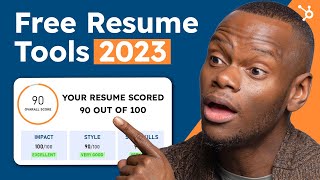
Patrick Biddiscombe walks through seven ways to get your resume past automated systems and in front of recruiters. Tailor it to the job posting with Jobscan, use action verbs via Resume Worded, keep formatting simple, and fix typos with Grammarly. Most resumes get cut before a human ever sees them.
Chapters
On average, recruiters spend only six seconds reviewing a resume before deciding whether to continue reading it. In this video, I'm going to teach you how to make every second count. The first person to read your resume isn't a person at all, and 75% of resumes will be cut before they ever reach human eyes. Why is that? Well, your resume may never reach human eyes because of a big wall named ATS Applicant Tracking Systems. These are AI programs that a lot of companies use to scan resumes and filter out applications based on keywords related to job requirements. When these programs scan your resume, if it's not formatted the right way or using relevant keywords for the job you're going after, ATS won't even let you in the door. Here's how to get around it. Number one Tailor your resume to the job you're applying for. Resumes often lack job specific customization. Admit it, you love that easy apply button a bit too much. Go ahead, you know you want to. There we go. No judgment. But what happens as a result is when folks are applying for a marketing job, they're usually sending the same resume they'd use if they were applying for a job in education. Don't do that. Employers are looking for candidates who have the specific skills and experience needed for their gig. If you're always sending a general resume with no keywords, formatting, or anything related to this specific role, the ATS won't let you in the door. To solve this, you want to use a tool like jobscan. It lets you analyze individual job postings and identify the keywords and skills the employer is looking for. This way, you can just naturally sprinkle them throughout your resume. Just upload your resume, copy and paste the job posting, and then review. Jobscan will compare your resume against the job posting and provide a match rate. It'll tell you which phrases and skills from the posting are missing from your resume. You can also save a bit of time by creating a resume for each industry you want to apply for and just having it always on hand. This way you can always have an already existing template to work from, making tailoring it a lot easier. Hack Number two Use action verbs to show your accomplishments. Action verbs allow you to highlight your accomplishments in a quick and efficient way. Think bullet points and quantifiable results Instead of wrote articles for the Food blog, wrote, go with, researched, wrote and published four articles for the Food blog. This is your time to show your contributions. Instead of saying department sales increased by 13%, say increase department sales by 13% use words like achieved, created, developed, managed, increased, and improved. Using passive language makes it unclear who performed an action or places an emphasis on the action when rather than the person who performed it. And that's not what we're trying to do here. We want all the focus on you. If you need inspiration, you can find a deep list of industry specific action verb keywords with Resume Worded. It offers a variety of resources, but most importantly a database of action verbs. Just go to Resume Worded and click on Resume Review. Put in your career level and upload your resume. Resume Worded will provide feedback on your resume, but more importantly, click on Action Verbs to see some effective action verbs to use in your resume. You can choose from strong accomplishment driven verbs to research and analysis. Match the verbs you choose with the skills listed in the job posting. This is yet another way to naturally put in relevant keywords to make sure your resume makes it past their software Hack Number three Don't go overboard with the keywords While putting keywords into your resume is very, very important, you don't want to do what Jobscan calls keyword stuffing. This is when applicants excessively use keywords in their resume whether they're relevant or not. It's like when you make an IG post and attach a ton of popular hashtags that aren't actually relevant to the post. Speaking of which, Quick Story Taleo ATS software caught a job seeker trying to beat the system by stuffing hidden keywords. The applicant repeatedly typed accounting into the bottom of their resume, then highlighted it white so it's invisible to human eyes. Unluckily for them, a human wasn't actually looking at it. The software could see it clearly as day and called them out. Do you understand what it must feel like to get called out by an AI? A good rule of thumb is to only use keywords where relevant, specifically in your summary skills and work experience sections. Trust me, I've done the research. You're not as smooth as you think you are. It'll be pretty clear that your keyword stuffing when your home address is on SEO Lane in Boston Marketing Planet Chusetts Hack number four Keep your formatting simple. If you are an employer looking at a resume and you only had six seconds of attention to give, would you want to see this or this? Clarity is king when it comes to skimming. You can solve formatting problems by using one of these free resume templates designed with readability in mind. All you need to do is download the offer I am gifting you down below. You are very welcome. Just cut and paste your info, then edit it to your liking with multiple options to choose from. No matter which one you choose, your employer will be able to find the info they need quickly and and easily. While these are all designed with readability in mind, it's for human readability. So if you want to easily be read by an ats, you'll want to go with template number five. It has a lot less boxes and columns, which sometimes make it hard for the software to read your info. Hack number 5 spelling and grammar According to a study, 6 out of 10 US resumes contain spelling and grammar mistakes. Though seemingly small, these errors can make you look careless and very unprofessional. Grammarly can help you easily catch mistakes and make sure your resume is polished and error free again. Just copy and paste your resume into the tool and it'll highlight any spelling or grammar errors. It'll also provide suggestions on how to improve your writing and make your resume more effective. While we're on the topic of spelling and grammar, even though it may be very tempting, avoid using overly complex language or insider business lingo. Keep your language simple and easy to understand. We only have six seconds. Instead of saying ascertained the delineation of multifaceted project scope and conducted detailed needs assessments to generate comprehensive project plans encompassing all aspects of project management from inception to implementation, just say created detailed project plans from start to finish by assessing project needs and scope. Keep it simple. Hack number six Another set of eyes Whether it's a professor, mentor, career advisor, or a current colleague, it's very important to get your resume in front of a set of eyes that aren't yours or AIs. The best thing to have someone say is this part doesn't work for me. Put your ego in the backseat. Whether you agree with their critique or not, the devil's advocate perspective they provide is invaluable. It can help shine a light on last minute areas for improvement that may have gone unnoticed. Hack number 7 Convert your resume to a PDF file Converting your resume to a PDF format maintains the clean formatting that you've worked so hard on up until this point. I'm very proud of you. By the way, PDF files are also compatible with most devices and software, which means that your resume can be easily viewed and shared by potential employers no matter what program they may be using to view it. A lot of word processing software programs such as Microsoft Word have built in options to save or export your document as a PDF file. You can also use online converters to change your resume to a PDF file for free. Some popular options include small PDF doc to PDF and PDF converter.com the concept is simple for all of them. Just upload your file, choose your file type and convert. By following these seven strategies and using these tools, you can create a compelling resume that will not only make a great impression on potential employers, but also make sure you get past any AI systems trying to to keep you out, remember to tailor your resume to the job you're applying for. Use action verbs to highlight your accomplishments, don't go overboard with keywords, keep it simple and easy to read, get proofreading to ensure your resume is error free and turn it into a PDF. With these tips, your resume is well on its way to getting the responses needed to land your dream job. As always, if you like what you heard and you want to learn more, subscribe to the channel and learn more. Until next time, I can't find this client info have you heard of HubSpot? HubSpot is a CRM platform so it shares its data across every application. Every team can stay aligned. No out of sync spreadsheets or dueling databases. HubSpot grow better.
More from Patrick



A NEW BREED OF PARTNER: The Partnership Ecosystem Model Journey of Patrick Biddiscombe, Part 1








Customer Success Workspace: Never Lose Sight Of What Matters Most | HubSpot Spotlight