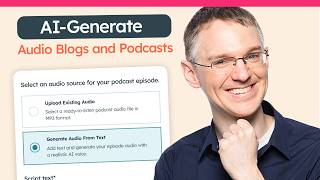
Patrick Biddiscombe shows how HubSpot's AI text-to-speech turns blog posts and podcasts into audio. Marketers spend 4 hours daily on admin work; AI can save 3 hours per content piece. The tool lets you pick from voices like Alloy and Shimmer, then embed the audio on your site.
Questions this video answers
May 15, 2024
Patrick Biddiscombe
On average, four hours a day
Up to three hours per content piece
Two and a half hours per day overall
Chapters
On average, marketers spend four hours a day on administrative, manual or operational tasks. But AI is helping a lot. With AI, marketers are saving up to three hours per content piece and two and a half hours per day overall. And this isn't just about efficiency. Marketers report that 77% of the content they're producing is more personalized, which means it's more relevant and helpful to the people they're trying to target. Hubslot has AI powered text to speech features that are going to help you reach a much wider audience. That's blog post, narration and and podcasts. Let's take a look here. I am in the blogging tool. I've just created this blog post. The text is all written, but some people prefer to listen to blog posts and some people need audio files for accessibility reasons. This is a great place to use text to speech and we have that built in here. So if I generate a narration for this blog post, it pulls in the full blog post right here to use as a transcript. You can edit this if there are any changes you would like to make for the audio version, but you can leave it as it is and then choose the voice you want to use and you can audition these voices to see what they sound like. So here's Alloy.
This is a sample of the selected voice reading aloud. Does it suit your content?
Does it suit your content? If not, you can try someone else. How about Fable?
This is a sample of the selected voice reading aloud. Does it suit your content?
We've got lots of options here. One last one. How about Shimmer?
This is a sample of the selected voice reading aloud. Does it suit your content?
Sure. Shimmer sounds like you meet our needs. So if we generate, we'll get the full blog post turned into audio form right here. And when it's done, we can give it a listen to see if we like how it turned out.
Unlock the full potential of your website's content strategy with this comprehensive guide to building effective pillar pages.
Sounds good to me. So we'll go ahead and add it to the blog post and then you have this audio file at the top of your blog post that visitors can listen to. And that's going to help a lot of your engagement metrics like time on page and bounce rate, which search engines are increasingly caring a lot about. So. So having good narration here, that'll keep people sitting on your page and listening to it will really convey the value of your content to search engines. Podcasting is a great way to reach a wider audience and build trust for Your brand and the podcast tool inside of Content Hub makes it easy to do this inside of HubSpot. So here I am in the podcast tool and you can create and manage multiple podcast shows inside of HubSpot. So here you can see in my account I have two. If I wanted to create a third, I can do that. Give a title, give it a description, select the host, everything you need to create a show. And once you have it, you'll get an RSS feed that you can send out to Apple or Spotify or Deezer or wherever you want your podcast to be. And your individual episodes are going to be listed right here. So let's take a look at how to create an episode. You just click this Create Episode button and if you're the sort of person who has a nice mic and you're interviewing people, you can upload that audio right here. It'll be hosted in HubSpot and it'll work great. But it's but if you want to use text to speech, that can be a great way to break into podcasting if you don't have all those fancy tools at your disposal. So let's just grab a little paragraph from the blog post we were working on earlier. Let's say this is going to be our show. You can once again sample voices to see how they sound.
This is a sample of the selected voice reading aloud. Does it suit your content?
And when you have one you're happy with, you can generate audio very similar to what we did with the blog post and wait for it to process. And when it's done, you can listen to it to see if you like it.
In the wake of 2016's rank brain release, the digital marketing landscape witnessed a paradigm shift.
Sounds pretty good. If you don't like how it sounds, you can always change your text or choose a different voice and then hit Generate again to get another audio file. Next, you move on to the episode details. So you're going to have to give every episode a title and you can optionally give it show notes. This is a great place to let people know what your podcast episode is about. If you Every episode has to have its own piece of artwork, and it should be an image that's different from the image you use for the overall show's artwork. If you don't have that, this is another great place to use generative AI. You can decide on the style and give it a prompt and get an image for your show. Then there's this toggle for you to tell your listeners whether or not. There's explicit content, and then you can publish your episode and it'll be available on that same RSS feed. You don't have to go update those external sources, they'll just pull it right in. And because the podcast audio is stored and hosted inside of HubSpot, you can use it in other pieces of HubSpot content. So here I am on on a website page, and I have my episodes here. There's a podcast module that I can just pull in individual episodes and have them embedded on my page. The title is here, the show notes are here. I can hit play and just listen to them. If you're a HubSpot Professional customer, give these features a try. If not, click the link in the description to check out Content Hub and be sure to subscribe to this channel for more videos like this one.