The Sales Enablement Tool You NEED in 2024 (Gong App For HubSpot)
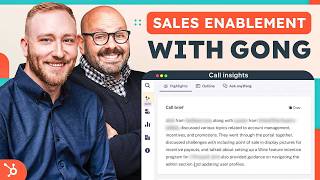
Chris Bryant walks through Gong's HubSpot integration and how it tracks sales activity, transcribes calls automatically, and surfaces insights to help reps close deals faster. The app pulls conversation data directly into HubSpot so you see what actually happened on every call.
Questions this video answers
Friday, February 16th.
$10,000 (mentioned for one demo deal).
Changed from $75,001 to $75,000.
48 calls to date.
About 2.3% of roughly 1,300 calls (i.e., ~2.3% of ~1,300).
Chapters
Are you a growing business looking to have better conversations with your prospects while improving your sales effectiveness? Don't worry. The gong app for HubSpot totally has you covered. Now the first step is getting Gong connected with your HubSpot. For this, let me introduce Chris Bryant from Bryantworks to walk us through the process.
Hi there, my name is Chris Bryant with Bryant Works and today I want to show you some of the power of the gong and HubSpot integration. But the first we need to do is get Gong connected to our HubSpot account. So to do so we're going to jump into HubSpot. We're going to click on the little storefront icon in the top right hand corner, head over to the app marketplace and just simply click on Install the App. Once doing so, you'll be taken to the install screen inside of Gong where you'll get connected.
Now that you're set up, let's get cooking. First, we'll take a look at the Gong deal board to show you all of your HubSpot information right inside Gong.
Once you have Gong connected and your sales team is actively using it, one of the biggest benefits is some of the activity tracking that it has and the smart transcriptions and the automatic follow ups and the call briefings are all digested within Gong and then showcased back inside of HubSpot. Now, me as a if I'm the VP or I'm the owner, I can quickly come to the Gong home screen, take a look at the conversations that we have going on with the company, my team, my calls, that sort of thing and understand what has been happening over the past X amount of time period. So in this case I can see there was a demo held on Friday, February 16th. I can click to open more highlights and get a general understanding of what this demo was about. I could click further into this to see who was this potential meeting with. Was it a client, was it a future prospect? So scrolling down a little bit we can see that there was a demo here. I've got, you know, this deal worth $10,000. We're sitting in demo scheduled. I can open the more highlights and find out more information about this particular deal. I see key points and next steps.
If you're a sales leader losing sleep at night wondering what conversations are happening with prospect worry, Gong's got you covered. Let's take a look at what sales leaders can do inside of Gong.
And if I want to, I can click on the outline to understand what was happened inside of the call. So it's going to break down those highlights for me. So in our case we've got the intros, the background, the brands available, so on and so forth. We can keep scrolling through this. And the nice thing is I can hover over any of these and click the little play button. It'll take me right to this call. Once you dive into a call inside of Gong, I can click to go to the call. So on the left hand side we've got those highlights, the outline, just like we saw on the kind of preview panel. And then further down on the main screen, you've probably seen something similar to this. If you use the calling feature within HubSpot where you get talk times, who's talking when, when the screen share is. We can see right here there's different topics that GONG has identified. And if I don't want to look at the video, if I would rather, you know, take a look at the screen transcript, I can scroll through here, see who's talking when, that sort of thing inside of here. So again, this is automatically transcribed. No one's keying this in. This is Gong doing its thing.
Data, video, audio transcriptions. GONG has everything sales teams and leaders need to find ways to be more effective and have better conversations with their prospects.
Now, also inside this, on the left hand side, I can go to points of interest inside the call. So it's going to analyze this call and send me back different points that we've got. I can take a look at the stats or the slides that were shared. And then now if I click into the account side of things, I get more information about this particular account. So there's their opportunity, the amount, the stage and when they're set to close. This is where the power of The Gong and HubSpot integration come into play. So what I can do now is I can click on this, this is going to show me everything that we've had. So I get to see a timeline here of what's been had with this particular person or this particular company rather and see anything that's been going on with them. This company is not that deep because it is a brand new prospect. But if we take a look at some of the power of the Gong and HubSpot integration, we can take a look over here at the GONG pipeline.
One of the greatest features of the gong integration with HubSpot is that you can update deals and records from Gong that will automatically be reflected in your HubSpot CRM. Say goodbye to the days of double data entry level. They're gone.
So that's underneath deals and this is a live feed coming from our HubSpot sales pipeline into GONG itself. So taking a look at the deal board, I can click into any particular deal if I want to to find more information about what's been going on with this one. So right now if I scroll through this, I see emails kind of going back and forth here if I want to. I also have the ability to update this deal from gong inside the CRM. So now I've got $75,001. Let's change that to be $75,000 clean. So I'm going to click the checkbox and now it' to update that record inside of HubSpot. If I want to verify that I can click on open in CRM and there's my deal at $75,000. Now if I want to take a look at what meetings have been had on this particular account that has GONG analytics attached to it, I can click to the account. So here I've already got them open on this tab and then inside the account I can see the different meetings. So right here's the meeting with the attendee description. So there's the Gong link. If I click on this, it's going to actually take me to to that GONG call that we had with this particular individual. So this is a little bit old back in November, but you could see Gong has already pre built the call brief. Any next steps? If I click into the outline, there's that breakdown again. And then now we can see there's Jen and Lauren. There's a screen shared various topics going on here as well. So if I click on the account going back into this, there's those timeline. It looks like we had 48 calls to date. Jumping back to the deals pipeline, Gong does let you control some of the flexibility here about which deals are shown and which deals are not shown. So in my case I filtered for just open deals. I can define this by deal stages, deal statuses, you know, pull in the different kinds of fields that I want to be able to update. So you saw in this view here where I can update the CRM, the amount, the close date, the stage or the probability within here you can always add additional settings if you want or additional fields if you want to be able to update those as well. I can adjust these filters however I see fit. So if I want to change to some different filters here I can do that or I can add additional filters based upon other key indicators that I might have selected like the account source, the stage, does it have warnings attached to it? That sort of thing. It does also show if deals have been closed lost or closed won for that instance. So in these records here, I could click into these and see, you know, what happened to these. It looks like several actually in the parking lot. I could review there any activity associated with them to see what might have happened to cause them to go over to the parking lot.
Now, a lot of companies are data rich but insight poor. Let's take a look at how Gong solves this for you with their Insights tool.
Now the other nice thing that GONG offers is it does allow you for insights. So it has great call analytics attached to it. So these are both coaching metrics and insights for your team against some best practices that GONG has identified, like the time to wait between questions, the time spent on calls, so on and so forth.
If you're a sales leader looking to coach your sales team to improve their effectiveness, Gong has amazing insights to help you do that. It'll help you identify subject matter experts, see who's your high performers and more.
So we've got our activities here and now we're looking at, you know, the different teams. It looks like Tracy's a power user here inside the call duration. So this is looking at the last 30 days. I could change this if I wanted to look at a particular type of call or other tags that I might have set up. I can look at our call volume, time spent on calls, total call volume, so on and so forth. So your traditional calling metrics. But if I want to take a look at some other things like the interactions. So talk ratios can be very important on sales calls. How much are we talking versus them talking longest monologues, you know, we don't want to trail on for too long. Longest customer story stories, the activity score. So how often these people engaged with us, meaning flipping back and forth, we actually are having a conversation, patience, questions per hour, that sort of thing. Now it does show you a couple of things on this screen. So it shows you on all these tabs. But on this screen you get to see the interactivity score, the best practice and then how your team actually ranks. So really good things there. Other things that you can do is you can identify topics inside of here. So what kind of topics Gong has identified and see who talks about these things on our team. The most other coaching or insight metrics. You do have trackers where you can set up custom trackers for particular talking points that you might have or concepts. And Gong again is going to show you the different talking points, who's using those and the percentage of those things that are mentioned.
If you're a rapidly growing company or you just have a big sales team, Gong makes it simple to search across all calls, records and data with one button.
So another really powerful feature of the GONG integration is the ability to search across all calls and everything that have been happening at the organization. So I can search for, you know, things that happen with a particular user. I can search for a particular account or words or phrases. So, for example, we do a lot of webinars. So I can search for webinar here. And we're going to say contains the term webinar mentioned by anyone, said anytime in the call. And we're going to search for that. So now we get to see 2.3% of, you know, 1300 calls or so mention webinar. So I can click to see when were these things done. So the last One was on February 6th, there's February 5th, so on and so forth to see several things. You can build this library of different conversations that you have that could be utilized by other members of the team to take a look at things there. So another powerful feature within the conversations is the company library.
People love the company library inside of Gong. It's a place where you can host videos and calls that are best practices or common objections or other really important information for your sales team to improve.
Their effectiveness, where you can provide examples of things that were really good or, you know, of use case objections or how to handle certain scenarios. So in our case, here's a customer endorsement folder that's been put together. So right here we've got a couple calls that we can look back to customer endorsements that we could play on these sorts of things. So we can click on these. It's again going to take us to that call. We can listen to that endorsement that way. Now, the endorsements, I say that just because this is somebody who has put this together, you don't have to use those particular things. I encourage you to make different folders for yourself. So that way you can build this library of things that helps your team sell better or engage your customers better. With the GONG integration, remember how I.
Said companies are data rich, but inside poor? Let's take a look at how GONG solves this. Again, we're going to with their account metrics.
The last thing that we're going to take a look at here is different accounting metrics that you might have. So I'm going to open up this particular account, and within this account we get to see anything that's been happening on this particular organization. And on the top right hand side is where I can actually open up this organization within the CRM so I can click to open inside the CRM and then there's that company inside the CRM. I can see on this record, you know, we've got some future scheduled meetings, so things like that that have been going on, these are all these other meetings that we've got going on with this particular organization. But that is some of the power of the gong and HubSpot integration. So again, Gong is one of the best call intelligence platforms that I think and it integrates so well with HubSpot of being able to see activities against the deals that you have inside the CRM to the companies and prospects and customers that you're trying to, you know, garner more business with. You get so much benefit from having a tool like this connected to HubSpot and everything's tied together. So thanks again for letting me walk you through the gong and HubSpot integration. Again. My name is Chris Bryant with Bryant Works and hope to talk to you soon. Thanks.
Gong is the game changing tool that allows you deep insight into your customer conversations, your prospects, needs and the performance of your sales team. If you're ready to win more deals and improve your sales effectiveness, use the gong app for HubSpot. Simply click the link in the description below to get started.
More from Patrick



A NEW BREED OF PARTNER: The Partnership Ecosystem Model Journey of Patrick Biddiscombe, Part 1








Customer Success Workspace: Never Lose Sight Of What Matters Most | HubSpot Spotlight