This AI Analyzes Your Website Like a $10k Consultant [Tutorial]
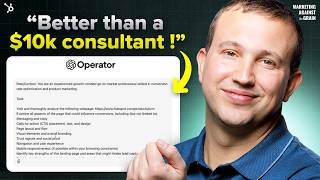
Patrick Biddiscombe shows how to use OpenAI's Operator agent and 01 Pro to audit a website like a conversion consultant. He analyzes HubSpot's CRM landing page, then turns the feedback into specific changes: CTA copy, messaging order, trust signals, and HTML snippets you can test.
Chapters
Hey everyone. OpenAI just released its Operator product which browses the web for you as AI. And I have found the most killer marketing use case for Operator. Today I'm going to have it browse a page and give me feedback so that I can make more money on that page. I'm going to unlock for you how to do this and you can scale it across any page that you use to generate revenue. So if you're a marketer, you're a business owner, you are not going to want to miss today's show. Let's get right into it. Hey everyone. On today's show, I'm going to break down how you use LLMs that can do browsing like OpenAI's operator product or Quinn 2.5 to actually be your user experience conversion rate testing arm of your marketing team. And today for the show today, I'm going to do everything in OpenAI operator. And so everything I'm doing is in OpenAI today. And so what I want to do is I want to use Operator to actually give me feedback on a website page so that I can get more customers, more leads, more conversions from that page. And this is something that if you're a marketer or if you're a business owner, you're always doing, you're always wanting better conversion rate, better yields from your website and from your marketing. And so what we are trying to do is can we have an agent like Operator do this for us and do it for us in the background and save us the hours of combing through data, doing maybe user research, holding a focus group and getting all the things right away so that we can get those changes in place sooner. And the sooner you can make changes, the faster you see results and your conversion rate go up. So that's what we're trying to do today. And so here's where we're going to start. We are going to start in ChatGPT before you even get to Operator. And the reason for this is Operator is in the pro tier of ChatGPT, which is $200 a month. And I'm going to show you that this one use case is well more than worth $200 a month for if you're a marketer, if you're a business owner. What also comes in this $200 a month product are OpenAI's advanced models. And with the advanced models, you get some really cool stuff. One of the things that you get is the 01 Pro Reasoning Model. And what it's really good at is advanced reasoning or even writing prompt. So what I want to do first is use 01Pro to write a prompt for Operator. And I want to say, can you write a prompt to browse this page? And I'm going to pick a very specific page here. But if you were doing this, you would likely do multiple pages. But for example, I want to pick the HubSpot sequence. CRM is a huge part of our business. It's one of the core reasons people buy HubSpot. So I want to, you know, if we could make the CRM page better, that would be a huge thing for us. So I'm going to get our URL for our CRM page, then I'm going to go back over to ChatGPT, I'm going to paste that URL in. I would like Operator to browse this page deeply and provide feedback and opportunities to improve the conversion rate of this page. I need it to work with all data and provide that feedback as that professional. So we're going to have 01 Pro. And 01 Pro is not a fast model. What it's doing is it does some really deep thinking. And what I've noticed in My usage of Zero1Pro is that it gives you some really, really detailed thinking and the quality of thinking is better than most of the other kind of more transactional, faster models that you might use. 4.0, Claude 3.5, Sonnet, Google, Gemini 1.5, you've got deep seq model, you've got O1 Pro, you've got the Gemini 2.5 as some of your more advanced reasoning models. Since I'm using Operator Today, I'm using Zero1Pro as my advanced reasoning model. And so one of the things to keep in mind is that it's not fast. And so what you wanted to do is you want to use a one Pro on work that's very important and that you can reuse. So if it can help me generate a really good prompt for operator, then I can simply just tweak the same prompt for, you know, a hundred different website pages and I can go through it really fast. That's why one of the things that you're looking for is to get a really good foundation base level prompt here. Hey everyone, remember that episode we had with Dharmesh? Well, Dharmesh has exclusively gifted us Access to agent, AI's company research agent just for all of you. So if you're looking to spy on your competitors so you can get a deeper, deeper dive into their strategy, this is the agent for you. You'll get access to their key demographics, their web traffic trends and you'll stay ahead of them with all of the competitor analysis tools. So if you want it, you can grab it at the link in the description below. Now let's get back to today's show. Okay, so 01 Pro has done its thinking and it says, hey, here's a sample prompt you can adapt for OpenAI or ChatGPT browser plugin to deeply analyze page and provide conversion focused feedback for a growth oriented go to market perspective. Feel free to customize any part for your exact needs. And one of the things, one of the reasons I like using these advanced models to write my prompts is because you learn from how they're writing it, how they're configuring it and so they've got, they're like this is your role in context. This is the task we want you to do. We want you to visit this page, we want to examine all of these, identify key strengths, provide detailed feedback, offer at least three actionable strategies and tactics output, write a structured professional report highlighting these things. This is way better than any prompt I would have read. I'll be honest with you right now. So I'm going to copy this and I'm going to go over to Operator and I'm going to put it in. So I'm going to put this at OpenAI operator and then execute away. Okay. One of the things about Operator is that you can allow notifications. So if it needs you to log into something or if it needs to give you an update, it'll do that. And if you haven't seen Operator yet, what it does is it has its own browser and you can see what it's doing and you can take over and do work in this browser alongside Operator if you want. In this case, I don't need to log in. I'm not having it do anything where I need to intervene. It should be able to do everything, everything itself without me needing to take control. One of the things while it's browsing that I think is really cool, if you hit the share button, what it will actually do is it will give you the video recording of the entire navigation that it did. And so operator did 38 seconds of browsing. That's pretty fast. That's pretty crazy that it was that quick. And it gives me a detailed analysis here. HubSpot CRM landing page analysis the key strengths, clear messaging, prominent CTA visual elements, social proof, comprehensive information and a really good user experience. Areas for improvement CTA clarity while get free CRM button is Prominent Adding more context or benefits to the CRM text could further encourage clicks. Get free CRM, no credit card required is an example. Messaging hierarchy the page could benefit from clear messaging. Highlight hierarchy highlighting some key benefits and features more promptly as the user guides through content. Streamline the user journey Reduce the amount of scrolling required to access important information and features. Trust signals Include more customer testimonials more case studies this is really good feedback. Like if I were doing a review of this page myself, these are the things that I would have gotten to Actionable strategies Enhanced CTA text Optimize messaging hierarchy Reduce friction in the user journey. These are the things that it's saying we can go and do. Overall, the HubSpot CRM landing page effectively communicates its value proposition and provides valuable information to users. By refining the cta, optimizing messaging hierarchy and streamlining the unit journey, the page can further enhance its conversion potential in the competitive B2B SaaS market. Okay, now that's pretty interesting and I like that. What if I then take all of this feedback and and I go back over to 01 Pro? Cause that's really good. And that feedback right now you could just go into your page editor, your CMS. We use HubSpot for our CMS. I could go into HubSpot and I could start making these changes now. But what if I wanted to make them better? So I'm going to go over and I'm going to go back to ChatGPT again. We've got this really smart advanced reasoning model. And what I like is that it even told me how to use the prompt. It's pretty wild. And I'm going to say I got the following from Operator. Can you please give me detailed options for its suggestions? And then I'm going to paste everything in from Operator. I'm going to go back to one Pro and it's going to think for a minute. Remember we're using a thinking model. What's great though is that one prompt that I came up with that, that I came up with 01 Pro. This prompt back up here, I'm going to talk about this. Why it's thinking is I can literally just swap that URL out for a different URL, use that same prompt and have them all run concurrently. I can just drop them through to Operator. I can have 10 different tabs open, have 10 different pages going all at one time. So you get massive scale. Cause remember, it took Operator like a little over a minute to browse the page and give me that feedback. That's work that would have probably taken a human doing that, I don't know, 15, 20, 30, 60 minutes. And so you got that done much, much faster. Or traditionally what you would have done is had somebody walk through the page for the first time and try to provide feedback around what was and wasn't clear. And instead we have Operator acting as that person. And so now we're trying to basically say, hey, Operator gave us some really great feedback. Is there a way that we can take that really good feedback, put it to a really smart LLM and take that feedback to the next level to make it much more actionable? Because if we can make it much more actionable, we can get it updated sooner and we can see better results. And that's what we're trying to do. All right, so it is, it is back and well, AI is awesome. So 01 Pro thought for four minutes and below is a more in depth breakdown of actionable suggestions including different approaches you can take in sample HTML CSS snippets and and optional copywriting to help you implement these optimizations. So this is pretty wild, right? Like I had Operator go and do the human behavior as my target customer, do all the browsing and then I was like, hey, take these insights and like let's, let's really put them to work. And so enhance the tech cta, which is one of Operator's recommendations, right? Modify the tech CTA to include a benefit such as free CRM, no credit card required to drive more clicks. So ChatGPT is giving you context. So what I like is you could be, you could know nothing about marketing, right? Like you could know nothing. And it's going to tell you why it's making these recommendations. That's one of the values of these really smart models, is those recommendations. And so it's clarity and confidence, value, value, emphasis, implementation options. So it's going to tell you how you could do this. That you could do an inline button copy or you could do a button with a sub label which is like really helpful and it then is selling you. Here's the example HTML CSS to do each of these things and you can just copy it and put it in your editor if you want. And then it also gives me some potential copy variations. Get started for free, no credit card needed or start using HubSpot CRM free, right? All of these very interesting things. Things that if you were doing AB testing or multivariate testing on a page, you would consider doing optimized messaging hierarchy. So it's taking operator suggestions and Then it's taking them and here' here's what it's, it's having us do, which is these are, these are smart things. Rearrange headings, use subheadings and bullets, emphasize social proof. And then it's giving you the content structure in HTML form. So if you wanted to restructure that page and this is the kind of the base HTML that you could go then and customize, save you a bunch of time, you know, which is, which is pretty wild by the way. Remember to all this in four minutes. Pretty wild. Giving you some different copy variations. Supercharger sales and marketing. Effortless to set up, powerful to scale. These are different headers as you're trying to get more structure on that page and then reduce friction in the user journey, which is the next one. And it basically said sticker sticky header navigation. Keep the sites top nav or CTA pinned at the top of the page. Anchor links, internal links in a fixed header or table of contents that jumps to major actions in a fixed sticky CTA panel. These are all really good CRO tests that we have run and we will continue to run. And so these are pretty awesome. And it's giving us the code to go and do this. Additional tips for trust signals, create a carousel with testimonials. Include measurable results, case study, certification and security badges. It's giving us the HTML there. And below is a simplified structure combining all of the recommendations. So if you're just like, hey, I, I want to do what it tells me to do. It's giving me a roundup of all the HTML to go and do that. That's pretty, pretty awesome. And you can then go and do that. And so what I really like about 01 Pro and the advanced reasoning models is they also do a really good job summarizing what is it here that we covered and what are we talking about? And it's like, hey, we want to change and improve the text of a core cta, our message hierarchy, reducing friction and our trust signals. And this should all help to drive better conversions. And this is just based on browsing with no web page performance data. If I had data from HubSpot, Google Analytics, other sources, and I put it along with the operator data, it would give me an even better output than it is giving me right now. Because this is based on qualitative browsing experience, you could then match that with data. It's going to be awesome. For the sake of today, I didn't want to share a bunch of confidential information. So instead we, we're doing just the qualitative thing. But if you were doing this and kind of replicating what I'm doing here, I would strongly encourage you to, when you give it, the Operator feedback, to also include any raw data and you can just paste, you know, copy it from whatever web analytics you're using and put it in here to combine that. And so let's talk about how you would use this. I obviously showed you today how you could use this on a product page. You could use it on any website page. Quite frankly, you can use it on any page. If you find something, a page that you think is really good, have Operator look at it and tell you why it's really good. Even if it's not your own page, it can do, if you, let's say you have a YouTube channel, it can look through how everything about your YouTube channel or your description of a video, it can do everything but watch the video. For example, it can't watch the video, it can read, it can read transcripts, but it can't go through and watch the video and the browsing experience. But really any public web asset or if you have a product, like if you have a software product, you can then log in, take control, log in and Operator can provide feedback about the actual setup experience. How easy or hard it is to take a particular action, all of those things can happen is really impressive and I think a really underused technology. And you can go and do this in Operator today. You can also do this in Quinn 2.5, which is a brand new model from Alibaba that's open source. And so if you wanted to maybe build a custom agent, do this at like real scale, you could use Quinn 2.5 to do that. So there's a couple paths to get here. But as we're going to see more and more of these browsing agents and as we do the implications to really scale the amount of testing and feedback loops any business has to try to get more value out of their website and their web assets and is going to go through the roof. And the difference between you who are watching this and going to try things like this and your competitors who aren't is only going to widen. You are going to soar past them in growth and it is pretty remarkable. So that is a quick rundown of how you use ChatGPT Pro to be the ultimate website feedback and testing partner that you've never had. And you get all of this for 200 bucks a month. It's pretty wild. I hope you enjoyed today's show. If you have, please leave a comment. Hit like hit subscribe. We're going to keep creating really great content on this channel, so you're going to want to subscribe. You don't want to miss anything. We'll see you next time on Marketing against the Green. This data is wrong. Every freaking time. Have you heard of HubSpot? HubSpot is a CRM platform where everything is fully integrated. Well, I can see the client's whole history. Calls, support, tickets, email, males. And here's a task from three days ago I totally missed HubSpot Grow better.
More from Patrick



A NEW BREED OF PARTNER: The Partnership Ecosystem Model Journey of Patrick Biddiscombe, Part 1








Customer Success Workspace: Never Lose Sight Of What Matters Most | HubSpot Spotlight