how to find PROFITABLE drop shipping ads you're competitors are running right now
This YouTube tutorial (by blissful-invention) demonstrates how to use Myneo to discover profitable dropshipping products and ads across Shopify/WooCommerce stores. The presenter walks through Myneo’s main features—Ads (Facebook/TikTok/Pinterest) with engagement and creation-date signals, Shops (site listings by country/engagement), Magic Search, Creative Finder (upload an ad to find similar creatives), and Influencers—and gives practical workflow advice: use the free tier first, collect 10–20 product candidates into a shared research sheet (include links, cost, pricing, notes), then work with coaches to shortlist and sequence tests.
Questions this video answers
Zen Drop 30
About $69/month (speaker says "I'm paying like 69 a month for the premium").
Success Radar is under the Enterprise Plan priced at $400/month.
Refer up to 10 friends to get free membership for life.
Chapters
Hey, welcome back. In this video, I want to introduce to Myneo, which is a really cool tool to find dropshipping winners on Shopify, WooCommerce, etc. So there's a bunch of features. I kind of want to walk you through them and then explain how this works. Now, in terms of the subscription that you get, it's up to you, right? So let me show you the options. You can start with a free membership. They give you a bunch of credits so you can play with it and most of the features for free, which is what I'd recommend. You can also refer friends, they give you extra credits. If you refer up to 10 friends, then you get free membership for life. And then when you get started, I would recommend either the starter or premium membership. And if you use the Zen Drop 30 coupon code, then you're going to get 30% off. Right, so I'm paying like 69amonth for the premium and it includes TikTok ads, which is quite important, and then there's the Chrome extension as well, etc. So let me walk you through it. Now, while you're doing the research, pull up your sheet as well because you're going to be putting the products in here for us to review and take it from there. So first thing, when you click on ads, let me just show you the homepage real quick. So when you go to the homepage, there's different lists, some of them are paid. This is the section that I mentioned. So if you invite your friends with your copy, you can send them an email. You're going to get a bunch of different perks, credits, discount or free for life. So it's worth checking that out. Top 10 products of the day. So you can find some really cool winners here as well in different videos you might have seen. I recommended this one, this one, and there's a bunch of others. Now really the main section that you're going to be on and let me show you top 10 winners on TikTok as well. So I'm going to pull this up in a little bit and I'll show you the rest later as well. But mainly you're going to be in the ads section. Now within ads you have Facebook and TikTok, you also have Pinterest, but I mainly look on Facebook and, and TikTok and then you can kind of just see the ads that are running now. What you're looking for is anything with high engagement. So meaning likes, comments, shares, because that tells you they're spending money on it. If it has nothing, then that's not enough proof of concept. Right. They might just be in the testing phase and it might not be working. And you also see the creation date, September 3rd, which I'm recording on September 3rd. So these are brand new. Okay. So it might not be working just yet. Now you can do a bunch of different keywords here, Beauty, and it'll start showing you different stuff related to beauty or you just put in serum. So you got to think about like what keywords would be in your ad that you're looking for. So again, if you're in the beauty niche, what are the keywords? Serum makeup, you can use different keywords, like 50% off discount. Right. So you see a bunch of different ones. And then whenever you click on an ad, you can also click save just to put it in your swipe file. But essentially you go here and first of all, you look at engagements, how it's working. It started not long ago. If you click here, you're gonna see the exact ad. So typically I take this link, the separate video on how to fill this. I'm not gonna walk you through the whole thing, but you know, you put it right here so that you have an example of the ad and it'll show you the video, the copy, the headline as well. And then you can kind of also see comments. So sometimes that'll also give you information on what people are thinking. You know, is it a good product? Are people commenting like, hey, this sucks, I got a refund or I open a charge back. You know, you might want to avoid those. And then lastly, when you pull these products up, here's the website. So you also want to check out the website because this is something that you can often model and if they did a good job, just go ahead and model it. Or you can make it better. And there's gonna be other training on how to make a high converting page, either a landing page or a product page. Okay, so that should give you a high level idea of how to use this. Make sure you play with the rest of the features as well. Right. So you can select different things here. You can select Q4 winners of 2023, right? And you're going to see a bunch of different options. And you see these have a lot of, lot of engagement. Now, of course, it's been a minute. So some of these, if you run an ads, there's this phenomenon where it works and eventually it stops working. Okay. So sometimes these products do get revived, they stop running the ads, they become unprofitable, they give the market a little bit of a break because they get banner blindness, right. If everybody's advertising and pushing it hard, some people buy it and then eventually it dies off. So sometimes this products and I've seen this firsthand where there's a product that we ran, the baby phone phone toy, we made like half a million and then it stopped working. Then we got back to it next year and we made another 600k. Right. So it is worth to look at these Q3 winners from last year because some of this you could run with again and it's obviously not the only option. So let me go back to Facebook, let me just reload this thing. Weekly winners. Best of the month is also something that you want to sort by, Right? So it'll show you stuff that's converting quite well this week. Or best of the month is also a really unique thing to look at now just for reference. So you can either pull them up by just clicking on it and a little pop up will show with the information or you can just go open in a new tab and then you're gonna get a page like this. Right. So again, engagement, the page where it is at. This is an interesting product by the way, because I saw it in AliExpress, you can get it for quite cheap. These video ads are quite good. You can go ahead and download them. So you'll be able to use this asset or you can get it, you know, essentially an influencer to do an ad for. You just send them the copy of the product. You can even give them a small commission or a one time fee. Again there's going to be a separate video on exactly how to do that. And then you go ahead and look at their website. Because when you take this website and then you go ahead and put it in your sheet over here, right here in competitor website, we'll be able to model the site and then work on making it even better, even higher conversions. Okay, so really the main things you got to look at just to keep it simple is the ad itself, the engagement on the ad. Again that tells you that it's getting conversions, that they're spending money on it. The website. Really these are the most important items. Then you'll be able to see similar products and then you can also go look at ads from the same advertiser because chances are if there's one winner they're running, there might be multiple ones. And you can see Indeed this got 8 million views. So probably it's doing really well. And so these are all cool beauty gadgets. That you could consider running. Right. Look at them, put them in your sheet, and then we'll help you pick what to start. Start with. Okay, so next, let me go to TikTok. So once again, you go to ads. You click on TikTok, and then you just do the same process here. So put your keywords in and then you're gonna see what's happening here. And then I typically look at this week or last month. Typically those products have a higher chance of success if you model something that's working right now or as of recent. Okay. So you can kind of look at it and then once again find the ones that you think are interesting, add them to your sheet. We're gonna help you shortlist it. Now, I want to show you shops. If you go on shops, it's gonna list different websites and what they sell. Right. So you can also filter by these different options so they generate engagement on Facebook ads, meaning they're doing quite well. And there's also different countries. So, so sometimes, you know, you can make just a ton of money running in the usa or often you can just take a product that's working in the usa, translate it for another country like France, and you'll be able to make more money because there's less competition and typically the cost, the CPMs are lower. Yet France still being a first world country, they might be able to afford the same US price in euros. Okay, so keep that in mind. Or TikTok experts, ones that are doing really well. And then you can just find your niche, whatever you're in beauty, pet toys, baby toys, whatever it might be, gadgets. And then you can just click on similar sites to yours to not only get inspiration for what's selling, most importantly, but how do they brand it? How did they design their stuff? Right. Here's an interesting French one as well. See the shop. Okay, so this is pretty new. Okay. And then they do these little romantic love gifts. Pretty cool. Pretty cool. So again, just a quick explanation of how to use the shop section. Let's do Creative Finder. So you go to Magic Search and then create a finder. Now this is really cool because if you take a creative that you've seen. So let me pull one up. Okay. And I'll go into downloads and I'm going to upload a creative. So this is going to take a minute. So meanwhile, I'm going to show you the rest. Okay, so Magic Search again, you just put in keywords and it'll look at a bunch of different things and start looking for different products that work. Okay? So the bottom line, before we even continue, there is many different features and many different ways to look for products. Your main outcome, your main goal is to really play around with the site, get familiar, get good with it, and then Most importantly, take 10 or 20 products and then put it on the product research sheet. In the beginning, it doesn't have to be perfect. Okay? You just want to get your first draft here because our coaches are in your corner. We're going to be looking at these products that you put together. Your main job is to really just do the work, really take 10 or 20 products, fill out the sheet properly with all the key information, cost, pricing. You could sell. Wow factor. You can put your own notes. Make sure you put all the links. Because even if you don't do it perfectly and it's perfectly fine in the beginning, nobody is excellent at what they do. Regardless whether it's business or golf or whatever you want to call it. You just got to do your part, get the first draft out here and then we'll help you with the rest. Okay? That's what I'm saying. Our coaches are in your corner to make sure you do a good job. But for them to help you, you got to do your part. Okay? So don't get bogged down in all the different options. Is this the magic search? There's the ads or store listings or even this cool creative finder. So I uploaded a video ad that I saw here. Right. You could literally go to vidtao or Facebook ad spot tool, find video ads that work well. You upload them here, either static image ad or a video. And now it's going to show you ads that are actually running the same video or something very similar. And then you'll be able to see the engagement. So this one in the Netherlands is doing really well. So it gives you an idea like, okay, maybe you could take this product and run it in the Netherlands because they're making a ton of money with it. Let's just take a look at it. Okay. And it's interesting. So they're using either the same video ad or slightly different because I haven't checked it yet. But they're selling a different product because initially here we were going to sell supplements. Looks like they're selling some kind of hair boosting shampoo. Okay. And they have a good looking site. So again, the example here is it's clean, proper ratings discount is in place. Looks clean. They offer 10% discount, which is good. They have these cool before and afters which Also helps then their reviews, Social proof reviews is huge, especially with pictures. So they did a phenomenal job in terms of conversions and it also looks like a legitimate brand. Okay. Also they have a 30 day refund guarantee, so good job. This is something to model. Okay, so magic search I covered at a high level. And then of course all of this stuff you can filter. You can go by different languages, countries, creation date, etc, now influencers. So if you click on the section, you're gonna see different influencers. You can just click on them and you're gonna see what kind of promotions they're doing for different ecom brands. Okay. So that latest promotions, photobox, social frames, etc. You can of course pull them up on Instagram, TikTok, etc, you're gonna see their page. So you can also look at the promotions that they're doing manually. And also this is a great resource because when you go ahead and do your influencer promotions, you can find people that are already doing this. They're already accepting these deals, either affiliate commissions or money to make promotions to make video ads. So you'll be able to reach out to them and then ask them to do a promotion for you. Once again, you can use these filters. Say if you're really doing a promotion in the Netherlands, then go ahead and select Netherlands. You can also sort by followers, especially in the beginning if you're starting small, right? And maybe you don't have thousands of dollars yet to pay an influencer, then maybe put 10, 20, 50,000 followers max. And then these people, since they're starting out, their platform is not that big, they might accept like a symbolic hundred bucks and then a small cut of the affiliate promotion. Some of them don't even need money up front. You just tell them like, hey, you're gonna make a video ad for me with this product. They'll ship you the product for free. And then any profit that we make, we're gonna split with you 10% or, or 20%, right? In this way you can have these influencers that give you social proof, give you credibility, make really good video ads. You can even send them an example like hey, just model this or say the same thing so it's an easy job for them and you'll be able to get video ads with no money down. Okay, so it's a really, really cool trick and strategy that you can deploy once again here under influencers promotions. So you can look at specific promotions that they're running. What are they selling? Not all of these are dropship, right? Some of these are at a higher level. Once they've already got their own warehouse suppliers, they ordered in bulk. So you can see for instance Panda T. Obviously it's custom branded, etc. So in the beginning you want to look for something that is dropshipped. When you were looking at the ads listing as well, you can also select that they're drop shipping so they're not, you know, essentially branding the product. Of course pre print on demand can be drop shipped so don't get that confused. But we're talking about people actually use the suppliers to drop ship and not buying these things in bulk. Right, because that's not step one. Step one is getting proof of concept, getting you profitable and then later down the line to increase shipping speed, to increase your margins. Then we do the bulk purchase game plan. Okay, so I hope this gives you a basic introduction to my nia really. Next steps is go ahead sign up for the platform and use the free account. You don't need the paid one just yet. And then go ahead and play with it. Make sure you use all the available features to yourself, mainly the ads and the shops. You can also look at influences if you wish. You can also do the magic search. Some features like the success radar are under Enterprise Plan $400 a month. I don't think it's necessary personally. And then most important, don't try to get this perfect, just get this done. Okay, let me repeat that. Don't try to get this perfect, just get this done. Take 10 or 20 products, put it in the sheet, make sure you fill it thoroughly so the pricing, cost, etc is in there, most important in the links and then we'll take it from there. We're going to help you shortlist it to maybe your top three and then we'll pick the sequence of how we're going to test these products in which order. Okay, so I hope this was helpful and I'll see you on the inside. It.
More from Peter

278 Profitable Campaigns Documented Over A Year – Peter Szabo's Aicommerce Results
AI Commerce Client Feedback From Weekly Calls (for Peter Szabo's Aicommerce.co)


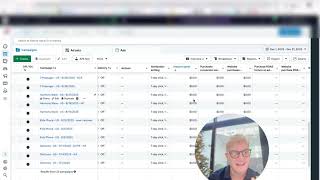


"I Felt Torn In The Beginning" | Wife & Husband Review of Aicommerce by Peter Szabo