Complete Vibe Coding Tutorial: Build a Full Stack App in 30 Min with AI | Matt Palmer (Replit)
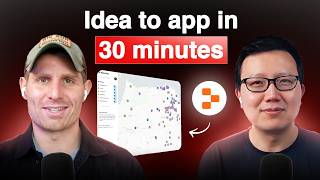
Matt Palmer from Replit walks through building a full stack family activity finder app in 30 minutes using AI-assisted coding. The tutorial covers practical debugging, AI prompting strategies, and how to use Replit's cloud environment to ship code fast.
You can be a domain expert with AI, with the power of, like, asking Claude things, right? And the other thing I want to talk about is, like, what it means to Vibe code. And all people see on Twitter are like, the demos that they're like, oh, look at this thing I built in 15 minutes. It works. It does all this amazing stuff, right? They don't see the failure and the learning. A lot of people ask, like, what makes a successful Vibe coder? Like, how do I get good at this thing? I think courage. The courage to fail, the courage to start over, the courage to again feel like, oh, I just spent two hours and I didn't actually create anything that worked. But you know what? I'm gonna roll up my sleeves and figure out how to do it the right way and I'm gonna try again. When Agent's building, what you'll notice is that it's like editing these files, debugging on its own. And so when it built that first app, we were talking about, like, prompting best practices, but it actually, like, made some edits. It took a screenshot of our app to make sure things were working properly. It'll run test commands and scripts to make sure that it's building the way it should be building. Maybe we'll see some of that in a second. And that's fundamentally different from how a lot of other.
All right, welcome everyone. My guest today is Matt Palmer, head of developer relations at Red Plat. Matt is a Vibe coding expert and a real engineer. And today we are. I'm going to ask him to build an app to help busy parents find kid friendly places nearby, like playgrounds, hikes, and more. Something I could personally use every weekend. And we're going to do this step by step to teach you how to build this app yourself. So welcome, Matt.
Thank you for the introduction, Peter. Really grateful to be here. A little nervous anytime anybody introduces me as an expert and a real engineer, but hopefully we'll have some fun. We'll build something cool, build something useful, and learn a bit along the way. So we can just. Yeah, we can jump right into it. I'll share my screen here and we'll get started. One second. Perfect. So today the goal is to build a family activity finder using replit. Going to talk about best practices in prompting, best practices in Vibe coding, what makes a good Vibe coder, and we're going to talk a little bit about the landscape of the tools out there, because I know it can be confusing as well. Most importantly, hopefully we'll have have some fun and we'll build something. Cool. So we're going to talk a little bit about the prompt and then just get started building in replit. The way I like to structure these demos because as most of you probably know, AI takes a little while to write code, is that I like to jump right into it and talk about building the prompts and then take a step back while we're building to kind of discuss the tool, discuss the landscape and some of those other conceptual things I mentioned. So, you know, one of the ways I like to approach building things like this is to think a little bit like a pm. Let's think about like the problem that we're solving. Let's think about what we want the solution to look like. Let's start to think about this like problem space, right? And so when I think about like finding activities, I really want kind of like a map first interface. I want something that looks maybe a little bit like this, something like a Google Maps or an Airbnb search experience. And you know, some of the skills we're going to talk through when we build this are prompting, processing, analyzing external data. Because these places that we want to find on our map, they have to come from somewhere, right? Debugging. We'll talk a lot more about that as we go on. But if I think about what I want to build, it looks probably something like this. And if I start to break down that problem might look like, hey, I want an interactive map interface that shows these locations. I want filters or some other location based features that show nearby activities. And then maybe I want to get to the point where I have a favorite system with user login so I can log in, save things or mark them as done. And most importantly, we want this to be mobile friendly because parents are going to be on the go using this with one hand. And so when we start to think about these things, this can be daunting. It can be intimidating to think, well, where do I get this data from? How do I figure out if that even exists? And you know, here's where I'd like to add a plug for using AI tools using web search, using tools that have access to web search. You know, maybe you open up Claude and say, help me understand this space. What open source data exists that might be able to give me this location, these locations, right? And basically what I did was just that. And I found out about this thing called OpenStreetMap. So if you're unfamiliar, OpenStreetMap, big open source dataset, lets you query basically all of these different types of data. And so like here are some examples. If we were gonna call the OpenStreetMap API, this is like what that data would look like. Now how did I find this? Again, just doing like some search, finding some docs, et cetera. And this really is domain specific knowledge, right? Like, unless you're a maps expert, you might not know about these things. But what I want, the point I really want to elaborate on is that you can be a domain expert with AI with the power of like asking Claude things, right? And the power of AI is in product like understanding these domains. So hopefully what we're going to do today is going to show you that. Right? And we're going to walk through this example. So crafting kind of like my prompt on replit, I'm going to say, hey, help me create this simple minimalist maps application to visualize our kid friendly places. This is some of the other research I'm talking about. I looked up some frameworks, so I prompted Claude, hey, what are some good maps frameworks? Let's use leaflet for the map visualization and OpenStreetMap for that data. What I did was in this prompt box, I just pasted in that mockup that I created. And then I said, hey, let's use these OpenStreetMap data types. And again I found these by asking Claude. So I said, I've attached a mockup and some docs. Now you'll notice that when I paste this link that we pasted in here, it pulled it into our sort of like scraping modal here. I could take a screenshot of that or get the text content. So now what I'm doing is I'm saying, okay, here's what I want my app to look like. Here's some actual documentation on the way that this framework that I found online works. And then what I could also do is come in and say, oh, well, I was on this Overpass API site. I don't work with APIs. Maybe this is a little too technical for me. But like this is a quick start for 60 seconds for like a developer. And you can think about repl.agentrepl.it as a junior developer. So if this is just like a snippet of code that we could run. Well, I bet if I give agent the sample of request and response data. Oop, that's a little too long. We'll trim that up a little bit. We'll actually only just take most of this. Maybe if I give agent this request and response data, right, It'll help me build out that application. And so what we're starting to do here is build the context for our model that we're going to use in this prompt. So now we're going to click start building. We're going to talk about what's going on, we're going to talk about why we're doing all this. Right. And the context of what we're building here. But the first thing that Agent is going to do here with our prompt is come up with a plan. So it's going to say, hey, based on all this input you gave me, let me propose a plan for when I want to build for you. And that's the first step on relet, and then we'll move into the actual building.
Yeah, I think that's really important. I usually when I, you know, do the copilot PM stage of cloud or, you know, even with replit itself, I asked you to give me the simplest text tech stack possible and also maybe use like free APIs, like, try to keep that as simple as possible so I don't have to pay for anything, you know, 100%.
Yeah, we're not trying to get anyone to anyone to pay anymore. These tools can start to add up on us. Right. But what we're doing here, we'll note that based on the original kind of spec, what I was talking about here is we selected some subset of these features and we said, okay, how can we make this as simple as possible to get to something that works and then start to build on that? And that's going to be a theme throughout this tutorial. But the other thing I want to call out is that the first thing Agent's going to do is design a little visual preview for us. Often when we build with maps, it doesn't actually show us like the map because that's rendered with React and this is just HTML and css. But this definitely conceptualizes, like, what we want to build, and it looks like it's going to be on track. So the first thing Agent does is build this visual preview, and that's going to start writing code for our app. Now, this, what you're seeing in front of US is the REPL.it workspace. I think I'd be remiss if I didn't talk a little bit about what this is or why it's different from some other tools out there. So when you go to replit.com, kind of taking a step back, you're getting an entire code editor and development environment. Now we're actually taking that and Giving the environment to our agent, which is like our junior software developer to use. It has access to all those tools. But the really cool thing about this is that it runs entirely in the cloud. You don't have to install anything on your laptop. And what we'll see is that Replit has access to all these services and tools that it's going to integrate into your app in real time. So very powerful. You know, like Agent is building out this app in the background. You see all these files starting to pop up. As it starts to work on that prototype, it builds full Stack applications. So we have a client and a server. What that means is that going to have a front end and a backend, and the backend will build APIs and then communicate with that front end. And it's a really powerful architecture because it's sort of standardized and easy to understand, even for someone who might be new to this. But also we have this entire environment that's running in this, like, little window without installing anything. We'll get more into those advantages, I'm sure, as we keep going.
And I think having the visual elements streaming is also pretty unique to Replay. I haven't really seen that anywhere else that I've tried. Yeah, it makes it cool because you have to wait for a while for it to build everything right, but it makes it. You can kind of see what's happening.
Exactly. And that was kind of what we were going for. It's a little less impressive in this example because there isn't a preview of the map. But for other things where you're designing something that's a bit more visual and simple, that doesn't have embedded map elements, it can be really useful. And so if we're talking about Vibe coding. Right. We kind of went to our prompt here to get to an mvp, and there are some prompting tips I like to share with folks. We won't, you know, we'll talk about some of these, and you're going to see all of these as we build through this app. But what I've noticed when I'm teaching, like, oh, you know, how to Vibe code or, like, how to build with these tools. So a lot of people get kind of hung up on the experience of building, and I think it's super common because a lot of the principles we're going to teach here actually are just principles of, like, software engineering or debugging or kind of like logical thinking. And that's not intuitive for a lot of people, and we take those for granted. I think a lot of people that have been building in the AI space for a while. So what we're going to see, just to call it a couple of these as we start to build, is that checkpointing is really important. It's kind of like version control for our app. And what we'll see here, we actually have our preview done here, is that agent creates these checkpoints, right? So when we're building can actually go to a history, Agent is going to save off versions of this application for us as it's building. And the really cool thing is that this is just under, like behind the scenes, this is just git, right? And so at any time we'll be able to go back to these checkpoints and you can think about it kind of like playing a video game, right? Like, if you get to a checkpoint, you don't have to worry about using your work. If something breaks, you don't have to worry about losing your work. If something breaks, you can go back to it. You can kind of like save your progress there. And, you know, that leads into debugging, which I think should largely rely on that checkpointing functionality. Like, if we get to something that works, we can start there and then, you know, add on new features, debugging along the way to figure out what's going wrong. But as I talk through these, I kind of want to actually implement them in parallel for you. So it looks like we have our map here. If I click on one of these, I mean, looks like real data. I don't think college just hallucinated this on us. I think this is pulling from OpenStreetMap. But the first thing I always like to do is to check to make sure things are working. Because sometimes AI can hallucinate on us or like, things might not work, but we want to make sure that they do. So I can click on these places. I actually can't click on the search box here. So that's something to note. If I try the filters. Looks like the filters are working for me. And typically when what I'll do here is I'll open the console. So the console shows us what's going on on the backend of our application. Now, that can be a bit confusing because there's also the dev tools, which some people refer to as a console, multiple names. And this shows us what's going on on the front end of our application. Right. But what we're doing here is we're setting up our tools for debugging to check for messages or logs. And what I noticed on the console is that we're getting IDs back and some data. So I think we're fetching these properly. Now. We won't get too hung up on design, because what I want to focus on for this demo is building in features, but I think it's important to show you, like, how I would iterate on this application. So what are the things I noticed here?
Well, first, sorry, real quick, which one, which one is the browser?
So this, this icon here is the dev tools. And the cool thing about replit is that these every time we develop, because it's in the cloud, you can think about with other tools you might build on local host. Right here we're building in the cloud and so you have this live development URL, but that button I just clicked is the same thing as opening up your Chrome dev tools. We just provide a shortcut and so you can look at this in the browser, which is what we're doing. The cool thing about this URL, I don't have my phone handy on me, but you could go to this URL and you'd be able to see this application in real time. Right. So one of the cool things about prototyping on replit is if you have your coworker sitting next to you and you want to try and build something and do it interactively with them, they can also look at this app. You can look at it on your phone, and we provide some handy shortcuts for doing that in the browser as well. For example, you can resize the screen to see what things might look like on mobile. Obviously we'll have to do some work to make this mobile friendly.
Yeah, that's awesome. Because a lot of times I run into issues where it's working in a local host and not remotely or vice versa. Versa.
So I guess this avoids a lot of that 100%. And that's the power of this kind of environment in the cloud. If you're more technical, you can think about it like a container. If you're less technical, just think about it like its own computer. Now, the cool thing about it being its own computer is that you can just click deploy. And we're going to deploy this entire environment. So if it runs on Replit, you can deploy it. That's really powerful. But I don't want to waste too much time here. Let's make some improvements to this map first. I don't. Let's say, let's improve the icons. I'm a big emoji guy. Let's make them emojis in a circle with A blue outline for emojis, basically for each activity. Activity type. So that'll be the first thing. And then sometimes as I'm building, I like to also take note of things that I'll fix next. So for example, when you want to fix the search box, like, that's a pretty big one, I think. But off the bat, like, I think the data is the hardest part of any app like this. So fixing the search box, making this responsive, making it mobile friendly already that looks like 10 times better. I already like this a little bit more. Search box. I don't really like this map theme. Like, this is a little bit busy for me. So maybe map theme is something I think about in the future. Responsiveness, right? Responsiveness also means mobile friendliness. What is that?
What is that? Oh, it's playground. That kid picture. Okay.
That'S like kind of. That's a little creepy. Let's. We'll change that. So one of the things change emoji for playground to slide. Like the slide emoji. Yeah, we'll do that first because that's a little weird. And then we can start working through some of these other things. But already we're starting to get to something pretty cool. And, you know, from, from where we were, you can see we're getting some good progress here. Now what does this directions do? I can see in the bottom left what I'm going to do here to test this, because I don't want to like, you know, reveal my address to everybody by clicking this and opening it on Google Maps is click it open in a new tab and you can see basically from that little preview, this would navigate to our direction in Google Maps. So we can be reasonably certain that that's. That's working as I would expect. Now we have our playground icon. So another cool thing about we use relief leaflet, right. Which is our framework for this map. We could say use the cardo. It's kind of like a little hack because I've used this before. Light theme for leaflet. And that's going to give us a bit more of a minimalist map theme here. But what we have here is our map. It's showing our locations. We can navigate to it quickly. So we're starting to get through our criteria, right. That we talked about. We can filter on these locations. Search isn't quite working, but now we have a bit more of a minimalist view here. It does, right? And we're getting there. But if we tie this back to some of our prompting tips here. What am I doing? Well, I'm starting by. We'll mark this up a little bit so it's a bit more clear to see. I'm starting by showing the AI what I want. So I'm using images, I'm using code, I'm using snippets and sample data to really illustrate what we're trying to build. I'm keeping my prompts concise, we're keeping it simple, and we're walking through these solutions one by one. We're defining our outputs really precisely. We're considering some of those edge cases, and kind of throughout this whole process, we've been thinking like a PM and an engineer. This actually, I think vibe coding is harder in a lot of ways from just being told what to do and building something, because we're figuring out what we're building as we go through these, this exercise. Right. Like, we're figuring out what this looks like. So now I'm going to say, hey, the search isn't working. I can't click the search box. I'll test one more time. Yeah, still can't do it. But, you know, step by step, we're making a lot of really good incremental progress here. This already looks a lot cleaner than it did before. Search box is set as disabled. Well, there's your. There's your solution why it's not working.
Yeah.
And, you know, that's kind of what. That's what it's like to build with LLMs. And so, you know, we also asked, you know, we didn't do this in the demo, but we asked about tools, asked about frameworks, started to understand, you know, what we'd be building with, whether that's leaflet or openstreetmap or these things that maybe we'd never heard of before. Um, but we can actually unlock just by giving the right context that.
That thing about using, like, some light theme for leaflet. You can just search for leaflet and find that online, right? Some documentation or something.
Yeah, sure. Like, if you do, like, leaflet themes.
Yeah.
Like, oh, hey, look, we could actually learn about the different themes that exist in leaflet.
Got it.
So it's not just asking LLMs sometimes, it's literally just, you know, unpacking these frameworks, unpacking these things that exist, and then saying, oh, like, well, now that I know this thing exists, I didn't know what I didn't know. Right. And now I do, and now I can ask AI to implement this thing for me. And, you know, I think the big. The big thing here is that a Lot of experimentation is necessary. What we're doing is we're building on the frontier of what's possible. Right? These are all brand new tools. And one of the most fun parts about my job as an educator is that we're discovering the best ways to prompt LLMs. We're discovering the types of things that we can build. Nobody knows really what's possible. And so as practitioners, yourselves, as builders, you get to explore that and you get to build things that people didn't know were possible before. And so let's see. Okay, looks like we have some search on our app now. So yeah, it's coming along. Take a look. What were our criteria? We were saying we got our category filters, we have our map interface, we can get directions with Google. So we'll also consider this one, like partially done. Now let's talk about some of the things that make Repl it separate from some of these other tools. Hopefully you've already been able to see, right. Like on the backend we have an API. This isn't just like a web app, that's just a client side app, just a front end. So actually a full stack app with a front end and an API. Now where this starts to get powerful is that replit has added in a bunch of services that integrate directly into the platform rather than going out externally and adding in services. And that includes things like databases and auth. Right. So when I'm prompt agent here, I'm going to be able to add databases and auth. But like, nobody really cares what databases or auth are. They care about what they allow you to do. And what they allow us to do is add users and store data for our application. So in this next prompt.
Sorry, let's quickly define. Auth basically means logging, right? That's basically what auth means.
Yeah, yeah, auth. Like it'll be very clear, but like, you know, here you can see my profile icon in the top, right. I think that's like the clearest way to show it. It's like what we're going to do is we're going to do that for our app. And so we're going to do it in a way that uses replit's infrastructure. So when we add auth, we're saying, okay, I just want to add users and login. And because replit can add databases to your app, it can store those users, it can store that login and it can actually integrate it in a way that's completely bundled in our repl.app, which makes it a little bit Simpler. So now what we want to do, this is going to be a bit more of a complicated step is I want to be able to save and let's say mark locations as done for my user add login. You can just say add login or add Auth and we'll match that for you to my app and the ability to save locations.
Oh, why don't we make it like favorites instead of done because, you know, still might want to go back to it.
Well, so what I was thinking is we have favorites and then we have like visited. Right. So.
Oh, okay. You have two different categories.
Yeah, this is like, you know, I need to learn some PM skills to define these things a little bit better. Let's. So we'll clear that up if it's confusing to you. It's probably confusing. Agent. I want to be able to save favorites and mark my favorited locations as visited. So basically this is like I go hiking a lot and this is what I want, right? Like I want to have a list of favorites, but then I want to know of those favorites, which ones I've already done, and maybe which ones I want to go back to again. So yeah, we'll send that and we're going to observe what happens because I think this is going to be interesting and maybe informative. And then I'm going to talk a little bit more about how agent builds and we'll walk through some of these past chat messages because there's some also important things to call out there. So what you'll see, right, if I open this up, we're integrating with Replit Auth and a database. And so that database I showed you, Agent's going to create this database and attach it to our app. It's going to implement Auth and attach that to our app as well.
And yeah, like, I normally stay away from this stuff because it's actually like a huge pain in the ass if it's not built into the platform to do this stuff. Like, it can get totally stuck.
Right. And then you're creating multiple accounts, you're pulling in external APIs. You could be exposing sensitive information. The thing that we're really proud of and that we recently released last week is some security scanning functionality, which we'll talk about. But also what we've always done is build these apps with a client and a server and then build the database in using best practices. And what that means is that out of the box you get protected against things like SQL Injection or like some malicious attacks on your database. The API calls are separated from the front end. So basically, we make it very difficult for, like, attackers to, you know, or even people that just go and try to, like, mess around with your app to get information out because of the way that we build these apps. And that's also true of. Yeah, exactly. And that's also true of, like, Auth, for example, because we're using replit's authentication service. It's protected by, you know, a bunch of our authentication infrastructure. And your app out of the box gets things like protection from DDoS attacks and some of these other things. Because we're building with the secure platform.
Yeah, because the people mess around with my app. I have not. I have no idea how to protect myself because I don't know any of the stuff, so.
Exactly, exactly. And I have some blog posts about that as well, like what we do. And everyone can feel free to read more about that. But the other thing I want to call out is that when Agent's building, what you'll notice is that it's like editing these files, debugging on its own. And so when it built that first app, we were talking about prompting best practices, but it actually made some edits. It took a screenshot of our app to make sure things were working properly. It'll run test commands and scripts to make sure that it's building the way it should be building. Maybe we'll see some of that in a second. And that's fundamentally different from how a lot of other tools work. And I found when I'm building these apps, it makes the process a bit easier. Even if this run is a little bit longer, I can come back to the app with more certainty and know that it's running. And so often my flow is, I'll be building something. We can talk about these, and I'll keep an eye on our little favicon up here. It might be tough to see in the stream, but it's purple right now, and it'll be green when Agent's done. Done building this next step.
Or you can just go on a hike, man. Like, you know, pull up Repl on mobile, and then this is true. If it's done.
Yeah, I mean, so I feel like, you know, a lot of people might say, oh, mobile, you know, that's great. Most mobile apps are kind of gimmicky. You get the full functionality of Replit on your phone, and you can see the app that you're building. You can see all the code. I mean, a lot of times, if I'm going to an event, I Live in San Francisco, which is why this map is of San Francisco. I'll be like in the Waymo or in the lift or whatever. Like I need to finish this app, you know, I need to add more functionality, I need to polish it up and it's like pretty good, you know, so maybe one day I can do my, do my job out on, on a trail in Marin or something, you know.
Yeah, that'd be amazing.
Yeah, baby steps, baby steps. We'll get there. So where are we on our kind of journey here? We have our map, we have our category filters, we have our some location based features. Now we're working on our favorite system and then we might get to some mobile friendly design things. We're implementing our best practices and we're, we're, you know, learning a little bit about what it means to be a good Vibe coder. And the other thing I want to talk about is like what it means to Vibe code and what it means to use AI to generate outcomes. Now if you're pm, if you're listening to this, if you've used Claude or ChatGPT, what you know is that the same prompt gets you different results. That's like a little disorienting and kind of scary because it means that sometimes you might get bad results and sometimes you might get good results. And so I have a normal distribution here. Like if you've taken statistics, all this means is that like this very oversimplified model, this probably isn't what the variance looks like. Our quality of outputs are probably on a spectrum. Like sometimes we might prompt agent, we might get something that's over here that's like really good. Sometimes we might get something that's like subpar. Sometimes we make a majority of the time rather we might get something in the middle. And so what that means is that, you know, sometimes we might build apps, they might work really well, sometimes they might not work really well. But there are things we can do to increase the likelihood and quality of, the likelihood of success in the quality of the apps that we're building. And those are the prompting tips that I just talked about with you. All right?
Yeah.
And so yes, this is an oversimplification, but nothing is perfect and you will get errors and that's a big part of Vibe coding.
And sometimes like, you know, you have initial prompt and they build something that's like, doesn't actually work and it, you can get stuck. Right. And sometimes it's one time a lot of details about this, but sometimes it's good to Just start over again. Because like you said, sometimes it's good, sometimes it's bad.
Yeah, 100%, right. If you find yourself in this, in like a. You're. You're giving prompts, you're doing all of the things that we talked about and you still can't get it to work, sometimes you just got to start fresh and, you know, like, actually. Right. If we think about variance and what this means in terms of statistics, you know, we're too used to certainty, right? Everything we've built has been certain. Normally you open up a tool and it's like, press button, get result. That's not true with AI. And so the two things I like to tell people are don't be afraid to fail. And to your point, Peter, don't be afraid to start over. And so, you know the secret, quote, unquote, I was talking to SM engineers about this a couple weeks ago. The secret of being an engineer is just failing a lot. Right? And nobody wants to see, nobody wants to know about, you know, the hours you spend building something and breaking it and trying over again and looking like. Looking like an idiot. I say that because I do that all the time. Right. And all people see on Twitter are like, the demos that they're like, oh, look at this thing I built in 15 minutes. It works. It does all this amazing stuff, right? They don't see the failure and the learning experiences and all the other stuff.
Yeah, people don't treat like, this is wild. I built this in 15 minutes after 2 hours of trial and error. They don't. They don't do that.
Doesn't exactly. Exactly. And, you know, like, this demo, I've built similar demos and that's how I knew how to use certain features. And I've built with replit off before, and that's how I knew to use replit Off. And that's really what I love about my job, is that I do these things. And then I say, well, now how do I go and show them to people in a way that, you know, they can kind of work around the mistakes or they can have shortcuts to building these things.
Another. Another advanced tip, at least for me, is like, after I get stuck in one of these endless cycles, I asked AI, kind of like, what did we learn so far to avoid these mistakes? And then it tells me, and I put that part of the prompt back into the initial prompt to start over again. So then do the same shit all over again.
Yeah, no, that's a great one. Sorry, I just got distracted by the Prompt here. I agree with this totally. We'll talk through it. But I do use that with Agent quite frequently I think, you know, people forget, they think they have to come up with all the things. But you know, you can ask AI, what would you add next to this application? Help me understand what we just built. Help me understand how this thing works exactly. And you can actually learn that way. That's, you know, a lot of people say, hey, you know, like all this AI, no one's going to learn how to build anything anymore. Well, I can tell you personally, I've learned so much about web development just by watching Agent work and like digging into what a client is and how it's structured, digging into what a server is and what these things are, what a route is, how this app is structured in terms of react and whatnot. Like I got my background in data, so I wrote a lot of Python. But you know, AI has really taught me a lot about web dev and how to, how to build front end applications in Typescript. So let's see what we got going on here. It looks like this is a sec. This is just a randomly generated string so we don't have to worry too much about exposing that. Looks like Agent might have done what we asked. I'm going to open this in a new tab. We'll go over here, we'll close this guy. So this is our preview of our app. Now what we have is a login button. Let's see what happens if I click login. So this is going to say, hey, we'd like to access your replit account. There's my repl dot account. I'm going to click Allow. And right when we say auth, this is kind of like logging in with Google. Right? So now I'm logged in and theoretically my account now has access to the app. What's going on on the back end? Right, we have auth, I have a user and you all, you know, maybe Peter can edit out my email from what I just showed you.
Okay.
Okay. We have a database and in the database we have users. There's my email again.
Timestamp. Don't worry.
Yeah, I love emails. But it looks like, right, we have, we have the tables that we would need, sessions, favorites, places to store our data. And I'm walking through this because, you know, sometimes this can be a bit tricky to configure. Now do we have somewhere where we can favorite these places? I don't actually think we do. Like, I don't know where I would click favorite and it still says login and save favorites. So I guess what I kind of learned here is there's no place to favorite a location and the app still says log in to save favorites after I've logged in, however. Right. Still impressive. What we've done is we've laid the frown, the groundwork rather for being able to save this in a relational database. And you know, again, relational databases are like, kind of complicated. It can get kind of scary. But what I found with using AI is if you really start high level, like, hey, what's the best data structure for my application? You can ask agents that, what are some, like, ways that we can build this app that would simplify the data structure or make it faster or make it easier to interact with? And then from there you say, sorry, yeah, getting there.
Getting the database and logging. Working in one prompt is pretty amazing.
I mean, I mean, it took two prompts, so, you know, I can't take all the credit. But yeah, no, I like, I'm blown away when I use this tool. And, you know, that's the power of having these integrated, this integrated functionality in the app. And something I kind of breezed through is that we also have secrets, right? And you know, if you've ever used a dotenv file or you've tried to use Secrets locally, or if you actually accidentally push secrets to GitHub, you know, I did that early on in my engineering career. This can be really useful if you've ever saved secrets somewhere in your computer, then forgot where they were, like API keys or stuff. We have account secrets. So, like, I could pull in any of my account secrets into this application, right? And you know, the power in that is that you can just enter in API keys they pull through your app. As you saw earlier, Agent actually edited API keys and added one to my app. It created that random session secret for us. And so having all of the. What you're starting to see is having all of these tools integrated into one experience saves us time. We don't have to go to different providers. We don't have to like break our flow state. And it makes things easier and helps prevent mistakes. For example, one of the things we did here is like, we made it impossible. So the session secret is not a real secret. It's a random string. For our app, we're working on building in some checks basically. So if you paste in an API key with Agent, it actually should throw a warning. So I'm going to pass that to the team. Normally it alerts us that, that, that, that would Be an API key. So something's broken there.
Yeah, you don't want to. You don't want the LM to remember your API keys.
Yeah, exactly. So we're forcing people kind of into best practices that way now. Okay. We have our app says save my favorite places. I'm logged in. I can click my. So this is like I could see potentially my favorites. See what happens when I click that? Did anything happen? Let's go over here. Nice.
Copy the page. Yeah.
We're learning about what works and what doesn't. So what I usually like to do is check the console. Like, what happened? You can see we're making all these requests and I'd say I get a 404 on the favorites page. 404 is just not found, which is what we saw when we clicked here.
Yep.
And you know, we can even add this context because I'm pretty sure that's the issue. Did you forget to add the page to? The router should know what that means. And then. Well, let's take a look. When I click favorite, what happens? You can actually see post API favorites201. Like, sounds good to me. When I click favorite, I can see a 201 in the console, but. Oh, and we get visual feedback. It just took a second to come through there. Yeah, there you go. And I also don't think. And now we have Mark visited as well. So that's amazing. Yeah, yeah, yeah. So it took a few seconds for the favorite to populate on the front end. Can you make it instant? So we'll go after these one at a time. We'll say this guy first and then we'll follow up with that. But this is getting much closer. Even if, you know, I care a lot about padding and spacing and ui and this is driving me a little nuts right now. But we'll get there. So let's test the mark visited functionality as well and see what happens. I click that looks like it.
And like post, just to kind of explain to non technical people, post just means updating, like updating some data in database. Right.
A hundred percent. And you know, again, as someone who's built with these tools, I take that for granted. But what you will see, just like if you're using a spreadsheet and you're learning formulas in a spreadsheet, just like if you're learning a language, whether that's, you know, Latin or French or whatever, or an actual programming language, you'll start to understand. Oh, a get request just means it's getting this thing, a post request just means we're sending information. A patch request means we're updating something. And again we see our little check mark icon come through there. So it's, again, it's a little delayed, but you kind of learn how to speak the language of, of web development, of building with these things. So it's all a learning experience. And I would just say don't let it intimidate you. Really.
And can you show us. I know it's not fully complete yet, but can you show us how easy.
It is to deploy a hundred percent? So the cool thing about deployments is that when you click deploy, it's just a snapshot of this environment. Currently, one thing that a lot of people ask about is, well, can I have a database for development and a database for production? Currently, that's not possible. We're releasing that in the next couple of weeks. So maybe by the time this podcast comes out, the answer will be yes. Okay, so again, we're multitasking here, so let's check this really quick and then we'll go through the deployment flow. My favorites. Okay, we got these things. It says unnamed location, so we'll make that adjustment. So we're saying, hey, this is what I see when I go to this page. Right. We'll get working on that next. And the great thing about this environment, as I was kind of mentioning, is that we're going to have those database features, as I mentioned, is that I can take a snapshot of what I just built and deploy it live to the Internet. So that does all this amazing stuff. Right. They don't see the failure and the learning experiences and all the other stuff. This preview link is temporary, but if we want to make that permanent, we go to the deploy tab. Again, this is where you could see, you know, maybe a little bit of scary stuff. If you don't know what these things mean, we're going to kind of select the best configuration for you. So we're not going to worry about that too much right now. But if you want to go back and understand more about these things, you can kind of go back and start to dig into them. But what we're going to do here is we'll call it Kid Friendly Maps. We'll shorten that a little bit. And we're pulling in all of our different secrets from our app as well as the database. And we'll note that we can also run a pre deployment scan. So if you're concerned about security issues, we released this last week. We have our Security scanner. So clicking that button is going to run a scan on our environment to make sure that it's not secure or it's secure rather. And so what we found actually were some user controlled data input methods in our front end that could be potentially vulnerable. So we could actually do is ask Agent. Let's make sure Agent's done it. Says it fixed the favorites. I can get easily distracted. So like I have to make sure I don't get go down a rabbit hole. It doesn't look like it did that, but we're going to table that for later and we're going to ask Agent to fix these security vulnerabilities. So what you see from our security scanner is that we're passing that information to Agent and we're saying, hey, this component has some issues. Can you fix that for us?
Yeah, this is a great feature, man. This is great.
Yeah, man. I think every app should have this. And the most important part I want to emphasize this is like really scanning over your code for real issues. The thing about AI generated code is we're going to get to a point where we just build these in, but it's almost impossible to make sure that everything is 100% secure. And that's why we added this check. So we're kind of fixing them now and we're going to move more towards a framework where we proactively build without these errors. But if Agent's able to catch it, just imagine all the AI generated code that's getting written and run elsewhere where these haven't been found.
You just spin this out as a separate product for all the other AI coding tools exactly required. It's like P0 for all the live Coin tools.
We fixed it right. And you know, shout out to our partners at Samgra for helping us with this one. But what we just did was fix these security issues. And so, you know, just like that, we patched it. The other thing I was, you know, the other. It encompasses a broad range of issues. So like the demo I had, I think we can skip because it caught a few other issues is like you can paste in a SQL injection vulnerability in your app and it will detect that as well. But we fixed our security issues. Let's just click deploy again. What's going to happen here is that we're taking a snapshot of our app as it exists right now and we're pushing, we're publishing it live to the Internet. So in a couple of minutes that's, that'll be out and then what we can do is come back over here typically and I'll be like, okay, well like I now have my defunct favorites page. That's like a little unnamed locations. A little depressing. Let's see if we can figure out what's going on here. So we're getting the favorites. What we can do here is we have our element selector. So I'm going to select this div or this card title and I'm going to say this still says unnamed location. And so we're passing additional context. The element selector is hopefully going to help Agent Debug the fact that this should not say unnamed location. Also kind of nice is that we get a little notes functionality in here. So. So like maybe we want to save some notes.
Yeah, that's great. You didn't ask for that. It just.
Yeah, added.
Yeah.
Okay. So like, look at this. This is working as designed. There's no name available for a location. That's interesting. Well, what's going on on our Favorites thing here? Looks like what are we Interesting. It looks like. Right. We might be pulling in. Either we're not. Okay, so like look at this. This is working as designed. There's no name available for a location. That's interesting. Well, what's going on on our favorites thing here? Looks like what are we storing? Interesting. It looks like we might be pulling in. Either we're not one, storing the data in the database in the first place or number one storing the data in the database in the first place or number two, we're trying to access what Agent just said is it's looking for favorite place name. I don't actually see a place column in the database. So like there might be an error sort of.
Yeah.
In our implementation. But you can see both the favorites are in OSM places. So what I'll do for agent also is I'll say I see the favorites table, favorites table, favorites table and the OSM places table. But the name is in OSM places. It looks like your not pulling it through.
I think maybe another good best practice here is like before you actually build database, maybe just like explore with it a few times what the data table should look like and give some feedback.
That might help too. Yeah, like data structures and data. That is its own profession. Right. It's hard to change. But there are entire data architects is a job of people that just design databases. So I don't want to trivialize that. Especially as you start building out like really complicated applications, it can be very easy to create confusing interfaces. That is another place though where as you Build. You actually learn the way you want your data structure to. To. To live or look. And so, you know, maybe I build this app out and then I'm like, man, I think we really messed up the architecture. That's where I would go back. I would start changing the schema, maybe trying some new things out. That's vibe coding, right?
And it looks like the thing deployed, man. You want to check it out?
Yeah. Let's take a look. Thanks for catching that. So we have our link here. What we should see is the exact same thing. So we're loading all those places. I can come up here again. It'll be a new login. I can log into my application Kid Friendly Maps Replit app, and I see my saved. Because we're using the same data database. I see my saved location with my favorites.
And of course, the Auth also supports, like, Google login. You know, just an email login too, right?
Yeah, yeah, yeah. That's. So what I can do here is, well, I don't want to log out of Replit, and I think I'm sharing. I would. I want to show you kind of maybe what this login screen looks like, but you can configure your app icon here. You can also choose login providers. What's going on here? A lot of people ask this question, so this is good to talk about is we're creating, if you don't have one, a replit account for the user, unsubscribing them from all marketing materials so you won't get, like, annoying emails. If you have users for your apps, don't worry about it. Unless they want to learn about replit, mostly because I'm sending those emails. So I don't. I don't really think they're annoying, but, you know, I get it. So we're using all of our infrastructure to create accounts for these users, but then passing that through to your application. So out of the box you get all the benefits of our authentication infrastructure, which is actually pretty useful as it would turn out, because Auth is really hard. So we want to save you the hassle of building out that Auth product and make it as easy as possible for you to build.
That's awesome. So I think we got like five minutes left, and it's good that you build a full app that mostly works. I think I'll use it this weekend. I'm glad they didn't call it Kit Friendly Maps. Matt Palmer, because that was kind of weird.
I was like, this whole demo, I was like, please don't make anything weird with my name and kid friendly or whatever. So we're doing our best.
But I guess let me ask you one last question, man. Well, let me ask you two questions. One is, where do you think this vibe coding stuff is going to go? Because we're seeing OpenAI launch Codex. Do you think this stuff is going to become more async? Like you just kind of like, tell it to do stuff and you just kind of go away for a while and then come back? Or how do you think this thing will evolve?
Yeah, I mean, that's a complicated question, right? To your point, we have Codex, we have cloud code, we have all these other tools those are targeted more at devs, right? What I just showed you today is more for prototyping internal tools, maybe less technical users. But it does seem like we're moving to that async, that Async model. And here's like my theory about that, right? Every, you know, as time passes, the building blocks that AI can write reliably get bigger, right? So it used to be tab autocomplete. Everybody was like, oh, man, AI can TAB autocomplete. This is crazy. Like a year ago, right? And then it was like, AI can write functions, and now we're getting to the point with agents, AI can write entire applications. Now, to your. To what you just saw, there was a lot of human in the loop, a lot of manual intervention that was required, but that's less than it was five or six months ago. And so the amount of time that AI can work uninterrupted is increasing exponentially. You know, it used to be 5 seconds, now it's 10 minutes, 15 minutes. And so what I think we're going to see is this human in the loop kind of pair programmer model, where I'm watching AI, I'm supervising, and then it'll say, hey, Matt, I need, I need help with this thing. And then I come in and I debug and I help it get around an issue or I give it an architectural decision or make a change to the plan that I had. Yeah, I mean, that's a complicated question, right?
Yeah.
To your point, we have Codex, we have Claude code, we have all these other tools those are targeted more at devs, right? What I just showed you today is more for prototyping internal tools, maybe less technical users. But it does seem like we're moving to that async, that Async model. And here's like my theory about that, right? Every, you know, as time passes, the building and that's what I've seen. That's how we've seen things develop. It seems like that's the way AI is moving.
Yeah. I mean, the ultimate vibe coding is like, I'm watching some Netflix, and then I get notifications on my phone and give them some input and then keep going. You know, that's kind of one day.
Yeah, there you go.
And you actually didn't cover, like, you had, like, a general tip that I really like for vibe coding, which is, you know, the core themes of vibe.
Coding, including blocks that AI can write reliably, get bigger. Right. So it used to be tab autocomplete. Everybody was like, oh, man, AI can tab autocomplete. This is crazy. Like, a year ago, right. And. And then it was like, AI can write functions, and now we're getting to the point with agents, AI can write entire applications. Now to what you just saw, there was a lot of human in the loop, a lot of manual intervention that was required, but that's less than it was five or six months ago. And so the amount of time that AI can work uninterrupted is increasing exponentially. You know, it used to be 5 seconds. Now it's 10 minutes, 15 minutes. And so what I think we're going to see is this human in the loop kind of pair programmer model where I'm watching AI, I'm supervising, and then it'll say, hey, Matt, I need help with this thing. And then I come in and I debug, and I help it get around an issue, or I give it an architectural decision or make a change to the plan that I had. And that's what I've seen. That's how we've seen things develop. It seems like that's the way AI is moving. Yeah.
I mean, the ultimate vibe coding is like, I'm watching Netflix, and then I get a notification on my phone, I give them some input and then keep going, you know, that's one day.
Yeah, there you go.
And you actually didn't cover, like, you had, like, a general tip that I really like for vibe coding, which is, you know, the core themes of vibe coding include agency, curiosity, and courage. So why don't we end on that, man? Like, what do those three things mean to you? And why do you think that's really important?
Yeah. A lot of people ask what makes a successful vibe coder? Like, how do I get good at this thing? You know, it boils down to, I think, the first thing. Agency having sort of the motivation to take action, and the motivation to say, this thing doesn't work and I'm going to figure out why and I'm going to make it work. You know, in the same way that I kind of used this analogy earlier, if you have a Google spreadsheet in front of you, like, it's just a blank canvas, and a lot of times spreadsheets break, they're actually really annoying. I've spent most of my career trying to spend less time in spreadsheets, but they're also really cool and really powerful. So writing code, being an engineer, being someone who builds stuff, it's the same thing as being a product builder. You have to be willing to take action without someone feeding you, sort of like what to do. And with AI, with agent, we get this blank canvas. We can create whatever we want. That can be intimidating, but it means we have to come up with what we want to build. We have to define the requirements, and then we have to go tackle those problems that pop up. We have to have, I think, courage. The courage to fail, the courage to start over, the courage to again feel like, oh, I just spent two hours and I didn't actually create anything that worked. And that's really, like, kind of embarrassing for me. But you know what? I'm going to roll up my sleeves and figure out how to do it the right way and I'm going to try again and I'm going to learn about the tools. And, you know, that's part of being a professional and part of being a builder. And I think, you know, that courage ties directly into curiosity of saying, well, how do I make this product better? And a lot of these skills are the same skills that you have if you're a good pm, good designer, good engineer, all of these things. And I think that also ties into agency.
It's good to hear that from you because, you know, you're like head of Devrel at Replit. And I feel like a lot of people, like, who maybe are not engineers just take themselves out of the game. They think like, oh, I can't do this, this is too hard for me. And just don't. And now. And now I think I want people to realize that you have all these, like, you know, you have all these AI tools that will actually be a copilot with you to. Will help you through these steps, you know, so, like, you shouldn't give up. Just keep trying.
Yeah. And, you know, maybe in your own life you've seen this where you knew somebody and they would always say, well, I'm bad at math and so they never got good at math, you know, and it's like, if you tell yourself that, well, yeah, no, you're not going to try and you're not going to put in the effort to learn it. And you know, my belief, I'm a really optimistic guy. I think anybody can do what I'm doing today. You know, it might take a little while, it might take some trial and error, but I think you all can get there. And to your point, Peter, some of these projects, I used to say, oh, well, like, I can get to that with a weekend or in two weeks or like, whatever. I just don't have the time. Today. You can get to it, like in a morning or in an hour, figure it out and get a lot of really cool stuff done.
Awesome, dude.
So.
So, like, where can people find you online? Is it just like repit.com or.
Yeah, me specifically. I'm big on X. I love X. You know, you can follow along with me there. I'm also on LinkedIn and I have a personal YouTube channel where I put out videos all the time. I'll give those links to Peter. I'll give it to you. Well, to share in the footnotes. Right. And then all of the Replit content comes from the Replit YouTube channel on Replit.com I send out a lot of emails, I send out kind of monthly recap, some user showcases for good apps people have built. So if you're into Replit, you can follow along with those there as well.
Okay, thanks so much, Matt. This is awesome. I'm going to play with this app myself. I try to build it myself.
Amazing. Yeah. Thank you.
Yeah. And streaming is also pretty unique to Replit. I haven't really seen that anywhere else that I've tried. Yeah, it makes it cool because you have to wait for a while for it to build everything right. But it makes it. You can kind of see what's happening.
Exactly. And that was kind of what we were going for. It's a little less impressive in this example because there isn't a preview of the map. But for other things where you're designing something that's a bit more visual and simple, it doesn't have embedded map elements. It can be really useful. And so, you know, if we're talking about vibe coding. Right. We kind of went to our prompt here to get to an mvp and there are some prompting tips I like to share with folks. We won't, you know, we'll talk about some of these and you're going to see all of these as we build through this app. But what I've noticed when I'm teaching, like, oh, you know, how to vibe code or, like, how to build with these tools. So a lot of people get kind of hung up on the experience of building. And I think it's super common because a lot of the principles we're going to teach here actually are just principles of, like, software engineering or debugging or kind of like logical thinking. And that's not intuitive for a lot of people. And we take those for granted. I think a lot of people that have been building in the AI space for a while. So what we're going to see, just to call out a couple of these as we start to build, is that checkpointing is really important. It's kind of like version control for our app. And what we'll see here is we actually have our preview done here, is that agent creates these checkpoints, right? So when we're building can actually go to a history, Agent is going to save off versions of this application for us as it's building. And the really cool thing is that this is just under, like, behind the scenes, this is just git, right? And so at any time, we'll be able to go back to these checkpoints and you can think about it kind of like playing a video game, right? Like, if you get to a checkpoint, you don't have to worry about using your work. If something breaks, you don't have to worry about losing your work. If something breaks, you can go back to it. You can kind of like save your progress there. And, you know, that leads into debugging, which I think should largely rely on that checkpointing functionality. Like, if we get to something that works.
More from Peter
Dropbox VP's Best AI Workflows to Help You Take Back Time at Work | Morgan Brown

Canva Co-Founder: The AI Playbook Behind the World's Most Popular Design Tool | Cameron Adams
How OpenAI's Head of Business Products Uses ChatGPT to Save Time at Work | Nate Gonzalez

Complete AI Course (2025): Prompting, Evals, RAG & Fine-Tuning | Adam Loving (Meta)