BEST Website Builder For Course Creators
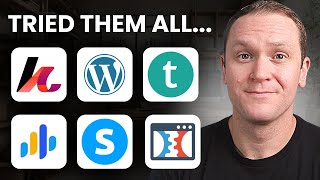
James Allen compares six website builders for course creators: Kajabi (all-in-one, no transaction fees), Teachable (affordable, 5% fee), Thinkific (customizable, no fees), WordPress plus LearnDash (full control, technical skill required), and Podia (easy setup, 5% fee). He recommends identifying your needs, assessing budget, and driving traffic through consistent content or lead magnets.
Chapters
So you've got a course, or maybe you're finally ready to start building one, and now you're asking, what is the best website builder for a course creator? Well, it's a great question, and it's one that can either make your course an absolute success or leave you stuck tweaking buttons, wrestling with tech, and wondering why nobody's buying. Your website isn't just a homepage. It is your storefront, your sales engine, and your student portal all rolled into one, or at least it should be. Choosing the best website builder for you is like choosing the right vehicle for a cross-country trip. You want power, reliability, and features that won't break down halfway to your goals. But with all the options out there like Kajabi, Teachable, Thinkific, WordPress, Podia, Systeme.io, and so many others, how do you know which one is right for you? In this video, I'm gonna break down what actually matters in a course website builder, top platforms worth considering that I've tried and tested myself, and what each one does best, how to make the smartest choice based on your budget, tech skills, and business goals. And make sure you stick around to the end because I'm gonna share with you two of my best tips for driving traffic to your website so you can start making sales as soon as possible. By the end of this, you will know what the best website builder for you is and probably save yourself months of frustration and hundreds of dollars in trial and error. So let's kick this off by diving into the key features to look for in a website builder for course creators. The first one is ease of use. If it's too techy for you, you're probably not gonna use it. So you want to choose a drag-and-drop platform for simplicity unless you're really into tech and full customization and controllability of your website and course platform, I will give you an option that is exactly made for you. But for most people, we just want drag-and-drop templates that we can customize a little bit. The next key feature you want to consider is course hosting. Your platform should host your courses, funny enough, and integrate easily with your LMS or your learning management system. This is essentially where your course is being hosted, the actual interface of the course itself. And you also want to make sure that that interface is good for you, it's easy for you to use, but on top of that, it's easy for your students to use so that they actually watch your course. Another key feature when it comes to a good website builder is customization. We want to find the balance between plug-and-play templates and full design control. If you're selling courses through your website, you should also consider sales and marketing tools. At the end of the day, your site should be selling for you, so you want to look for built-in funnels, email automations, upsells, order bumps, things that are just gonna make your life a lot easier when it comes to selling your course. It's also good to consider SEO and blogging capabilities. If you want organic traffic, which is ideal for selling courses based on your knowledge, you wanna choose a platform with strong SEO and blogging features ideally. You also wanna consider pricing and scalability. Not only do we wanna pick a platform that fits your budget now, but can you grow into this later as your business grows? Then there's payment processing. We wanna make sure that your website can handle one-time payments, multi-payments, subscriptions. If you need to or when you need to give somebody a refund, can that be really easy for you so the customer's happy and you're not stressing too much other than the fact that you had to refund someone money? You also wanna think about community features. If you want to add a membership or have a subscription-based model, can your website handle that so you can have more of a community or group feel with your online course? And the last key feature to consider in a website builder is support and security. With great support, your site can securely run and you are not going to lose your sanity because you are in good hands. So I know it's a lot, but these are all things to consider if you really want to have a successful website that sells courses. So let's dive into the actual platforms. These are my best website builders for course creators that I have tried and tested myself, starting with website builder number 1, and that is Kajabi. This is by far my all-time favorite and is the best all-in-one solution for an online course creator when it comes to selling your knowledge on the internet. Kajabi was literally built for this one purpose. It has a built-in learning management system, email marketing tools, sales funnels, memberships, communities. You can do multi-payments. Everything that I mentioned in all those different key features, Kajabi has, and it's all baked into one single tool. This is the same exact tool that I've used to build a six-figure coaching business, and it's made my life so much easier. Because I've tried so many different tools and I love just having one username, one password, and one tool that does everything that I need. Obviously I use some other tools like Canva for designs or Zoom for my coaching meetings and things like that. But when it comes to all the tech side and hosting my courses and selling courses, all of that is done inside of Kajabi. Now, one of the biggest things that holds people back from using Kajabi is the fact that it does have a higher price point compared to other options. Their prices range from $90 all the way up to $400 per month. And when you hear that, it could sound very expensive. I'm personally on the $200 per month plan or the growth plan. It gives me all the features plus way more than I actually need, but it is the most popular and recommended plan that they have. Now, if you just think about it for a second, yes, it's $200 a month or $150 a month. And on paper that seems like a lot more, but when you consider all of the different things that Kajabi does for you, you end up saving a lot more money. Cause when you're spending $50 here, $30 here, $20, $15 here on all all these different tools that it takes to successfully run a course creation business and website, you end up paying a lot more than the one subscription of Kajabi. But because it's all baked into one subscription, it just seems like a lot more on paper. And even on the Kickstarter plan at $89 a month, you still have a ton of capabilities to help you build a massively successful course creation business. Now, if you wanna try out Kajabi totally free, you can get a special 30-day free trial by using my affiliate link instead of the normal 14 days that you would get through Kajabi's website. I do get a small kickback for you using my link and for me referring you over to Kajabi, but in return, I'm gonna give you a course that I created from a 6-figure course creator who uses Kajabi, all about Kajabi and what to actually focus on because there's a lot of features inside of the platform. So I'm gonna give you this course to shortcut your learning curve and get you set up to start making money as soon as possible. And on top of that, you also get a private one-on-one coaching call with me where we can talk strategy or any tech issues or challenges that you have if you're moving your business over or getting started for the first time in building an online course. I am here to support you every step of the way, at least for an hour. I can't promise I'll be able to offer these calls forever just because my time is limited. So right now you can get your 30-day free trial with the best tool to build your online course, a course by me, and a one-on-one coaching call by clicking a link down in the description, or you can always go to profityourknowledge.com/kajabi. The next tool I recommend is Teachable. This is best for simplicity and affordability when it comes to building your online course. Some of the biggest benefits in using Teachable is that you have very easy course creation. It's extremely user-friendly, so people are more likely to finish your courses. I'd say the biggest drawback to using Teachable is that the website builder and customization is very limited. Yes, you can build a website in Teachable, but it's not gonna be the most optimized for all the different features that you might want to use. And they just don't look as good as like a Kajabi site or WordPress site or other tools that I will mention in this training. You also have a lot fewer marketing tools that can really help you start selling your courses. Most people that I know who use Teachable simply just host their course on Teachable. When it comes to pricing, you do need to pay attention to the different pricing options for what you're getting. It is worth doing a free trial on any one of these plans so you can actually play with it yourself and see what you think because I think that's the most important thing at the end of the day. I can give you recommendations, but if you like this tool, then go stick with it. One of the biggest things to pay attention to is right here, a 5% transaction fee if you go on the basic plan. So it's $60 per month on the monthly plan and $40 per month on the annual plan. But every time you make a sale with Teachable on the basic plan, you're going to be hit with a 5% transaction fee on top of the usual 3% if you use Stripe or PayPal. So that's about 8 to 10% that you're automatically going to be hit with, and that your money is going to other things, whereas a tool like Kajabi has 0% transaction fees on every single one of their plans. So to have your transaction fees taken away, you have to start paying $160 per month or more. At that point, I would recommend just going over to Kajabi because it's the same price and Kajabi has a lot more customization and better marketing features. The next website builder that you can use is Thinkific. This is really good for customization, flexibility, and also simplicity, similar to Teachable. Now I've taken a lot of different courses from many different people and I've built many courses, so I know what it takes to have a good interface and learning management system, or what the course actually feels like. Quite frankly, I think that Thinkific does a great job. There's no transaction fees. You can do quite a bit of customization with your course, and there's a lot of powerful integrations with things like Zapier and whatnot. In terms of the website builder, it is incredibly simple, and you have quite a few different options, but it's all geared towards selling your online course. So you can add things like a checklist, for example, that can showcase the benefits that are inside of your course. You can also add things like icons and different texts. All these are basic features that are included in most website builders. In terms of the layout of the course itself, I love how it has a big video. There's a description down at the bottom where you can add images and text and whatnot, and the layout is great with the side menu, which I personally love when it comes to consuming a course but also hosting a course. At the end of the day, you should be the one who goes in and does a free trial, but Thinkific is an amazing option to build your website and have some awesome marketing materials to start selling your courses. Prices range from $50 per month all the way up to $200 per month. And if you're just getting started, quite frankly, the $50 per month is awesome because you do get the website builder, you get AI-powered landing pages and email automation, which is more than enough for you to get started. The next website builder is WordPress, which is one of the most iconic website builders. It is incredible for blogging and SEO features. And you can get a ton of different plugins to enhance your course. If you're the type of person who really enjoys tech and you want full customization, WordPress coupled with LearnDash would be your best bet. Now WordPress as a website builder is free and you have a ton of different options when it comes to whatever type of website you're going to be building. Let's say it is with art and design. It's going to have different themes that are all built around art and design, and this is all fully customizable and the websites themselves just look very visually appealing. Of course, you can update every single piece of this. WordPress has been around as a website builder for a very long time. Now, when you sign up for WordPress, you can get your website started for free, but you're also going to want to pick up LearnDash when you start selling an online course. Now, in terms of pricing, LearnDash LMS, or learning management system, comes out at around $200 per year for one site. Yes, you could do 10 sites or unlimited at $800 per year, but honestly That is not the case for 9 out of 10 people. It's ready to install on WordPress. You can create and sell dynamic courses in a few clicks with a drag-and-drop builder, AI course outline, and quiz builder. You get a ton of different things that are going to help you with subscriptions, memberships, bundles, and one-time purchases as well. All of those key features that we mentioned in the beginning of this video to help you sell your courses effectively. Now, some pros with WordPress and LearnDash is that you have full ownership over your products. You get unlimited customization and super powerful plugin options. Like LearnDash and many others, different themes and whatnot that you can plug into your WordPress site. You will need to pay for most of these plugins, but they're gonna be worth it. Now, one of the big drawbacks or potential upsides for you, just depending on who you are, is that WordPress and LearnDash and the different plugins will require a bit more technical knowledge. So if you're not super tech savvy, this might not be the best option for you, but you do get full control over your website and the different features and whatnot. Pros and cons. The next website builder for course creators is Podia. So Podia is great because it has a very easy setup. It's great for memberships and communities, digital downloads, hosting your online course, and even email marketing as well. It's a really good bang for your buck when it comes to an all-in-one option, but it's not quite as robust or easy to use as Kajabi, I would say. If you look at their plan, you have basically two plans, the Mover or the Shaker, and you can see what else comes with this. But again, we have to pay attention to that 5% transaction fees. So just that alone, I would consider investing in the $90 per month option. Either plan is going to give you a website, which I'll show you in just a moment, unlimited products. You get a blog, custom domain, 7 days a week support, and the Shaker plan does have affiliate marketing, which is a great way to generate some extra revenue in your course business. You do get a 30-day free trial to give Podia a shot. Again, it comes down to you actually signing up, testing it, and it's worth putting in a little bit more time to find the right tool that you enjoy. And that fits into your skill set. So this is the website builder inside of Podia. You can see that it has a lot of different options. Obviously there's these plus signs and we can choose some different categories here. We have different categories, browse category. I kind of like this one. If we wanted to add this with an image and a little bit of text, you can go into like the different features of your product or the ways that you can help your people as a way for you to get email signups, which is going to be massive in selling your courses, testimonials, case studies, all that kind of stuff. And of course, a really good call to action. When it comes to creating your course, you can click over here. So this is what the outline of your actual course would look like. You can add new lessons or new sections. The sections are going to be like this, Section 1. We could totally add another section, say Section 2, and we'll save that, drag it down to the bottom. And I'll just add a new lesson or two just to give you a quick example. Okay, once we've added a couple lessons, we can see what the course actually looks like. We'll click here. View product, and this is what our actual course is going to look like. You could be a little interested, like, what is this? These are your different sections. You also have the side column where you have a dropdown menu, which is really great. I think it keeps things organized if I am consuming this course or when your students are consuming it. And if we click right over here, we can see that this is first lesson. You can add different videos and whatnot. This is all just an example lesson with different texts and things that you can add in here. Embed YouTube videos, whatever it is that you want to do. But again, you should sign up for the 30-day free trial, give it a shot, test it out, and see if it makes sense to you and it can do all the things that you want a course to do. So there you have it. Those are my top website builders for course creators to make sure that you're not just having a great course, but you also have a professional website that's also functional that can help you sell more courses. So how do you choose the right website builder for your course business? Well, the first thing is that you have to identify your needs. Do you need an all-in-one? Or a flexible setup? Do you want just a good platform for primarily just hosting a course and you have a website with something else, or do you want more flexibility and customization? Would you rather just have a course like Thinkific or Teachable that is much better on the course side of things, not as good on the website things, and then just use it to host your course? You also want to consider your budget. Think about the upfront cost, yes, but also think about the long-term investment. And along with that the growth that you have with your business. Is this platform that you're choosing and you're gonna put the time and energy into building your website and your course and your business on, is it going to grow with you as your business grows? And again, the biggest tip that I've hit home a couple times is just to make sure that you actually test drive these free trials yourself. I'll put links down in the description to each one of these tools so you can check it out and try them out yourself and just make it convenient. The only one that is an affiliate program is Kajabi because that's the one that I use and I would stake my life on using Kajabi. But at the end of the day, you got to just go on a free trial, test it out yourself, and see what you come up with as being the best option for you. Once you've picked your best website builder for you and your course, now we need to really start driving traffic to that site if you want it to actually make you money. Even the most beautiful, powerful website won't do much if nobody shows up to it. So here are two proven traffic strategies to get your course in front of the right people and start driving that traffic to your website. The first one is to create content that solves solves real problems. Just get started by publishing consistent content on YouTube, your blog, a podcast, or even social media that answers the exact questions that your audience is already asking. If you are helping people create an online course, make a title like How to Create an Online Course in 7 Days. If you're helping new moms just be the best moms that they can be, you can have The 5 Biggest Mistakes That New Moms Make and How to Avoid Them. And if you help people grow their Instagram account, you can make something like The Best Tools for Growing Your Following on Instagram while naturally guiding people back to your course website. Website because your course should be the obvious next step. Let's say that you have a course on how to blow up your following on Instagram. Make content related to that and have your course be the obvious next step, and you will start making sales. The second best tip that I can give you to start making more sales and driving traffic to your course and website is to build a lead magnet and grow your email list. A lead magnet is a free resource. It could be a guide, a checklist, or a mini training that solves a very specific problem. And when you give that away in exchange for an email address, you start building a list of warm leads because these people gave you their private information to dive deeper with you compared to just watching your free content. Then ideally with your website builder, you would follow up with some value-packed emails that educate, inspire, and naturally lead people into your course offer. It's traffic that you own and it converts better than almost anything else long-term. And if you watch this video, I'll show you how to build an amazing lead magnet that brings in warm leads to your course business. If you have any questions about this video, let me know in a comment below. If you got value from it, give me a thumbs up. Other than that, take what you learned here, get out there, make something happen. I'll see you in the next one.










