My STREAMLINED YouTube Setup! (High Quality Audio & Video)
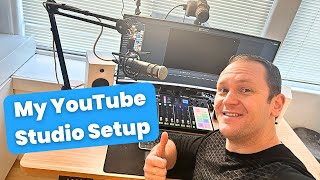
James Allen walks through his YouTube setup, starting with an Autonomous chair and FlexiSpot desk, then covering his audio chain: Rode Procaster mic into a Rode Podcaster Pro interface with compression and noise gating. Video comes from a Canon EOS Rebel SL2 DSLR via Elgato Cam Link, lit by a Relaino LED. Total cost around $3,000.
Chapters
Hey friend, what's going on? This is James from Profiter Knowledge. Um, I am super stoked today because I'm going to show you behind the scenes of the office and, uh, show you what my whole content creation setup looks like so that hopefully you can get some inspiration to streamline your own setup because it's really important for us as creators to create, uh, a work desk, an environment where we really want to create. And that was my goal with this whole thing. So let's go over all the different tech. It's kind of a lot, but it's probably like a $3,000 setup with everything together. And I'll put links down in the description. I'm not an Amazon affiliate, so I'm not getting paid for these links. I'm just letting you know like where I got the stuff if it is on Amazon or direct to a website, okay? Links will be in the description. So let's get into it. All right, so this is a peek at the setup. First off, we're going to start with the chair, obviously. Uh, this I just got. This is the last piece of the puzzle. It is the Autonomous, uh, chair. They have a lot of them, but, um, yeah, it's just super cool. I like it, and it's really, really comfortable. Tons of different options to, uh, hit the camera. A lot of options to change up, you know, the, the comfort, the settings, like the tilt of the seat. It's probably like a $500 chair when I got it, but it was like the lowest I could find it for. But it's really, really good, just well-built piece of equipment. So I will link it down below. I forgot the exact name of it, but yeah, this is what it looks like, the really cool spine on it. Really awesome. Then we have the work desk. So this one, which one is it? Flexispot. Ignore my terrible cable management, by the way. That's kind of the next endeavor is the cable management. We got the cat right here. Hey, buddy. That's Wilson. So Flexispot, yeah, this is a really cool one. They have a lot of different desks that were really expensive. So the FlexiSpot one was like an affordable desk. I mean, like, yeah, I could have invested in a way more expensive one, but this one was just nice and I like the look of it. And also I put some— Wilson, you're in the way. I put some wheels on it too, so I can kind of move the desk around. You know, honestly, I thought I was gonna do a lot more of that, but I didn't. So totally a waste, but It is helpful when I need to move the desk, and like when I'm doing eventually my cable management and stuff, I will be able to move my desk around. Okay, so I'm gonna link that down below, but it's really nice. And yeah, you can— I have it set, you can go up to 4 different settings. So 1 is seated, 2 is all the way up, and yeah, this thing goes up. Really helpful on long work days where, you know, I'm on back-to-back calls or I'm just working on something for a long time, 'cause then I can kind of, I can sit down, I can stand up and take breaks and whatnot. That really just helps my mental clarity. So we'll bring her back down. In the meantime though, this is a keyboard. It's the Logitech MX Keys. It's wireless and you can't see it right now, but if you hover your hand over it, it lights up the keyboard. So it's super cool at night. And then yeah, this is part of that. It's got scratches from my cat crawling all over it and paw prints. Um, but yeah, this is like— it goes together and you can buy even the— this is really the coolest thing right here, the Logitech MX Master 3, also wireless. This thing's incredible because you can switch tabs back and forth by going here. And you also, if you look at this, we go up to Logitech Options. You can actually open this up. Hopefully it loads pretty quick. So yeah, you can get access to the keyboard and to the mouse. And if you click on the mouse, you can actually customize— like, I use Camtasia for video editing— you can actually customize what this— you can see like the different icons they moved, what it actually does for video editing if you're doing a lot of video editing. So if you're a video editor and you don't have this mouse, you're missing out. It's like a $100 mouse, but it is so worth it. It makes your workflow just so much faster. Okay, so that is an awesome setup. What else we got? Um, for my awesome speaker system, we have the Edifier speakers. I don't remember what, what kind of— I bought these a long time ago. Uh, but yeah, you can plug in your headphones, auxiliary, change up the volume. These things are really like— they're small but mighty. And there was a lot of other ones that were way more expensive, but these ones were actually a pretty good deal, um, and I did a ton of research, so I'll link them down below. That way you can check these out. But yeah, there's two of them. They look super cool, and they are an awesome little duo to give me that really crisp sound, especially when I'm doing video editing. You know, I could really hear what it sounds like. Obviously got the Xbox controller for, uh, in the evenings or on weekends if I want to play some games with the boys. Um, but yeah, we got a little bit of fun time too. Uh, the monitor, big piece right here. This thing I think I got on Amazon. Um, but it is a Dell. It's 144Hz. I'm missing that. 144Hz. Uh, so it's pretty smooth. They obviously have more advanced ones with the mouse. Oh, here he comes. Hey buddy. And, um, yeah, this thing. Okay, I gotta turn that off. He's stepping. This is what I'm talking about right here. Well, Sunny, you should move. Um, so anyway, this is— I forgot how big it is. I think it's like a 31-inch or something. It's huge. And honestly, it's a little excessive. It was cool in the meantime. It's fun for like gaming, you know. But, um, when I'm working, it actually is nice because I can open up multiple windows like side by side, and it gives me plenty of space that I can, um I can really manipulate. See, I can keep it like a smaller window, or you can open it up all the way. Yeah, pretty crazy. But you can also bring it up top and then kind of move around like that and have one and one. So it's actually a really cool, really cool versatile kind of setup. Okay, so we have that. My microphone is a big question I get all the time. What's my audio setup? So this is the Rode Procaster. Get my finger out of there. Rode Procaster. This thing's awesome. It's like a $200 microphone. Totally worth it. If you're doing a lot of podcasting, that kind of stuff, Rode was made for podcasters and creators. So it's an awesome microphone. They have the Rode PodMic and I was thinking about getting it, but I ended up upgrading to this one. So it was like $100 more. And I'm very, very happy with it. Also, it just looks really cool, looks really clean. I got the shock mount that is made for Rode. They have different ones that are like knockoff ones, but I figured if I'm getting Rode, I'm gonna make everything Rode just because it all works well together. Just a basic auxiliary— or no, it's an XLR cable right here. So this plugs into the back. The thing about this microphone is that there is not a USB, so it's only XLR. Okay, and then that loops around. I like the white, it looks pretty cool. That goes around. Also, the stand I'm using, by the way, is the, it's the Rode stand. Yeah, the PSA1. Great stand, I love it. It's super smooth, really, really clean. And doesn't make any noise. It's really sturdy too, so that thing's awesome. Yeah, it loops back around the speaker and then that plugs into this. This is what makes the audio sound really good and I'm still kind of dialing it in, but I have gotten it pretty down pat, honestly, with the different settings. This is the Rode Podcaster Pro, so it's the Rode— Procaster going into the Rode Podcaster Pro. Not confusing at all, right? But this is really cool because you can do audio processing and you can change up, you know, the high-pass filter and all that stuff. Where it gets really cool is with this— this is totally overkill. I, I mean, I just use it for one line, but you can do like phone calls, you can do Bluetooth, you can add different sounds onto here like you know, if you're doing a podcast, you can have clapping, for example, and you turn that on. Or this one, or like laughing, you know, you can add different sounds. Or a ding, honking, anything like that. And turn up the sound right here as well. And then you can have up to 4 different inputs for a microphone. You can turn this off, turn it on. Okay, so this thing is super rad. But where it gets really cool, where you can really dial it in, is you can actually download the Rode Procaster app. You can see right here, open effects editor, and now you can really change up all the sounds inside of this. So if you are curious and you have one, here's kind of my current settings right now. The compression, the de-esser, you can always pause it, the noise gate, and then the high-pass filter. The real sweet spot is right in this area. The oral exciter and the big bottom. This really gives you that kind of like broadcast-worthy sound. Okay, but yeah, this thing is amazing. That's how I'm able to have a really crisp sound whether I'm using Zoom or I'm on someone's podcast, even if they don't have that, that great of a setup. Because I have such a great setup, I'm going to sound good across the board no matter what. So it's definitely an investment. This is probably like one of the biggest parts of like the, the cost in terms of this whole setup. Um, but it's totally worth it because, you know, I'm on a lot of podcasts, I have my own podcast, and I want it to sound clean and professional. I do a lot of content creation, YouTube videos, that sort of stuff. So it's worth the investment. I think if you're really serious about this and you want to do this for, you know, a long time, that this is a Amazing, amazing tool. It's like $500, but it is so worth it. Um, okay, cool. So the camera, this is a big piece right here. I bought this camera a long, long time ago. It is the Canon EOS Rebel SL2. You can see right over there. Uh, this is just the stock lens, nothing crazy. Um, really, really simple, really straightforward. But what the magic is here is that I'm able to turn this into a webcam. Okay, so I sit at my desk, got the webcam, got the whole audio setup right there. And then I have an HDMI, I think it's a mini HDMI, I'm gonna plug it real quick. See what that looks like. You see that? So yeah, that guy plugs into there. And then it loops down around and comes up here, plugs into this. This is what allows me to have that really crisp webcam setup, is the Cam Link. So the Cam Link basically just converts your DSLR camera into a webcam. Okay, sorry if you hear noise in the background, it's my It's my girlfriend, she's cleaning today. So here again is the— well, actually I can show you this piece right here. This right here is my light. Really, really simple. This thing was cool. I think it was like $50. It's a Relaino. So this thing you can turn on, you can turn off, and then there's also— we can turn it on real quick. You can see there, you can turn up the brightness, turn it down, or no, that's the, the warmth, the tone of it. You can see over here, see I'm turning up the tone, turning it down, kind of play around. That's like really red or warm. This is a really cool tone. And then, um, what else do we have? We have the obviously the brightness, so you can turn that down, turn it up. Pro tip with if you want a softer light you can actually, 'cause this is pretty intense, you can put a shirt over this if you have something like this, which can be helpful sometimes, okay? So we will, yeah, you can see what it looks like from the front. That's what I'm seeing. I put it off to the side so I'm not fully blinding myself. But yeah, pretty simple, pretty straightforward. And then of course, I think that's about everything. The last thing, oh, this is really cool right here. This is just a clamp-on. This thing was cheap, you know, I think it was like $20, maybe $30. But instead of having like a power strip on the ground, you know, you can have one outlet that comes up into here and then that turns into— you can see triple, triple light, trip light— but that turns into a clipped-on power strip that you can plug all your stuff into. Again, ignore my cable management, I'm working on it. The other thing right here is the computer. So right now I'm using an MSI gaming computer. I got this from Costco. I stopped playing video games for a long time when I was building my business 'cause I was playing too much and I wasn't making money. And I started making money and I really got the hang of it and I'm like, okay, it'd be fun to play some video games again, you know, once in a blue moon. So every now and then I do like to play games. It is pretty. You can change up the LEDs. The lights and do blue. I like the white. That one's kind of cool, I'm gonna keep that one. Uh, but yeah, you can change up the colors and stuff and it looks really pretty. Specs with it, uh, oh man, I don't even remember all the specs, but it has a 3070 or 3060 graphics card and it has like 2 terabytes of hard drive and 1 terabyte of SSD. And I think I got it for like $1,500 from Costco. This thing runs like a champ. I had a different one that had better specs, but it kept shutting down on me. So I got this one from MSI, great, great brand, and this thing has ran like a champ from day one. So right out of the box, awesome. It's a pre-built. I didn't build this thing from scratch or anything. It was way too big of an endeavor, and I'm good. Maybe in the future. And yeah, that's pretty much what— that's what the whole setup is. So That's what you're seeing behind the scenes. So let me show you what it looks like in action right now. So this is the final product of my entire content creation setup. I hope you got some value from this and maybe some insights of even just one or two pieces that hopefully you can add to your repertoire and start creating some really cool content for yourself. By the way, if you're kind of exploring some new ways to get started in creating your own online business around your knowledge, passions and skills, you want to take what's inside of your head and turn it into something that you can be proud of and that makes you a lot of money, I highly recommend you check out my Passive Income Masterclass. It's 3 parts. We're going to show you how to create digital products that people actually want to buy and that are transformative. And then I'm going to show you how to build a simple, non-techie system that sells that product for you whether you're working or not. And then we're going to wrap it up with how to drive traffic to that system on autopilot. So you could start selling your own digital products ASAP. It's a 1-hour free training, action-packed with tons of tools, templates, and examples to help you start and grow your own online business sharing your knowledge on the internet. I'll put a link in the description to get access to the masterclass right now, or you can always go to profityourknowledge.com/masterclass. Other than that, let me know what gear you are using for your content creation setup down in a comment below. I'd love to hear, um, what you're using and see maybe I can get some inspiration as well. Thanks for hanging out with me today. If you want to keep watching this content, then there'll be a video right up here somewhere, and you can check that out. Hope you have a great day. See you in the next one.










