This ChatGPT Feature Changed How I Create Content Forever
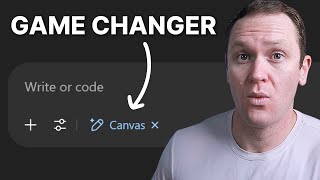
James Allen shows how ChatGPT Canvas, a built-in editor for Plus users, lets you draft and edit long-form content without leaving chat. Highlight text to rewrite, adjust reading level, or polish with one click. Access it via the Tools menu or /canvas command for full features.
Chapters
Have you ever wished that you could brainstorm, write, and refine ideas with AI all in one place without constantly copying and pasting between different apps? Well, now you can thanks to the ChatGPT Canvas feature. In this video, I'm gonna show you how to use the Canvas tool inside of ChatGPT Plus, why it's a game changer for content creators, and how to get the most out of this AI feature. So first off, what is ChatGPT Canvas and why should you care? Canvas is a built-in document editor inside ChatGPT. It lets you create and edit long-form content in real time with AI support. You can get live updates as you ask ChatGPT to revise or rewrite sections. And I think the best part is that you have a distraction-free work environment, so there's no more switching between ChatGPT and then Google Docs and constantly copying, pasting back and forth like I did for years until I found out about this feature. Canvas essentially turns ChatGPT into a writing assistant plus a full-blown workspace all in one. So whether you're writing scripts, blogs, emails, or product outlines, you can do all of it right inside of the platform without breaking your creative flow. And one thing to note is that Canvas is currently only available with a ChatGPT Plus subscription. It's only $20 per month and it's totally worth it, especially if you're using ChatGPT on a regular basis for content creation. So let me show you how ChatGPT Canvas works. To access ChatGPT Canvas, we're going to go create a new chat, go over here to Tools, and then Write or Code, and you will see the Canvas icon pop up. Another way that you can access ChatGPT Canvas at any time is to simply type in forward dash Canvas, hit enter, and then you are in Canvas mode. So let's imagine that we are creating a YouTube script for your channel and we're going to use ChatGPT Canvas to help you optimize and write out that script. We could start by saying something like, write me a first draft YouTube script for a video about the best digital products to sell online. Now you'll see that we have this other window and the format changes a little bit off to the left-hand side, we're going to be able to have our chat box and be able to ask ChatGPT whatever we want to add or change up. If we want to change the idea completely, we can have it rewrite another script for us. It's coming up with our first draft script right here. Obviously, never just go with what ChatGPT gives you. I think you should make your own scripts and outlines, uh, but doing this just for a demonstration purpose today with ChatGPT Canvas. Now, what's cool about ChatGPT Canvas that makes it different than a normal chat box is that we can change text, we can delete stuff, we can reformat things live inside of here. So what it has right here is, wanna make money online without packaging boxes or dealing with shipping headaches? Personally, I think it's weak, but I'm gonna roll with it. Then you're gonna love digital products. So I would say, then you need to start selling digital products. Okay, so you can literally type in your whole script as if it's a Google Doc. Think about if Google Docs got connected with ChatGPT. That is what ChatGPT Canvas can do for you. What you can also do that I think is really cool is if I think that this intro is just a little too wordy or too long or whatever it is, you can highlight whatever you want to change. It could be one sentence, it could be a whole paragraph or a whole section, whatever, and then ask ChatGPT what you want to do. So I could say, make it shorter and more intriguing. I always spell intriguing wrong. And when you click on that, ChatGPT Canvas will literally condense it and do whatever you asked it to do. So this already eliminates the need to have to go back to a Google Doc. And then if you're like, huh, did I say this right? Or you could say something like, word this better, and ChatGPT Canvas will automatically fix it all in one workspace. Now, another awesome thing you can do with Canvas is down here in the bottom right, you will see suggested edits and a little icon list pops up here. So what we can do is adjust the length and you can either make whatever it came up with longer, the longest, or shorter, or the shortest. So let's make this a little bit shorter and have it go and see what it comes up with. And you'll see it's already simplifying the entire outline for us. Now, I think that we should have more information in this. I'm not going to build an entire script live. This is just to demonstrate what you can do with ChatGPT Canvas. Now again, over here, what we can also do is we can adjust the reading level for this entire script. When you're writing copy or you're writing scripts the way that I'm speaking right now, typically between a 3rd and 5th grade level, the rule of thumb is you want to be able to articulate your ideas to a 3rd grader. That's like the general rule of thumb. Basically what it means is keeping simple language. So this is such a great feature, especially when you're writing copy for a website or for a sales page or opt-in page or a YouTube script if you want to do word-for-word scripts, whatever it is. Over here, you click here and you can decide if you want high school, college, or graduate school level. If you go lower, you get to keep the current reading level, middle school, or kindergarten. So let's rewrite it with middle school. So already, in terms of the language— want to make money online without working every day— super simple language. Digital products let you sell something once and sell it over and over. No boxes, no shipping. Today I'm showing you the easiest digital products to sell in 2025. It sounds more like a normal YouTube video or a normal conversation compared to if we change the reading level all the way up to graduate school. Look at the difference in this hook: interested in establishing a scalable income stream that transcends the limitations of physical inventory and logistics? No, I just want to make money online while I sleep. So it's an awesome feature, especially if you notice that you like to have a more academic way of writing, you can have ChatGPT Canvas simplify your writing much easier. Another thing you can do is you can add a final polish. I don't know about you, but when I am going heavy on a document, I like to— what I used to do was put into Google Docs, I would put it into ChatGPT and just have it check my spelling and my grammar because I wasn't the best in high school, especially English class. And I'll have ChatGPT run through and clean up my writing or word things better. So this is one button you can click that will add a final polish to whatever project you're working on, all inside of the one document. And then lastly, you can add emojis, but let's be honest, who actually likes using emojis in ChatGPT? Please don't ever use emojis. Now, something else to note with Canvas is that if you've been using regular chats and now you're just discovering Canvas thinking, wow, I really want to start using this, you can actually go back to your regular chats and start using Canvas based on whatever you were talking about or discussing with ChatGPT in those old chats. So if you go to a regular chat that you had where you already had this whole conversation and narrative going on, right down here you can see this pencil icon with a plus next to it, and it will say Edit in Canvas. When you click on that, you can go in here and you can work on whatever document you were saying. This is what I meant, whatever you want to say inside of here. Now one thing to note is that if you do this, I don't know why this happens, you off to the bottom right corner aren't going to have those different features and suggested edits that we had went through earlier. So accessing Canvas this way, by going through your old chats that you have done or your regular chats, it limits your abilities to fully use Canvas. So it's something just to kind of know. I don't know why that is the case. Maybe they're going to fix it down the road with some sort of bug that's got going on. I don't know. So if you ever want to access Canvas and get all of the different features and unlock the most out of it, you'll just want to go to a regular chat, hit tools, write or code, or of course you can do what we did before, the /canvas, and that will take you to the full capabilities that Canvas is going to give you. Now, if you are a content creator and you use ChatGPT on a regular basis to brainstorm content ideas, something that you may or may not have noticed is that ChatGPT doesn't always give you the best content ideas. It will give you generic content ideas or titles that just aren't very good. And that's such a critical piece to people actually clicking on your content and consuming it. If the title doesn't sell them, then they're not going to watch your content no matter how good it is. The best thing to do is to do your due diligence, find videos and titles and headlines that have outperformed other pieces of content in various different niches, and then add your own spin to it. This is something we call looking for outliers. Now, lucky for you, I've compiled a list of awesome outliers and put them into one document. Inside this document, you have 50 catchy title formulas that you know are going to get clicks. All you have to do is find your keywords and just plug them into the different titles that you want to use. If you're making a YouTube video every week or a blog post or a podcast episode every week, you need 52 posts to make up a year's worth of content. This one document will give you at least a year's worth of content, and you can recycle the different templates or reuse them or use the same formula just with different keywords. And you can really get a huge list of content ideas that you know are going to perform well. If you want to get this guide, it's my gift to you completely free. Just as a big thank you for watching this video, I'm going to put it as a first link down in the description, or you can always go to profityourknowledge.com/titles. And if you're thinking about creating an ebook with ChatGPT Canvas, I have a full tutorial where I walk you through how to create an ebook inside of Canva in 30 minutes or less. And it's a great complement this video. So I'd recommend you go check that out if you're trying to start selling ebooks. If you have any questions about ChatGPT Canvas or ChatGPT in general or anything from this video specifically, let me know in a comment below. Other than that, take what you learned here, get out there, make something happen. I'll see you in the next one.










