Do THIS When You Get Paid (Paycheck Routine)
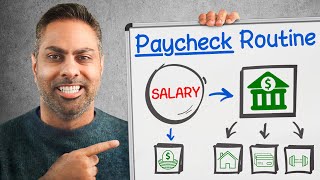
Ramit Sethi walks through a three-step paycheck routine: link your accounts and set up direct deposits, schedule automatic transfers on specific dates to fund retirement and savings, then adjust for irregular income. The system pays yourself first and makes bills and investing happen without thinking.
Chapters
I just got paid. So where the hell did all my money go? I've talked to tons of couples who make six or even seven figures and they still feel broke. Can you believe that? They don't know where their money is going each month? How can that be? Well, the answer is they don't have a paycheck routine. They're constantly playing catch up with their financial goals and instead of paying themselves first, they just spend whatever's in front of them and. And at the end of the month, they look and go, I guess I spent that much. I'm sure a lot of you watching this video feel the same way. This is playing defense with your money and instead I want you to play offense. How do you do it? With my bulletproof three step paycheck routine, I'm going to show you exactly how to set up an automated money system so you can pay yourself first, have money to spend guilt free, and live a happier, less stressful, and ultimately richer life. So let's get right into it with step one. Link your accounts. Now. Pay close attention to it, because without this, you're not going to have the right system or mindset needed to set up this three step money routine. Most people think of their money as random attempts to save. I really should try to save money. No, you don't have to try to save money. Just like you don't try to brush your teeth in the morning. You make it happen consistently and automatically. And actually, saving money is easier than brushing your teeth because you can set it up once and it will happen over and over without you having to do anything. Imagine you want to learn how to ride a bike. You practice a little bit every day, you make it fun, and then over time, riding that bike becomes second nature to you. If I'm trying to save, I might decide one paycheck to put $100 in my summer trip to Lake Como. And the next time I get paid, I spend too much at Target. I didn't properly plan. I pull $100 out of that Lake Como fund. So now what happened? I'm a month behind on my plan. I feel defeated. Nothing seems to work. I'm never going to Italy. Life sucks. I'm depressed. All the economy, the government, and I start complaining on Twitter and writing about how everything's horrible. No, people beat themselves over not sticking to their goals. But this is pointless because beating yourself up really does not get you anywhere. On the other hand, if I decide I want to take a vacation, I estimate the costs. I add 15% on top of that estimate for unexpected expenses like taxes, taxis, etc. Then I set up an automatic savings plan towards that goal. Well, I know that I set it up once and that in exactly six and a half months or eight and a half months or 1.5 years, I'm going to have exactly the right amount for for my vacation. And voila. I'm able to take that vacation, have a nice drink, see the beach guilt free. That's how you do it. It's a lot more fun. And doesn't it sound a lot easier? So this is exactly what we're going to do with your paycheck. Now here's how. First, you're going to need a complete list of all of Your accounts, their URLs and your logins and passwords. It's now time to link your accounts together so you can set up automatic transfer from one account to another with once your paycheck hits your checking account. By the way, if you don't already have direct deposit, talk to your HR rep and set it up with your checking account. Now, when you log into any of your accounts, you'll usually find an option called something like Link accounts transfer or Set up payments. Here's an overview of how to automate your money. What I love about this is how simple and purposeful every action is. You get paid, your money gets sent to a 401k. The rest of it goes to a checking account and from there it is automatically sent exactly where it needs to go. Your savings account is getting filled up every month. Your retirement account's getting filled up every month. And you have money left over for guilt free spending. Maybe it's a beautiful coat, maybe it's eating out. Without worrying about the price, all of your bills are handled automatically now. Now let me show you how to actually do this. Number one, if you haven't already done this, connect your PayCheck to your 401k so it's automatically funded each month. Number two, connect your checking account to your Roth IRA or other investment account, savings account, your credit card, and any regular bills that can't be paid using a credit card like rent or loan payments. Number three, connect your credit card to any bills you've been paying via your checking account. Okay, fantastic. All your accounts are now linked. But wait, here's one thing a lot of people don't think about. If you have payments that can't be automatically drawn from your checking account, you can still automate the payment using your checking account's bill pay feature, which is free with almost Every account. For example, let's say that you pay rent by manually writing a check and sticking it in an envelope every month. Don't do that anymore. Log into your checking account, set up an automatic bill, pay for your rent. Your bank will then write a check for you and mail it to your landlord every single month You've automated it. Just make sure you schedule it so it has enough time to reach your landlord via the postal service by the due date. Okay, now you can see how your paycheck, checking account, and credit card each fund different accounts. Now remember, in your personal finances, always fight for simplicity with this setup. Each account has a specific purpose. And that's it. We can move on. Now that your accounts are linked, it's time for step two. Set up your automatic money flow. This step is simple. It's going to make all the difference. The key here is to set your payments up for the right date. You don't want payments being randomly made on the 13th and the 26th of each month. You want the payments to be made when you want them. Let me show you what I mean. If you set up automatic transfers at weird times, it's going to create more work for you. But my goal is to create less work from you. Okay, Unless you're a financial freak, your love is not to sit around and optimize your accounts. Oh, what am I going to do? Let me optimize my account. Then I can fire an extra 2.3 months early over a course of 87 years. Nobody wants to do that except financial freaks. In fact, I have a little philosophy. Unless you have an extremely strong reason to deviate from my system, why don't you just do it my way? It's worked for millions of other people. It'll probably work for you. So take a look at this. If your credit card, for example, is due on the first of the month, but you don't get paid until the 15th of the month, what are you supposed to do? Well, the easiest way to do this is to get all of your bills on the same schedule. To do this, gather all of your bills up, call the companies. Or better yet, since I know you're afraid of using the phone, just log in on their website and switch the billing dates. This will take you like 5 minutes per account to do. And there may be a couple of months of odd billing as your accounts adjust, but it will smooth itself out after that. For example, if you're paid on the first of the month, I suggest switching all of your bills to arrive on or around that Time, too. Of course, you can request any billing date that works for you. If you want to call the company, you can use this script to switch your bills. Hi, I'm currently being billed on the 17th of each month. I'd like to change that to the first of the month. Do I need to do anything besides ask right here on the phone? Now that you've got all your bills coming in at the beginning of the month, it's time to go in and actually set up your transfers. Here's a pro tip. The first time you set this up, leave a buffer amount of money, like, let's say $500 in your checking account, just in case a transfer doesn't go right. You can cash out that buffer after a couple of months when everything is running smoothly. And don't worry if something does go wrong. You can use this word for word script to directly from my I Will Teach youh to Be Rich book to get any overdraft fee waived. Hi, I just saw this bank charge for overdrafting, and I'd like to have it waived. I see that fee. Hmm, let me see here. Unfortunately, sir, we're not able to waive that fee. It was some BS excuse about why it's not wavable. Well, I see the fee here, and I'd really like to get it waived. What else can you do to help me? I'm sorry, sir. We can't refund that fee. I understand it's difficult, but take a look at my customer history. I've been a customer for more than three years. I'd like to keep the relationship going. Now, I'd like to get this waived. It was a mistake. It won't happen again. What can you do to help? Hmm. One second, please. I see you're a really good customer. I'm gonna check with my supervisor. Can you hold on? Sir? I was able to check with my supervisor and waive the fee. Is there anything else I can help you with today? That's how you do it. Now, here's how to arrange your automatic money flow. Assuming you get paid on the 1st of the month. On the 1st of the month, your paycheck gets automatically deposited into into your checking account. You want to treat your checking account like your email inbox. Everything goes there. Then it's filtered away to the appropriate place. On the 2nd of the month, part of your paycheck is automatically sent to your 401k. For most people, the 401k withdrawal actually happens before you get your paycheck, so you probably don't Even need to worry about that depending on your situation. For the 5th of every month, set up automatic transfers from your checking account to your savings account. Why are we waiting until the 5th? Because that gives you some leeway in case your paycheck doesn't show up on time. You'll have four days to correct things or cancel that month's automatic transfers. Okay, remember, don't just set up the transfer. Remember to set the amount as well. I recommend you save at least 5 to 10% of each paycheck, but if you can't afford that much right now, that's fine. Set up an automatic transfer of $20 just to prove to yourself that this works. The amount isn't important. $5 or $20 is not going to be missed. But once you see how it all works together, it's going to be much easier to turn that dial way up. I also want you to set an automatic transfer from your checking account to your Roth IRA on the 5th of every month. Ideally, it should be about 10% of your take home pay minus the amount you send to your 401k. And remember, make sure that your money is not just being sent to a Roth IRA, but also invested. On the 7th of the month, you'll auto pay for any monthly bills you have. That includes regular ongoing bills like cable, utilities, car payments, student loans, etc. I prefer to pay my bills using a credit card because I earn points, I get automatic consumer protection and I can easily track my spending. But if your merchant doesn't accept credit cards, they should let you pay the bill directly from your checking accounts so you can set up an automatic transfer from there if you need to. Also, on the 7th of the month, set up an automatic transfer to pay off your credit card. Here's how you do it. Log into your credit card account, instruct the credit card to draw money from your checking account, and pay the credit card bill each month in full. It's called a statement balance. Do not pay the minimum. And keep watching my YouTube videos. You're going to be in credit card debt for the next 65 years. Pay it in full. I have a million podcasts where I talk to people who are just paying the minimum and they have no clue that they're stuck paying that for the next 12, 13, 15 years. It's critical that you pay your credit card off in full. Now, if you have credit card debt and you you can't pay the bill in full, okay, sometimes you just can't, then don't worry. Here's what you do you can still set up an automatic payment. Just choose carefully the amount that you pay. Again, I would highly recommend you pay way more than the minimum because interest rates on credit cards will keep you trapped forever. By the way, while you're logged into your credit card, also set up an email notification to send you a monthly link to your bill so you can review it every single month. This helps people feel like they have a sense of control. One of the major reasons people don't automate their money is they go, I like to feel in control. I like to know all my numbers. And I go, how's that control working for you? Are you investing 10, 12, 13, 15%? No. Are you saving 5, 10, 15%? No. You're spending your life playing small by logging and checking every single transaction. You're playing small instead of focusing on a rich life. A rich life means real wealth is created through investing. A rich life means you set up your payments to happen automatically so you can focus on guilt free spending, spending time with your family, going out and not worrying about a $3 or $5 coffee. So please. Control works for certain areas of life, but with money, you really should delegate this to automation. And that's the basic automatic money flow. Now a lot of people going, hey Ramit, that's great if you have a regular income, but I'm not paid regularly, I have an irregular income. Well, that's not a problem. You can actually adjust the system that I just gave you to match your paycheck schedule. Which brings me to step three, tweaking the system to work for you. Let's say you're paid twice a month. You have two options for making this money flow system work to fit your schedule. Option one, replicate the system on the 1st and the 15th of the month with half the money each time. For example, you pay your bills with the first paycheck of the month and you fund your savings and investing account with the second paycheck of the month. Or option two, save a buffer of money which you can use to simulate getting paid once a month. With a buffer, you'll have a pool of money available to pay your bills. Then you'll get paid back by your next paycheck. Here's how to do it. Figure out how much you need to survive on each month. This is the bare minimum. Rent, utilities, food, loan payments. Just the basics. Write that number down. Then create a Savings goal of 3 months of bare bones income before you do any investing or extra spending. For example, if you need at least $3,500 a month to live on, then you're going to need to have $10,500 in a savings buffer. Now this is really helpful. If you have irregular income, you're going to see how to use that buffer to handle the slow months and what to do when you have really good months. Now, to fund that buffer, you use money from two places. First, take any money you would have invested and send it to your savings account. 2. In good months, any extra dollar you make above the bare bones number should go into your savings buffer. Once you've saved three months of money as a buffer, then you've built something really stable and now you can simulate a stable income even if you don't make the same amount each month. In other words, if you have a slow month, you can withdraw from that buffer. And when you have a really good month, you can put money back into that buffer, all always targeting keeping it around three months. If you followed the three steps in this video, your money management is now on autopilot. Your bills are paid automatically, they're paid on time, and you're actually saving and investing money each month. So my recommendation, spend some time this week to set up your system following my three steps so every paycheck gets split automatically. That way you can focus on actually living your rich life. And if you want to see the intricacies of how the system works and adapt it to your situation, I go into way more detail in the I will teach you to be rich book. Now check out this video popping up on screen right now to watch more.