This content was created by Ramit Sethi. This content was uploaded by Ramit Sethi. This is a YouTube video titled "pb wiki-YackPack Voice Chat" created on April 11, 2007, featuring Ramit Sethi demonstrating a voice chat feature integrated with PBWiki using Yakpack. The video includes a conversation between Ramit Sethi and Darren discussing the feature and making dinner plans.
Chapters
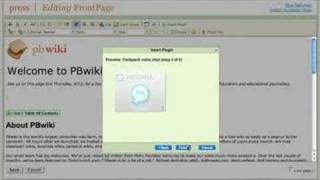
Hi, this is Ramit Sethi. I'm one of the co founders of PBWiki. Sometimes we realize that you're just on a wiki page and you want to talk to the other people who are looking at your wiki page and share some information with them. So we teamed up with Yakpack and we created a way to have an actual voice conversation with other PBWiki users. It takes about 30 seconds to get working. It's really easy and you can have as many people as you want on the voice chat. Let me show you how it works. So I'm going to go here and click Edit page and I'm just going to insert a plugin. I go to chat Yak Pack voice chat. I click next. That's a preview of what it looks like. And now it's dropped into my wiki. When I click save, I'll see what it actually looks like. So here we have the Yak Pack plugin. It's a Yak Pack walkie talkie. If you mouse over it says push to talk. Now you'll see that someone just joined the room. Here there are two people in the room.
Hi Ramit.
Hi Darren. How's it going?
Hey. Pretty good. How about yourself?
Pretty good. Hey, what are you doing for dinner tonight?
Nothing, I have no plans. Why, what's going on?
I thought maybe we'd just grab some Thai food. What do you think? Do you have time?
Yeah, that'll work out. How's 7:15 sound to you?
7:15 is perfect. I'll put a map later on the wiki. How's that?
Okay, great. Just send me the link.
Alright, talk to you later Darren.
Take care. Bye. Bye.
So now you can see it's just that easy to talk to other people on your Pbwiki. And you can get started@pbwiki.com.