In this short presentation, the speaker challenges the common habit of opening email first thing in the morning. He argues that doing so lets low‑priority messages dictate the day, likening it to opening the office door to squirrels. He proposes a simple, repeatable routine: (1) open the Outlook calendar, look ahead a week to identify open blocks and upcoming commitments, and (2) build a focused, prioritized task list for the day that incorporates high‑priority items from the calendar and email using a drag‑and‑drop tool. This “3‑to‑5‑minute daily drill” should be performed before checking email for a week. The speaker claims that this shift will prevent working on the wrong tasks, improve awareness of true priorities, and ultimately increase the amount of important work completed each day.
Chapters
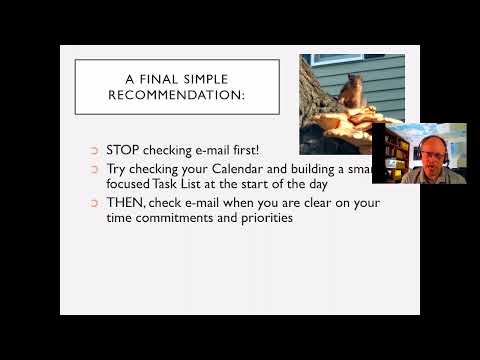
I usually ask this as a question of my audience when I'm doing my programs. How many of you check email first thing in the morning? Now I will tell you, 90% plus usually raise their hand, to which I say, okay, we have a bunch of liars in the room because How many of you had a cup of coffee before you opened up your email? That's funny. Coffee first. Uh, but I'm actually now to soda water part of the day. Um, but, uh, then I say, I want you to think about what you're doing if you open your email first. Didn't you just basically open the door to your office, say, come on in, squirrels? Because think about the majority of your emails, aren't they sort of Some are fairly important, but many of them are not. And you just let them come in first. Leading into my Optimizing Your Outlook program, could I give you a suggestion that I'd like you to try and just try it for a week? Here's what I want you to do. Go into your calendar and maybe look forward a week or so to see what's coming up. What's coming up this week? And if you see any open blocks of time, oh, I got a big open block on Thursday. Do follow-ups to client prospect list. That's good. Should take advantage of that. Oh, and you know what? I got my SAF session tomorrow. Uh, maybe what I should do real quick is new item, task, make sure IL has handouts. Due date, I should probably do that today before the end of my workday. Priority, high. Category, client prospect. That's a minute or two. Don't just look at today, look forward a week or so, see what's coming up, block time for your most important items, check to make sure there you don't have anything you need to get out in front of. Then step 2, which is covered in the second email, build a smart, focused, prioritized task list for today that matches your available time for today. But also your key projects, activities, clients, events. Prioritize smart task list, which is now incorporating some of the things that you made from your emails using the drag and drop tool. Now that whole process I described, taking a look at today and a few days into the future, then build a smart appropriate task list for today. Right? That's a 3 to 5 minute daily drill. Is it fair for me to ask if you could spend your first 3 to 5 minutes doing that instead of your email first? And before you answer that question, have I given you enough tips today to hopefully save you 3 to 5 minutes a day on your inbox? I hope you're going to save a whole lot more than that. But here's the thing, try it for a week. Try opening your calendar first and building a task list before doing your email for a week, 3 to 5 minutes. Because here's the thing. If you don't do that, you're gonna assume often that your email is the most important thing, and you're gonna be working on the wrong stuff at the wrong time frequently. If you just push it back 3 to 5 minutes, and check your calendar and your task list first, now when you go into your inbox, you have a better understanding and feel for the priority and urgency of those items in reality compared to everything else. And it might change the way you think about managing your inbox each and every day and help you get more of your more important stuff done more regularly.