Randy Dean walks through Outlook's recent inbox redesign that moved the toolbar and hid folders. He shows where to find the app launcher, pin folders back to the shortcut bar, and access the permanent folder view. Microsoft 365 tools like To Do and OneNote now integrate more deeply with Outlook.
Chapters
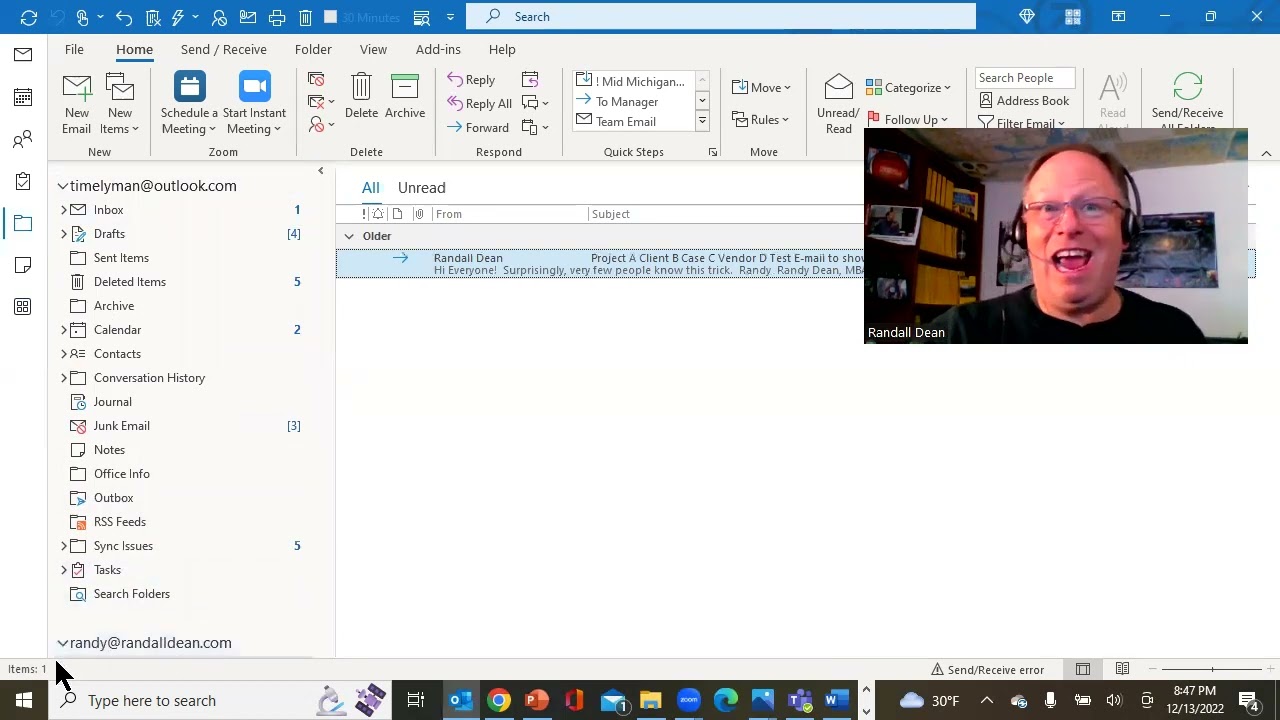
Hi everybody, Randy Dean here, email sanity expert. Hey, wanted to do a quick video tonight because I'm wondering if a bunch of people had the same reaction I did. Whoa, they changed my screen. But I always like to quote the famous phrase from Hitchhiker's Guide to the Galaxy: Don't panic and carry a towel. Let's talk about this a little bit. Seriously, don't panic. It caught me by surprise too. And some of you may not even have had this happen yet. So if you haven't, it's probably coming. Not even a little over a year ago, this is what the screen looked like. And so I'm looking at this and I'm pretty used to this, and they've been making little tweaks here and there. But then I come in— whoa, sorry, hold on, wrong place. Then I come into my Outlook and I see this. Like, I can't remember if it was yesterday morning or the day before, and I'm like, what the heck? And first thing I did is I'm like, wait, where's all my folders? Then I look over here and I see the toolbar that used to be down here, and I'm like, well, wait, I used to be able to drag this. Can I move it back? Nope, it's not an option. And then I'm looking at this, and it didn't even have all these things, but I came down here and I noticed a little waffle they've got right here. And I clicked on the waffle, and what it did is it allowed me to add in— I believe I added in tasks and folders and notes. They were all in right here. But if I want— now take a look at this, it's sort of cool. So you might have a few of these normal functions that you would normally have. See, here's the email, calendar, contacts, tasks, and folders and notes. But what you can do is you can see what they've got in here. And like, if I wanted, I could jump to Word from right here. So that's pretty cool. And, um, you know, coming back to this, you know, you can sort of customize your screen and jump to some of the other, uh, tools that if you'd like to. Now the one thing that I wanted to show you though is when you add folders, notice that you can click on this and then you get— you'll get this little caret here which you can open up. There's your folder list, probably similar to what you used to have. And then what I did, you see, wherever you see a caret and then you see the pushpin, here's the pushpin. If I pin that, now that becomes the permanent view. Now I have the caret right here where I could collapse it, but I'm getting close to what I had before. Top bar up here still looks pretty much the same, but for some reason they moved your, uh, set of apps to launch: email, calendar, contacts, tasks, folders, notes. And more apps over here. And I did notice that if you jump into the other functions, it stays over here. It's not on the bottom anymore. It's sort of a minor change on most of the pages except for Inbox. I think it's a bigger change on Inbox, um, simply because your folders disappear for a second, which might make a couple of you panic, but they're still there. Um, but let me show you this too, which is pretty cool. Take a look. It looks like they're starting to integrate some of their 365 apps right into their normal Microsoft Outlook. As you can see right here, there's Microsoft To Do. And what's interesting, I took a look, it does— it has integrated my tasks from my Outlook task list in a slightly different looking format. That might be a new video coming up sometime soon. And then the other thing is, of course, if you schedule a new appointment, let me just show you a little something in here. Notice that you can actually— let me move myself out of the way a little bit. You can actually get to your OneNote inside of a meeting and open up and take notes related to the meeting. So if you're holding a meeting, you can actually click OneNote, open up your OneNote, and be able to take notes about the meeting while the meeting is happening in your OneNote connected to your meeting in Outlook. It's pretty cool stuff. So, um, but yeah, like I said, the majority of this I just wanted to show you that change in the inbox with all of the icons moving up here and not the ability to put them down here. And really, don't panic when your folders aren't there. You can get to your folders again. You just got to go here and move folders back into your shortcut list up here, and then you've got the chance to see your folders again. So hope this helps and keeps you from panicking. All right, so with that, uh, I'd like to say let's finish this thing up. I'd like to say thank you for your time. Once again, I'm Randy Dean, email sanity expert. If you'd like to learn a little bit more about me, including my full-length online programs, uh, go check out my website randaldean.com. This is what I do, go around, show people how to do these things. Um, if you'd like, you can get a whole series of productivity PDF tip sheets. This video will actually become part of one of them, which is my YouTube cheat sheet guide to my channel. As well as some other tip sheets that might give you some tips on how you can manage your time, your email, your Outlook, your Google Apps, your smartphone and tablets a little bit better. So go ahead and send me an email, randy@randaldean.com, put YouTube PDF in the subject line, and I'll get you those PDFs. Of course, if you like these videos, please like, please subscribe, please share. And with that, I'm going to say, have a wonderful holiday season, everyone. Bye now.