
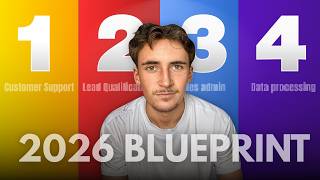
In this tutorial, Rory Ridgers, founder of the AI agency Autonomously AI, demonstrates four practical, low‑friction AI automations that business owners can implement in 2026 to save time and boost efficiency. The first automation is an AI‑powered customer‑support chatbot that draws answers from a Google Docs knowledge base and can be embedded on websites, email, Slack, or WhatsApp. The second automation automates lead capture and onboarding: a Cal.com trigger detects new bookings, checks HubSpot for existing contacts, then automatically creates a contact, deal, and company record and sends a personalized welcome email. The third automation is a lead‑re‑engagement system that scans a CRM (or Google Sheet), generates personalized follow‑up emails based on each lead’s interests and last contact date, sends the emails, and updates the CRM with the outreach status. The fourth automation is a fully automated outbound lead‑generation pipeline: a form collects campaign parameters, an AI agent scrapes Google Maps via Apify for target leads, extracts website content, crafts a concise, human‑like compliment, builds a multi‑step email sequence with personalization, and launches the campaign in Instantly. Throughout, Rory emphasizes the minimal cost, scalability, and the competitive risk of not adopting AI, and ends with a call to action to book a free discovery call with his agency.
Chapters
If you're not using AI in your business in 2026, and unfortunately you are going to get left behind. But don't worry, because as time's gone on, AI has become easier and easier to implement into your business. So in this video, I'm going to run you through 4 simple systems that you should be using in your business in 2026. And none of them are crazy complex systems that are going to overhaul your entire business. They're just simple systems that plug into what you're already doing. Just quickly, if you don't know who I am, my name is Rory Ridgers and I run an AI agency called Autonomously AI, where we find and eliminate operational bottlenecks for US and UK business owners in 14 days to keep them focused, working more on the business instead of in the business. So if you'd like to see how we can help you, then I'll leave a link to my website in the description and you go ahead and book up a free discovery call. So I'm just going to break down all 4 systems and show you exactly how they work. Let's get into it. Okay, so kicking things off with probably one of the most simple systems out of all of these, but it's going to be massively beneficial and it's going to save you so much time if it's implemented right. This system is going to be the simple customer support system. And now what you're looking at right here is a very, very simple version of a customer support system. This is literally just an AI chatbot that can go on your website or into your email or Slack or however it is you're talking with leads or customers. So essentially all this system is, is just an input that's linked up to an AI agent that has access to a knowledge base and also a prompt on what it's doing. So the prompt just simply says, it is a customer support agent that is able to handle users' queries simply and professionally, and it has this knowledge base with all company information, so it's able to answer questions on basically anything. And like I said, this would be something that would be directly on your website. Like, you know, when you go onto a website and you have that little widget in the corner, you can do this inside of NAN. But it could also be linked straight up to your email or into your Slack or WhatsApp. Wherever it is, it would be talking to these people. So we're going to get a quick demo so you can just see simply how it works. And this one right here, we've got it linked up to a fake business. It's going to be an e-commerce business that sells gym wear. So what we're going to say— so I've said, I want a gym t-shirt that I can wear in the gym and around the house. And then you'll see it goes through this AI agent uses his knowledge base here and it's going to pop back to us. And yeah, you can see it says, for a gym t-shirt that you can wear comfortably in the gym and around the house, I recommend our Apex Performance Tee for men or the Vital Oversized Tee for women. So the Apex Performance Tee, this tee is made of our signature airweave fabric. Okay, cool. Gives us a full breakdown of the product. And then the one for women, which is the Oversized Tee. So that's absolutely perfect. Now let's just say something like, so we said, my item came damaged, I want a refund now. We're going to pretend that this is some kind of angry customer or something like that. It says, I'm really sorry to hear the item has arrived damaged. We want to make sure this is right as quickly as possible. To assist you with your refund, could you please provide your order number and, if possible, a photo of the damaged item? Once we have this information, we'll guide you through the next steps for the refund. So as you can see, it knows what to do to be able to process a refund. So we sit here all day trying this out, but you can see basically what it does. It can recommend products, it can advise with refunds, it can even issue refunds. You can essentially ask it any question about the business, even something like, when were you established? Or, where are you located? And now this is something that I see when I go on websites. I see a lot of them don't have this, which is crazy to me because this is one of the most simple things that you can implement into a business. The great thing about AI chatbots is they're probably one of the longest-standing AI products on the market, which just means that there's thousands of different platforms where you can go and make an AI customer support chatbot for your website or for your email and get it up and running within sort of an hour. That's really all it takes. So like I said, there's thousands of platforms out there where you can get this up and running. I would recommend if you don't have this already, just hop over to one of those platforms. All you to do is go onto Google and type in customer support AI, and like I said, thousands are going to come up. Go onto one of them, put some information in there about your company, and then it'll be able to generate you a customer support chatbot like this. Obviously, for more complex customer support systems, maybe an agent that's able to actually go into your inventory system, check if you have stock, or update customer information, check on live orders, things like that, then it would make more sense to maybe hire a professional to come in and do that for you. But for something that's just a simple chatbot that can answer simple customer queries like this, there is really no reason why every single business shouldn't have one of these. So if you want to see the technical stuff behind this, basically we just have a chat input, which is just a built-in NAN chat input. And inside here we give the AI agent the message that comes through the chat input. And then the prompt looks something like this: you're a customer support agent for Titan Flex Athletic, and then a bit of context on what that company actually is. And then your task is to answer any user queries, be friendly and helpful, you have a tool that is linked to a Google Doc knowledge base. You will use this tool every single time to collect the relevant information. It could be general information like opening times or location, or it could be to recommend products. All the information will be inside the Google Doc. So very, very simple. Basically just saying a little bit of context on the company that it's working for. It's an AI support chatbot, and we've just told it to use the Google Docs tool to get any relevant information. And inside the Google Doc, it looks something like this. So just a company overview, mission statement, brand values, ideal customer profile, product categories, and then some of their product catalog, as you can see. And then things like shipping information, fulfillment time, returns and exchanges, that kind of thing. So like I said, extremely simple. There's no reason why every single business shouldn't have something like this set up. Okay, now on to the next one. I have used this in a previous video, so apologies if you have seen that, but this is something that I use in my own business and I think it's absolutely fantastic. It's so simple but it's so helpful. Essentially, essentially what the system is, it's just a system that when I get a new lead through, it will automatically send them a welcome email that just introduces myself, and then it just sets up everything inside of my CRM. So these days I hardly even go inside of my CRM because everything is automated, everything is automatically updated, and I can pull data whenever I want. So I use HubSpot for my CRM, and I rarely ever actually go inside of HubSpot. But basically what's going on here, it says a Cal.com trigger because I use Cal.com for all of my bookings. And then what happens is we search the contacts inside of my HubSpot to see if this is a new lead. If they're already inside my HubSpot, then it's not a new lead, it might be an existing client or something like that. So we make sure that they're a new lead, and then what we do is we just send them a welcome message or just an email that says, hey, and then their name, I've just received your inquiry and wanted to introduce myself. If you have any questions about our upcoming meeting, just reply to this email. I'm looking forward to speaking with you soon. And then it just signs off with my name and then my company name. So it sends off that email, and then what it does is it creates a contact inside of my HubSpot, it creates a deal inside of my HubSpot, creates a company inside of my HubSpot, and then it associates the company and the contact inside of my HubSpot. So now everything is set up inside of HubSpot for me automatically. I don't even have to touch it. So I know when I get a new lead through, they've already been sent that email that introduces myself and everything is set up in HubSpot. So all I have to worry about is just getting on the call with them. So let's try this out quickly. I'm on my website here. I'm going to go to schedule your discovery call, and then here I can actually book up a call with myself. So I'm just going to do some demo information. Let's pick a random time and then let's do a completely fictitious name. So let's say, uh, Dave Trotz is going to be the name, and then the email address is going to be trotz@gmail.com. Perfect. Then company name, we'll just say Demo Inc. And then custom solution budget is $3,000 to $5,000. How can Autonomously AI help you? We'll just say, for this demo is how, uh, Autonomously AI can help me. Okay, so we'll hit confirm, and then this is going to schedule a new meeting. And if we come once this is scheduled here, Yeah, come back over to an end and you can see this is now run through. So perfect. We can see the Cal.com trigger triggered this entire workflow, and then we search the contacts for Dave Trotts. So as you can see, or trotts@gmail.com, it wasn't in my CRM, so it's obviously a new inquiry. So that gets filtered through as saying there is a new inquiry, they're not in my CRM. And then it sent an email to trotts@gmail.com with the title Autonomously AI Consultation, and it said, hey Dave, And then just said, I have received your inquiry. I want to introduce myself. If you have any questions about our upcoming meeting, just reply to this email. I'm looking forward to speaking with you. Absolutely perfect. And then it created a new contact with the email trots@gmail.com. The company name is Demo Inc., the first name, and then the last name. And then it creates a new deal. The deal is just called Dave Trots. You can name this whatever you want. I just like to do it as the client's name. And then associated vid names or ID, it's just going to be the contact ID here. So now we've associated that contact with that new deal that we've just made. And then we create a new company which is just called Demo Inc. And then what we do is we associate the contact with the company. So the email, trotts@gmail.com, associated company name or ID, and then the company name here. So we just associate contact and company. And of course, because the contact is already associated with that deal, it means that the deal, the company, and the contact are all associated together. And that was done in seconds. Obviously I can't show you the email I received because that was a fake email address, but you get the idea. Okay, so now on to number 3. We're going to look at a really, really cool system. This is a lead re-engagement system. This is essentially for when, like a lot of businesses, you're going to have some kind of list somewhere of dead leads, you know, deals that just didn't go through, the timing was wrong, that kind of thing. A lot of companies have a CRM with tens, hundreds, or even thousands of leads like this. What the system does is basically just re-engages with all of these old leads and tries to either resume the old deal or just get a new deal with them. So we have sort of like a fake CRM here. It's just simulating a CRM with a name an email, their interest, and last contacted. So you can see the name is just names, emails are just emails. The interest, we're going to say that this was for a marketing agency, so they're interested in things like Google Ads management, full funnel strategy, social media content package. And then it says when they were last contacted. So what we're going to do with this system is it's going to run through that fake CRM, or it would be connected up to your real CRM. We're going to look at each individual lead here, and then this AI model is going to look at what they are interested in look at when they were last contacted, come up with a unique email body, and then send that off, and then just update the CRM, or in this case update the Google Sheet. So let's run this through and I can show you what I mean by this. So you can see it grabs 20 items from here, loops through, and we just grab the first one. This AI model will generate an email body, send off the email, and then update the Google Sheet. So I'm not going to run through all 20 here, but we're going to look at what it did. So you can see here on the third item it grabbed Emily Chen and they wanted a social media content package. So we gave the name, the interest, and the last contacted to this AI model, and we just gave it this long prompt that says you're part of a re-engagement system. You're basically going to generate an email body based on what they are interested in and when they were last contacted, and it's going to give us something like this. Hi Emily, I hope you're doing well. I realize it's been a while since we last touched base, almost 4 months ago now if I'm remembering correctly. I recently finished working with a company on a social media content package that aligns closely with what you were interested in. It went really well, and I think some of our strategies we developed could be a great fit for your needs too. Would you be open to a quick call sometime this week or next to chat about how we might be able to move forward? Let me know what works best for you. Looking forward to reconnecting. Best, Rory. Perfect. And then actually sent off that email. So in this case, I'm just sending it to myself so we're able to actually read the email, um, but in here would just be this person's email address because we already have it here. It's emily.chen @modernbeautyco.com. There you go. So send it to that email address with that message that I just read out to you, and then it just simply updates the CRM. In this case, it's updating the Google Sheet. So if we look inside of the Google Sheet, it ran through 3 here. It looked like only 2 got added in because we didn't actually let it get to the Google Sheet step on that third one. But if we look at the 2, you can see here it's doing a similar kind of thing. Hi Laura, I hope you've been well. It's been almost 2 years since we last touched base. As you can see, it has been almost 2 years. I want to reach out because I recently wrapped up a project with a company in a similar space. We were able to significantly improve their campaign performance and drive strong ROI. Perfect. And it's done that with the second one. And essentially what it's able to do is go through your entire CRM. So here I've only got 20 different contacts, but you might have thousands. The system will work the exact same way because as you can see here, it's a loop. So it's just going to keep looping around. I already did the first 3. I can just keep looping around whether you have 30 in there, 300, 3,000, 20,000, whatever it might be. This system will be able to just reconnect with all of them send them out a personalized email. And this kind of thing is kind of a no-brainer to add in because there's no real downside to this because you're not manually doing anything. Worst case scenario is that none of them reply, but the best case scenario is that maybe even 1% of them reply. If you have 100 in there, one person comes back to you. This system costs you practically nothing to run, so there's really no downside to running system like this. And like I said as well, if you have like 10,000 in there, that's 100 people all coming back to you. So it's very, very much worth it to just have a system like this constantly running— or not constantly, but maybe every 6 months you run this system through. You can have it on a timer so you don't even have to manually click the button to run it. You can have it on a timer every 6 months, just going to go through your CRM and make sure that all the leads that are lost are actually lost, and essentially just get a yes or no from people. Hopefully try and close some more deals, but then also close out some of them so you know that it's not going to happen, and you got the time to reach out to them. So that is the third system I would recommend all businesses use, something like this, because like I said, the running costs are really, really low and it's just kind of a no-brainer because the worst that can happen is that no one comes back to you. Okay, and then keeping with the theme of lead generation and getting more leads, this system here is going to be a full end-to-end completely automated system that's going to be able to find you leads and book you meetings on autopilot. So if we look at the system here, basically we have a form submission, and on this form you can just input the name of the campaign. So we're going to be doing an outbound email campaign You can input the name of it if you want, the target industry, the target location, and then your offer. So very, very simple. And then the AI agent here is going to go into Instantly, which is just an email platform to actually create this campaign and do all the things it needs to do inside of Instantly. And then here we're going to find leads through Google Maps, and it's a very cheap and efficient way of finding leads. So it's going to find these leads for you from scratch, and it's going to run through each lead, research them, create a compliment for them and then add that lead to the campaign. And then what it's going to do, once the campaign has been created, leads have been found, compliments and email bodies have been made for each lead, and a full sequence will be made for each lead as well. So it's not just one email, we'll create a full outbound sequence for each lead with personalized compliments. Once that's all been done, you don't even have to go in and manually run it. This system will just automatically launch it. So all you have to do, fill out that form from absolutely nothing. You don't have to have any leads, any idea of who to reach out to. You can just fill out the form, and then in a few minutes you'll have a campaign up and running generating new leads on autopilot. It's absolutely amazing. So let's run this through and we can see how it all works. So for this, let's just say we're going to be reaching out to marketing agencies, let's say. So campaign name, we'll just call it marketing agencies like that. And then target industry, again, it's going to be marketing agencies. Location, let's just say United States. And then the offer, we're just going to say, we will automate your lead generation. So it seems quite fitting. The offer is going to be, we'll automate your lead generation. So let's say something like that, hit submit, and then let's just watch this run through. So this AI agent at first is going to be creating the sequences for Instantly, and then actually going inside of Instantly and creating the actual campaign, putting all of the sequences in there. And then what we do here is we run an actor on Apify that's going to be scraping Google Maps for that location and industry. So this should give us some leads back. It does take a minute sometimes, so we'll come back when it's done and I'll what happens after. Okay, so as you can see, it got 20 leads through for us and then it filters through and then we're grabbing each one one by one now. So it takes that first one, it will research their website. So it's going to put in their website that we would have got from here, get all of their website compliment, pass it to this agent here. We're actually going to stop running this now because I'm actually going to be launching a campaign, but we can look at all the results. So it first scrapes each lead's website, it then passes that website content to this agent here where we said you are writing a short personalized compliment for a cold outreach email between founders. And then we've given it this full kind of breakdown and rules on the different things, uh, sort of like how to complement. So keep it under 35 words, avoid generic praise, reference one specific detail, that kind of thing. Then we've given it the company name here and the scraped website. So if you look, the company name was Marketing Empire Group, and then this was their scraped website. And then it outputs a compliment that looks something like this: Really like how we combine paid and organic marketing to focus on the KPIs that actually move the needle. Turning strategy into cash flow isn't just talk, it's a clear commitment. And now what I like to do with these systems is— that sounds all right, and on a technical level it's probably correct. And what I mean by that is that it's actually referencing real things from their website. So it's found something, and this is a real reference, hasn't just made it up. They do actually combine paid and organic marketing to focus on the KPIs. Um, but then what I like to do after that is I like to just humanize it to make it sound a little bit more human. So this one never actually got to the 6th item because you can see we stopped the workflow. So if we look at Item number 5 here said, really like how Two Point Digital Lab frames itself as the future of marketing. Such a smart way to signal innovation or delivering premium done-for-you multichannel solutions. And then the humanized version of that is, really like how Two Point Digital Lab calls itself the future of marketing. It's a nice way to show you're all about smart done-for-you multichannel stuff. So you can see, just sounds a lot more human and a lot more authentic. And this is something that I like to do with these kind of like email outbound systems or any kind of outbound systems. Because I feel like that just makes it sound 100 times more human. And then it just adds that lead straight into Instantly. So now when we come over to Instantly, you can see I have a campaign called Marketing Agency. If I go to Leads, you can see there's already 5 leads added into here, which is those 5 leads that we just looked at. And then the personalization, you can see for all of these, uh, if we scroll down, this is what the personalization looks like for all of these different ones. And then if we come over to Sequences, you can see it has made a 3-step sequence this completely on its own. So I haven't come in here and like manually written this out. This is all completely AI generated by the system, this entire 3-step sequence that all actually kind of work with each other. It's an actual follow-up sequence. It's not just kind of like 3 emails slapped together. If we have a look in here, it says, hey, and then the personalization, so it's able to use these variables. Struggling to keep your lead generation consistent and effective? We specialize in automating lead generation to help marketing agencies like— then your company. Save time and increase quality leads without the manual hassle. You can see here it's written out the full email with a call to action. Want to see how it works for company? Let's chat about a custom solution tailored just for you and schedule a free consultation here. And this is my actual booking link. If we go to preview and then select one of the leads here, so Boost Influx Marketing Leads Fast. Hey, really liked how your no shortcut value shows up in every client deal. Honestly, that kind of integrity is rare and probably why you keep winning. You can see here it constantly mentions the name of their company. It does this with each individual lead. So Disruptive Advertising, interruptive advertising, their personalized compliment, and then their name as well in the subject line. So it's able to do that all completely automatically, create the entire sequence, all the personalizations, find the leads, and then it would have even launched a campaign once it had got through all 20 of those leads. So as you can see, these 4 automations are fairly simple, but all of them are going to save a massive amount of time, whether that comes to lead generation, lead re-engagement, spending all that stupid time doing customer support, answering the exact same queries over and over again, or even just so simple admin workflows. So I really hope you enjoyed this video, and if you are a business owner and you're looking to gear up with AI in 2026, don't hesitate to just book up that free discovery call and we can have a little chat about how you could potentially implement AI into your business. And it is completely free. There's no obligation to move forward with it. So worst case scenario, you just get a little bit of an insight into how you can use AI in your business.
More from Rory




Dynamic Workflows are crazy. This is how to actually use them (beginner's guide)






