
Audit any business in seconds with this system (template available)
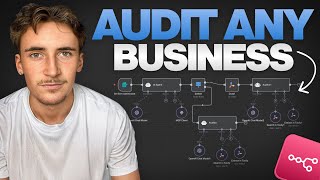
In this tutorial, the presenter demonstrates a complete, low‑code system that audits any company and identifies AI and automation opportunities. The workflow starts with a simple form where the user enters a company’s website URL. An AI agent then calls the Explorium MCP server to enrich the company with firmographics, technographics, financials, events, and other data. Depending on whether enrichment data is found, the system follows either a “data” or “no‑data” branch. In both branches a second AI agent (the Auditor) receives the URL, any enriched data, and uses Tavli Search and Tavli Extract tools to crawl the website, gather additional content, and then runs a detailed, multi‑step prompt that evaluates the business across four categories – sales & marketing, customer support, product/service delivery, and operations & productivity. The agent scores each category (0‑100), identifies gaps, and proposes up to six tailored AI automation solutions, classifying them as quick‑wins (≤2 weeks) or strategic initiatives (3‑6 months), complete with impact/effort assessments, expected outcomes, KPIs, and a 30/60/90‑day implementation plan. The presenter runs a live demo on Nike, showing the enrichment results, the generated markdown report, and the specific recommendations (e.g., AI‑driven support triage, demand‑sensing allocation, cross‑channel personalization). The video concludes by offering a downloadable template, access to a community hub, and a full N8N automation course. The system leverages GPT‑5.2 for the agents, uses n8n for orchestration, and relies heavily on well‑crafted prompts and the Explorium MCP integration.
Chapters
What's up guys, in this video I'm going to be walking you through a system that I built that can audit any business and tell you exactly where you should be implementing AI. All you have to do is input a website URL of the company that you want to audit and then you'll get a full report basically breaking down every different sector of the business and all of the opportunities to implement AI. If you stick around until the end of the video, I'll show you how you can get the template for this so you can get started with it straight away and start auditing your own business or any other business you like. Let's not waste any more time, let's get into the video. Okay, so this is the system here and as you can see it looks pretty simple and the reason pretty simple. It's because this AI agent here is doing a lot of the heavy lifting. It's using something called the Explorium MCP server, which I've used in a couple other videos, and I want to run you through that because it's absolutely amazing for things like this. Also, this is a system that heavily relies on the prompts. You basically give it perfect prompts and then give it all of the tools that it needs to do everything in the prompt, if that makes sense. If that doesn't make sense, I'm going to break it all down anyway. So it starts off here with a form, and in this form all you do is just input a website URL of the company that you want to audit. And this AI agent here is basically going to get all of the relevant information on this company. So it's going to use the Explorium MCP server. Explorium, it's basically a platform to enrich any business and find absolutely any information out about them. So this AI agent is going to do that for that specific company and find things like their location, employee count, annual revenue, any recent news about them, all of that kind of stuff. And then it's going to go one of two ways. You can see here there's data and no data, and it's just because sometimes the companies that you put in there you might not be able to find any public information on them. Like for example, a smaller company, let's say you're auditing your own company and maybe it's just you, or maybe you have like 1 or 2 employees or something like that. It's a small company, right? So there's probably not gonna be a lot of information on you. It's gonna be kind of hard to enrich your business and find specific data. So in that case, it'll go down the no data route. So if this AI agent can't really find much data about you, like your location and your revenue, that kind of stuff, it's going to go down this route, and this way is slightly different to this way. Of course, this way is just going to be if there is data on you. And then we have two AI agents here, and we're going to break them down separately, but they are fairly similar in what they do. Basically, if it goes down the data route, this is just going to receive a report with just background information on this specific company, and then it has these Tavli tools here that just allow it to search the internet and crawl different pages on websites. And then what it's going to do is it has a big long prompt in here, and it's basically going to break down each section of the business, use absolutely everything it can find about the business, to give a full report. So it's going to look at their marketing, their customer support, their sales systems, their, you know, their target audience, everything like that. It's going to generate a full report on the specific company on exactly where they can implement AI, including things like the ROI metrics, the feasibility, how long it's going to take, everything like that. And then if it goes this way, it's simply going to do the exact same thing except it's not going to have all of this background information on them. So it's just going to do more of an emphasis on sort of Searching their website, of course, but then also looking at similar companies and kind of seeing what they're doing and how we would implement AI into their businesses and then applying that where we can to this specific business. By the way, guys, if you want to grab the template for this, all you have to do is go over to the link that will be at the top of the description of this video, join my community, and you'll have access to all of the different templates from all of my videos as well as a full course breaking down exactly how to master N8N and then actually implement it into a real business. If you come over to templates here, You can see there are a bunch of different templates for sales, marketing, scraping, and inside of all of these there are a bunch of different templates. And these are the actual templates that you see in all of my videos. As well as this, there's things like a resource hub where there's plenty of resources to help you when building automations in N8N. So if you wanna grab the template and also get access to a full course and a resource hub, then just follow the link in the description and you can join my community. So we'll just start off basically breaking down the prompts here and the tools that it's using, and then we'll run through a demo. So if we look at this first agent here, it's just going to receive the website URL of the business that we want to audit. And the prompt in here is fairly simple. We've just said to it, you'll be provided with company information including a website URL. Your task is to research and extract the following key business metrics for this company. So it needs to extract their name, their website, their annual revenue, number of employees, tech stack, location, industry, and then at least 3 other relevant business points. This just going to be things in the news, or they've changed office, or they've just started launching a new product. That kind of thing is going to be the extra relevant business points. And then just for a bit of context, you say you're part of an auditing process for an AI development company, so you need to grab relevant details of the business that inquired. If you cannot find the business or any data on them, then output no data. So that would be if output's no data, that would be when it goes through this route. And of course, it outputs data, it'll go down this route. So as you can see, fairly simple prompt in there, it's just retrieving information on this company. And now this is kind of where the magic happens. This is the Explorium MCP. So if we go over to Explorium Basically, like I said, if you haven't heard of this platform, what it is, it's just a platform that you use to enrich businesses, to find information on them. So if you know what Apollo is, it's fairly similar to Apollo, where basically they have a massive database of companies and you can just query it for a specific company and it will return you back all of this information on them. So if we look at that documentation here, it'll kind of give you an idea of the kind of things we can find. So if we go to businesses, the first thing you do, by the way, um, the way that this API works is they have like a big database of businesses and you just send off a domain. So if you're doing, let's say, Gymshark, you send off gymshark.com, um, because that's their domain, and then it will kind of match that up to the business they have in their database, which will be Gymshark. It's going to send you back a business ID to say basically we have it in our database, you know, we've matched up, here's the ID, and then you use that ID to get further information. So you first match a business, get the ID back, and then there's all these different things you can enrich. So if we go to business enrichments, you can enrich their firmographics, their technographics, their social media presence, their rating, keyword search on websites, uh, their financial metrics for public companies. As you can see, there's loads of things here— strategic insights, lookalike companies, a company hierarchy. And then you can also go to events type, and you can look for things like IPO announcements, new product launches, new funding round investments, office closing, new office opening, all of the different things. As you can see, I'm not going to run you through all of them, but you basically get the idea. There's loads and loads of different things that you can basically query these companies for. So loads of different types of data that you can get back on these companies. And what's really, really cool is before with Explorium, the way you had to do it is just, you know, the default, the traditional way of just doing API calls to, to the specific endpoint. So for example, if we look at the documentation, if you wanted to find their technographics, basically like the tech stack and different tech that they're using in their company, you'd have to query this endpoint just like you would for any other software. But they released an MCP server, which basically just means is all of those things that I just showed you. So all of these different endpoints for the enrichments and then also for the events basically merged into one. And what you can do is you can just link up an AI agent to it and it can look at all of the different tools it has available. So all of these different tools, and you can kind of work backwards and you can say, rather than saying I want this information, uh, you know, their technographics, I want to find their technographics, I'm going to do an API call to their technographics, get that information back. You just say to the agent, I want to find their technographics, and it just uses the MCP server to figure out how to find it, and then it will find it for you. So that's basically why you can prompt the agent to just say, I want this information. So like their name, their website, annual revenue, number of employees— I want this information. And the agent will just use the MCP server to figure out how to do that. So it's first going to list all of the tools it has available. So all of these tools is going to list and it's going to say, okay, I need to use this tool, and it will just call that endpoint, get the information back. So it's really, really cool. And the way you set it up, by the way, is you put down an MCP client node that's native to NAN, and then you use this SSE endpoint. And then for authentication, you go to authentication, and then you click on bearer auth. And then the credentials, you can just name it Explorium, and then you simply just put in your API key. So if we come back over to Explorium, your API key is just here. You simply just copy that come back over, and then you would paste that— oh, paste that into there. So anyway, what's going to happen is this is either going to output data or it's just going to output the words 'no data.' So we simply just do a switch node here to just take the output and say if it said 'no data,' go one way. If it didn't say 'no data,' go the other way. So if it said data, if it could find information on this company, it will then go to this agent here called the Auditor. And now this is where the, um, this is where the prompts get really big, and this is kind of where all the work is being done. So we pass it the website URL and then the enriched data. And you can see in here there's quite a big prompt. So I'm not going to show you the entire thing because that would get boring, but I'll just give you a breakdown. So we've said to it, you are a business AI audit agent. Your role is to conduct a structured AI and automation audit for a company across 4 categories: sales and marketing, customer support, product/service delivery, and then operations and productivity. So we've broken up into those 4 separate categories. Your goal is to identify where the company is mature where gaps exist and where AI automation solutions would directly benefit them. Your output must feel tailored, not generic. Limit your final AI automation solution recommendation to 6 maximum. So only giving us 6 recommendations, and for each company, explain why this matters specifically. So we've got some operating principles like, uh, your report should read like the output of a paid mini consulting engagement using enriched data. Do not output citations, references, or JSON. And then we've just told it what it'll be given. So it's inputs here. We've told it it's additional tools, so like Tavli Search, Tavli Extract. Tavli Search, by the way, is pretty much just like a Google search tool. And Tavli Extract, you can just put in specific URLs and it'll give you back all the page content. And then we've broken this down into discovery processes. So we've given it a full process here. So we kind of haven't just said like, this is what we want, this information you've got, just try and give us a report. We've given it like a full actual breakdown of the step-by-step process. So the first phase, or phase 0, is just pass the provided domain, normalize the canonical. So basically just turning it into a domain if you receive a website. So let's say some of them are going to be like www. and then the domain, so much be https://www. That kind of thing. So basically just extract the actual domain and then just look at the enriched data if it was available. If it's come this way, of course it is available. So then phase 1 is going to be discovery of the official properties. So run Tably search queries for things like their domain and then blog, resources or case studies, support or help or FAQ, contact or demo or get a quote, careers. So basically just like going through their website and trying to get all of the information on their FAQ page, their blog, everything like that, because all of this just helps. And then the company name plus their LinkedIn, so basically trying to find things like their LinkedIn through Google, and then use Tabula Extract on their home page to just get all the information. So basically here we're just gathering all additional information on the company. Phase 2 is going to be sales and marketing. So we just break this up into the different, uh, sections, those 4 categories. So evaluate demand generation, stack maturity, content, and Funnel signals. So extract their homepage, look for CTAs, forms, blog candids, lead magnets, or case studies. Tech signals, ad pixels. Summarize current state, highlight gaps, note AI opportunities. So things like segmentation, personalization, campaign optimization, content repurposing. So we basically just break down each of those for the different, uh, sections or those categories that I showed you earlier. So just essentially look at this company and find all the information out you can about their sales and marketing. Their customer support, their product and service delivery, and then their operations and productivity. And then Phase 6 is the synthesis and recommendations, basically taking all of that data and giving us an actual report. So assign 0 to 100 scores for each category with 1 to 2 sentence rationales. So score out of 100, basically just saying how good they're currently doing this specific thing. And then identify a maximum of 6 AI automation solutions with a title, the category, why this matters for this company, impact slash effort, expected outcomes, and then separate into quick wins, so under 2 weeks, and then strategic initiatives, so 3 to 6 months. So basically short-term wins and then the long-term wins, proposed KPIs per category to measure impact, and then conclude with a 30, 60, 90-day phased plan. So everything from the quick wins to the long-term wins to a full built-out plan on exactly how to implement AI. And then here we've just given it its output structure and then just kind of like a style on, um, how it should be reporting. And then for the other order, so here let's say we've got no data from the Explorium step here. We've got no data. Essentially what we do is we first crawl their website and then just give this AI agent their full website content, um, and all the URLs found for the company. So we extract the content from their website and find like their blog, their FAQ, everything like that, and we just give that to the agent. And then this prompt is almost identical except we just say your inputs is just going to be a company website URL because it's pretty much following the exact same process except it just doesn't have as much information, has to find slightly different ways to get certain information, which it will just do on its own. And if you're wondering, by the way, the models for both of these, it's just GPT-5.2, because I found that these are the best for the price. You do want some decent models for this. Like, I've tried using 4.1 Mini and it's okay, but it's just better to use something like 5.2 because it's still pretty cheap. So now the moment of truth. We're going to run this through and I'm going to walk you through what's happening, and we're going to look at the actual report together. So for this, we're just going to say a big recognizable company that we all know. So we're just going to say Nike because it's one of the biggest clothing brands in the world. Everyone knows it, so it just makes sense to do a big company. We'll also do a small company after as well. So you can see here, if we look at the MCP, the Explorer MCP server, it first inputted the domain, which was Nike, and then it got back somewhere in here would be— yeah, so a business ID. And then what we did after that is it did another search for their firmographics, technographics, funding and acquisitions, and then workforce trends using that business ID. And it got all of this information back, which of course is going through now. Okay, so it actually outputs here. If we have a quick look, this is what it gives us. So something like this. So The name is Nike. This is their website, annual revenue, number of employees, their tech stack here, uh, the location, the industry, business description. As you can see, full business description here. And then LinkedIn profile gives the LinkedIn profile, number of global locations, 427 locations, workforce composition, approximately 12% sales, 8% ops, 7% engineering. 6% customer service roles with small portions in marketing, media, HR, finance, design, and education. Then no recent funding or acquisition data found. Cool. And then, okay, so this is finished running now. You can see it used the Tavli tools 7 times there, 6 times there, gave us an output like this. Also, you can see it went down the data path because we found actual data. So this is what it gives us, a full report that looks like this. And I'm gonna paste this into a Markdown renderer so it's a little bit easier to read. Okay, so this is what it gave us here. I've just, as you can see, I've pasted in the markdown and it's rendered it here so it's a little bit easier to read. So, uh, executive Nike Inc or nike.com. So digital-first membership-led growth engine is strong, um, but, but scale creates complexity in personalization, inventory exposure, and service load across markets and channels. Customer support is mature in coverage. Nike's footprint makes demand forecasting, allocation, and returns reduction the biggest AI ROI levers. 'Not more AI content, but better decision across data silos.' Okay, cool. Let's just get into the breakdown here. So sales and marketing overall, they're on 84. You can imagine a big company like this probably gonna have a pretty high score already. Um, sales and marketing 88, customer support 80, product and service delivery 84, ops and productivity is 82. And it's given us a little rationale here. And then so sales and marketing, the current state: 'Nike's heavily merchandise-led with frequent campaign modules and category pathways.' Clear conversion call to actions, likely expensive paid plus retargeting infrastructure, plus heavy lifestyle marketing via membership. Gaps and risks: personalization debt. As a sort— as assortments and campaigns expand, manual audience building and creative versioning becomes bottlenecks. Cross-channel fragmentation, uh, can cause inconsistent messaging, offer eligibility, and product availability confusion. Content velocity is high, but testing velocity often lags with automation. Next best action decisioning, automated experimentation creative variant generation with guardrails, and audience plus offer governance across channels. Very, very cool. And now customer support, uh, Nike China Help Hub includes common topics: order status, delivery, returns, exchanges, contact us. Uh, the gaps and risks: high volume, policy nuance, uh, drives long handle times and inconsistent resolutions. Agents spend time on repetitives— where is my order, how do I return, promo code, don't reply, size fit questions. Support insights. And then the AI automation leverage is going to be AI chat, case classification, auto-resolution, multilingual knowledge, and voice and voice of customer analytics feeding ops and product teams. Very, very cool. It's given us that for the product and service delivery and the ops and productivity. And then the tailored AI automation solutions is going to be unified Nike assistant for tier 1 support. So categories, customer support. Why this matters, Nike's help topics are high frequency and policy driven. Automating these end-to-end reduced cost to serve and protects CX during shops and seasonal Peaks. Impact and effort. The impact is high, the effort is medium. Expected outcome: 20-40% tier 1 deflection, faster resolution, reduced handle time, more consistent policy application. And then what to implement. It tells us exactly what to implement. And it's given us another one, another one, uh, I think it does. Yeah, so it does 6 here. Cool. The quick wins are going to be a support triage automation pilot, top 50 FAQ regeneration, and then a voice of customer dashboard MVP. Cool. Strategic strategic initiatives. So the 3 to 6 months: end-to-end tier 1 auto-resolution, returns reduction program, demand sensing and allocation optimization, cross-channel personalization decision layer. And then the suggested KPIs based on all of the categories here. And then the next, uh, 30, 60 to 90-day plan breaks it all down here. I'm not going to read out the whole thing, she probably might even be a little bit bored by now listening to me just talk about it. But yeah, as you can see, here is a full an entire breakdown of exactly where they can implement AI. And this is all based on fact as well. It's not guessing, it's not just kind of like heard of the company Nike and is like given this report. It's actually done extensive research in the company and found all of this information, found all the gaps and all of the opportunities where they can implement AI.
More from Rory




Dynamic Workflows are crazy. This is how to actually use them (beginner's guide)






