
Create realistic Ai UGC ads from viral videos (Step by Step)
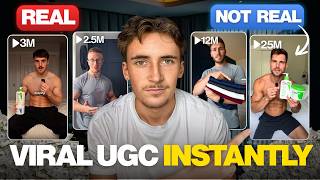
Learn how to generate realistic UGC ads from viral videos using TopView AI. Upload a product image and reference video, and the platform auto-generates a 15-second ad using fine-tuned Sora 2 and Google VEO models. Or pick a high-performing real ad from the library and recreate it as an AI version in minutes.
Chapters
In this video, I'm going to show you how I create viral UGC videos with AI in minutes. UGC videos are one of the best ways to get your products in front of people, and usually it can take forever for these videos to get created and also cost you a lot of money to either do it yourself or hire other people to do it for you. So that's why in this video I'm going to show you how you can create them in minutes for hardly any money at all, and you can create hundreds and hundreds of these videos in the time that it would have previously taken you to make one UGC video. So without further ado, let's get into it. So this is a platform that we're going to be using. It's called TopView. And essentially what TopView does is it allows you to create loads of different AI-generated images and videos for different use cases. Of course, in this we're going to be doing UGC-style videos, and they have a specific built-in feature for that. On the back end, they're using models like Sora 2 and Google's VEO model. But what I found is if you go directly to things like Sora or Google's VEO, and you can give it the same prompt, reference images, reference videos as you would through TopView, but the quality is always better through TopView because they fine-tune their models to be able to create UGC style videos way better than just the base versions of things like Sora 2 and Google's VO models. So that is why I would highly recommend using TopView over just going straight through the model. And I have actually tested this platform out before, and I've used it for clients, and it is absolutely amazing at creating these kind of videos. So let's get started with this. We're going to go to the viral video agent, and in this video we're going to be running through two different methods to create these UGC style videos, which I'm going to show you. Um, but first of all, when we load onto this Viral Video Agent, you can see down here we have all of these videos. And what these are is basically just a massive library of UGC videos. And what's really cool is if you click on them here, so feel good, 2 minutes, we can play the video. Very cool. But it also shows you the video views, the video revenue, the units sold, the engagement, the ROAS, ad spend, the conversion rate, and then the ad view share. So it shows you all of these different metrics. It also gives you a link to this ad Um, basically you can just look through here and see which ads are performing the best. And if you have like a specific product, then all you have to do is just type that into the search bar up here. So I just done jeans, for example, and it will show you all of these viral videos about jeans. And you can look at these for inspiration, or you can recreate it directly in TopView. So we're going to come back onto this library a little bit later on. What I want to do first is show you how to create the first method on how to create these UGC style videos. For this, I'm what you're going to do is you're going to upload an image of your product and then also a reference video. So for this one, we're going to be doing those compression gym tops I see all the time on TikTok. Loads of people creating videos about them on TikTok Shop. They're just compression t-shirts for the gym. So for this first method, we're going to be taking that product. So all we have to do is literally just upload our image and then upload our reference video. So I'm going to do both of those now. So I'm just uploading the product image here. As you can see, this is our product image. But one of the really, really cool things about this is you can literally just add a link. So if you already have an e-commerce store, selling a product, all you have to do is just add in the link to that product and it will automatically grab the image and use that. So you don't have to actually upload an image. So that's just another really cool feature. But as you can see here, I've got the image uploaded of our product, and then I've also got the video uploaded. So this is the video that we're going to be replicating. Nope, still not close. We're getting there. There it is. 5 of these gym tops which are tight on the arms but loose on the midsection. Cool. You might have seen those videos everywhere on TikTok. I know I have. Um, but anyway, we have both of these uploaded now, and all we do is we just paste them in. It auto-generates this prompt here, and then we just hit this button. And basically what it's going to do first is it's going to give us a form back, um, and we're just going to select a couple things. We're going to input like the product name, and then also who we're targeting, the USP for this product, and then just technical things like what format do we want this in, how long do we want the video to be in. Then once it's done that, it's going to come up with a video outline and also a storyboard for the video, which is going to contain things like the script the setting, the how the model looks, everything like that. And all we have to do is just confirm it, or if we want any changes, we can just let it know. So yeah, as you can see, it's given us back the form at the beginning. So the first thing we do is product name, and this doesn't really have a specific product name, so we'll just say like gym compression tops. Perfect. Who are your product's users? Gym goers and fitness enthusiasts, I would say yes. Men looking for muscle fit apparel, yes. Budget-conscious athletes, yes. And then bodybuilders, we're just going to take all of them on. And then what are your products' unique selling points? Tighten the arms, loose on the midsection. Uh, we'll say high value as well. 5 tops for £15, perfect. Target countries, we'll go United States. And then the video script language, we'll do English. We want it in 9x16, and then we're going to do 15 seconds, high quality, perfect. So let's hit confirm on that. And then now what it's going to do is it's going to give us a storyboard back, and then we'll just confirm or deny it. So here it's just given us the product info that we've inputted and then the video analysis. So the video content outline. A man tries on different gym shirts to find the perfect fit. He tries on a blue shirt that is too tight, then he tries on an olive green shirt that is a better fit but not perfect. Finally, he finds a gray shirt that fits perfectly, tight in the arms and loose on the midsection. And then just some other points here. So basically now we're just going to confirm that, and then it's going to give us a storyboard back, and we'll just confirm that as well unless we want to change anything. Then of course we just let it know. Yep, so we just say this storyboard looks good, proceed to generate the video. Perfect. Now what it's going to do is just going to go away and it's going to generate the video for us. So we'll give it a minute and then we'll just come back when it's done. Okay, so then it just finished and this is what it gave us. So we're going to look at it from the beginning. I'm just going to play it through.
Stop wearing gym tops that fit like a tent. I finally found the perfect ones. They're tight on the arms but loose around the midsection. You get 5 of these for a crazy low price. They sell out fast, so grab yours now.
It's almost scary how real this kind of stuff looks because like that's obviously completely AI generated. This guy doesn't exist at all, but it looks like crazy lifelike. So what I'm going to do right now, I'll put a video on the screen of the original video and then of this AI-generated one.
Stop wearing gym tops that fit like a tent. I finally found the perfect ones. They're tight on the arms but loose around the midsection. You get 5 of these for a crazy low price. They sell out fast, so grab yours now.
And that was generated in literal minutes. I don't know how long that other video took to film, but this one I didn't even leave my desk. I literally sat here, just typed a couple things out on my laptop, and boom, got that video that's ready to post instantly. So that's the first method, which is absolutely amazing, so easy to create those videos like that. Now I'm going to show you the second method, which is where we're going to use this ad library here. So in this ad library, we have just the basic ad library where we have all of these different, uh, filtering options. And then we can go to trending, and it'll show us some of the trending videos that are going on. And then we can go to use cases as well. So these are basically just AI-generated videos from TopView made by other people using platform. Same with the trending as well. And then the ad library is of course just the real ads that people are actually running. So you'd use the use cases just to see, get an idea of what you can generate. Use the trending to get an idea of things like hooks and scripts, etc. And then the ad library to see what products you should be making videos on, or in what way you should be making videos on, because you can see what's working and what isn't here. So what we're going to do is basically we're going to look through find one that's got a good product and that has, uh, generated a good amount of revenue, and then just simply replicate that. So this first video here performed pretty well. It generated $2,200 in revenue. So what we want to do, if we want to recreate this, literally all we have to do is just hit Recreate an Agent, and that is it. So we just hit Recreate an Agent, automatically puts up here. We just send it off, and it's going to go through the exact same process. But of course, this time it's analyzing a real ad that we already know has done well. So it's going to take us through the same thing. It's going to ask us the form questions and then generate a storyboard, ask us to confirm or deny it, and then we just let it run and it will generate the video for us. Okay, so it just asked us for the product name, and that product name that's in there is absolutely fine, so I'm just going to leave that. And then ask for an image, so I'm just quickly going to upload an image of the product. It's just the CeraVe, um, cleanser, I believe. Uh, what— who are your product's users? Skincare enthusiasts, people with dry, sensitive skin. Let's tick that. Uh, men interested in simple grooming, because it's a man in the video, we'll just tick that as well so we can target men with it. Uh, what your product selling points: deeply hydrating for winter skin, quick 2-minute routine. And then we just say dermatologist recommended brand. Cool. Target countries, we'll go US. Video script is in English. The aspect ratio is 9:16. The video duration, we'll go 15 seconds. And then if we want to do any specific modifications, we can add it in here. But we're not going to add any, so we'll just hit confirm. Okay, so it's just given us the product info here that we just gave to it, and then it should give us like a little video outline. And then exact same deal as before, well, it's just going to hit, um, okay, proceed. I found with these that unless you have like specific things that you want to change about the video, it's not really worth like telling it. Majority of the time, top view is spot on. As you can see here, uh, this is what it's given us. So this is just— oh, it's just the brief actually, this isn't the storyboard yet. But a lot of the time, yeah, I found that the brief and the storyboard It's usually perfect. The script's always great, the setting's great, everything like that is great. So I usually just say, okay, proceed, and just let it get on with it. And here we go, here is the content outline. So it says, he demonstrates the routine in the bathroom, first using the cleanser and then the moisturizing cream. He returns to the bedroom setting to announce that CeraVe is now available on TikTok Shop, emphasizes that his routine is perfect for those who prefer quick and easy tasks. Uh, okay, perfect. So this was the storyboard as well. We've got the video summary here. Then shot 1, shot 2, shot 3, and shot 4. And like I said, a lot of the time you don't really need to change this. So I'm just going to say looks good, proceed to generate the video. Perfect. So now we're going to just let it run and I'll show you when it's done. Okay, so the results are now finished and this is what it gave us. I'm just going to play it through. Look good, feel good. A quick 2-minute skin routine. These two CeraVe products keep my skin hydrated all winter. First I apply the hydrating cleanser, then the moisturizing cream. That is it. I'm a simple guy. This is perfect if you're in a rush. Okay, so again, literally perfect like the other video. It's really hard to tell that just from a first glance that these are AI-generated videos. If we look where AI videos were like a year ago or even just 6 months ago compared to the things that are being generated now, is actually mind-blowing. So guys, that is it for this video. If you do want to go ahead and try TopView, then I'll just leave a link to it in the description and you can go ahead and try it. You do get free usage on there, so you can start using it for free and you can create these viral videos Um, literally just sat at your desk. You don't even have to leave your room or anything. You don't have to hire up UGC creators or send out your products or film the video yourself. Literally just sat at your desk, type out a few things, and you'll get these pumping out for you. You can do as many as you want. So yeah, that is it for the video, guys. I hope you enjoyed it, and I'll see you in the next one.
More from Rory




Dynamic Workflows are crazy. This is how to actually use them (beginner's guide)






