
How I Automate 80% of My Marketing with Claude Code
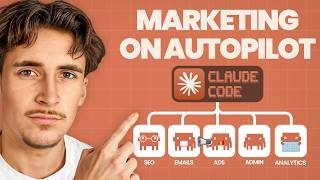
In this tutorial, Rory, founder of the Autonomously AI agency, demonstrates how to automate the majority of marketing tasks using Claude Code and a collection of community‑contributed "skills" hosted on a GitHub repository (by Corey Haynes). He explains the concept of Claude Code skills as modular system prompts that extend Claude's base capabilities for specific marketing functions such as copywriting, CRO, SEO, and paid‑ads. Rory walks through creating a .claud/productmarketingcontext.md file to provide consistent business context, importing individual skill markdown files into a Claude project, and activating them via slash commands. He showcases two live examples: generating hero‑section copy for a landing page using the copywriting/CRO skill, and building a LinkedIn ad campaign (budget, targeting, ad copy, landing‑page brief) using the paid‑ads skill. The demo highlights how Claude Code can produce multiple copy variations, strategic recommendations, and detailed implementation checklists without manual research, thereby reducing reliance on agencies and saving time. Rory concludes by sharing the GitHub repo link, inviting viewers to book a discovery call, and encouraging feedback for future Claude Code videos.
Chapters
What's up guys, in this video I'm going to be showing you how you can automate about 80% of your marketing just with Claude Code. From ads to analytics to SEO to conversion rate optimization, pretty much anything you can manage it from one place inside of Claude Code and it can perform tasks for you, do analysis for you, and basically make it so you can spend loads of your own time and also not hire an expensive agency. Just quickly, if you don't know who I am, my name is Rory and I run an agency called Autonomously AI where we find and eliminate operational bottlenecks in just 14 days to keep business owners working on the business rather than in the business. So if that sounds like something you might be interested in, then the first link in the description of this video will be a link to book up a call with me and we can go through it. Without further ado, let's get into the video. Okay, so the first thing we're going to do is we're going to come over to this GitHub repo here by a guy called Corey Haynes, and this is basically where all the magic's happening. What this is is a GitHub repo full of skills for Claude Code. If you don't know what skills are for Claude Code, essentially they're just ways to further enhance your Claude code. So you have the base version of Claude code that can do all the amazing things it can do, and then you can add skills on top of it, or essentially just like more functionality, and make it more specialized in certain things. And they're super easy to use and upload, so I'm going to show you exactly how to do it. First of all, in this repo, what we're going to do is we're going to go to skills, and then here, really, really simple, you can just see all of the skills, all of the marketing skills that are able to use it. So things like, um, AI SEO, cold email, content strategy, Copywriting, form, CRO, all of this kind of stuff. These are skills that we can add to our Claude Code. So you've got your base version of Claude Code, you can just massively enhance it with these skills. So if we have a look around some— let's say we want to work on our copywriting. So maybe we're doing a new page on our website, or we're doing some ads or social media posts, something like that. We're going to click on copywriting here and then go to SkillMD. By the way, this GitHub repo will be in the description as well, so you don't have to try find it, um, just on the internet. I'll put the link to it in the description. And a very simple way to think about this is basically just big system prompts that you're give to Claude Code. And the cool thing about it is these system prompts aren't like preloaded into Claude whenever you chat to it. Basically, you can either manually call it to use the skills, or, um, Claude Code will just use the skill when it thinks necessary. So if you're talking about something to do with copywriting, you want to generate some copy, you'll just be able to use the copywriting skill here and see all of this. So this part here is basically what Claude Code will see. So it's going to check for this file first, which is basically just going to be marketing context for us, which I'll show you how to set up. And then on here it just says the page purpose, the audience, the product offer, the context, which is stuff that Claude Code would need to clarify. And then some copywriting principles here, writing styles, best practices, page structure framework, uh, CTA copy guidelines. So it's basically just like a massive system prompt, very, very detailed on how to be really good at copywriting. It's essentially what this is. So we can look at a couple of ones here. Let's say, uh, page CRO, so the conversion rate optimization of our page. It looks something like this, and you'll see with all of these it wants us to refer to a productmarketingcontext.md. So I'm going to show you how to create that first because every single skill in here references that, and it's basically just a bunch of context on your company and your current marketing strategies and things like that. That way Claude just has a bit of context there and doesn't have to keep asking you whenever you ask it to do a marketing task. Okay, great. So I've got a new project set up here in Claude with just the basic— I haven't really done anything inside of there, I'm using it as a demo. And the first thing we need to do, as you saw over here, we need to make this MD file. So first of all, you can see it's under.claud/productmarketingcontext. So we're just going to come over to this Claude project here, and you can see I've already made a folder called.claud, and then in here I have the skills that we'll get onto in a minute. Then I also just have a productmarketingcontext.md, and in here I just have some really basic information on me and my company. So I run an AI agency called Autonomously AI with the website here. And then just what we do, and then some of our past work in here. And I found that this is pretty much all the context you need just for a general use. If you're using this for like a specific thing, like just SEO and copywriting, for example, obviously add more data in there. But this is kind of entirely up to you. The more context, the better. So every time Claude uses a skill, it's going to first reference that, um, MD file. So essentially just give it context on who we are and what we do. That way it doesn't have to ask us questions every single time. So Now let's say, uh, we actually want to add a skill here. Let's say we're going to do this page CRO, so the conversion rate optimization of a page of ours. So how we do this is if you just go to download raw file here and literally just click that. Now that's downloaded, we can come back over to our Claude project here, and then you can see I've already made a skills folder inside of.claud. So to be able to actually use these skills, you need to do.claud folder, and then in there skills, and then in there you would do the actual folders. So I'm going to create a new folder in here called, uh, Page Zero, and that's just going to be the name of our skill. So now I can open this up, and then I'm just going to drag over that skill file. So Page Zero, when you save it from the GitHub repo, it'll be called something like, uh, skill— well, it'll be called skill.md. And because I've saved multiple, I never get that little 3 in there, so I'm just going to rename this just so it says skill.md, and then we should see this go yellow once that works. So you can see it goes yellow now, which means it's recognizing this as an actual skill. So the Claude skills page CRO, and you can see this is literally what I just showed you from GitHub there. Okay, so now we're actually going to test this out. So now we have the skill in there. How to actually activate this skill, we're going to do forward slash on here and it'll bring up this menu, but we're just going to manually type. We're going to go to page CRO. And then we're just going to say something like, I want to optimize for, uh, booking a discovery call. Can you help me with my hero section copy? Okay, cool. So I said, uh, I want to optimize for booking discovery call. Can you help with my hero section copy? And you can um, like upload your URL or anything like that. It might even try access my URL here, but for some reason my website is built on a framework that is not able to actually scrape, which is kind of annoying. But we can get it to help with things like text, and then of course we can just go over and change that. It doesn't actually need to be able to see our website. So it's saying, do you have existing hero copy or are we starting from scratch? And just for the sake of this, I'll say we're starting from scratch. Of course I'd already have copy in there. Who is your primary target visitor for your page? Uh, let's say, uh, small business owners and founders. Cool. Uh, where does most of your traffic come from? For me here, I'm gonna go other and I'm gonna say YouTube. And then we're gonna submit that in there and we're gonna let it think and it should give us some data back. Okay, great. So it said YouTube traffic is key context. These visitors have warmed up by watching your content and are now evaluating whether to take the next step. They need confirmation they're in the right place and a low friction reason to book. And then it gave us 3 variations, which is pretty cool. So it gave us a headline: we build the AI system that gives your time back. Subheadline: custom AI automations for small businesses so you stop doing work for $20 an hour and start focusing on what actually grows the company. Then call to action button: book a free discovery call. And the variant B: your business shouldn't run on manual work. So it actually says what the, um, kind of like the thing behind it is. So this is outcome-led, this one's problem-led. 'Your business shouldn't run on manual work. We build custom AI systems that handle the repetitive ops, admin, and content work, saving our clients 10 to 20 hours per week.' And then specificity-led: 'We build custom AI systems that save small businesses 10 to 20 hours a week.' And then subheadline: 'From lead generation to content creation to admin workflows, we design, build, and hand it over. No fluff, no generic tools.' And then it gave its recommendation here, and it also said what to add below. So 3 proof metrics here, 1 testimonial, and it already has some of my testimonials, which is quite cool, from that context folder gave it, and then the how it works section in there as well. So awesome. We're going to try out one other tool so you can see it. Let's go into here and let's say, for example, uh, we want to start running some paid ads. I myself don't run paid ads, um, so I'm not really too clued up on it. So let's say we want to do this one. So let's download this here, come back over to our Claude project. I'm just going to close that up. Now we're in Claude, as you can see, and then we go to skills, and then we're going to go new folder. And this is going to be paid-ads. Awesome. And then make sure we clicked on that one, and then let's just drag in our MD folder we just downloaded, and let's quickly rename that so it just says, um, Skill. Cool. And then that's going to go yellow. Awesome. Okay, cool. So I've just reloaded it. Now we're going to go forward slash paid ads. As you can see, the slash command is there. Paid ads. Awesome. And then we're going to say Um, I want to start running ads for my agency to get, uh, a more consistent lead flow. Cool. So I just said I want to start running ads for my agency to get more consistent lead flow. I presume it's going to come back with some questions. You can see it got the product marketing context and then it read that and then it said, good, I know the agency, um, who we work with, what we do, that kind of thing. Now it's going to read the paid ad skill, it's going to use that paid ad skill, and then, okay, cool. So it's, um, coming back to us with some questions. What's your monthly ad budget? Let's say for now, um, I want to do $1,000 to $3,000 a month. What should your conversion look like? We're just going to do book a discovery call. And then which platform do you want to start on? LinkedIn, Meta, Google search, start on multiple. So it's recommending LinkedIn for us, so we'll just go with LinkedIn here. And then landing page, you have a dedicated landing page? I don't have one ready, don't want to use my home page, so I say no, I need to create one. We'll just see what it comes up with there. So it's made a little to-do list for us. It says it's going to build the LinkedIn ad strategy and then write the landing page brief and then write 3 ad copy variations. So awesome, perfect. We're just going to let this go, um, and then we're going to see what it comes out with. Okay, so it's just finishing up here and you can see it's given us 2 outputs. It just puts that in the outputs folder, by the way, and that is the ad strategy and the landing page brief. And then it just gave us a little breakdown of how that actually looks. So 2 campaigns Prospecting and then retargeting with the price ranges here. Prospecting: cold targeting of founders, CEOs, and ops directors at 11 to 500 person companies in your target industries. And then retargeting: 30-day site visitors activate once you hit 300 visitors. Cool. 3 ad variations: an outcome hook, a pain hook, and a social proof. And then targeting is giving us a kind of a range here of who to target, and then also the industries, which is quite cool. Immediate next steps: build the landing page, install LinkedIn Insight tag, design 3 ad creatives, set up LinkedIn Campaign Manager and then launch. Awesome. So we're actually going to look at the outputs here and see what it gave us. So first of all, we'll go with the ad strategy. It's given us quite a big file here. Let's make this a little bit bigger so you can see it. So it's given us a Campaign 1 here, uh, Ad Set 1A, uh, Ad 1, Ad 2, Ad 3, Ad Set 1B, Ad 1, Ad 2, Ad 3, and then the retargeting campaign is giving us a little breakdown here. It's also done the budget allocation for us and fit into our budget, and the expected LinkedIn benchmarks obviously going to be tailored to us as well in our industry what we're offering. So the CPM, I reckon, is about $30-$60. The cost per click, about $8-$15. And then the click-through rate, 0.4-0.8. And the lead-to-call rate, 20-40. So at $1,500 a month, uh, 100-180 clicks, 5-15 leads, 1-5 discovery calls a month at conservative estimates. Retargeting will push conversions higher. Cool. And then the targeting specifics, as you can see, I'm not going to bore you and read this whole thing out. But you can see it's gone into quite a lot of detail of the specifics for the targeting. And then these are the ad copy variations. So it's given us a format here, a headline, the intro text, and then the call to action and the image concept. And it's done, I believe, 3 of them. Cool. And then the conversion tracking setup here, and then a launch checklist, and then the first 30-day optimization plan, and then the naming convention. Awesome. Now we're going to open up the LinkedIn landing page brief. And it basically just gives us a full page structure. First of all, oh, first of all, it gives us the goal, uh, which is quite obvious, which is just conversions, right? And then the page structure, section 1 is going to be the hero section above the fold with our headline here, subheadline, primary call to action, and then the trust bar. So 20 systems built, US, UK, EU clients, and then average 15 hours a week saved, and then a hero visual. So what that should look like. And section 2 should be the problem. Agitate. Cool. And section 3, what we build, the specifics. And section 4, social proof. And then section 5, how it works. And then section 6, yeah, the final call to action at the bottom there. And then the page design notes. So no navigation bar removes exit paths, which is really clever. Mobile-first layout. LinkedIn ad traffic is 60% mobile. Cool, already knows that. CTA button, high contrast, not ghost button. Load time must be under 3 seconds. Can only embed, use inline embed, not pop-up, reduces friction. No, no PDF downloads or secondary offers, single conversion path only. So I feel like the last one's pretty obvious. All these other ones, if you didn't really run ads before, this might not be stuff that you kind of even think about or really know. So it's really interesting and cool that actually put it in there. So that is it for the video, guys. As I said, that GitHub repo will be linked in the description. So if you want to get using it straight away, just follow the link in the description and you'll be able to use it. And if you were thinking about how to implement AI into your business, feel free to book up a free discovery call with me, first link in the description, and we can go through it. But that's it for this video, guys. By the way, I've been making more Claude Code videos, so if you do like them, let me know and I'll continue to make more videos on Claude Code. But like I said, that's it for this one. I'll see you in the next one.
More from Rory




Dynamic Workflows are crazy. This is how to actually use them (beginner's guide)






