
How to scrape Unlimited Linkedin leads with n8n
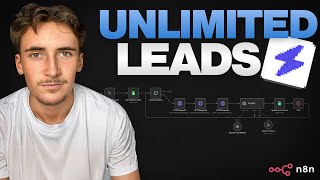
Rory Rogers shows how to build a LinkedIn lead-scraping pipeline using n8n and Link Finder AI. The workflow pulls company data and LinkedIn URLs from a Google Sheet, enriches it with emails and AI-generated compliments, then exports everything ready to send. Pricing starts at $29 for 5,000 credits.
Chapters
In this video, I'm going to show you the most simple way to scrape an infinite amount of leads through LinkedIn. We're going to be using the platform that I discovered that allows you to scrape LinkedIn and really, really simply integrate with things like NAN and also allow you to scrape leads at a fantastic price. Usually it can take hours and hours to build a simple scraping system that does everything you need and enriches all your leads through LinkedIn. But with this platform, you can really easy integrate it into NAN in about 10 minutes and have a full system in place. So if you stick around till the end of the video, I'm going to show you how we can build a cold outreach system that is able to enrich all of the leads through LinkedIn automatically. Just quickly, if you don't know who I am, my name is Rory Rogers and I run an agency called Autonomously AI where we find and eliminate operational bottlenecks in just 14 days to keep business owners working on the business rather than in the business. So if that sounds like something you might be interested in, I'll leave a link to my calendar in the description and go ahead and book up a free call. But without further ado, let's get into the video. Okay, so this is the platform we're going to be using. It's called Link Finder AI, and as I said, very, very simple platform. It does exactly what you would need to do. So first of all, I'm going to show you around the platform, we're going to have a look at the pricing, and I'm going to show you how to integrate it into NAN. And then we're going to build the system that I was speaking about, the cold outreach system. So to begin with, here you can see we have a couple tabs. We have data enrichment, API access, and account data enrichment. Basically here, it's really cool, you can just put what data you have. So let's say you have a company name and then you want to find the employee list of that company, then you can just do that. It'll ask you for the company name and you can go ahead and do that. Of course, we're not going to be doing it through the web interface here, we're going to be doing it via API inside N8N. So if we just go to API access, you can see here we just have our API key, and then we also have the documentation. So we're going to have a look at this documentation. This is basically going to tell us all the different things that we can do inside of this platform via API. So if we go to available services, there is company name to website, company name to phone, company name to email, uh, company name to employee count, company name to LinkedIn URL, and then LinkedIn company URL to data scraping, LinkedIn company URL to employee account, company URL to employees, and then profile URL. So it's going to be like personal LinkedIn profiles, uh, to data scraping. Lead full name to LinkedIn profile URL, LinkedIn post URL to reactions, and then the response format down here. So you can pretty easily see here all the different things and the kind of automations that you can string together. So for example, if you had the lead's full name, you could put that in, get their profile URL out, and then from their profile URL You could do data scraping to find like, uh, where they're based, the company they work at, all of that kind of stuff. And then when you have that, you would probably have their company name. So you could go company name to LinkedIn URL, and then you'd have their company's LinkedIn URL. You can go to LinkedIn company URL and data scraping. You can kind of see like these automations that you can build. You can string together all of these endpoints to basically just take really basic information and find loads of information on these leads. So we're going to set some of these API endpoints up in N8N so I can show you how easy it is here. So we have basically a blank canvas. Here in NAN. I'm just going to put down a HTTP request, uh, so HTTP, and then let's come back over to the API docs here. And then let's just do— let's pick one of these. Let's just pick the first one, really simple. We have the company name, we want their website. So all we'll do is we'll copy this curl here, come back over to NAN, go to import curl, paste that in, automatically fills everything out, which is perfect. The only thing we need to do is add in our API key, which is really simple. Come back over to the dashboard Copy the key and then over to an— and then just replace that with your API key. Awesome. And then now down here we just have the type, which is company name to website, and then the input data, which in this case is Tesla. Of course, majority of the time in the system this would be more of a variable thing. It's not something you would actually type in, but for this example we'll just go with Tesla. So let's hit execute step, and then really simple, yeah, we just get their website URL back. Awesome. So now we have their website URL. What can we do with that? So if we come back over to the API docs, um, so now let's try and do something like find their LinkedIn URL. So if we copy this curl, come back to NaN, and then let's just replace this, import curl, paste that in, call, get our API key, come back over, and then just replace that with our key. Awesome. And again, we're going to be using Tesla company name to LinkedIn URL. Execute step, and then— okay, cool, we get their LinkedIn URL. Now we have their LinkedIn URL, let's see what we can do with that. So we can go to data scraping, we could get their employee count, we could get their employees. We're going to go with data scraping just because I think that's the broadest out of all of these and will probably give you the best idea. So let's just copy this curl again, uh, let's add another HTTP request actually so we can string them together. Import curl, paste that in. And then again, API key. So let's grab that and then paste that in there. Perfect. And then we're actually going to drag in the variable from the step before. So we have their LinkedIn URL here. Let's paste that in. Awesome. Or let's drag the variable over and then we're just going to run through the entire system. So from the beginning, it's going to find their LinkedIn URL and then it's going to find a bunch of information out about their company. Okay, cool. So it's just finished. It found their LinkedIn URL here, as you can see. And then it found all of this info out about them. So their name, their industry, the description, the location, website, company size, when they were founded, the followers, the specialties, and then their LinkedIn URL again, which we obviously got from here. But yeah, as you can see, very, very cool, very, very easy to set up as well. And you don't really need any kind of crazy information on these companies or leads. Majority of time you literally just need like their name and you can find this information. And that literally cost me 2 credits as well. Just to touch on the pricing of this platform as well, by the way, if I go to upgrade here and then switch this to monthly, you can see, um, each request I just did there cost 1 credit on average. And for $29 a month, you can get 5,000 credits. You can do 5,000 of those searches for $29 a month, or for $59, you could do 20,000, or for $99, you can do 50,000. So you can see it's very affordable as well. So it's simple, affordable, easy to get set up. Now what I'm going to do is I'm going to show you a cold outreach system that I built that uses 3 of these Link Finder AI endpoints. Basically what we do is we have a Google Sheet that looks like this with just a first name, last name of the lead, and then their company name. And then we extract all of that information. And then from that, we find their company LinkedIn URL through here. And then we scrape their company LinkedIn URL to find all information on them. And then we even find their email as well, just based on their company name. Then we pass that to an AI agent that's going to use a Tavli tool to take— well, first it will take all of that information it got from LinkedIn and also scrape their website a little bit further if it needs it. To generate a personalized outreach message and simply just adds that back into the Google Sheet, waits, and then goes around again. So then that way it's all ready for us to do cold outreach. We have personalized compliments for each of these leads. So what I'm going to do, I'm going to run this system through and we're going to wait for it to get maybe like 4 or 5 leads in there, um, so you can see the results. And then we're going to have a breakdown of what actually happened and I'll show you how you can set this up. Okay, so it's just about to finish doing the fourth one here. It's just adding it to the Google Sheet. So we'll stop this, come back over to the sheet and we'll have a look what it did. So we have the first name, last name, company name already of these leads, and then the emails. You can see it found the emails for these companies. Couldn't find it for this one, of course, can't find it for every single company, but you can see 3 out of the 4 it found the emails for. And then we got a personalized compliment for each of them. So, love the personal chefs in the realm of design development analogy on your about page. Such a creative way to frame a custom approach for each client. Really liked how you emphasized crafting standout identities specifically for tech startups. Feels refreshingly focused in a space that often feels generic. So you can see these super personalized compliments. Uh, come back to NAN and we can have a look what happened. So we just got this Google Sheet here that first grabs basically all of those leads from the Google Sheet. So we just get their first name, last name, and then their company name. You can see email compliment is blank. And then we loop over each of these. So we just take each lead individually, loop over each of them. And then we have this HTTP request here, which is just going to be the company name to LinkedIn URL. And we simply just put in the company name, which for this one was Logic Inbound, gave us their company LinkedIn URL here. And then what we did after that, another HTTP request, this one was LinkedIn company to LinkedIn info. So we got their URL from the step before. As you can see, we've dragged in that variable and we got all of this information. And then what we did after that is another HTTP request, which is company name to email. And we simply just put in their company name, it's just a variable from before, and then we get their email. And then what we do is we pass that over to an AI agent. We give it the lead info so it gets their name, their industry, their company name, estimated employee count, their country, and then their website. And it looks something like this. And then we just give it this prompted here, basically like how to write, um, personalized compliments. So things like Reference one specific detail, phrase, or initiative from the text. Complement it naturally as if you personally notice it while browsing. Keep it under 35 words. So this is just how to complement, um, them based on their website and their information. Examples of good compliments here, examples of bad compliments. And then you also have a Tably tool that you use to look up the company's website and extract further information if you need it. So then that Tably tool is just down here, which is really simple. It's just resource search, operation query, And the query is just whatever the model decides. So usually it's just going to be their website, or for here you can see it did Logic Inbound website about page initiatives, recent posts. So it basically did a search for that specific company and then it generates compliments that look like this. Impressed by how your blog centers on sharing actual research and in-the-trenches marketing tips, not just theory. Shows real commitment to actionable value for your audience. Awesome. And then we just add that back into the Google Sheet. We're matching it by company name. So we're doing update row, mapping column mode, and then the column to match on its company. So basically just saying we'll input the company name and then that's how you know which email and complement to add this to, essentially is what we're saying. So the company for this one was Logic Inbound, and the email was this, and then the complement was this. And we just added that back to the Google Sheet. And then we wait a couple seconds just so we don't overload the service with, um, API requests. And then it just goes back around and it will just generate these compliments. It will just work its way through this entire list generating the emails and the compliments. So then, so from there it's completely ready to just chuck into whatever you use for cold outreach, like Instantly or Streak, and then you can start reaching out to these companies. So if you want to check out Link Finder AI, I'll leave a link to it in the description of this video and it'll also be a pinned comment under this video so you can go and check it out. Like I said, it's very affordable, very easy to set up, and you can pretty much scrape infinite leads using this platform. So that's it for this video. Thanks for watching. I'll see you in the next one.
More from Rory




Dynamic Workflows are crazy. This is how to actually use them (beginner's guide)






