
You have to learn context engineering if your build Ai agents in 2025
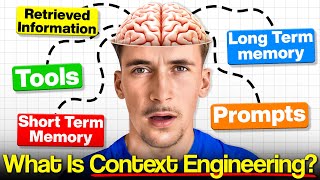
Rory Ridgers explains context engineering: managing all structured information an AI agent encounters—data, memory, tools, goals—to keep it reasoning clearly without context overload. He shows four tactics: write, select, compress, and isolate, with examples using N8N workflows and real systems like HubSpot data retrieval.
Chapters
What's up guys, in this video we're going to be talking about what actually is context engineering and do you even need to worry about it when it comes to building your AI agents. So we're going to be going over the actual definition of context engineering and then an example of a system with poorly designed context engineering and then an example of a good one. And we're also going to look at some of the different methods and types of context engineering. And then finally we're going to jump into an actual example of a very well context engineered system compared to a system that does a similar kind of thing but hasn't been engineered very well. So let's get into the video. Okay guys, so we're going to start off with what actually is context engineering. Because by now you've probably heard this being thrown around quite a lot. So here's an actual definition of what context engineering is. So context engineering is the practice of orchestrating all of the structured information an AI agent sees over its entire lifespan. This includes live data, memory, tools, goals, feedback loops, so it can reason coherently from one step to the next. This is done to ensure there are no context window overloads and the agent doesn't get confused or rate limited. So essentially What we're saying here is that context engineering is just the amalgamation of all the different data that an agent receives over its lifetime. So this could be short-term memory, long-term memory, tools, system prompts, user prompts, everything like this. The way of orchestrating this and engineering all of this so the agent doesn't get rate limited by context windows and also doesn't get confused over what its task actually is. So I've heard a lot of people putting prompt engineering and context engineering side by side, and I kind of just want to clear up that they aren't really the same thing. I mean, prompt engineering is a part of context engineering, but just because they both have engineering in, I think people kind of put them side by side and try and act like they're a similar kind of thing, and they're not. They're different. They both have their own places, but I quickly want to define both of them so it's actually clear to you guys. So prompt engineering is crafting a single static message to steer the model's immediate reply, or could also be for its long-term goals and the task that it has to perform. Then context engineering is designing the persistent ecosystem of memories, external knowledge, and dynamic state that surrounds every prompt, letting the agent stay informed, consistent, and autonomous across many turns. And if that doesn't really make sense to you, I have this little diagram here that kind of encapsulates what context engineering actually is and everything that goes into it. So you can see here, prompts is one part of context engineering. This whole bubble here is kind of what context engineering actually is and what we're talking about when we say context engineering. So you can see prompts is a part of it, but then we also have tools in here because this is another type of data input that your agent gets that has to manage, and then memory, and then also retrieved information. So like RAG data. And there are a bunch of other things that go into this, but it's all kind of comes under this umbrella of tools, prompts, memory, and retrieved information. This memory could be short-term, can be long-term. These tools could be different types of tools and also connections to different agents. These prompts could be user prompts or system prompts, but you can see they kind of all come under this umbrella. So context engineering is basically orchestrating all of this information into our agent so it can actually interpret it and know what it's meant to be doing. So this here is a very basic example of a poorly engineered agent. So you can see here we have an input into an LLM, in this case it's ChatGPT, with a 5,000-word prompt. Of course, it's just an example, but the idea is that it's a very long prompt and then a couple tools connected to it and then an output. And then of course, the issue with this prompt is massive. A lot of the time, if there's different inputs coming in and you're asking it to do different things, it's probably going to get confused because this prompt's so huge. It practically has multiple different tasks that you want it to do. So a lot of the time it's not really going to know what it's doing. If you input something too big, it's going to hit those context window limits because the prompt is already so massive. So the system— systems like this work nicely if it's a shorter prompt and it's just sort of a one-off agent that does one particular task. But having your entire agent system built like this with just an LLM with a massive prompt with a couple tools connected is an example of sort of a poorly engineered system. And then here is an example of a well-engineered system that we might see. So we could have an input and then a context aggregator that's basically going to split up that context and split up that input into the different contexts and see what the input is actually trying to get the agent to do. And then we could have a vector database that can either retrieve or upload memory into a vector database. So let's say we get an input in, it goes through the context aggregator, so we get the context that we actually need from that input, and then we add that data to the database to sort of log it in there as long-term memory. And then we also retrieve the previous data from that same database to give our agent more context on what's actually going on and how to perform the task. And then we pass that to the LLM, which of course looks very, very similar to this, but this time this is going to have a smaller prompt. I didn't include this in here, but this can have a smaller prompt because what's been passed through, it's already gone through the context aggregator and it's already got data on maybe the last runs or just giving it more context from this vector database. So the prompt here can be smaller, which means it's actually going to do a better job of what it's trying to do. And then it can output whatever it is it might be outputting. And then we can also do an action log. So it can basically log what it did in this run, go into an action log, and then we can store that to memory to then later be retrieved in this step. This also could be a short-term memory. So let's say that there was another follow-up input after saying, actually, can you do it this way? Or actually, can you do this as well? Then it can look into that short-term memory that we stored here from our action log, and then it can use that as more context for the next run over. So LangChain recently released this article on context engineering, which is kind of why Context engineering is exploding a little bit at the moment, and why you've probably seen so many videos and so many people talking about it. It's a really nice article and I'll link it down below if you wanna read the whole thing. But basically it kind of breaks down the different types of context engineering so you can actually use it in your agent builds and your system builds. So I'm gonna read out this first little paragraph cuz it kind of defines it really nicely what context engineering actually is. Agents need context to perform tasks. Context engineering, it's the art and science of filling the context window with just the right information at each step. Of an agent's trajectory. So really simply, just making sure the AI agent's context window is filled up with the data that actually needs to do its specific task. And this could be tool data, this could be short-term memory, this could be long-term memory, this could be parts of its system prompt, parts of the user prompt, whatever that might be. And then they have this little diagram here that shows you the different types of context engineering. So there's write context, select context, compress context, and isolate context. And In this Miro board here, we're going to go through some of those examples and what those actually look like in N8N because they probably don't mean too much when it's just laid out like this. And if we have a look in N8N, you might actually be familiar with some of the concepts that I'm going to talk about because you probably just do them by default already. Some of them, I know I found out that I already did when I started looking into context engineering. So the first one is write context, and this simply is referring to the agent storing memory in one way or another. This could be temporary memory that stores the last few messages in the conversation, or it could be long-term persistent memory. So you can see here in this little diagram, there's long-term memory, or there's a scratchpad, which is just like short-term memory, and then there's state memory, which is just within that same session, um, of the agent running. So down here you can see some examples of this in NaN. Of course, there's a simple memory node here that we probably all use when we use AI agents. You just put it down, really, really simple to use. And if you've never used this before, basically all it does is you just input the number of messages you want this to save. Let's say 10, and it's just going to remember the last 10 messages in that conversation with your AI agent. So this is an example of short-term memory and also state memory, because this only works in the same sort of instance of using that agent. So if you used it, refresh the page, came back the next day and started using it again, it wouldn't remember those last messages. It's just a buffer memory for when you're actually using the agents. This is an example of short-term memory and also that state memory. And here you can see an example of long-term memory. So let's say when a new chat message comes in, we upload that data to a Google Doc and we just store that input into a Google Doc. You could also do this after the agent's output if you want to store, say, the agent's output in the doc rather than the user's message. But you get the idea that this is an example of storing this in long-term memory because of course this is going to be here for forever or for as long as you keep it in the Google Doc. So this is more of an example of storing that long-term memory that can be called upon when it needs it. And then if we look at select contents, this refers to the agent or system getting the most relevant data it needs for its task. This could be in the form of a RAG system, or it could be a simple knowledge retrieval tool. This applies not only to memory and external data but also tools. So down here you can see we have the same kind of thing as up here where we're uploading that data to Google Docs when it comes in, but this time we're giving the agent a Google Docs tool so it can actually retrieve data from that Google Docs. This is sort of just a really, really simple RAG system. It's hardly even a RAG system, but a really simple knowledge retrieval system. If you want to go a little bit more in depth, you could do like an actual vector store and have an actual RAG system. That is an example of this select context. So basically the agent, it's already uploaded the context into a long-term or short-term memory, and then now it's retrieving the specific content that it actually needs. Let's say it's trying to do a task and it needs to know, uh, let's say the address of this lead or something. It could get that data from its long-term memory to see when they last said their address. So that's an example of select context. And then we have summarize context. So this means to summarize the context an agent needs into only the relevant parts that are required for that specific task. So here you can see again the exact same system where we're uploading it to Google Docs and it has the Google Docs tool to retrieve that data. But this time we could be uploading that to the Google Docs, getting the data back from the Google Docs, so just returning all of the memory, not what we just uploaded, all of that memory from the Google Docs and then having a simple LLM step that's just going to summarize that. So then the agent can just actually take what it needs. It's already there, it's already summarized for it. It doesn't have to do that on its own. So we could even just remove this tool here because it can just summarize all of that long-term memory and it can just take what it actually needs from that. So that's an example of summarized context. And another example of this, which I haven't included here, is having a planning LLM or a planning agent before your main agent. I found that if your planning agent receives all of the data it needs and then it can have knowledge on the tools and the actions of your main agent, you can have an agent that essentially summarizes, but it sort of plans the steps for your main agent. So all your main agent has to worry about is actually just carrying out those steps rather than interpreting the data that are received. And then there's isolate context. And isolate context means to isolate different parts of either the incoming data or external data and then have a task be performed based on that. An example of this may look like a routing system for incoming data. So here you can see a very, very simple routing system. So if we have a look at this original system, you can see down here, or it's more like this system actually, you can see down here we're doing the same thing. We're uploading to Google Docs, getting all the data back from Google Docs, summarizing it, and then we have a switch step here. So let's say it's for different types of inputs. This summarize step might summarize what that input was and then put it into one of these three categories. And then each agent just specializes in one of those three things. So an example of this is actually a real client build that I'm doing right now, and this is part of a HubSpot sort of retrieval system. So the user can talk to the agent and retrieve any data they want from HubSpot. You can see down here we have the input that comes in and it goes through GPT filter extractor. So we're essentially summarizing their input in these two steps to say what it is they're trying to retrieve and how we do that. And then we have a routing step here, and this is for companies, leads, and deals, because in HubSpot you have your companies, you have your leads, and then you also have your deals data. So if they're saying, I want to, uh, get data on this company, I want to see where they're located, this might output the name of that company and their location as the query, and then it might go this way because it's company, and then this agent just has to focus on getting that company information and retrieving their location using the HTTP request tool that is connected up to HubSpot. So this is a nice example because you can see each little bit in here is doing their part. And these agents, all they have to worry about— rather than having one agent that just retrieves deals, companies, contacts, and also receives the initial incoming query— it goes through this little system that basically breaks up that context and splits it between these three agents. And all these agents have to worry about is retrieving companies, Retrieving contacts and retrieving deals. So their context window is fully filled up with only the context they need. They also have context on how to actually use the tool, of course. So all they receive is what they're doing and then how to use the tool to do that. So they're way more efficient and it's way better. They don't get confused at all. So another example of this that we can actually have a look and see is this free template is from NAN. This is a deep research template. Essentially, this is, uh, so deep research when you're using OpenAI, or I think Claude have it, or Gemini have it as well now. Um, it's deep research. It could go away for sort of 10, 20, 30 minutes and research a topic that you give it. And of course, if you wanted to build like a really, really, really simple version of that in an AI, you just have a chat message with an LLM that maybe has a Google search tool, and then it outputs. And that would get you okay results at best. But if you're trying to do actual deep research and you want your agent to handle 200 different sources or something, a system like that isn't going to cut it. So this is an example of a very, very well-engineered system that is able to handle massive amounts of context. So to begin with, it's just a simple form that you put in what you're actually trying to research. And then here it just asks clarifying questions. So this isn't really part of the context engineering part, but it'll just clarify the question to see exactly what it is you're trying to search and ask you some like additional questions just to make sure it knows exactly what's going on. And then it's going to update a Notion doc with that information so that is an example of write context. If we have a look, write context is essentially saving all of that memory to a storage system that it can later retrieve on, uh, later down the line in the system. So it adds all of that to a Notion doc, and you can see it starts this process here. And again, we have this routing part, and this is going to be isolating context. So depending on what's in there, it's going to go one of three different ways. So it's going to start up here, we're going to grab that information from the Notion doc, which of course is an example of select context. So we're gonna select the context from that Notion doc, grab it and take it back into the system. And then it's gonna start to actually research this. You can see we're triggering another workflow here, editing fields, and then we just have an if step and it goes back around and then it gets the results of those deep researches and then it comes back through here and you can see it goes through the system again and the whole time it's handling all of this context. So it's not pushing all of the context through the system and just saying, alright, get on with it. It's breaking up the context into different parts and routing it through different parts of the system. So you can see here we have a loop step, which is really cool. So for each query, so it generates the queries that we need to search up to get the information that we're looking to get. And for each query, it's going to go through this loop here and then come back round. So it's splitting up the context into little chunks and then individually researching that context. And then it adds all of that data back to the Notion doc. And then you can see down here, It gets the information from the Notion doc and it actually develops a deep research report, converts it to HTML, HTML to array, does some data manipulation stuff, and it's going to update that report in Notion by one by one uploading new pages to Notion with this loop node. So this is a great example of handling this context, splitting it up into just the little bits that you need, isolating the content, uploading the content when you don't need it right now, and retrieving that content back when you actually need it. So that is it for the video, guys. I hope you learned something. By the way, if you were looking to work with me so we can implement AI agent systems into your business, then I've left a link to my website in the description. You can go ahead and book up a free call and we can talk about some ways to integrate AI into your business. But yeah, that is it for the video, guys. I hope you learned something about context engineering because I know it's getting thrown around a lot. So I hope this kind of clears up what context engineering actually is in a simple way and gives you some actionable steps to start implementing this sort of stuff into your AI agent workflows. If you've got any video suggestions you'd like to see, please do just drop in the comments and I'll try my best to get around to doing them. But if not, I'll see you in the next video.
More from Rory




Dynamic Workflows are crazy. This is how to actually use them (beginner's guide)






