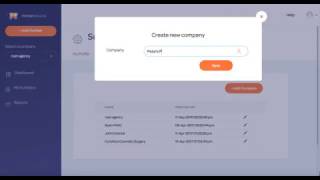
In this tutorial Ryan Shank walks through how agencies can use PhoneWagon to manage multiple client companies within a single account and provide each client with their own login. He demonstrates the UI steps to add new companies (e.g., HVAC, dental, cosmetic surgery) via the Edit Profile screen, switch between companies on the left navigation, and create user accounts under each company. Two user roles are highlighted: "company manager" (full rights to buy numbers, view billing, add users) and "report manager" (view‑only). Ryan shows a live login as a receptionist with view‑only access, confirming that the user can only see the assigned company's data and cannot purchase numbers or view billing. He then logs in as the company owner to illustrate full permissions, including buying numbers and managing users. The video emphasizes that agencies can centrally manage ad spend for many clients while granting each client appropriate dashboard access.
Chapters
What's up guys, this is Ryan over at PhoneWagon. Today I want to show you how agencies are using PhoneWagon to manage multiple clients and give their clients their own logins so they can check on their phone calls themselves. So inside of your account, what you can do is in the upper right, you can click on Edit Profile, and this is where you're going to be able to add different companies that you're managing ads for, okay? So if my company right now, if I'm an agency and it's Ryan Agency, and then I have clients, you know, an HVAC company, a dental company, a cosmetic surgery company, I can add all of these companies right here. Okay, so if I have another company, Pete's Painting, I can add them there, and then I can click Save. Okay, now what I would want to do if I'm gonna, you know, do things for Pete's Painting, I would just change the company on the left side, and then any activity that I do in the account is now going to be under Pete's Painting right there. Okay, now if I want to give Pete from Pete's Painting a login, I can do that as well. So I would go over to Users, and, and then I would add a user right here. So let's just say his name's, you know, Peter Smith, his name's pete@gmail.com, give him a password, and then he as a user role is going to be company manager because he's the owner of that company, and that's gonna allow him to add numbers and do things inside of his account, okay? However, if Pete also has a receptionist that he wants to have logins, but he doesn't want her to be able to, you know, see any billing information or add numbers, he just wants her to be able to view stuff, and her name is Cindy, Okay, Cindy Smith, Cindy@gmail.com, give her a password, and then her role is the very report manager. That is a view-only role. Cindy Smith, she can't do anything inside of the account, she can just view things. So check this out, right now I, I'm logged in obviously as Ryan Shank's agency, and then I can go to any of them. However, I'm gonna log out and log back in as Cindy and I'm gonna show you that Cindy is only gonna be able to see things for Pete's Painting. Okay, Cindy@gmail, and here's her login. So check this out, so Cindy now is logged in. She can only see Pete's Painting over here on the left side. She doesn't have the option to buy numbers. She can only view numbers that are currently, you know, in her account and any reports and stuff. So it is a view-only account. I'm gonna log back in now as Pete. And I'm gonna show you the view that Pete has. So Pete, again, he is the owner of the business, so he can only see Pete's Painting, right? But he's out— he's allowed and able to buy numbers, so he can add a number right here, and he can start to, you know, do things inside of his account only. So if he wants to buy numbers, he can do that as well. He can have access to billing information, things like that. He can even add users if he wants, under— obviously under his company. So that is a way, you know, if you're an agency, that you can give your clients access to this dashboard. The owner of the business can have different rights and different privileges than, you know, someone that works for them, one of their employees who might wanna log in but only have view-only access. So this is perfect for agencies who are managing ad spend on behalf of clients. Add all of your clients in here and give them all logins.