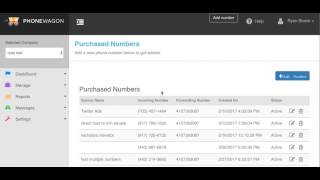
Ryan Shank shows how to add a phone number in PhoneWagon: click Add Number, search by area code, label it, set where calls forward to, and optionally enable call recording. The new number appears in your purchased numbers list.
Chapters
Alright guys, here is a 30-second overview on how to add new phone numbers to your account. So once you're in your account, keep in mind this is the current interface. We have a new interface launching soon. Click on Add Number up here at the top. Search by area code. If you want a Pennsylvania number, search 717. We will then display the 717 numbers. Grab a number. If you're doing Facebook ads, put Facebook ad 1, whatever it is there. Forward number, this is where you're going to forward it to. This is my cell phone if I wanna forward it there. If I wanna record the calls, then I can click Add Lead Source. That's it. This number is now configured and it will show up in all of your purchased numbers right here. Facebook Ad 1, here's the number we grabbed, here's where it's getting forwarded to. Okay? It's that easy. Um, and then, uh, if you go to Home in your dashboard, you'll be able to view all of your calls. Um, go to Table Settings, Show Recording, and then you can see all of your call recordings there, duration as well. That's it.