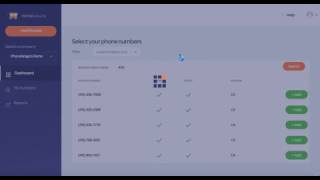
Ryan Shank shows how to set up a tracked phone number in PhoneWagon for Valpak coupons. Pick an area code, forward calls to your main line, label it by campaign, and drop the number on your coupon. Now you can see exactly which coupons drive inbound calls.
Chapters
I'm going to show you how easy it is to get a new tracked phone number to use for your Valpak campaign. So once I'm in PhoneWagon, I can simply click add number right there, okay? And let's say I'm not in 415 area code, but let's say I am in Maryland and I want a 443 phone number. I can simply search by area code. I can choose any of the numbers that are displayed here. Okay, 443. I can add that number right there, and then all I have to do is then forward that number to my main business line and add the campaign. So if this is for Valpak, I'll choose Valpak 20% coupon, and then I can simply forward this to my main line. And then if I want to record the calls, I can, and that is it. Now I click save and this number is configured. And now all I have to do is go into my numbers. I have my Valpak 20% coupon phone number at the bottom, and then all I do is I take my new tracked number and put that on my Valpak coupons, and now I'm able to see which marketing campaigns are generating phone calls and if Valpak is actually working for me. Try it out now.