Ryan Shank shows how PhoneWagon gives each property listing its own local phone number, so agents can track which signs generate calls. Assign a 917-area number to Building A, another to Building B, get a whisper message that announces the property name, and the dashboard logs every call with audio playback and lead quality tags.
Chapters
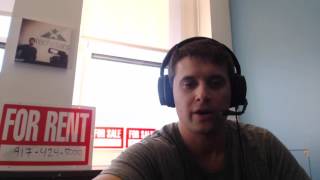
Hey guys, this is Ryan Shanken from PhoneWagon. Today I want to go over a use case of how PhoneWagon makes sense to use for property managers and real estate agents. Okay, so typically real estate agents, property managers, they have signs on their available units, uh, whether it's a rental unit or it's a unit for sale. And a lot of times they'll either have their cell phone or they'll have a line that goes directly to their office. The problem with that is that they don't know which property the phone calls are actually coming from. And the other problem with that is that if the phone number is going to an office or just to one person, it typically won't get answered when there's an actual call. Today, I'm gonna show you how to set up PhoneWagon to be able to use tracked numbers on each of your different properties and your property signs and how you can forward those to either one person, multiple people, and then you can track which properties are generating the phone calls. Let's check it out. Alright, so we have just logged into our PhoneWagon account and first thing we wanna do is begin adding our phone numbers, so I'm gonna click add number right here. Let's say these phone numbers are going to go on properties in New York City, okay? So I searched 917, which is an area code in New York, and then I'm going to click search. And what that's going to do, it's going to show me, uh, some available 917 phone numbers, okay? So I'm going to add this phone number right here, and then what I'm going to do is I'm going to forward this to my cell phone. So let's say this is going to be for Building A, okay? And I'm going to forward this directly to my cell phone. If you want, you could actually forward it to multiple numbers, and what that does is it ensures that someone answers the phone quickly. Okay, so Building A, forward it to this number. I'm not gonna play a greeting, but I am gonna turn on a whisper message that just says Building A, 'cause a lot of times when you get phone calls, if you have a lot of, uh, rental signs out there, you don't know where the call is coming from. Okay, and now I'm gonna click save, and that's it. That's our first number, Building A. What I'm gonna do is I'm gonna do that 2 more times, and what— and I'm gonna add 2 additional numbers. Okay, alright, so as you can see, we now have all 3 unique local phone numbers all forwarded to my cell phone, and we've labeled the campaigns as Building A, Building B, and Building C. Okay, so what we're gonna do now is we're gonna take these phone numbers right here, and we're gonna put those phone numbers on our signs that are gonna go onto the buildings. Come on, let's go do it. Alright guys, so now that we have our unique local phone numbers, what we're gonna do is we're gonna replace the numbers that we typically had on our for rent and for sale sign. Right now, you know, these all have the same phone numbers on them, and this is the trap that a lot of businesses fall into. They put the same phone number on a lot of their signs. So what I'm going to do now is I'm going to replace these phone numbers, the 917-424-5000 that are on all of our signs, with our unique local numbers. Okay, so we just replaced all of those 917-5000 numbers with unique local numbers: 917-818-4602, 917-720-6891. They each have local numbers so that prospects and leads feel comfortable calling them, but they are tracked phone numbers forwarded to my phone. So let me show you what happens in this use case. So if we have a prospect that walks by, there's a prospect, and what they do is they look at this, our for rent sign here, right, and they call the phone number on the sign. Let me show you what happens. So he's calling— I'm gonna call. Call what number? The 917, right? Yeah. 917? Yeah. And guess what? I'm getting a phone call on my cell phone. Don't show my number. On my cell phone, which is a 410 number, his phone call right there. So I can answer the call, hello, this is Ryan Shank, Residential Real Estate, and then the call is right there. And then now what that'll show is that there is going to be a call in our dashboard, it's gonna show the exact campaign that that phone call came from or the building that it came from, and it's going to really let you track which of your for rent, for sale signs are generating phone calls. So that's the amazing use case and how PhoneWagon is going to give you intel into exactly what is generating phone calls, where your leads, your prospects are coming from, and you're going to be able to really hone in on what's working and what's not working, okay? Excited for you guys to check it out. Try us out, phonewagon.com, and let me know if you have any questions. Thanks. Alright, so now we are back into our account. You saw that we just had a phone call, so what I'm going to do is I'm going to go into the dashboard here and you can see, boom, Building B just got another phone call. This is the 5-second call and you can actually hear the audio right there as well. So this is the call, this is the incoming number that it came from, this is the number that they dialed right here, and I'm going to click yes, it was a good lead. So That is how you're able to see the calls in your account. You're able to get some intel into exactly what happened. Looks like Building B just generating phone calls, guys. Building B's a winner. And that's it.