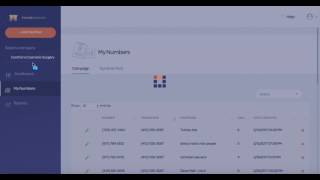
Ryan Shank shows how agencies use PhoneWagon to manage multiple client companies with separate user accounts. He adds a new client (Cynthia's Cosmetic Surgery), creates a user with company manager permissions, and demonstrates how those limited permissions let clients buy numbers for their own account without accessing other companies or adding users.
Chapters
What up guys, this is Ryan from PhoneWagon. Today we are super excited to show off our multiple users feature that is really good for agencies and people that are managing multiple accounts. So one thing that I want to do is dive right in. So I'm going to click on edit profile at the top. So first thing that you can do is you can go over to company under the settings, okay? And this is where you can add the different companies that you're managing different ad campaigns for. So for instance, if I'm an agency and I'm managing Ryan Shank, John's Dental, I'm going to add a new company right now. I'm going to name this company Pete's— not Pete's, let's name it Cynthia's Cosmetic Surgery, okay? And this is going to be the new company that we are going to be managing um, some ads for. Okay, so I just added that into company. You see it right there. What I want to do now is add users to the company. So I need to first go over here, and I'm going to click on Cynthia's Cosmetic Surgery. So you'll notice when I click on this and I go into my numbers— so check this out, there's no numbers, there's no activity for this account because I haven't done anything. I just set it up. However, if I go to, for instance, Ryan Test, This is where I've done a lot of activity already. There's a bunch of numbers, but look, they're assigned to that company. So if I go to Cynthia's Cosmetic Surgery, she does, you know, facelifts and all sorts of amazing things. Okay, I can go to edit profile now, and now I can even begin to add users. So let's say I need to give Cynthia a login so that she can see her stuff. Check this out, I can add a user right here. Cynthia smithlyn, smithlyn obviously, cyntia@gmail.com. And then let's say her role is gonna be the company manager. Okay, so that is going to mean that she's gonna be able to do and edit and do everything inside of this company. And then now I'm gonna click Save. Okay, so now I just added Cynthia as a user inside of her account. So she's gonna be able to log in and only see things inside of her account. Let's log in— let's log out of my account, and let's actually log in as Cynthia. Okay, C-Y-N-T-H-I-A. All right, so check this out. So now I'm logging in as Cynthia, okay? And we're gonna save that. Cynthia can only see her company, right? We have limited permissions. She can only buy numbers, obviously, for her company. She can't change companies, and she's only able to do things inside of her company. She can, you know, I obviously change her password and so on and so forth. But check this out, she can't add companies, she can't add users. This is the permissions level. This is huge. This is going to be a huge feature for agencies that are managing different call tracking campaigns on behalf of different customers. Check it out, add your account, PhoneWagon.com. Super excited.