Ryan Shank walks through PhoneWagon's dashboard for tracking calls across marketing campaigns. You can filter calls by date, mark them good or bad, set up automation like texting missed callers, and see detailed analytics on call duration and source. Everything lives in one place: calls, texts, and campaign reporting.
Chapters
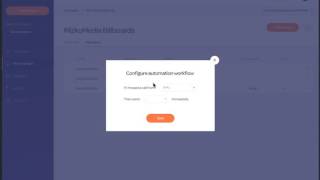
Alright, so inside of PhoneWagon, this is going to be your dashboard, and this is where you'll be able to see all of your activity inside of your account. So, um, then what you can do is once you have activity in here, you can go over here and then you can, you can view your activity of phone calls based on a date range that you choose. So here's an account that actually has some data in it. So you'll see notifications up top for your most recent phone calls, and you're gonna want to mark these as good calls or bad calls based on the quality of the phone call. Then at a glance, you'll be able to see the number of calls that you've received from all of your different unique phone numbers that you have set up. And then from your phone numbers, those are going to all be inside of an active campaign. Okay? So your most recent calls will be down here. You can see which campaign they're from, the number that they called, and then the duration of the actual phone call. So you can go over to your My Campaigns tab on the left side, and then this is where all of your different marketing campaigns are going to be set up. The number of phone numbers that you have assigned to each of these campaigns, because a campaign might have, you know, 10 different numbers assigned to it because you might be testing different things, okay? And you can see the number of calls that you're gonna have for each of these campaigns and the average duration. Usually the average duration is a good indicator of whether it was a good call or a bad call. Obviously from here you can see all of your different phone numbers that you have set up for each of your campaigns, right? In each of the campaigns you're gonna have, uh, different numbers assigned to them as well. You can even configure automation. So for instance, if you want to set it up so if you miss a call, then send a text message immediately. That way, if a customer calls you and you don't answer, they're not just going to call the next business on the list. You're— they're going to get a text message and it looks like it's from you directly, and then they will usually respond and engage in a conversation. Okay, um, here you can configure your phone numbers and, uh, you can kind of set set them up for your campaigns and different sources, the call, the number that you want to forward the call to, things like that. Obviously there's full-blown reports that's going to be set up by campaign as well. So you can see, you know, here's your campaign, here's a full-blown reporting of what's happening. Obviously, um, this is our messaging section. So now here's where you can send messages to customers via text message. Um, it'll also pull in all of the automated text messages that are sent to them as well. So huge powerful feature of the phone system that's going to sit on top of your existing system. If you want to send a message, you can do that all here. Okay, so that's PhoneWagon.