Ryan Shank shows how PhoneWagon tracks which ads drive phone calls by assigning unique local numbers to each campaign. A cleaning company uses it to see which offers (Valpak, billboard, direct mail) actually convert, then cut the losers and spend more on what works.
Chapters
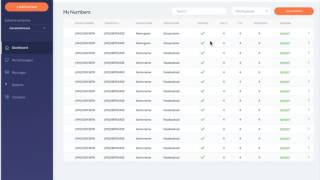
Hey guys, it is Ryan Shank with PhoneWagon. So I want to give you guys a little teaser today of how PhoneWagon actually works. So what I'm going to do today is, let's say I am a cleaning company in New York City, and what we want to do is we want to find out which of our advertising campaigns are actually working, okay? So if I'm a cleaning company, let's say I do 3 different advertising campaigns right now, okay? One of them, I sponsor a coupon book called Valpak. My second campaign is I have a billboard, and my third campaign is I do a direct mail piece myself, okay? I send out physical postcards to potential clients in New York, okay? So right now, I don't know which one's working because I just use my regular phone number on every single one of these. I receive the phone calls and I just, you know, book the appointments. It's business as usual. So what PhoneWagon allows us to do is put unique local phone numbers on each of these different campaigns and have those forwarded to my business line, so I answer the phone as usual, but on the backend I can see which of these campaigns generated these phone calls. So what I can do inside of PhoneWagon here is I can search by area code. If I'm in New York, I can search, you know, 646-917-212, and I can choose local numbers, so I can add a couple local numbers here. I can sign up with PhoneWagon, and then what it's going to do is going to dump me into my dashboard, okay, and inside of here is where I can actually configure my phone numbers and I can see all of my campaigns. So right here, if these were my 3 different campaigns, I would be able to view them here. I could see the number of different phone numbers I have assigned to each of these campaigns, all of my numbers here, and I can see how many phone calls and, and the sources of these phone calls as well. So again, here's my numbers. So let's say I did a billboard, right, and I can have a couple different numbers, or I could just have one number assigned to a billboard, but if I have one billboard, I probably only have one number, but let's say I have three different billboards, and at first glance, it looks like this billboard has a positive ROI, but now that I'm actually diving into it, if you'll notice, only one of my billboards are generating phone calls, the one from Campsy, okay. The other two billboards actually aren't generating any phone calls, so what I would do as a business I would actually not renew those other billboards and I would only keep one of those billboards. So now I'm going to have an even higher ROI because I'm spending less money to generate the same amount of phone calls, okay. You can even set up an automation if you want to so that, you know, if you do miss a phone call, you can automatically send a text message to the customers so that then they don't just call the next business on the list or anything like that, okay. So when I want to configure my phone numbers right here, again I have my local number right here. I'm going to assign these local local numbers to my Valpak, my mailer, to my billboard, and then also to my direct mail piece, okay, because again I'm doing these 3 different campaigns and again in each of these campaigns you may be doing a couple things. Let's say in the Valpak you have 5 different coupons that you offer throughout and you want to maybe test out which of the offers is actually generating phone calls. Maybe people are more receptive to a free consultation than they are to a 20% discount. Okay, so anyway, what we can do in our campaign name right here, I could say, you know, this is a Facebook promo, I could do that, or I could say Valpak, right, and then my source could be 20% discount because that's the actual source that I want to track. Then I could say where do I want this number forwarded to, and I can put in my phone number there. Then if I want to turn on call recording, I can turn on call recording. I can also play a whisper message if I want to let me and my staff know that people are calling at that time. Okay, so that's how to configure it, then obviously in our report reports, we are going to be able to see, hey, how is it performing? How are each of our sources doing? Our Facebook ads, direct mail, again in our example, we are talking about Valpak versus billboard versus our own direct mail piece, okay, and then we can see our top performing campaigns, so on and so forth, but at a glance, you know, we are able to see, hey, we are generating phone calls from these active campaigns right here. Then if I want to dive into a specific campaign, let's say again, this is our Valpak, each of these sources are the different coupons that we have within there. We can see all of that within here. It's super easy and then again, then if we want to message with the customers, we can do that as well. At a very high level, easily set up a number, configure it to a campaign, and then see which of your campaigns are working. Stop spending money in areas that are not working and spend more money in areas that are working that you are generating a positive ROI. Give me a shout if you guys have any questions. PhoneWagon is here to help you out.