Ryan Shank demos PhoneWagon, a call-tracking platform that helps convert leads. You pick local numbers by area code, choose from three subscription tiers or pay $10 to start, then track calls and campaign performance on a dashboard. Set up call forwarding, recording, and automations that text customers after missed calls.
Chapters
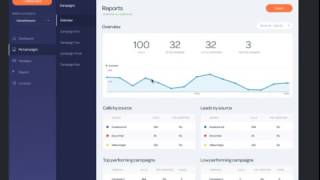
Hey guys, it's Ryan. I just wanted to quickly go through some of the platform before we launch it to the public. So PhoneWagon is a beautiful call tracking and automation software that helps businesses turn more leads into paying customers. So here is a quick preview of how it works. So basically, when you first sign up, what you can do is you search by your area code and then you can, you know, see a bunch of different phone numbers and you can select which ones you want to add almost shopping cart style, and I kind of like— I really like this flow actually. So, and then, and then you can obviously create your account, you can choose your plan. So we have 3 different plans up here, then we also have a pay-as-you-go plan, so you can sign up without a credit card, and we even give you a $10 credit into your account so that you can start using it. But the paid plans up here include a certain amount of numbers and usage as well, and a little bit better rate. So once you're in the actual platform, Here is the dashboard. So if you don't— obviously don't have any activity, there's nothing going to be here, but you can start setting up those numbers that you had just purchased in the, in the previous screen, okay? And this right here kind of highlights how, you know, you can start to sort your data and compare it to, you know, week over week, month over month, and compare to the previous period, things like that. So here's a look at a, at a an account that actually has a little bit of data. So what we're looking at here is the notifications up top. They're going to say, hey, these are your most recent calls. Were these good calls or were these bad calls? And you're going to know based on either duration of the call or, oh yeah, that guy called me and, you know, I was able to close. I went out to his house, I submitted a bid, and I was able to close that job. And then at HighLevel, you're going to be able to see the number of phone calls from your active campaigns and then obviously the number of numbers that you have for each of those campaigns and then your most recent calls down here. Right. So if I have, you know, from Cameo Ventures or whatever, this phone number, 20-second call, probably not a good call if it's only 20 seconds. So you can start to see at a high level, but at the campaign level, right, so let's say I have 3 different campaigns going. I have a billboard, I have maybe something on Homemade, or maybe I have something, coupon book or something else. These are my different campaigns. For each of these campaigns, I can have a certain amount of phone numbers because maybe I'm A/B testing or maybe I'm doing, you know, a bunch of different billboards or whatever, and then I can see the number of phone calls generated for each of these campaigns. okay, and then the number of leads that I actually received, because a phone call isn't necessarily a lead, okay. Then I'm gonna be able to go into my numbers. Here's all my numbers by each of these campaigns, okay, and then I can start to see at a glance what's happening. So now I'm in one of my campaigns, I'm in my billboards, and these are the different numbers. Here's where I have it forwarded to. Let's say I have 3 different billboards, one in Bondi, one in Chatswood, and one in Campsie, and I can see which of my billboard campaigns are actually working. So at a high level, I might see that billboards is working and I should do it, But really they're all getting driven from this one billboard right here in Campsy. That's where those 5 calls came from, right? And I can even set up automation at the campaign level as well. So one of the cool things a lot of our customers are doing is they're setting up automation for when they miss a phone call, right? Or if you get a voicemail. So I can say if I missed a phone call from a prospect, then send them a text message. And that way the customer doesn't just call the next business on the list, okay? And the ones that have automation set up, you'll see this magic wand because It's pretty much like magic. If you want to configure a phone number, you can obviously, you know, do that, and you need to do that, but what you can do is you're gonna, you know, set up the campaign and then say the source, so source is under campaign, then you're gonna say where do I want this call forwarded to, whoops, where do I want this call forwarded to, you can put that, and then if you want to turn on call recording, right, and then do you want to play a greeting or a message to letting the customer know that there's call recording, because obviously, You know, phone wiring laws vary by state, whether it's one-party or dual-party consent. And then you can even turn on a whisper message. So let's say you pick up the phone, you can create a whisper message that says, hey, this call is from the billboard, so that you know, you know, when you're answering the phone what's happening. So here's a look at the reports section, and it's also on the campaign level. So we can see, you know, overview all of my campaigns. Hey, here's my calls by source. My different sources, leads by source, 'cause calls and leads are different, top performing campaigns, so on and so forth. And then this is looking at the individual campaign. Here's my activity within this campaign, okay? Here's calls, this many active numbers, and then I can start to see, you know, average duration, number of leads, things like that, okay? And then we also have, this is really awesome, a messaging component. So not only can you now send and receive text messages from your business phone number with, prospects, and you know, Twilio actually came out with a survey that said 9 out of 10 consumers would prefer to message with brands over phone calls. So this is allowing you to now accept and receive, or accept and send messages to your customers via text message, and you can actually forward these so that, you know, you and your staff can reply from different places. It's a really cool feature, and then also you can set up automated text, and then you can have templates as well, right? So if I want to send a text message to a certain number, I can send it from one of my track numbers, I can manually type it, or I can use a template, which is huge in the name of automation. So this is a sneak peek at PhoneWagon. We're set to launch in just about 2 weeks.