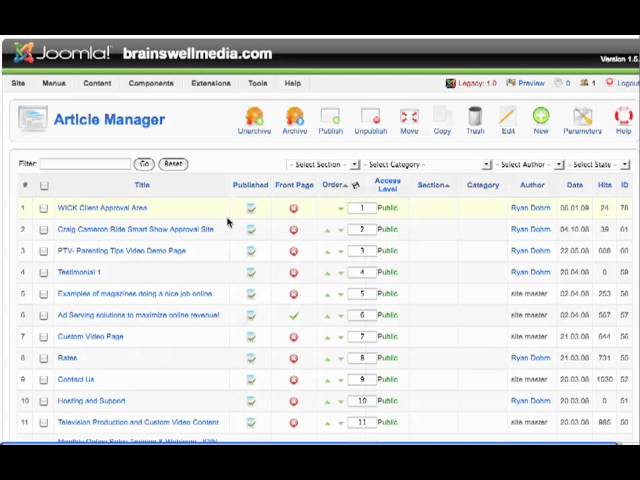
Ryan Dohrn shows how to manage your Joomla 1.5 front page: reorder articles with arrows or by entering a number, add or remove them from the Control Panel, and publish or unpublish directly from the Front Page Manager.
Chapters
Hey guys, Ryan Dohrn here from BrainSwell Media. Let's talk about the Front Page Manager today. It's this button right here. This is how we're going to manage the articles that are appearing on the front page of our website. You can see I have 4 articles that are appearing on the main page. Okay, here are the 4 listed, and you'll notice here is the order that they're listed. So for example, if I wanted this article on monthly online sales training to be first, I would simply click this Move Up arrow and boom, it's going to take it to the front spot. If I want to move it down, click Move It Down and boom, it moves it down. Or you can simply go and choose the number that you want it to appear, what order here, and click this little diskette and click Save. The Front Page Manager allows you to be able to move articles up and down. It gives you basic controls of the articles that are appearing on the front page of your website. So remember, when you're creating your article, you would choose whether you want it on the front page or not. And then also over here, when we click Control Panel and go back to the Article Manager— clicked the wrong button there, that will happen— and then you can also see what articles are appearing on the main page. So if I wanted to remove this article from the main page, I simply click on the green checkmark and it's going to remove it from the front page and thus remove it from the front Page Manager. So again, Site, Control Panel, want to manage that content on the front page, click Front Page Manager. Here's my articles that are appearing on the front page. I can unpublish them here by simply checking on the box, or I can highlight the box here with a checkmark and go up here and click Unpublish or Publish or Archive. Okay, it's simply a quick and easy way for you to be able to manage the articles on the front page of your website. Your next tip coming up in 2 and 2. We'll see you soon.