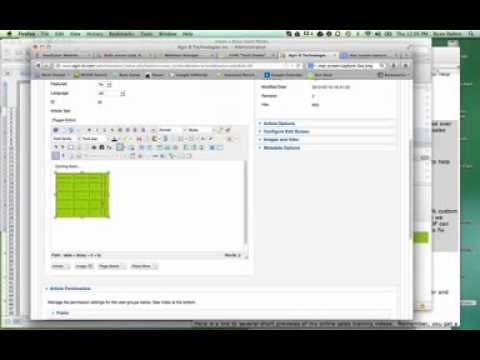
Ryan Dohrn shows how to insert a table in Joomla 2.5 using the TinyMCE editor. Set up a 5 × 5 grid with 3 px cell padding and spacing, a 1 px border, and a background color. Tables appear small at first but expand when you add content or manually set the width.
Chapters
Hey everybody, it's Ryan Dohrn, and today we're gonna talk about how to add a table to your Joomla 2.5 article. It's actually very, very straightforward and pretty easy. Whether you're using the TinyMCE editor or the JS editor, in this case it's gonna be basically the same. The icons might look slightly different. So in this case, we're gonna choose the table that's right here in the middle of the WYSIWYG editor. We're gonna click on it. In this case, what I'm trying to do is create a 5 by 5 table, so I wanna create 5 columns here, and then I want to create 5 rows here. Now also what I want to do is I want to add a little padding inside of those cells. I'm gonna put maybe 3 pixels of padding and 3 pixels of spacing, which is going to add a little bit of, of breath, if you will, a little bit of padding inside those cells. Then what I want to do is I want to create a border around the cells, so I'm going to choose number 1. Now what I also want to do is I potentially want to choose a background color. So right down here on the bottom, I want to choose a background color for that particular table. And so I'm gonna choose background color, and then what I'm gonna do is I'm gonna find the color that I want here on the wheel, or I can go here to the web. Okay, I can actually find what that color is that I want, and then I'm just gonna simply click Insert. Now you'll notice that when I go here in Joomla 2.5, it makes the table actually pretty small. So what I can do is, as I'm adding things, I can just add dashes or whatever, and as I do that then what's gonna do is it's gonna actually expand. Now keep in mind, anytime that you wanna edit this table, just go back to the table icon. What you can actually do is actually set the width of the table, and you do that here in the width box. You can set the height. I typically don't do that because as I'm adding images, icons, etc., text inside the boxes, I want that table to expand with the text. So that's it. It's pretty easy in Joomla 2.5 how to be able to add a table. It's gonna be the same in 3.0. And some of you that are in, in 1.0, get upgraded, would you? You're gonna see a lot of new advances and a greater experience inside the Joomla environment. I'm Ryan Dohrn, CEO and founder of Brain Swell Media, and we're more than happy to always be here online to help you. Take care and have a great day.