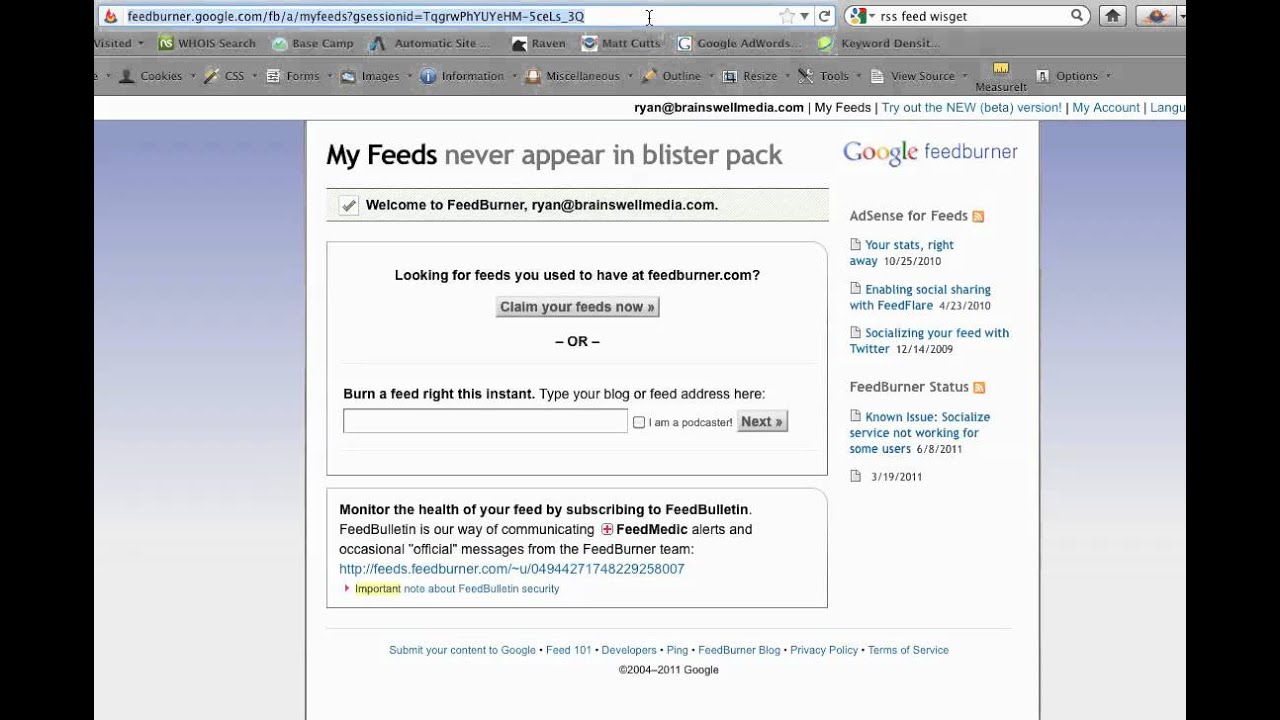
Ryan Dohrn shows how to use RSS feeds to pull content from publishers like magazines onto other websites. He walks through extracting feed URLs from sites like Holistic Horse Magazine, using RSSFeedWidget.com to create customizable widgets, and using FeedBurner to manage feeds across platforms.
Chapters
Hi, today we're going to talk about how to use an RSS feed to potentially syndicate your content to other websites. One of the things to remember is there are a lot of customer websites that you have that are very static. They have no new content. So you, as a magazine, newspaper, or radio station, have the ability to syndicate content to their websites, those static websites, and give them the ability to have some really great content on a daily basis. Now, I'm going to use one of my customers, Holistic Horse Magazine. I'm going to use them as an example because they offer RSS feeds on their website. If you don't, typically your content management system can kick out an RSS feed. RSS stands for Really Simple Syndication. You'll notice here that they've got a link here, for example, products that they profile. So let's click on that. And what you're going to notice is in most cases it's going to actually pull up the RSS feed as it would appear in this individual window. For most of you, that just looks like a bunch of gobbledygook. Notice, if you will, up here at the top, okay, see where my cursor is going here? At the top in the URL, okay, you'll notice that it's holisticcourse.com/feed/2.html. That is the actual URL or web address of the feed, okay? Now what we're gonna do is we're gonna actually go over to a website where you can actually give this website to your advertisers or you can use this yourself. This website is RSSFeedWidget.com, okay? And look what I've done is I've gone and I've pasted the feed URL right here in this box. And what it's done is it's actually created a widget here that actually can be placed on an advertiser's website. Now, the cool thing is if you look down here, you'll notice that you can actually control the width, the height. So if we wanted the width to be more like 350, we could do that and it will actually widen it out. If we wanted to change the colors of the headline, we could change the colors of the headline to red and that would change that. And so this is a really easy way to be able to go paste your RSS feed right there. Now, if you don't have the ability for RSS feeds on your website. There's one site that I use a lot for this kind of stuff, and that's FeedBurner.com. FeedBurner basically is going to— it's the largest. So what you can do is you can actually go and create feeds, manage feeds, instantly burn feeds, etc., etc. So I would encourage you to look at FeedBurner as a good alternative. Also, FeedBurner has got a really great relationship with Google. I'm not sure if Google bought FeedBurner, I don't know about that, but you'll notice that I'm logged in as ryan@brainswellmedia.com, and so the interesting thing about that is Google FeedBurner is pulling up. So maybe there's a purchase that happened there that maybe I'm not exactly aware of. The cool thing about really simple syndication is that you can go to basically almost every website. Of any kind is typically going to have some type of RSS feeds. So let's take a look at the Inc. magazine website. So see this little icon up here for RSS, Really Simple Syndication, at the top right here above Tools? If I click on it, it's more than likely going to tell me then, you know, what RSS feeds are potentially available, okay? Do you see that? So let's just say that I want to get the feed that they offer on Business Bytes. I simply click on the RSS icon and you'll notice just like before it actually pops up what's involved in the feed. I can take that if I want to use this on my website and I can actually then go over to RSS feed widget and then I can actually go and paste that in here. You'll notice that immediately after I hit create widget at the bottom, it's going to place that feed and give me a nice box. You'll also notice at the bottom of the screen you have the ability then to paste code. And so here at the bottom of the screen right below the boxes, there's an area that says copy and paste code. So whether you're an editorial manager, a site publisher, or whatever, I think this is a really good general overview of RSS. And really, you really need to embrace this so that you can get your content out there on the web in a greater and more robust way. So I'm Ryan Dohrn from Brainstorm Media. I'd love to give you further advice Of course, my first 30 minutes to you is absolutely free for all of my new clients out there. So thanks so much for listening, and we'll talk to you soon. Take care.