DEPLOY STAGE
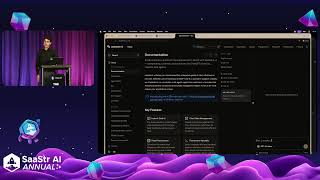
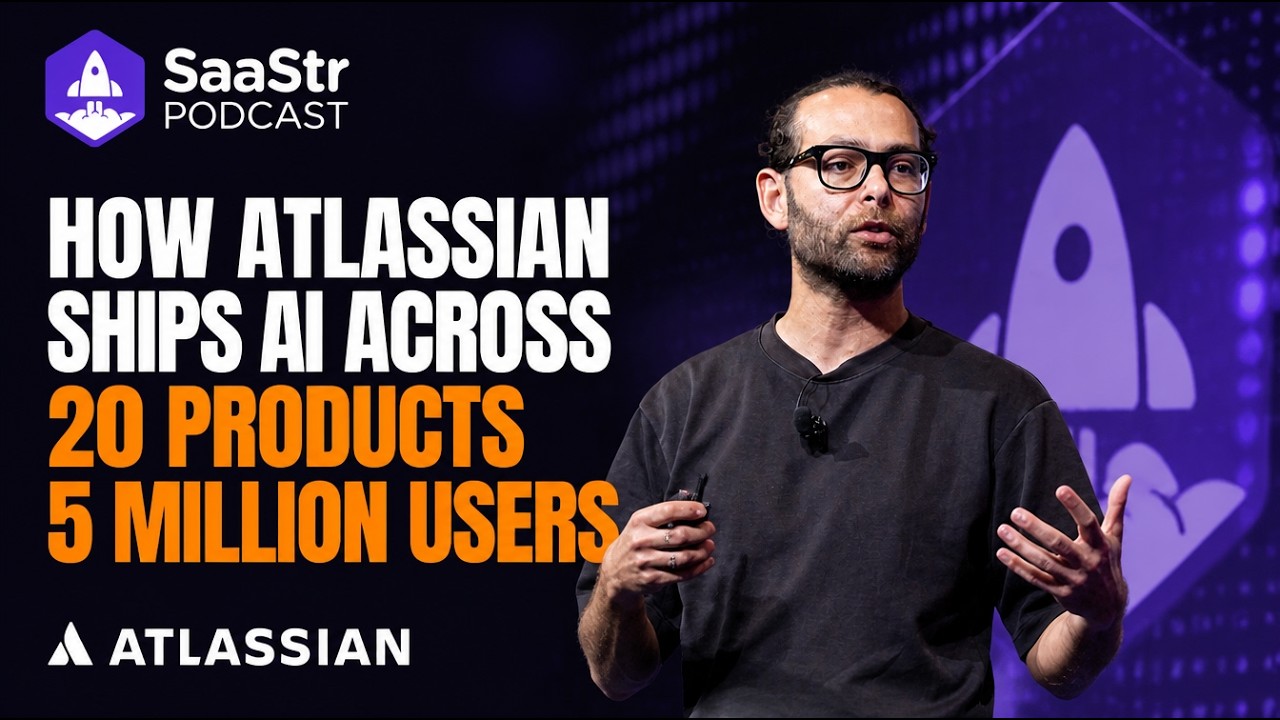
Christina Hastings shows how Salesforce's AI agents inside Slack turn one rep's work into a ten-person team's output, cutting deal cycles by 60% at Anthropic. Simon from Assistant UI then walks through building your own AI assistant instead of relying on third-party services, demonstrating how to add tools and handle large knowledge bases cheaply.
Questions this video answers
Use a file‑system based approach: let the assistant list directories, grep or search files, and open only the relevant files. This avoids loading the entire corpus into the model context and keeps token usage low.
No. By using targeted file‑search tools the assistant only reads the few files needed for a query, resulting in modest token consumption (e.g., ~18 k tokens for a complex question) and low inference cost (under $100 for tens of thousands of interactions).
Chapters
Our program is going to begin in a few minutes. It's time to find your seat. Joining us now from Salesforce, the product marketing agent force sales lead, Christina Hastings. Hi everyone. Excited that you're all here today. I know so many of you have already adopted agents. So today we're talking about how you uplevel level. How do you get to that next stage of productivity and growth for your teams with connected agents? And I'm really excited because we're not just going to talk about it. We're going to walk through a live demo of this functionality and how you can run agents across the sales cycle in Slack to operate like a team 10 times your size. Before we hop in to all of the content, just a quick reminder, Salesforce Salesforce is a publicly traded company, so please base any purchasing decisions on products and services that are currently available. And I want to start with a question and don't feel the need to answer it, but think about this. What would it look like if your company operated at the level of the top 1% of your reps? How game-changing would that be? Whether you have 1 rep right now or 50 or 500 or even more than than that. What would that look like in your organization? What do your top reps do differently? And oftentimes it's not that they're spending more time. We know they don't spend more time. They have the context. They understand your best customers. They know who to reach out to, what signals to look for. They understand your business and your products and how to connect that across the sales cycle so that they can drive success through every customer. Customer conversation. So when we talk about adopting agents, of course we wanna look at the challenges that we're running into at each stage of the cycle and implement agents to help us get there. But there's a multiplier effect when we connect these agents across the cycle. So if you're just starting out with agents, look for the problem that you wanna solve first. We'll use prospecting as an example. Outbound is notoriously hard and time-consuming. Reps, even top reps, spend hours every week searching for these needles in a haystack, the best accounts and the best people at those accounts to reach out to. But that's time wasted. They could spend that time actually engaging customers. So the prospecting agent is operating like your best reps. It's finding those leads from the same data sources that your reps are using and pulling that together, serving up a list by 10, 20, 50 every single week. So your reps are on the phone or engaging your customers, and that's great. Think about the value of that in and of itself. But where we start to unlock that multiplier effect is when the data and the context that your prospecting agent pulled in and served up to your reps is also shared with your engagement agent. So when it's sending out and engaging your customers, it's highly contextual. It has that same understanding and context and can engage your customers in a way that doesn't annoy them, but actually excites them about engaging with your company. Same thing with the account agent. If your reps are getting a brief, you don't want it to be some generic ChatGPT-generated brief. You want it to be contextual, pulling data from your CRM, from, those same tools that your prospecting agent pulled together, the conversation your agent had with your customers. So this is how you unlock that next level and you achieve the multiplier effect across the sales cycle. And I know this is a vision that a lot of us are moving towards, and this is where you really start to operate like a company 10 times your size. But the next part of this is your agents actually need to work where your reps work. There's been a lot of talk about headless lately. I'm sure you've heard all the hype, but think about where your teams are working today. Where do they go? If they have to go to 10 different tools because you have 10 different agents across platforms, that's great. You're still getting some value add out of those agents, but we can dial it in further when we bring that context together and give your reps the information they need to drive deals forward faster in in one place. And that's why we have brought our CRM into Slack. Slack is the system of engagement that reps are driving deals forward with, that they're closing business with every single day. And our teams are using this, our customers are using it, and they're seeing tremendous success today. But while it's fun to talk about this, I think it's more powerful to see this in action. So we're gonna— walk through a live demo of this right now. If you're familiar with Slack, I know a ton of you are Slack users, this is your today view. Whether you're in sales or not, this is a tremendously helpful view because it gives you everything you need to focus on in one place. You can see as a rep, I have high signal leads that the prospecting agent served up for me. There are highlights of what I need to focus on today, and I get a summary of what's coming up on my schedule. But let's tackle these leads first. We wanna make sure that they're engaged in— sorry, one second, there we go. Live demo, fun stuff. We wanna make sure they're engaged in an effective programmatic way, so I'm gonna ask Slackbot to help me engage these leads. And again, these are leads that an agent served up, and I wanna start working them in real time. So Slackbot is gonna identify that we need to reach out to these leads with the engagement agent. It is assigning those leads to the engagement agent for me. The engagement agent is gonna take the ball, run with it, and nurture these leads, qualify them, give me that context. If they have basic questions, it's gonna answer them on my behalf, and it's gonna book meetings on my calendar. So now that we've taken care of that and our leads are well on their way to being nurtured, I actually have this call with Omega coming up, and I wanna make sure I nail that call. Now, if you are an account rep, an account executive, and work in sales, you probably have account channels for each, uh, account in your patch. And this is where your account team comes together, collaborate on these deals. But I also wanna highlight, it's not just the account team that's in here. Your sales agents are in here, whatever agents you're using, when you connect the data here, you have that full picture and full context. So it's highlighting things that you and your full account team need to know to ace every call. But let's say we want to prep for this call. I love a good pre-meeting brief. I want to make sure that I am showing up for my customers in the right way. So I ask Slackbot to help me prep for this meeting. And it's going to pull together an account overview and a summary of everything I need to know. Who's going to be on the call, things I need to talk about or mention on this call so that I have the right context. And typically to do this, I'd have to check Salesforce. I'd have to go on the company's LinkedIn profile, search the web, and make sure I have the full picture. But it's all served up right here with everything I need to know. And current deals, you can see it. It's still generating. But all of this context helps me show up in my customer conversations in the right way. And it takes seconds to prep for every call so I can nail this conversation. And you'll see here, it looks like somebody from legal is going to be on the call. It's calling out that I should mention SOC 2 compliance and data residency. The CFO is also going to be on the call. So these are things that help your reps nail those conversations. Now, let's fast forward. Let's say I had the call. This deal's looking great, right? But now I need to update my pipeline and my opportunities here. So I'm gonna close this for a second. This is my pipeline view in Slack. This is all of the data that's in Salesforce that I need to focus on right here in this view. And it's amazing because Sure, I can update the stage here if I wanted to. I could change the close date of this. I can add next steps and add that context right here. But even though that's easy enough, I don't think that reps really enjoy updating CRM. And oftentimes when they're spending Admin Friday updating their CRM, things get missed. Things like metafields. Medic fields, things like competitors that were brought up on the call. All of that data is really important to enrich not only your understanding of the deal and where it stands, but also how your agents are operating. That's that additional context we were talking about. So Slackbot is helping me and engaging the pipeline management agent, and it's gonna suggest changes to things like the field, stage, next steps, and move these forward for me. And with a click of a button, I can review, make sure everything looks good, and update all of these. And this, once it's updated, syncs back to Salesforce automatically to ensure that my deals stay updated. As a rep, you don't need to spend hours updating your CRM every Friday, or maybe not updating it, And as a sales leader, you have an accurate pipeline that you can trust and a forecast you can rely on because you know that agents are taking the action on your behalf. Now, let's say I really want to hit my numbers. I— this quarter is my quarter as a rep. I want to make sure I'm upleveling my performance. Maybe I want to go to President's Club this year and really make sure that I am on track for my business. Slackbot and Salesforce can also help coach your reps. They give you a clear understanding of where you stand with your quota, your pipeline, your attainment numbers, and give you a conversational, easy way to track your success. Or if you need to close the gap in your performance, it'll suggest changes there. And you can have a conversation with the agent to to make sure that you're dialed in and performing the right way. So we'll give this a couple more seconds to load. You can see it's also generating a visual here, but it looks like I'm well on my way to hitting my number this quarter and my pipeline's looking really healthy. And again, like we said, if you want to dig into this information more, it's all right here. And this is based on the data that's in Salesforce and in your CRM so that it's accurate updated, and you can understand how you're tracking. Now, this is just a snapshot of the amount of agents that are baked into Slack now and that we've deeply integrated, and Slack is going to be your system of engagement to drive deals forward. But a question we often get asked is, are customers actually using this today? I told you Salesforce is using this, Momentum. I just talked to a rep here on the show floor today today, they're using it. They said they haven't logged into Salesforce in months because they're operating out of Slack and closing deals more successfully than ever before. But here, Anthropic is another customer that has seen tremendous success with this. They've really leaned into the vision of Slack as the system of engagement, utilizing their CRM and their sales agents together. And you can see they've seen 60% faster deal cycles, $4.5 million in savings and the freedom to grow their business the way they want to on their own terms. And you can achieve this vision too. One of the things I want to call out before we close is your CRM no longer lives in Salesforce. We've been the leader in CRM for over 20 years, but we're bringing it to Slack because that is the future of sales. So automate your funnel, Make sure that everything is in one place. Connect your agents to drive more context and operate like a team 10 times your business size. Thank you so much and take care. Give a warm welcome to Simon from Assistant UI.
Hey everyone, my name is Simon and I'm here to talk to you about building your own internal AI assistants. Quick intro about myself. I work at a company called AssistantUI. We build a React.js library for AI chat. We're widely used for two reasons. One is to build AI inside your SaaS products. This is AI that powers in-app AI assistants or in-app AI vibe coding tools. And then we are also used in internal AI assistance internal assistants. These are assistants that companies build for themselves, for their employees internally to use. And my today's talk is about this category of AI assistants, the ones that are built for in-house agents. Here's the current state of things. Every SaaS app that you use ships with its own AI assistant, and this leads to fragmentation. You, you can configure settings, memories, preferences in each one of these chats, but they are isolated and every employee has the chat spread all over the place. As you can imagine, with MCP we can now consolidate this. So we're moving towards using one assistant inside a company to organize all knowledge work, and this is either, uh, ChatGPT Business or Enterprise Chat, Cloud for Teams or Enterprise, or many companies also build their own. And I want to today make the case for building your own instead of committing to an existing solution like ChatGPT or Cloud. The UI is disappearing and AI chat is a replacement. I want you to own the stack. Because the other solutions that you have are walled gardens, and by owning the stack, you get more control, flexibility, and leverage. I'm going to explain to you why this is the case, and then we're going to build one together live on stage. Control is the first one. My friend was trying to unsubscribe from ChatGPT today and they had to check this checkbox which says, if you unsubscribe from ChatGPT Business, your workspace data and chat history will be lost. It's very hard to extract your data. There's no button for it. You have to call support. And even if you extract your chat history data, you can't really easily import it into Claude or other tools. So you end up continuing to pay the monthly fees for ChatGPT. The second reason is flexibility. ChatGPT only lets you use OpenAI family of models. Claude only lets you use Claude family of models. If you build your own, you can switch between model providers depending on the use case. And also, as new models come out, there are winners or losers in certain categories. You can also add custom workflows and UIs. Beyond what MCP allows you to do. Third one is leverage. If you are the point of integration as a company for all your tools, then you have options. Instead of Slack, you can use Microsoft Teams. Instead of Notion, you can use something else. Instead of using OpenAI models, you can use Anthropic models. You can negotiate better. But if you're locked into a walled garden, then your negotiation position will go down. And it's easier than ever with AI to build your own AI assistant. Here's how they usually look like. You have an UI layer, you have an agent harness, and then you connect MCP servers and skills to them. Today the tech stack that I'm going to use is Assistant UI for the UI, Vercel AI as a harness, and we're going to build an MCP server with XMCP, a framework for building MCP servers. So let's jump right into the live demo. I have a code editor here? And an empty repository. And I'm going to create a frontend with Assistant UI with MCP capabilities. At this point, most AI coding tools know what Assistant UI is. They know exactly what to do. But basically, we have a CLI command that lets you create new projects. And it just bootstrapped the frontend for me. It's now starting a dev server. So if I go here— I have an AI chat. This is our chat starter template. It's a decently looking AI chat with multiple thread, uh, support. But it can't do that much yet. So in order to add capabilities to this AI chat, I'm going to add an MCP server with XMCP where we can define tools based on my needs. You can also add existing MCP servers that you have, for example, by configuring them here in the MCP client configuration. Add a new XMCP server project. And connect it to the UI by starting it on port 8000. So you can see my frontend is configured to already listen to a server that's locally running on port 8000. All right, now we have a server, and this is using the XMCP framework. And it comes by default with a weather widget. So let's take a look. So you can see we now see a function called weather. Okay. This is the weather app. Let's click on a button, like Buenos Aires, and then I see the weather for it. Read the weather. And add a tool. At Assistive UI, we have an open source repository for our main product, and we care about looking at are GitHub issues, GitHub pull requests, making sure we're on top of things. So I'm going to create a few helpful tools to help me at my work there. As you can see in XMCP, tools each live in a separate file, just like in Next.js, um, different pages have separate files. And tools, tools have an implementation like this, and we can also add UI to each tool. So, so in this case, I have a tool that the LM can call, called list open issues, and in a second My agent is going to also add a UI component written in React that displays the open issues. While this is running, I can probably test it. I think it's not seeing it yet. Let's see. Let's try again. Right, so now I also have a widget, list open issues. Server's restarting. I suspect something's not working with XMCP. The server's crashing. Let's see. Yeah, looks like it's— All right. I think we're making progress here. Almost. As you can see, I can use Assistant UI to debug my MCP server. It takes a few tries to get things to work, but it's fairly fast because you have a self-restarting dev server, and you can quickly iterate on your MCP server, connect existing ones, and create your own in-house AI assistant. This is what you can build with Assistant UI. This is one of our other examples that has a few more features such as search projects. We basically try to add everything that you will find in ChatGPT or Claude in here. So you can like connect your Google Drive library with attachments and artifacts that the agent creates. As well as multiple chat conversations, incognito chats, settings, usage statistics, and all that. So with a template like this, you can get pretty far right out of the box. And this is all controlled by you. So you use your own databases. The data lives in your organization and, um, If you want to switch providers under the hood, you're always able to do so. These are the tools that I use here. MCP is the main collector— connector and glue between the different providers. XMCP is the server protocol— server framework that I used to create my own MCP. HTTP server and quickly connect it to other tools like Assistant UI. And Assistant UI was used as a frontend. Thank you. I'll be happy to take a few questions. Can you hear me? Yeah. What would you recommend for parsing very large wikis with 10,000 pages or very large code bases to allow Assistant to provide answers? So if I want to query my code base or query a super extensive knowledge base. We have this problem ourselves in our documentation. We have an AI agent that can answer questions about our codebase. And we want it to be fast. We want it to be able to reference code as well as documentation files. And the way we implemented this is the same way ClockCode works. We just put it in a file system and give it access to grep files and search and navigate the codebase. Follow-up question: if it goes through such a large number of files, do you pay a lot in tokens, like especially if it's publicly accessible? Our costs are pretty low. It's like under $100 in total for inference, and we get tens of thousands of users interacting with our assistant here. Occasionally throughout the month. So as you can see, the way it works here is like it lists— it listed one of the folders, looked at the structure, and then just opened one of these files that was relevant. And it's pretty efficient because it doesn't have to read every file. It just can use tools like file search as well as listing files in a directory to find what it needs. It ends up being pretty light on the context window. It's used 18,000 tokens for this question here. Any other questions? Cool. Thank you, everyone. Happy to chat more if there are any questions. You'll find me on Twitter. Or other social media. Thanks!