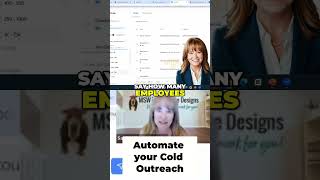
A short demo by Sandy Wardenburg Waggett showing a Lead Finder tool that connects to LinkedIn to find and upload leads into campaigns. The speaker walks through filtering by job title, location, company size, revenue, and tech stack, selecting results and adding them to an automated email outreach campaign.
Chapters
If I want to go to Leads here, you can see these people have been added to my lead list but not contacted yet. Where did I get these? This you're going to love. So I click on Add Leads and then I can upload leads. I can use the Lead Finder. Of course I can enter emails manually or if I have a Google sheet I can upload them. But Lead Finder actually connects to to LinkedIn and you can set up filters. So let's just say I want to do I want to reach out to CEOs, presidents or chief executive officer. So you can choose all kinds of job titles. So whoever it is that normally makes the purchasing decision for whatever you do, you can get very specific say on the location. I want to reach out to Springfield, Illinois for whatever reason. So I can get super specific here. And then I can say how many employees, like the size of the company. So for me it, I generally work with businesses in the 1 to 10 to $15 million range. So you can choose the revenue and you can get even more specific like with tech stack and things like that, which is awesome. And what happens is it filters and gives you a list of people. So now I can take this whole list and I could go through them one by one or I can say yeah, these meet the criteria. And I'm going to go rows per page. I'm going to go 50 and then I can just click on select this page or I can select all results so all 115 of them. And then I can go add to campaign and choose the campaign. So I'm going to send the campaign for the website review call and click on add to campaign. Now I, my, my plan rolls over tomorrow, I'm just going to let it roll instead of upgrading because I don't need to. So I'm going to cancel this. But so these people would be added to my campaign. We already maxed it out for this month. And then what happens is these people are all contacted and sent these emails automatically. So you are essentially automating your cold outreach.