Imagine all the Big AI Tools Under ONE Subscription! It's Here! - LIVE DEMO
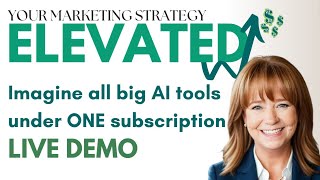
Sandy and Robert demo Ruby, a subscription platform bundling ChatGPT, Claude, Gemini, Midjourney, DALL-E, voice cloning, and music generation in one workspace. IntelleChat lets you switch between AI models mid-conversation. The Image Lab runs Midjourney, DALL-E3, and Stable Diffusion v3 together. Voice Lab includes speech-to-speech and voice cloning from 11 Labs.
Questions this video answers
tryruby.com
July 7 (version 2 target date).
Up to 20 megabytes (per uploaded file).
Chapters
All right, I'm going to share my screen and just go over what we've done since last December. So I started doing these webinars for clients and team and just people in general who found our website. You get a lot of traffic to our AI page on our website and people, even though we don't get a ton of them live. Well, I have to stop sharing to let these people in. A ton of people come back and watch these videos too. So I just want to go over what we've done to date and then that will give Robert some context as to the things that we've been talking about in these webinars. So we started last December with just an overview of AI and the fact that AI has been around for a long time in everyday life. But ChatGPT was brought to the public in November of 2022. And so we walked through basics of ChatGPT. We talked about apps, we talked about how to write really great prompts, building custom instructions for better global results. In ChatGPT, we've moved into 20 specific ChatGPT threads to start and create for your business. We talked about Tango and leveraging that to, to produce SOPs quickly, update them quickly and all that stuff. Then we moved into AI for translation, voice cloning, video cloning. We used a tool for business planning and strategy. We talked about real uses of ChatGPT in HR functions in business. And then last month we did an in depth on how to create custom GPTs for your business. So software, we've looked at ChatGPT, all versions. Tango for SOPS, 11 Labs for voice cloning. Hey Gen for video cloning, Descript for video editing, studio sound and transcribing, Secta for headshots, Venture Kit for business plan and content buckets, Outgrow for lead generation, Deepbrain for anything to video and then multiple HR tools along the way. Some of the things we stayed away from so far anyway is graphics. And what we found so far, not only in our agency but in client usage as well that realistically it hasn't been quite there.
For small business needs. So the, the feedback is always pictures are too fake, they're very Pixar style, bad text and all that stuff. So I'm going to stop sharing now. And Chris, I'm going to put you on the spot and I'm actually going to let you introduce Robert to the group that's on the call. And then Robert, I will let you take it away when we go until 1:30. I'd like to wrap up with maybe like 10 minutes left, but you can take as much time as you want for Q and A.
Okay, perfect. All right, guys. I am so excited that we actually have the co founder of Ruby on the line live in person. I've known this gentleman for probably the past six or seven months and not only is he an amazing leader, he's a genius, he's a visionary. I think he's related to Gary Vee. I don't know what's going on, but I tell you, I've been spending a lot of time with him and the main thing about him is he's down to earth and he likes to help people. So I'm excited to introduce the co founder of Ruby AI, Mr. Robert Robert. Take it away.
Wow, what a great intro. That's awesome. Well, I'm excited about being able to share Ruby with you and the fact that Ruby's been out in its initial version. On 1111 of 2023, we launched our first real version out of beta. And in the next few weeks, it looks like 77 is when we're going to actually roll out version two. And that's what I'm actually going to share with you guys today, is what version two is about, where it's going, what we've done with it. And really what I guess I should start with is why did we create this? Why was the purpose for it? And at the end of the day, if you've been around AI for the last two, three, four, five years, you see there are new things are coming up every day. Things are expanding super quick, but it's super powerful for just being able to do more and expand your capabilities, because now you have more time to go and do things that are, number one, expanding out, maybe hitting more markets, hitting more demographics. Maybe it's just the fact that you can actually have your life back instead of being at the job all day long. But that's kind of where we've been using AI for the last five or six years in our development side. So we started this in 2023, taking it to market because the world needed to have it. And I looked at this marketplace and said, you know what? In the world, there are over a billion people who are in the workforce between 25 and 65 plus that are going to have to learn how to use AI. And they don't have the schooling, they don't have the ability to go do that. And then you start to complicate it by looking at how AI is actually being rolled out into the world today, which is piece by piece. And this company's got this and this company's got that. And pretty soon you have 25 different subscriptions. You've got no way to bring them all together. Your creative workflow is completely busted. And so that's the challenge that is out there today. Or you just waste more time than necessary when you're trying to do something like, hey, I'm on GPT4, but then I want to go and use this over here on Claude 3. And I have to take the time to relearn both of them in this conversation so that I can get some good stuff out of it. It's just a lot going on. And so that was our initial launch is say, how do we take all of it together? How do we make it easy? So when we're talking about graphics, Mid Journey is by far the best one out there. You can get incredible stuff. And I'll show you some of that stuff today in this Mid Journey. But you've got to understand how to do it. You've got to be able to be great with Discord. You're gonna have to be able to be great with not just the prompts, but you have to know all the commands. You got to understand how it all works. Then you gotta go and keep that subscription up and running and going. And then what do you do? Then you still have no place to put it all together. So you got to take it into someplace. And then it's just one of the things that we have identified as a major problem. And when you. I come from an ad agency background, first of all, I guess I should have probably started with that as to what my background is. But I have been in the ad agency world since 1995. That's when I first started my first one. And I have just always seen how every piece that comes out with AI makes the world of agencies better, which makes the world of entrepreneurs better. But what it does is. Is still reality. The reality still sits there, is that those who are the cream of the crop, those who are really great in experts and have expertise in specific areas, like in ad agency worlds, they still rise above the person who's using AI that doesn't know really all the other ins and outs, I like to look at that in an artist world with music coming out today, you can go create a great song in AI. But the cream of the crop, vocalists, the best guitar players, everybody's still going to go to the top, right? They can still take AI and they can put their stuff on it. And it's going to make it better. And that's pretty much the way that we've looked at it when we rolled out Ruby from the very beginning, is that AI makes great content, but if you want unbelievable content, it's you plus the AI. And so that's our motto. That's our motto for it is it's not just AI to go do everything, it's you and AI makes unbelievable products. And so that's what we started with. And I guess the, the best point now is just to reveal what we've done and how we've done it to solve those problems. So I'm going to share my screen. Just make sure I can you see my screen. Okay?
Yes.
Yes.
Awesome. Okay, so I am going to do us all a favor and get me out of the way so I'm not looking all different directions and annoying people. Okay, so this is the version two that when you get to Ruby, it's got videos that tell you literally everything to do about how to get around all the different features that are inside of Ruby. So you can immediately get in, figure out what to do. And the amazing thing about what we've done with this is we've just made it super easy to do everything. And when I tell you what's in it, you're going to sit there and go, oh, my gosh, I do that with this, or I use this and I use that. And here you're going to have them all together under one low subscription price, and they all work together. And at the very end, I'm going to play a little video and I'll show you how you'll never have to leave Ruby to do anything, including making your videos, making your audio files, making your documents or your posts. Everything is built here and distributed from here. So one stop for everything. Now, I believe that the star of the show that I want to start with is what we call IntelleChat. And IntelleChat, if you can think of it like this. If you had the world's biggest and best conversational chat platforms all in one WhatsApp conversation, or all inside of one messenger program, where everybody's following in the same conversation and you never. And you could just switch between whichever one you wanted, whenever you wanted, and you don't have to ever go in and retrain it or teach it what the conversation was about, it just automatic, automatically knows because it's already been part of that conversation. And that's what IntelleChat does. So let's just say that I wanted to start with Claude 3 opus and I just want to ask a simple thing like create a social media post for Ruby AI. So nothing special here. Not a great prompt, nothing great here, just something to get there. So it's going to come out and throw me out something here. This is now on Claude 3 Opus. Now Cloud 3, if you're not familiar with that, is Anthropics. They just released them out. It has three different versions of the LLMs that we can use and they're all here. It's Claude 3 Opus, it's Claude 3 Sonnet, and also Claude 3 Haiku. Haiku is super fast. Cloud 3 Sonnet would be comparable to GPT4. Cloud 3 Opus is going to be where GPT5 will kind of land when it's released out. So now that I have all this here, now if I wanted to go in and ask maybe on GPT4 to rewrite my section for unleash creativity, I literally can just go up here and switch over and you can see up here which unit I'm using or which model that I'm actually using with. So this is my, my Cloud 3 opus. And now I'm going to go over to Cloud 4 or GPT4 and I want to do something like this.
Rewrite. Unleash your creativity. So now I'm just going to go and rewrite this section, but this time it's going to be rewriting it from GPT4 instead of using Anthropics Opus 3 Cloud 3 Opus. Great to retain it. It already understood what the conversation was. I didn't have to go back in and say, hey, I want you to create a social media post or take this media post and go do something. It just automatically knows that. And I can jump between any of these models at the exact same time. So I can go into our man, let's say, oh, here. And when I open up Command, I actually have this drawer that opens up over here. And we two different things with Command. One of the biggest problems with all of AI models is that they're not current, right? They're all based three to six months in the past. And so if you want something current, you don't necessarily have that. But with Command we actually this little feature down at the bottom down here, it says chat with search and if I click on on that and now ask it something that is a current something. So let's just say of something that was current here. Give me the leading.
Or Super Bowl 2024. Okay, so I'm going to go ahead and let it do something that it wouldn't know. And you can see when we run this it's actually doing search going and bring in information. And now once that information's in the chat I know that's the current stuff. Now one of the things that also happens when you're doing anchoring this is what we call anchoring. It was anchored with a web search. Now if I go over these highlighted areas it's actually giving me the citations of where that was actually brought in so I can confirm that. So if I and I click on super bowl, whatever that was, it actually opens Wikipedia file where it actually pulled in this information and I can immediately go and cite that source or verify whether I think that that source is legitimate or not. And I can do that for any of these. Now I can also take this information in and put it right into another conversation. Another different. Let's say I'll use Google Gemini Pro that I'm tell me more about.
The leader.
So now I'm going to be running on Gemini Pro and it's going to be going in and pulling out information for Patrick Mahomes. Right. So this would be the leading pastor for it was Patrick Mahomes. It's already knowing this information and I'm not sure why it's taking along with Google to see what it's up with. So Google does a little bit different when it is bringing out their information to it brings it out in chunks instead of streaming real time through the tokens. So it takes a little bit longer sometimes for it to get there. But it does seem to have a problem.
This is our dev server too by the way. So sometimes things don't work exactly perfect. I'm going to just over and I'll do it over here real quick if it lets me go through and do it one second.
Refresh.
It always happens connected to so it connects to chat GPT4.0 and I know sometimes when I'm working in it I'll do I'll type a prompt and I'll hang up and then I have to go and I like say continue or something like that. Is that what's going on right now?
It could have been. It could be that we're actually doing deployments in the back end as well. I don't know what our guys are doing. It's in the dev shot in the dark. But I wanted to make sure I got you guys the version two version of that. The idea behind Command though is that you can do a chat with search. You can bring that information in and then you can use that information to go back and add it to whatever else. So if I was going to do something with the Super Bowl, I wanted to actually take this year's information and include that in my search. Say who was the leading pastor of all time, then I wouldn't know what happened this, this last Super Bowl. And so I can pull that information in and I can include it into that search. That's really the basis, it's huge for doing research, right? New research that's coming out, I can pull that information in. Now another thing about this that we what we call anchoring and it opens up this drawer on the right where I can actually do a couple things. Let's say I wanted to do research, but I wanted to be specific into a very specific website. I know that information is great. I trust that source that it's going to be pulling information from. I can literally just do a specific website for it to pull information from. So I'm going to use our weare selfless dot com. It's our, my, my passion project which is to fight human trafficking. And so I'm going to use that as the source for this and then I'm going to come down and I'm just going to ask it a question. Now it's only going to be querying against information that it's getting from this website. Okay. So it's going to go in, it's going to scrape the information, then it's going to use that to deliver whatever I'm asking it to do. So I'm actually, I'm going to ask it to write a social media post on selfless and fight against human trafficking. Okay. So now it's going to have to go and grab this information, but it's only going to grab it from this one specific website. And so again, it tells me it was anchored against a URL, tells me what URL it was, but it also is going to tell me where it got information on the website. So again, citing my sources and I have it all here. Why is this really important? If you think about doing a research paper and you have it just in chat, GPT4 it's going all over the world and it's pulling that information in. It may be biased, it may have everything that you have. It might actually be something that someone else has written that you don't have, you haven't really verified. So to be able to have a source that has maybe a lot of information in it, you can go and grab it all and then start to really summarize it down very quickly by using the URL. Now, another way to do that is if you don't want to do it with a URL, upload a PDF file or a text file up to 20 megabytes, which is a lot of text data. But it can also include graphs and images, right, like vision. So now I could pull in my financial reports or I could pull in graphs and it can read those and it can give me information about that. Another great use for this would be let's say that you're doing a blog and you're doing it from maybe a brochure or a one sheet that has already been written and you want that blog to come about that one document. You can pull that document in. So I'm going to actually go up here and do it off of Selfless. Again, I have a white paper for Selfless. So you see that click there. But it shows me that I'm actually using it here. Now it's going to use nothing but the white paper to deliver this. So now I want to go and say, summarize the selfless movement. And now it's going to be using only the PDF and white sheet to pull this information out. So it's summarizing it all out and it's giving me a summary for how to go about that. And just like it's telling me I'm using a file, tells me what file I'm using and it also tells me where in that file is pulling this information. And once again, being able to get my citations the place that I want to use them. Now all of this can be used again because I can come up here and I can switch and say, let's.
Make me a social media post on.
Selfless. So again, it wouldn't know anything about I spelled Selfless wrong, but it wouldn't know anything about Selfless except I pulled that information into the conversation and now it can go in and it can start to create stuff based on what was already brought in to the actual conversation. This is a major way of just making life a lot easier. You don't have to go to GPT4 and then if you want to go to GPT3, 5, or if you want to go to Gpt4o or if you want to go to Claude3 or Google, you don't have to go and reteach it everything and re put in everything that you've done already. It's just all right here and working seamlessly together.
Can I ask you a quick question on that? In a former Call. We talked about creating custom GPTs that like team members could use. So we have business owners on the call here. One of the examples we did was like loading your benefits documents and things like that. So it's a custom GPT with just referencing those documents. And then team members could go on in the custom GPT and ask questions about their benefits. Is there like, is there something you could create in Ruby that would enable that to happen or is that a feature that's coming if not?
Yeah, we're not creating a separate LLM, training a certain model in a very specific platform to do that. However, you could actually do that with anchoring by putting our information into a PDF file and disseminating that out or a text file, then everybody can go against that and pull that data. That would be their rules or whatever that would be set there.
Okay, yeah, that's what I meant. That's what I meant. Yeah, okay.
Yeah, definitely do that. Now another thing that you'll see in the drawers, all the history, so anything, then everybody can go against that and pull that data. That would be the rules or whatever that would be set there.
Okay, yeah, that's what I meant. That's what I meant. Yeah, okay.
Yeah, yeah, definitely do that. Now another thing that you'll see in the drawers, all the history. So anything that you've ever wanted to do, it's, it's all stored here in your history. And then any prompts that you create can also be saved here. So you can have all your prompts that you've used forever, you can all be saved in here and reused at any time. And then we also have an editor built in so that if you wanted to go out and start building things out against a blog, or maybe you're going to put a full document together, you can start putting it together here. Or you can also use this to start to keep and store stuff so that you can put it back into other prompts. So it's allowing you to go out and do multiple prompting by having your editor all built into one place. Now let's say that you also want the benefits of our modules. So we have over 150 pre built modules for mostly anything that's out in the world of business and they're broken down into collections and the collections. And by the way, this is our dev server, so we don't have everything in here. But let's just say that I wanted to, to do something with writing. If I clicked on writing collection, I'm going to see all of my different options. That I have down here. So let's say I want to use the AI framework to give me an idea of what to do with a blog. So all I'm going to do is I'm coming and give a name. So I'll do it for Ruby AI and then I want to give a little brief description about it. So obviously the more you give this information, the better it is. And then all you have to do is hit generate. And now we're going to put a prompt together already. It's going to bring all this information in and it's going to format it for you. And it's already brought into a chat. So again, it's not a completion. Like, oh, now I'm done. I just have this to go work with. I can actually keep diving in deeper and deeper and expand on the interest.
Section. And now I can just go and build deeper onto just the one section that I'm asking it to talk to about. Okay, so now it's going to expand on this 1s section here, you can see. And now I can go and build this over. So if I and working in my editor, obviously I can go ahead and start building a document based on this. But I say I want to go and create hashtags or I want to go create something else off of that. I can go through here and just start to build deeper off of whatever data is being pulled through my module. Now I can also go to different modules. Now I have this information about the framework I want to do and maybe I actually want to go and create hashtags or I want to go create something else off of that. I can go through here and, and just start to build deeper off of whatever data is being pulled through my module. Now I can also go to different modules. Now I have this information about the framework I want to do and maybe I actually want to do a blog post for that I could come in and I don't have here I have a paragraph. If you want to do a blog post for that I could come in and I don't have here. I have a paragraph generator here. I can go in and take some information from this last file and I can open it up here and I can go in and. Oh, I hit the wrong one, sorry. Let's go to paragraph generator. And now I can put this content in and I can actually tell it to do keywords. So my keywords, I want to put Ruby AI as a keyword and I want to limit it to. To 200 words. I can go ahead and do this now and it'll go ahead and process a way to create a little bit more of a paragraph based upon those keywords that are being put in. And I can go ahead and pull that into my documents over here, whatever I. I want to go in and do. So modules are built in. We have a bunch of different things that you can go in and do from health and wellness or whatever, but business marketing strategies, you can get a good head start on just going in and putting very simple, basic stuff into the modules and you'll be able to start pulling out a lot of good places to start building, maybe your marketing strategy and how that will be building together. So put the name of it here and generate. And so now I'm going to create a marketing plan for Ruby AI. It's going to give me essentially everything that you could possibly want as a good start point. It's going to give me my competitors, it's going to go out and give me pricing strategies, it's going to give me all kinds of stuff that I can start to go and start really building on in the promotional activities and everything else that I want to go and do. What's my best channels to take out this product and this into the industry that I'm looking at? It's giving me the KPIs to look and measure with. So this is a very fast way to get something started. But there again you can go back and forth. And that was on Sonnet. I might want to do it on GPT4 if I want to run the whole thing again. The prompt is right here, so I have everything in my prompt. If I just click this little edit button, it actually preloads it down here again and I can just hit this button again. And now I'm going to get the same thing instead of from Claude Sonnet, I'm actually going to pull it from GPT4 Turbo this time around. So we'll see if we're going to get hung up on GPT4 or not. There it goes. So you have the ability to go and do incredible things. Now. The last piece I'll tell you about, which I think is a really big game changer, is yes, people have written a lot of modules, we have a lot of stuff like that done. You haven't put them all in one place where they're all intelligently locked together and knows what's going on with them. So you don't have to have 17 different subscriptions, you don't have to have 17 different platforms or tabs opened up to go and pass stuff back and forth. But the last piece of this is to bring in a Persona so that what content you are creating is very specific and niche to the Persona and target audience that you're wanting to reach. And so it's creating engagement, it's creating and conversions based upon knowing what that Persona or target audience is all about. And that's done by adding a Persona into the mix. And so I have all these different Personas that are being made. And I'm going to show you before we run this, I'm actually going to show you how to make one of these in what we call Personify. But this allows us to go and pull in a very specific target audience and give it the right voice and tone so that when it creates information. Now, before we run this, I'm actually going to show you how to make one of these in what we call Personify. But this allows us to go and pull in a very specific target audience and give it the right voice and tone so that when it creates information now, it's going to be speaking exactly to this target audience, and it's done with just a click of a button. It's going to be speaking exactly to this target audience, and it's done with just a click of a button. I can go and create documents or content for five or six different niche markets, all in the same campaign, but I'll be able to do it much faster. I can go and create documents or content for five or six different niche markets, all in the same campaign, but I'll be able to do it much faster than I would maybe, because I have to go manually write everything. And so this is a speed of the process and expand out your capabilities to reach more audiences. So let's talk about how we create the Personas. It's underneath what we call Personify. And there's three different ways that you can go and start to create a Persona. The first one is by text. If you know about your brand, your service, your product, whatever it is that you're offering, you're just going to describe it here and then you'll hit create Persona. Now, I also like to look at the way that Personify works for a competitive analysis. As an ad agency, I always spent more time going and figuring out what was going on out in the world so that I wouldn't have to recreate every single wheel if something was really working at the time. The best way to do that is to figure out what's going on and then implement that into what we're doing, I can do that from Create from URL. By putting in my competitor's URL, I can go and scrape their websites, I can pull in their, their voice, their tone and their target audience and base it around that. Now I also can look at my own materials, my own landing pages, my own websites to make sure that I'm actually talking in the target audience and tone that I. I should be to get conversions for my market. And the last way to do that is from a social media handle. Influencers. If you've got an influencer that's targeting your, that's hitting your exact target audience, you just want to be able to hit that exact audience. So instead of trying to figure out everything they're doing, you can just put in their Instagram handle or whatever. It's going to go pull the information from the last two months of everything that they've done, they've posted. It's going to gather that information, it's going to break it up, and then it's going to create an influencer based on that. Now, in the process of this, I'm going to do one from a website. Just actually I'm going to do it from text. I got one here. I'm going to do it from text real quick. It was faster. Let me open up this real quick here, let me do this one here. Okay. So for this Persona, I'm actually going to create it with a software application that we use is called Simtrax. It's a commercial contracting business that goes around. It's a software package for plumbers and companies that have multiple drivers to track them where they're going. So I've just pushed in a little bit about them and what it does. And I'm going to hit Create Persona in this process. It's going to go through the process of taking all the data that we have and in the background it's going in, it's taking all about the industry that it's in. It's the products and services that you're offering and it's pulling it in to create Personas for it. And then it's going to give me four different audiences that I can go through and, and choose from. Now these audiences are going to be four very similar, but maybe one little thing is different and it hits me the way I want it. So let's say John the Ambitious is the name of it. I can call it whatever I want. So I'll call this contractor, John the Contractor. And then I want to choose between one of the four different audience descriptions that it's got for me here. And so I'm going to say, okay, it's description three. So now I've got description three. It's actually going to go create me a Persona avatar. And in my world of ad agency, I've always used it so saying, hey, if I'm looking at an image of the Persona, it's going to give me a subconscious advantage when I'm writing it, so I can actually relate to the person I'm talking to. And so I think it's big to do that. So we actually put an avatar with them to say, this is the person I'm talking to, John, the contractor. Okay, I'll choose that. If I don't like that one, I can hit this and I can hit reroll and it'll create me a totally new image that I can put on it. If you have an image that already fits, you can upload that from your computer. Or maybe you've already created one inside of Ruby and it's in our image gallery, you can actually use that as well. So once I've got my avatar selected, I can now go and finalize this. So I say, I like that one, I'm going to finalize it. And now I have my full Persona created. And by the way, can you see my screen? Okay, if I blow it up, does that make it a little bit better? Yeah, that's good. Okay, great. So now what we do is we actually create full value use Personas. We don't sit here and say, let's just add a voice or let's just add a tone to it. In fact, most people in the world that are doing AI, they throw a tone on the back end and expect it to actually get everything done. And the reality is that's just one part of about 30 that really needs to be looked at if you're really going to try to hit engaging and converting target audiences. And so what we've done is we come up the primary age, we give you a secondary age, and you can fix all of these. If you think that it's off, you can tweak them however you want to by pushing them in. We have our primary gender profile, our secondary. Again, you can play with all of them. Your different income levels, high education, occupation, family, household structure, how many people, five or more, whatever. And then if it's urban suburban rule, in fact, you can get it down to a very specific place if that's what you want it to do. So now that I have that, I also built the top. If you don't know what demographics are. We actually give you a little bit of learning as well. If you want to understand why it's important to know about the demographics, you can do that. The same thing with psychographics. So in the psychographics we talk about the personality traits, the values, the lifestyle, the motivations, and what are their challenges and pain points. There's inefficient processes, there are difficulty in scaling. So these are the pain points. So if I'm talking about my product getting to them, I want to make sure that my content is solving these problems. And so without me having to sit there and manually do it, I can just put it into the Persona so that when I go to create content, it's actually making sure it's answering those questions. It tells me about their goals or buying behaviors or urban rule. In fact, you can get it down to a very specific place if that's what you want it to do. So now that I have that, I also built the top. If you don't know what demographics are, we actually give you a little bit of learning as well. If you want to understand why it's important to know about the demographics, you can do consumptions and their technology use. Of course, you do have to have a voice and a tone. And so this is going to be confident, concise and motivating is the tone or the voice. And then the tone we're going to talk about being authoritative, efficient and aspirational. Now if you want to change one of those, we only allow three of both, both the voice and tone. But you can always add your own select. Say you're in the tone and you actually want to make it like, like Ernest Hemingway. You can do that and just hit add. And now I've got my three and I can make my stuff sound like Ernest Hemingway if I choose that to be my tongue. All of this is now built there and I just have to go in and hit save and it's going to actually save my Persona. And now I can go into IntelleChat and I can actually use John the contractor to go and create very specific information on posts. Now I'm talking about things that are important, right? So I have that. The same thing with psychographics. So in the psychographics we talk about the personality traits, the values, the lifestyle, the motivations, and what are their challenges and pain points. There's inefficient processes, there are difficulty in scaling. So these are the pain points. So if I'm talking about my product contractor, you can See, all the different ones are here. I can go through and I can look at all their different places. John, the contractor is there. You pull up a demographic. I also have a little favoring. I can hit it favorites and now it's up here in my favorites and I can also get rid of those. They're not my favorites and so very easy to move around. This is a major play for people who are trying to make sure they don't create a bunch of content and do a lot of work for nothing. As an ad agency, one of the biggest fears that you have is that you go and you take a client and you're doing all this content and then it doesn't convert because it's not hitting the right voice, tone, engagement to hit that target audience. So this is a way that you can avoid having that happen. Now you also can look at a list view, you can see all the different things you can do and you can get into them. I want to make sure that my content is solving these problems. And so without me having to sit there and manually do it, I can just put it into the Persona so that when I go to create content, it's actually making sure it's answering those questions tells me about their goals or buying behaviors or meeting. Go in and you can do a couple bulk actions. One, you can delete them. So if I did a bunch for the campaign, that campaign's over. Okay, I can get rid of them. Now another thing you'll see up here is you'll see link to project. So inside of Ruby we're also going to be able to create projects. And so all of your stuff that you've used to create the final end products in the project can all be reloaded back up and you can take things that were used in one project and apply them to another project by just hitting link to project. Now another thing that we have that's built into Personify is comparison. And comparison allows you to take two different heat consumptions and their technology use. Of course, you do have to have a voice and a tone. And so this is going to be confident, concise and motivating is the tone or the voice. And then the tone, we're going to talk about being authoritative, efficient and aspirational. Now if you want to change one of those, we only allow 3 of Personas and put them side by side and take a look at them. Now if I'm trying to do a campaign, let's say, and I have six different niche markets that I can literally say it down and Say these are my six biggest target audiences.
I'll use I Love New York as an example, right? So they have people who come for the weekends. They have people who come for long vacations. They got people coming to visit for history. They have the older groups that come on the bus, both the voice and tone. But you can always add your own select. Say you're in the tone and you actually want to make it like, like Ernest Hemingway. You can do that and it's hit add and now I've got my three and I can make my stuff sound like Ernest Hemingway if I choose that to be my tongue. All of this and tours, they have all these different categories of people that they're going to market to and they do a specific campaign but they don't have the finances or the time to go and do six different content sets. What are they going to do? They're going to probably choose two or three of their six and try to target them and then leave the other ones out. And that was why I came up with a way to do what we call Persona crossovers. And so by taking two different Personas and loading them together. So let's say that in my I love New York, I have a weekender and I also have a week long.
Persona that's there. So people who come on the weekends and people come for weeks, I want to actually combine them together. So I'm going to hit analyze. It's going to actually take all of the Personas from the left and the right and it's going to put them together. It's going to give me the differences that exist between them. But what's really important is our Persona crossover. So this is where they actually cross over. And what's important about knowing what I cross over is that when I this is now built there and I just have to go ahead and hit save and it's going to actually save my Persona. And now I go to create marketing content that it's going to tell can go into IntelleChat and I can actually use John, the contractor to go and create very specific information on posts. Now I'm talking about things that are important, right? So I have Jimmy how to go and create that content so that it's going to be the most effective to hit both of the Personas combined together. So now I know that when I'm making content it's going to hit both of these as much as possible without having to hit them both individually. Now if I'm going to do a comp a campaign about that I'm just going to hit create a blended Persona and it's just going to go through and now create me a Persona that's blended together between these two so that I can use that when I'm creating content. And so it goes through the exact same process that you did when you created your Persona at the very beginning. And now I can blend this and use this instead of creating maybe six sets of content or five. Contractor, you can see all the different ones are here. I can go through and I can look at all their. I can do two or three. And if I wanted to do like two blended Personas, it will actually even go down again and blend the two different places. John, the contractor is there. You pull up the demographic. I also have a little favoring. I can hit it favorites and now it's up here in my favorites and I can also get rid of those if they're not my favorites blended together. And it's the same process. So choose that they named Samantha. Get an avatar real quick. How are we doing on time? Are we okay?
Yeah, we're at 12:45. We don't end until 1:30, so you're good.
Okay.
What I love about this while you're doing this is that beyond just the social media content, like we write a lot of content for websites and so the sponsors, I see that as being super helpful.
Yeah, super helpful. Making sure that your content is also easy to read and it's underneath the AI detection radar for Google. That's super important too, and so very easy to move around. This is a major play for people and I'll show you that here in a second. Now, when we created this new blend, people who are trying to make sure they don't create a bunch of content and do a lot of work Persona, you see this little icon up here at the top? That means it's a blended Persona. If I click for nothing. As an ad agency, one of the biggest fears that you have is that you go and you take a client and click that. It's actually going to tell me which two Personas I used to create that. And so I actually want to put blended on the front of this so I can actually remember. So I'm going to put blended Samantha and now we can go on and do whatever we want and have that Persona ready for us to create content with. Okay. So based on that, we actually have two other items. You're doing all this content and then it doesn't convert because it's not hitting the right voice tone, engagement to Hit that target audience. So this is a way that you can avoid having that happen. Now you also can look at a list view. You can see all the different things you can do and you can go in and you can do a couple bulk actions. 1, 1, you can delete them. So if I did a bunch for the campaign, that campaign's over. Okay, I can get rid of them now. Another thing you'll see up here is you'll see link to project. So inside of Ruby we're also going to be able to create projects and so all of your here that are built into our system. One of them is called spy, which is our surveillance and plagiarism identifier. So if you're spending the time in AI and doing content, the one thing you must do is make sure it's unique and it's not being plagiarized. So we have a plagiarizer that goes in and checks anything that's in the Google index. If it's ever been in Google indexed, it's going to show up and it's going to show up as plagiarized. It's going to tell you exactly where it was on what website and you can go and fix that. The other thing it's going to do is tell you if it's been seen in on the AI detection. So I know that if I've created something in AI, it's going to show up as AI detection. But how do I get that to go underneath the AI detection radar? And that's where we have our ghost come in. So I'm going to do you a quick little test here. So I've got some content here. I'm going to. I got this. Sorry, my bad. Okay, so I have some contacts here that I've created. I know it's an AI. I'm going to actually run this against our AI detection by hitting run audit and it's going to. It may not even be connected on our dev. Sorry, let me see. I might be able to pull this up on our dev one. Oh, actually I'll log into our real one and show it to you here because it's not connected over here yet.
All right, so I have my content in here and I want to go and run this. I'm just gonna have to go down there. I get my.
If I run an audit on this, it's going to go. Stuff that you've used to create the final end product in the project can all be real. And now check to see if this is going to be seen by an AI detection software out in the platform. So it says it's 88.26% chance you loaded back up. And you can take things that were used in one project and apply them to another project by just hitting link to project.
Now, another thing that we have that's built into Persona, that this was created by AI, and if I click this button, it will actually highlight and tell me where the majority of that is going to be found. And I can go in and fix it manually. But we have a way around that as well. If I hit rewrite, it actually is using a application or microservice that we call Ghost. And what Ghost does is it humanizes the content. So it takes. The initial pro app that you buy is comparison. And comparison allows you to take two different written up here, this, this content, it rewrites it and humanizes it and breaks down those AI algorithms. So now when I want to run another test to see if it's going to go through the AI detection software, I just have to hit Ghost writing and I'll hit run audit again and this will Personas and put them side by side and take a look at them. Now, if I'm trying to do a campaign, let's say, and I have six different niche markets that I actually now show me what it's like in the humanized version. And you can see that now it's 2% AI, it's going to go underneath those AI detection radars without being noticed. And that's super important. When you're doing your landing pages, when you're doing your websites, when you're doing blogs, you can literally say it down and say, these are my six biggest target audiences.
I'll use I love New York as an example, right? So they have people who come for the weekends, they have people who come for long vacations. They got people coming to visit for history. They have the older groups that come on the buses and tours. They have all these different categories of people that they're going to market to, and they do a specific campaign, but they don't have the finances or the time to go and do six different content sets. What are they going to do? They're going to probably choose two or three of their six and try to target them and then leave the other ones out. And that was why I came up with a way to do what we call Persona crossovers. And so by taking two different Personas and loading them together. So let's say that in my. I love New York. I have a weekender And I also have a week long.
Persona that's there. So people who come on the weekends and people come for weeks, I want to actually combine them together. So I'm going to hit analyze. It's going to actually take all of the Personas from the left and the right and it's going to put them together. It's going to give me the differences that exist between them. But what's really important is our Persona crossover. So this is where they actually cross over. And what's important about knowing what I cross over is that when I go to create marketing content, that it's going to tell me how to go and create that content so that it's going to be the most effective to hit both of the Personas combined together. So now I know that when I'm making content, it's going to hit both of these as much as possible without having to hit them both individually. Now if I'm going to do a comp a campaign about that, I'm just going to hit create a blended Persona and it's just going to go through and now create me a Persona that's blended together between these two so that I can use that when I'm creating content. And so it goes through the exact same process that you did when you created your Persona at the very beginning. And now I can blend this and use this. Instead of creating maybe six sets of content or five, I can do two or three. And if I wanted to do like two blended Personas, it will actually even go down again and blend the two blended together. And it's the same process. So choose that. They named it Samantha. Get an avatar real quick. How are we doing on time? Are we okay?
Yeah, we're at 12:45. We don't end until 1:30. So you're good.
Okay.
What I love about this while you're doing this is that beyond just the social media content, like we write a lot of content for websites and so this, I see that as being super helpful.
Yeah, super helpful. Making sure that your content is also easy to read. And it's underneath the AI detection radar for Google. That's super important too. And I'll show you that here in a second. Now, when we created this new blended Persona, you see this little icon up here at the top? That means it's a blended Persona. If I click that, it's actually going to tell me which two Personas I used to create that. And so I actually want to put blended on the front of this so I can actually remember. So I'M gonna put blended Samantha. And now we can go on and do whatever we want and have that Persona ready for us to create content with. Okay, so based on. On that, we. We actually have two other items here that are built into our system. One of them is called spy, which is our surveillance and plagiarism identifier. So if you're spending the time in AI and doing content, the one thing you must do is make sure it's unique and it's not being plagiarized. So we have a plagiarizer that goes in and checks anything that's in the Google index. If it's ever been in Google indexed, it's going to show up, and it's going to show up as plagiarized. It's going to tell you exactly where it was on what website, and you can go and fix that. The other thing it's going to do is tell you if it's been seen in on the AI detection. So I know if I've created something in AI, it's going to show up as AI detection, but how do I get that to go underneath the AI detection radar? And that's where we have our ghost come in. So I'm going to do you a quick little test here. So I've got some content here. I'm gonna. I got this. Sorry, my bad. Okay, so I have some contacts here that I've created. I know it's an AI. I'm going to actually run this against our AI detection by hitting run audit. And it's going to. It may not even be connected on our dev. Sorry, let me see. I might be able to pull this up on our dev one. Oh, actually I'll log into our real one and show it to you here because it's not connected over here yet.
All right, so I have my content in here and I want to go and run this. I'm just gonna have to go down there. I can get my.
If I run an audit on this, it's going to go and now check to see if this is going to be seen by an AI detection software out in the platform. So it says it's 88.26% chance that this was created by AI. And if I click this button, it will actually highlight and tell me where the majority of that is going to be found. And I can go in and fix it manually, but we have a way around that as well. If I hit rewrite, it actually is using a application or microservice that we call Ghost. And what Ghost does is it humanizes the content. So it takes the initial app that you've written up here, this, this content, it rewrites it and humanizes it and breaks down those AI algorithms. So now when I want to run another test to see if it's going to go through the AI detection software, I just have to hit Ghost writing and I'll hit run Audit again and this will actually now show me what it's like in the humanized version. And you can see that now it's 2% AI. It's going to go underneath those AI detection radars without being noticed. And that's super important when you're doing your landing pages, when you're doing your websites, when you're doing blogs, you're doing any kind of content that's driving SEO. Google loves unique content and they don't like AI spam. So this is a huge tool for making sure that what you're creating is now being pushed into the marketplace, going underneath those AI detection radars. Super important to know about that. Now Ghost has another feature as well, and that is that you may want to go and create five different versions of a certain blog. Let's say I have five different websites or I have five different WordPress sites where I have five different places where I'm pulling backlinks from. I want five different unique topics or articles seen by, by readers and by Google as being unique. Google loves that for SEO, it's a pain though, to do that, but we make it easy. If I just come in and put in five, I want five different versions. I can choose how much change I want for those. Let's say I just want, I want to do maximum change to make it really look like they're different articles. I can do hit generate. You can see my project is now processing and it's going to go and create five different articles all based on the same topic as the first one. So now I can immediately just go and take and put those out in five different places on the web, have them all maybe lead into the same landing page. But now I can see that Google's going to love five different articles. Here's a great example for the way that I use this. Just recently we were doing a product or a website for a company that is in all these rural towns around Tulsa, Oklahoma. They do roofing and plumbing and all this. And they need a landing page for every single one of those towns so that they can drive the SEO. I can't use the same text on every one of those pages. Even though it's about the same company and it's about the same things. But I want to incorporate right, maybe a little bit of change to that. So Google sees it as you any kind of content that's driving SEO. Google loves unique content and they don't like AI spam, neat content. I literally could come in and do this and now just replace that text on each page. I have saved a ton of time and I haven't had to worry about going underneath the AI detection radar because this is all humanized content already. So another great tool that's built in to Intell Chat now or into Ruby now. If I go back into IntelleChat, all of the stuff that we just did was there. We built Blended Samantha. You can see efficient and maybe aspirational is the tone. I can go in now and create any kind of content that's going to be specific towards her and that's what's going to be the content coming out. So I don't. Let me see here. Create a summary of the Persona and it'll just give us a summary of what Persona that we're actually using here. So we're hitting the valuable time, enhance quality cutting edge technology.
Elevate your content game. So again it's going in and hitting blickly onto what was in the Samantha that we just created when we blended those together. And you can go and do anything you want. I mean if you want to use modules to go in and do that, you can do that. You wanted to do social media, you could go in and, and pull any of those out. I wish I had all the 150 in here to, to show you on the how to use the, the stuff for the modules. But it allows you to do anything you want to. If you want to clear this out, you want to stay in the same conversation, you just hit the reset button, you can change your Persona to something different. All right, let's move on to the virtual studio part of of Ruby again. Ruby is putting all of the best minds and possibilities together in one place. We have our image lab in our virtual studio that allows you to go and create unbelievable content. We actually have mid journey Dall E3 and in version 2 we have stable diffusion version 3 that just now was released and we also have our Leonardo AI. So if you're familiar with creating great imagery, you'll be able to do that. If you're wanting to create characters and keep those models, you'll be able to do that as well. But we have Mid journey in Dall E3 that's been in there for a while. And you can create unbelievable stuff in that. Our Leonardo AI. So if you're familiar with creating great imagery, you'll be able to do that. If you're wanting to create characters and keep those models, you'll be able to do that as well. But we have Mid journey in Dall E3 that's been in there for a while and you can create unbelievable stuff in that. Everything is stored in our image gallery. So just like what we are, I've been using it this morning to create. Create the Imagine the possibilities. That's what these are. And you can go through. And each one of these, if you click on, you'll actually be able to see what prompts were used for those. So let's just say I wanted to look at this one here. It will actually open it up. Let me see the picture full screen. I can see what prompt was actually used to create that image. Everything is stored in our image gallery. So just like what we were, I've been using it this morning to create. Create the. Imagine the possibilities. That's what these are. And. And you can go through in each one of these. If you click on, you'll actually be able to see what prompts were used for those. So let's just say I wanted to look at this one and I can also go through and even get a deeper description. If it was done on. On Valley 3, it gives you a lot more information on that. So you can go through and find all the different images that you want that you hear. It will actually open it up. Let me see the picture full screen. I can see what prompt was actually used to create that image. Used or created on? Here's a cartoon that we've used. It always tells you what it was used and built in. And all of that's built in here. And so what we've done is when you go to look to build a. And I can also go through and even get a deeper description. If it was done on Valley 3, it gives you a lot more information on the that. So you can go through and find all the different images that you want an image with Mid Journey, you're not having to go create an account. You're not having to go to Discord and set up an account. You're not going to then have to link views or create it on. Here's a cartoon that we've used. It always tells you what it was used and built in. And all of that's built in here. So what we've done is when you go to look to build a an image with Mid Journey, you're not having to go create an account. You're not having to go to Discord and set up an account. You're not going to then have to link your account in Discord. You're not going to have to go and learn all the commands for you to get ready to do something with the with Mid Journey and then go and put in the prompts. We actually have preset prompts already built too. So if you wanted to go and do a portrait, let's just say working your account in Discord, you're not going to have to go and learn all the commands for you to get ready to do something with the with Mid Journey and then go and put in the prompting Woman Office Desk. Nothing too exciting there, I guess. You can choose your aspect ratio. We have two different speeds to do it. Relaxed or Turbo. I'm going to use relaxed and it'll sometimes Mid Journey is depending on how busy their platforms. We actually have preset prompts already built too. So if you wanted to go and do a portrait, let's just say working woman, Office desk. Nothing too exciting there, I guess. Now you can choose your aspect ratio. We have two different speeds to do it. Relaxed or Turbo. I'm going to use relaxed and some platforms are. It can be anywhere from 30 seconds to a minute to go and create the the images. But I want you to look at my prompt here. Mid Journey is depending on how busy their platform. My prompt was Working Women at Office Desk. That's all I put in. But if you look right above up here, you'll see that there's a lot more forms are. It can be anywhere from 30 seconds to a minute to go and create the images. But I want you to look at my prompt here. My prompt was Working Women at Office Desk. That's all I put in or to the prompt. Right? This is our adding into the way to make it a really great image. I want to use a Sony A7 III camera with an 85 millimeter lens at f 1.2 aperture setting to blur the background and isolate the subject. The image should be shot in high resolution and in a 1:1 aspect ratio with Photorealism made to to create an ultra realistic image and captures the subject's natural beauty and personality. That was added on top of it. So the everyday person who's here can go and create incredible images just simply by putting in the basic little descriptions of what it is that they're Looking for. And so it'll get going here in a second and start looking up on that part of it. Now while it's doing that, I am going to actually create another. I'll jump over here real quick while it's processing that. We also have face swaps. So you can actually do face swaps. Put some face on and whoever another image somewhere. It's great for vision boards, by the way. Great for doing agency pitches. It's great for that because it lets you personalize it and put some stuff in. You can do some fun and creative stuff. Describe. Let's just say that you have an image that you love. And this is actually what I did with the image that you saw earlier with the astronaut. So we had this image that we love. This image. We found this image on Adobe stock and it was like the exact image that we wanted. I just uploaded that into Describe and what described is it goes and gives you four different prompts for that specific image. So now I can take this information and go and create an image just based on that. And that was how we came up with the image that was in the image gallery. I just put that one in and now we have one like it and I can use that and it's royalty free. So let's go and look over here. It's done. So we. Image Journey gives you four different images that were created. So it's pulling those up. My Internet. Can you hear me? Okay. Because my Internet's kind of in and out most data taking forever for me to download them, which is stupid. That's not the system, that's me. So anyway you can. Oh, there they are right there. So you can find incredible images once you get there. I don't know why it's taking them so long to do this.
It's weird. It pulled them up and it pulled them up over here though. That's weird. So these are the images that we just created. If I go to view, you can see that they're amazing. They're photorealistic. You're not seeing anything that would make them. Anything unusable for you to go out and. And do that if that's what you're looking for.
Those are really good.
Yeah. And it's amazing what you can do with it. There's just a big difference between Mid Journey and Dolly three. And Dolly three is what most people are probably using out there to throw stuff around. And it looks very cartoony. Like the avatars that you saw that we were putting on there. Those are From Dall E3 stable diffusion 3, I will tell you, is getting closer to where mid journey is. And so the great news is here in Ruby, you have the access to all of them. You don't have to have a subscription to any of them, you just have the subscription to Ruby. You can create what it is and those are images that you can use royalty free, anywhere you want to.
I'm really glad you showed the actual prompt that's being fed to midjourney, because that's really what keeps people from getting the really high quality, amazing results because they just don't know how to use it and how to create those prompts. Exactly how to set up the account in the first place.
Exactly. It's very difficult. We were using it for a long time, but it's a pain. And then you, if you have any problems with it, you have to go through discord and then you can never get to customers. It's just a nightmare. So we just made it simple, yet you get the best quality of work that you want. Now Also in version 2, we added 10 different image enhancements in painting, out painting, remove background, remove object, replace background, replace object, all done with a click. And you can take her out and put her in a background of whatever you want instead of redoing an entirely new image. So one of the things you do with AI, and especially with images, is you get one piece that you like and you get one piece you don't. And so now, without having to have any Photoshop skills at all, I can take in my user, I can clip her out and I can put her outside and behind a waterfall if that's what I wanted to do. So it gives us all the capabilities. So let's move to the Voice Lab now. So inside of Virtual Studio, we have our Voice Lab, we have our image lab, our Voice lab, our video lab, and then my favorite is Ruby Music and we'll get to that in a second. So Voice Lab, I know you said something about 11 labs and having that already gone through. Welcome to Ruby Vocalization, which is powered by 11 labs, so you don't have to have 11 labs anymore. You can actually cancel that and have that as part of the Ruby thing. And you have every capability that you have inside of here as well. So I can go to text to speech, I can choose which voice I want to use, I can type in whatever it is and I'm just going to get that in a very quick way. The one thing that we have added here though, is a way to make this very easily translated into different languages. So let's just say I like this one. I'm going to use my British male voice. I'm going to go ahead and generate that. And you should hear this, I think coming through the the browser. I hope I hit that share button correctly.
Imagine a world where you can have a seamless conversation with multiple AI chat platforms all at the same time. With Intellich patent pending technology, that world is now a reality. Okay, so, so I've got my British voice on what it is. It's great. I love that voice. But I want to actually do it in, let's say Spanish. All I'm going to do is change my verge. It's going to actually go ahead and change everything for me. And if I hit generate again now I can go and take that into Spanish. This is great. When I want to put a video together or I want to put a very specific audio track together.
Can you hear that? Okay.
Yes, perfect.
So this is another way that we've just tweaked a little bit more and given a little bit more capabilities. Just inside this platform, everything is stored on the right hand side. You can go back and do whatever you want to. You obviously can download it. It's very quick to download and you can always go back and play. Imagine a world where you can have a seamless conversation and so you can do the same thing with speech to speech. The one thing I love about speech to speech is the way that I can get the intonation exactly the way that I want, right? So if I'm wanting to do a video that has a very specific read, or maybe I'm doing a podcast open and I have this imagina world where you can have a seamless conversation and I want that pause with multiple AI chat platforms all in the same time. So if I wanted that to be specific, I'm not going to get that read from just putting it into text to speech. It's going to do it the way that it's going to do it. But if I want to do it the way I want it to be, I can come back to my voice. I want to use my British male voice. I'm going to hit speech to speech. I'm going to hit record audio. Now when I hit record audio, I'm just going to read it the way I want it to be read and then it's going to generate it and play it back for you. So I'm going to do that here. Imagine a world where you can have a seamless conversation with multiple AI chat platforms. All at the same time.
So that's the. The. Imagine a world where you can have a seamless conversation with multiple AI chat platforms all at the same time. So I want that specific read. So now if I hit generate, it's going to take my voice up there and it's going to replace my voice with the British mail voice, but it's going to read it back exactly the way I want. This is how you fix the problem with most AI audio that you hear and you can identify it. Imagine a world where you can have a seamless conversation with multiple AI chat platforms all at the same time. And so now I can go and I can take those little pieces that make AI audio so noticeable and I can take them away and now I can put them in and make it a really good read. Super good for doing audio books, doing things that are like podcast opens. You'll get the perfect read for us. And just like anything else that you saw, if you're familiar with 11 Labs, we have my voices where again. And you can go in and do your own voice design, do your own voice cloning. And again, voice cloning is very simple. Just give it a name and then go and record audio the way I recorded my audio. I literally just read this text right here. You don't have to have hours. You need about 30 seconds of goodread to clone your voice. And then you can go and make those perfect reads the way that you want to. Now we also have all the. My voices are ones that you've added. You can actually remove those. You can add new ones in or these are like your favorites. All right. But our voice library has over a thousand different voices that you can go through and find and you can search them by genders and all that good stuff to find just the right one that you want. You can sample the world is around and the place which may seem like the end and you can find the Yes, I see me Lena. All the different.
The eye sees only what the mind is prepared to comprehend.
It is not so important to know everything as to appreciate what we learn.
It is not so.
So you can go through and find all the different ones all done in the Voice Audio lab and it's all inside of Ruby. So our video lab is the same. So we haven't pushed it up into our dev yet. But our video lab, it will be the same as it is in the image lab, except you're going to be taking text to videos and you're also going to be taking images to videos and you'll be able to do those with both Sora that was added on top of it so the everyday person who's here can go and create and studio stable diffusion 3. And then we have another partnership that we're adding in the third quarter that's also going to be there. And I think that this is the one place you'll find huge improvements over the next six months to a year in the world of AI will be in the use of video.
You have video cloning capability in here as well. I'm sorry, video cloning capability.
So we don't have the video cloning and we don't have the avatar going into version 2. However, it will be in our version in the third quarter. Okay, so let's talk about my favorite which is Ruby music. So we actually are super excited about the way that we are doing Ruby music. And that is we are using a partnership that is a fair trade and fair trained AI which means that we're not using other artists copyrighted material to train the AI. It's actually based on music theory. And so when you're going in creating a piece of music, this is something that artists can literally take right out and put on to films, commercials, ads. They can go in and actually take it to Apple Music, Spotify, sell it, put their vocals on it, do whatever they want to. They can take it direct to market and it's super easy to do that. You have all your different genres that are there available and I say we wanted to do a hip hop song. I have all these different styles that are now built inside of inside of the hip hop. And I'm sorry my Internet is so slow and loading all this stuff up. I'm not sure why it's so slow, but these all have icons on them. If I click that, I may able to come in and then see some sample tracks I can actually play.
So if I want to do a music video, bed underneath a video, or maybe I'm making my podcast open or maybe I'm just making a quick tick tock or a short or maybe I'm actually doing a YouTube video or a training video, all of that can be done right here inside of Ruby without ever having to leave and go outside anywhere else. So I'm going to go up here to hip hop again. Now if I want to hit create, I have all these different genres by the way, that I can use. I have all these different styles inside of those genres. So if I clicked on rock, I have these rock versions that I can use. If I hit create it's going to bring me into a little place where I can just choose my genre, choose my theme, and then each theme in rock actually has a speed range that they can use. This is what's intended to make sure that this stays within that theme and style. And I can choose which key I want. So if I'm going to create vocals over the top of it, or maybe I'm going to DJ something, I'm going to make my own plays. I'm going to do it all in the same key. I'm going to play them all in the same beats for minutes, so it'll be easy to mix. I can do it in minor major case. I'm just going to hit create a preview. It's going to go out to create me a preview of a song that fits into this genre and the style.
Now. Now, this song can be used in anywhere I want and say, I don't really like that. When I want to do something else, I just hit create new preview. It's going to create me a new preview and I'm just going to keep doing this till I find something that I really like.
So let's do a different genre. I'm doing hip hop.
So I literally can go in and create any kind of underscore I want. Now, one of the things that's really incredible about this as well is that when you save these, they all are going to go up here underneath your library. And when you download, you're going to have an option to download these. Song can be used anywhere I want and say, I don't really like that. When I want to do something else, I just hit create new preview. It's going to create me a new preview and I'm just going to keep doing this till I find song.
And you get stems. And if you're not familiar with what stems means is that literally this can be taken down and every symbol crash, every snare hit. Everything that makes up the piece of music laid out in a timeline is available for you. And you can import this into the best music programs in the world. You want to take it into Nashville into a. A big production. You can literally just import that right in. This will save artists tens of thousands of dollars as they go in and lay in. They got the beat, they've got all the music tracks laid down.
So let's do a different genre. I'm doing hip hop.
So I literally can go in and create any kind of underscore I want. Engineer time is code cut in half. And they can now Put their vocals in, put their guitar rips or whatever makes them stand out and they would have a piece of music ready to go out for commercial use. So it's incredible how you do it. Now this is also great for music scores, film scores, doing commercials, doing anything that you want to go back and re edit a little bit. Even as people start to go and get deeper into those big influencers. Now one of the things that's really incredible about this as well is that when you save these, they all are going to go up here underneath your live doing the Tick Tocks and the masters on their, their shorts and their YouTube videos. This is a, a great way that they can go and start breaking down their tracks very. And when you download, you're going to have an option to download these and making brand tracks out of them. Now we also have another little thing at the and you get stems and if you're not familiar with what stems means is that little very top that says vocals. Let's just say that you want to go out and create a song though and you want someone to be singing that song and you want to use it for a jingle. You want to use it to go out and maybe just do memes. Maybe you're going to use this to go grow your audience on your social platforms. This can be taken down and there's some things you can just do in a song. Every symbol crash, every snare hit, everything that makes up the piece of music laid out you just can't do in text or image or a video. And so you just put in a timeline is available for you and you can import, put in simple prompts. It'll go out and create you two different songs. This into the best music programs in the world. You want to take it into Nashville into a based on that prompt. So a prompt might be. I'll just actually look at this. I'll show you what the prompt was on this one here. You deserve love. So the prompt was create a Solfeggio 174 MHz. So song and female affirmations embedded about how you deserve to be happy and loved. That was the prompt that was pushed in and all I did was hit generate. And this is the kind of music that you're going to get out of it.
A big production, you can literally just import that right in.
This will save artists tens of thousands of dollars as they go in and lay in. They got the beat, they've got all the music tracks laid down. 30.
Engineer time is cut in half and they can now Put their vocals in, put their guitar rips.
And you can do anything you want. If you want to do something a little bit more modern, pop and electronic, you can do this.
Whatever makes them stand out. And they would have a piece.
Feels like chaos.
Some music ready to go out for commercial use. So it's incredible how you did it. Now this is also great for music scores, film scores.
And you can also choose all different, all the different genres and commercials, doing anything that you want to go back and re edit a little bit, even as people.
Hey, Robert, we've got. Yes, we've got about 15 minutes. Do you. Do you want to open up to.
People, start to go and get deeper into those big influencers doing the Tiktoks and the Masters on their, their shorts and their YouTube videos. This is a great way that they can go and start breaking down their tracks.
Questions or do you have some other stuff you want to.
Absolutely, I'm ready. The only thing I want left to. To do is show you Canvas because Canvas plus is really what ties it all together. So while I get that ready to show though, I can take some questions if that's. If they're ready for that.
Okay, so what you need to do if you're going to ask a question.
Is come on and making brand tracks out of them. Now we also have another little thing.
On video and unmute yourself please. And go ahead and ask if you've got one.
Very top that says vocals. Let's just say that you want.
To go out and create a song though, and you want someone to be singing that song and you want to use it for a jingle. You want to use it to go out and maybe just do memes.
So with the. The different AI systems, do you have somewhere that like, how do I know which is the best one for the thing that I need? GPT Gemini or something like that. Is there like a. I don't know, AI that tells me which is the best, given the topic I'm after. Actually there. There'll be a little video button right here on the models and you'll click that and it'll actually tell you what's the best for each one of them. You can. Maybe you're going to use this to go grow your audience on your social platforms. Watch that video and you can go through there. Yes. And it's a great question because there are very specifics. GPT3.5 still outdoes GPT4 in specific things. GPT4 kills it on marketing. But if I wanted to go do there's some things you can just do in a song that you just can't do in text or image or a video. And so you just put in simple prompts. It'll go out and create you two different songs. Do just simple basic research. I'm going to get just the same results if not better results and faster because it's got a bigger model. Same thing with Claude Haiku. I love haiku. It does so incredible things that it's super fast and I get a lot of data but based on that prompt. So a prompt might be. I'll just actually look at this. I'll show you what the prompt was on this. I want it to be really high, fine tuned and like really good for research and make sure it's good and accurate. I'm going to go with Claude 3 Opus. That's going to be this one here. You deserve love. So the prompt was create a Solfeggio 174 MHz song and female affirmations embedded about how you deserve to be happy and loved. That was the prompt that was pushed in. And so you'll have different ones for that. Great question for that.
And then I'm sorry Mark, you had a question. I saw you jump on that. You cut out something any of us heard you.
Yeah, I was just really curious and maybe this is a stupid question but none of this like the music, none of or the images, none of that's all I did was hit generate and this is the kind of the music that you're going to get out of it?
No. So everything is being generated in the AI and you can have free copyright to that to wherever you want to use it.
The reason why the music is that way is because it's not based on a whispers in the copyrighted material. That's why you can take those music scores and you can go ahead and bring them in and do all the dubbing. I believe that you're going to see a lot over the next six to nine months come in the regulatory world of AI I'm all for it by the way. I think it's important important that we have those regulations. I wish they would have already been here. In fact one of the reasons why in version one.
Feel the calmness everywhere one we didn't launch with the audio cloning and some of the of this music stuff was and you can do anything you want. If you want to do something a little bit more modern pop and electronic you can do this.
Just because I thought that there would be a lot of regulatory pieces already in play by the time we got to here. I believe in six to nine months that's going to get done. Just as more and more crazy things come out and how people are using them to do the bad things instead of the good things, I think it's going to force us into to those regulatory pieces. For us it doesn't really matter. For Ruby it doesn't matter. Let's just say Mid Journey being sued by Gettys Images because they trained on Getty Images, they're not going to shut.
And you can also choose all different, all the different genres down Mid Journey. They're never going to shut down Mid Journey. Getty Images is probably going to get a piece of the profits that come from Mid Journey. But that has nothing to do with you or I. They're still going to leave them out there for us to be able to use outside of a copyright material. I think there's some definite things that you should do when you are using AI. I think that if you're using an AI image, I think it's great to put that it's an AI image, whether it's a small watermark down the bottom or whatever. But it's not required at this point in time. It's not something you have to do. It's just maybe an ethical thing you want to do.
Hey Robert, we've got for music though, we're doing it on music theory. So our musics are.
Yes, we've got about 15 minutes. Do you, do you want to open up to questions or do you have.
Some of this you want to 100% clean. It's based on those exact styles and those genres specifically based on the way that it's putting those music together based on the beats per minute and the way that we have our stuff in there. Great question.
I have a quick question. So do you have to sign up and pay for all of these platforms.
For it to work on Ruby or.
Is it part of the Ruby subscription? I'm ready. The only thing I want left to do is show you canva because Canvas plus is really what ties it all together. So while I get that ready. So all of our subscriptions have all of these features to show though I can take some questions if that's. If they're ready for that. There's built in. So the one thing that we do is we, we wanted the entire.
Okay, so what you need to do if you're going to ask a question.
Is come on the world to have access to everything that the AI has to offer because I think that's part of the problems that you know, if I'm in get outside the US a little bit doesn't really concern you guys probably that much. But if I'm in the Philippines, I have no way to go and spend.
400Amonth on video and unmute yourself having.
25 different subscriptions to get the benefit of this.
And so I believe please and go ahead and ask if you've got one.
That AI levels a playing field for a lot of people around the world. So that was one of our big goals is to keep it.
Efficient so that everyone around the world could have it. Our subscription started low as $20.
So with the different AI systems do you have somewhere that like how do month and goes as high as 100 depends on how much usage that you. And so if you look at the top of the screen right here, you'll see that there's words and there's credits. And so anything that is created by like an image or audio files, they use credits. Anything that uses words, uses the words from the words bank. And just you choose which subscription you want for more words or credits that you have. Which is the best one for the thing that I need Gemini or something like that. Is there like a, I don't know AI that tells me which is the best. Our words and credits don't go away at the end of every month. So if you're in the monthly subscription and you haven't used your words given the topic I'm after, actually there'll be a little video button right here. They carry over to the next month and the credits go over to the next month. So here on the models and you'll click that and it'll actually tell you what's the best for each one of them. You can go one month, you might have heavy usage. The next month you might not have that much. And so you can do that. You can also go up and down the subscriptions whenever you want to. You're not locked into any specific time frame to do that. So that's how we do it. We do have three chats that are completely free. They don't go against the word bank, which is three, five, haiku and instant. Those watch that video and you can go through there. Yes, and it's a great question because there are very specifics. GPT3.5 still outdoes GPT4 in specific things. GPT4 kills it on marketing. But if I wanted to go do ever go against your word bank. All the others in here have a multiplier which is all one for every word it creates it takes a word from the word bank. Claude3opus because it's just more expensive in general. It's a three time do just simple basic research. I'm going to get words. So if you do 500 words it actually takes 1500 words from the word bank and that will all. It's all clearly labeled down in the usage when you're out there trying to use that. Our subscriptions are anywhere from 10,000 words up to 250,000 words. So just the same results if not better results and faster because it's got a bigger model. Same thing with Claude Haiku. I love haiku. It does so incredible things. So actually 500,000 words is the 100 ones things that it's super fast and I get a lot of data but if I want it to be really fine tuned like really 500,000 words, I have yet to ever be able to use 500,000 words. And we do a lot of testing and do a lot of demos. That's a lot of words to be used especially when you have other ones to go and do a lot of bigger, bigger work with credits. They work in intense as well. So I can image might be one but then you want to remove the background. It might be 0.1 for the audio. It's one credit per thousand words. So essentially one credit per minute of finished audio. That's how that works. Let me see. Oh, I was getting good for research and make sure it's good and accurate. I'm going to go with Claude 3 Opus. That's going to be. So you'll have different ones for that. That's a great question for that.
I'm sorry Mark, you had a question. I saw you jump on that. I. You cut out. So I don't think any of us heard you.
Do you have any more questions? Go ahead. I'm almost there. Let's get my stuff. Hey Robert, tell them about the job. Yeah, I was just really curious and maybe this was a stupid question, but none of this feature. Okay. So one of the things that we. We do have is the ability to do this in the background as well. So if I'm sitting here creating a piece of music, I don't have to sit here and wait for this music to finish. I can leave and go do something else in the project. It's just going to let me know when that's ready. And so if you have jobs going on, it'll have a little icon up here at the top that'll say jobs. It'll tell you what how many jobs are going on. If you have three jobs going on, it'll tell you the status of each one. And so you can keep moving. Like the music, none of. Or the images, none of. That's.
No. So everything is being generated in the AI and you can have free copyright to that, to wherever you want to use it. Moving while you're waiting for things to get done in the process here. Robert, the reason why the music is that way is because it's not based on a question I have.
How does this compare? Or do you pull in technology like descript does? So if you have a video and you have a transcription next to the video, like in descript, you can edit the transcription and then it automatically splices out that piece of the video. Is that something that can be done on this platform? Or if not, would that be something coming?
Copyrighted material. That's why you can take those music scores and you can go ahead and bring them in and do all the dubbing. I believe that you're going to see a lot over the next. Yeah, so our video doesn't allow that to happen at this point in time. It's definitely something. Six to nine months come. In the regulatory world of AI, I'm all for it, by the way. I think it's important. Important that we have those regulations. I wish they can look at if. Yeah, we just don't have that yet. Yeah, it's good. It's really good. I think that's a good bonus for descript. The problem I would have with the script in dealing with that, if that's the one feature that they have that you love. Obviously we have the transcriptions already built into our video. So you already have that. But for you to be able to have to go and replace that, I probably wouldn't want to work and would have already been here. In fact, one of the reasons why in version one we didn't launch with the audio cloning and some of the of this music stuff was just because I thought that there would be a lot of regulatory pieces already break my workflow to go and do all that and that piece.
Yeah, now my brain is just going to workflows, like as an agency, if we're editing a podcast or something, that's.
Going to go and play by the time we got to here. I believe in six to nine months that's going to get done.
YouTube, you can quickly eliminate the ums and odds and this stuff.
Yes. Yeah, we actually do have that in the transcription. I'll have to think about how we do that. I bet I know how to do it. I just got to figure out when I can do that.
Now you got my brain thinking like I why did I need to add that? So this is. Chris will know. It's like just as more and more crazy things come out and how people are using them to do the bad things instead of the good things, I think it's going to force us into to those regulatory pieces. For us it doesn't really matter. Never ending thing with us. Oh yeah, we could do that. We can go do that. So. So the one thing that I love about Canvas plus, which is our editor, is that you never will have to leave to go and take all the things there for Ruby. It doesn't matter. Let's just say Mid Journey being sued by Getty and you just saw and put them together. Canvas actually has an audio video editor built inside of it and so you'll be able to do your audio clips and it's all based again around the project. So when you load the project in, it will have all the audio files, it will have all of your text files, it will have images. Because they trained on Getty Images, they're not going to shut down Mid Journey. They're never going to shut down Mid Journey. Getty Images is probably going to get a piece of the profits that come from Mid Journey. Everything that you've used to create anything. And if you're not doing an audio or video project, you're going to. But that has nothing to do with you or I. They're still going to leave them out there for us to be able to use outside and go into our text editor and that will have like of a copyright material. I think there's some definite things, your formats, your templates, all the things that you would have like I'm going to create a brochure or I'm going to create a Instagram post. Things that you should do when you are using AI. I think that if you're using an AI image, I think it's great to put that it's an AI image, whether it's a small watermark down the bottom or whatever. But it's not required at this point in time. It's not something that you have to do. It's just maybe an ethical thing you want to do for a real. You'll go and have those and those ALS will be pre built in there for. It's for music though. We're doing it on music theory. So our musics are 100% clean. It's based on those exact styles and those genres, specifically based on the way that it's putting those music together, based on the beats per minute and the way that we have our stuff in there. Great question.
I have a quick question.
So do you have to sign up and pay for all of these platforms for it to work on Ruby or.
Is it part of the Ruby subscription? So all of our subscriptions have all of these features built in. So the one thing that we do is that we, we wanted the entire world to have access to everything that the AI has to offer. Because I think that's part of the problems that, you know, if I'm in, get outside the US a little bit, doesn't really concern you guys probably that much. But if I'm in the Philippines, I have no way to go and spend $400 a month having 25 different subscriptions to get the benefit of this. And so I believe that AI levels a playing field for a lot of people around the world. So that was one of our big goals, is to keep it efficient so that everyone around the world could have it. Our subscriptions started low as $20 a month and goes as high as 100. Depends on how much usage that you. And so if you look at the top of the screen right here, you'll see that there's words and there's credits. And so anything that is created by like an image or audio files, they use credits. Anything that uses words, uses the words from the words bank. And just you choose which subscription you want for more words or credits that you have. Our words and credits don't go away at the end of every month. So if you're in the monthly subscription and you haven't used your words, they carry over to the next month and the credits go over to the next month. So one month you might have heavy usage, the next month you might not have that much. And so you can do that. You can also go up and down the subscriptions whenever you want to. You're not locked into any specific time frame to do that. So that's how we do it. We do have three chats that are, are completely free. They don't go against the word bank, which is three, five, haiku, and instant. Those never go against your word bank. All the others in here have a multiplier which is all one for every word it creates. It takes a word from the word bank. Claude3opus because it's just more expensive. In general, it's a three times word. So if you do 500 words, it actually takes 1500 words from the word bank, and that will all. It's all clearly labeled down in the usage when you're out there trying to use that. Our subscriptions are anywhere from 10,000 words up to 250,000 words. So actually 500,000 words is. The 101 is 500,000 words. I have yet to ever be able to use 500,000 words. And we do a lot of testing and do a lot of demos. That's a lot of words to be used, especially when you have other ones to go and do a lot. The bigger adult, bigger work with credits, they work in intense as well. So I can image might be one, but then you want to remove the background, it might be 0.1 for the audio. It's one credit per thousand words. So essentially one credit per minute of finished audio. That's how that works. Let me see. Oh, I was getting. You have any more questions, go ahead. I'm almost there. I was getting my stuff. Hey, Robert, tell them about the jobs feature. Okay, so one of the things that we do have is the ability to do this in the background as well. So if I'm sitting here creating a piece of music, I don't have to sit here and wait for this music to finish. I can leave and go do something else in the project. It's just going to let me know when that's ready. And so if you have jobs going on, it'll have a little icon up here at the top. They'll say jobs. It'll tell you what, how many jobs are going on. If you have three jobs going on, it'll tell you the status of each one. And so you can keep moving while you're waiting for things to. To get done in the process here.
Robert, one question I have. How does this compare? Or do you pull in technology like descript does? So if you have a video and you have a transcription next to the video, like in descript, you can edit the transcription and then it automatically splices out that piece of the video. Is that something that can be done on this platform? Or if not, would that be something coming?
Yeah, so our video doesn't allow that to happen at this point in time. It's definitely something we can look at if. Yeah, we just don't have that yet. Yeah, it's good. It's really good. I think that's a good bonus for descript. The problem I would have with the script in dealing with that, if that's the one feature that they have that you love. Obviously we have the transcriptions already built into our video, so you already have that. But for you to be able to have to go and replace that, I probably wouldn't want to work and break my workflow to go and do all that. And that's the biggest piece.
Yeah, no, my brain is just going to workflows. Like as an agency, if we're editing a podcast or something that's going to go on YouTube, you can quickly eliminate the UMS and the odds and this stuff.
Yes. Yeah, we actually do have that in the transcription. I'll have to think about how we do that. I bet I, I know how to do it. I just gotta figure out when I can do that for you. So if you're doing a reel, you just choose the size as a reel. It would reset all this in all of your audio and video would be available by hitting the media stuff. But one of the things that's really important to understand when you're doing this is that again, you don't want to break the flow. And so the way that we've done that is making everything stay in this one place. If you're going to do something with an audio video or you're going to create an end product that's going to have a images, I say like a resume. You want to do a resume or you wanted to do a one sheet for a product or service, or maybe you want to do a landing page. You'll be able to pull all that stuff up, pull up the landing page, pull up template and just fill in the blanks and then export that out however you want it. Would you want an HTML or do you want it in a PDF file? How do you want that? And you'll be able to do everything here, add your headline titles, but let's just say that you're in the video and you're editing here and you wanted to add a new music track to it. You're not going to have to leave and go over hit music over there. It's going to just click on the button down below and the music drawer is going to come up and you can add your music. And when you got your music the way you want, when you save it, it's automatically getting brought into that project. And so now your project would have, you went to audio, you would actually have your music file and you can just drop it right into where you're going. And it's the same thing if they wanted to do your voiceover. Right. So I wanted to Change my voiceover. I could literally go in, make my change and drop it back in here and put it in my editor and knock it back out. Same thing with images. And even with anything that's inside of your image gallery, you'll be able to go and do that all inside of Canvas Plus. All right, so I think I've taken up so much time and I hope this hasn't been boring, but we are just excited about bringing a product that puts everything in one place and some things everybody's going to use. The great news is when we're using credits and words, then you don't have to do that. You don't have to worry about it. It's just included. If you want to use your credits or words for that, then you can choose to do that. If you don't, you're not paying for that because you're not using it. But yet you have the accessibility if at any point in time that you choose to do that. And so that's the benefit of that. So with that, Sandy, I don't have anything else. If you have more questions, I'd be more than happy to answer them.
Do we just go to the. Do we just go to the site on the 7th to kind of line it, you know, to sign up, or. What's that. What's that look like? Yes. Yeah, so I believe that we'll just. We'll have. It's tryruby.com, i believe is the site, but Sandy will probably get all of that information to you for that.
Yeah, I'll follow up with you guys and shoot you the link to it. Everybody who is on the call. And then you want to stop sharing your screen for a second.
Yes. There you go.
Yeah, so I. I've got a link that I'll share and then I also want to remind you, as we just quickly wrap up, that we've got our marketing meetup tomorrow, too, at noon, and we're going to talk about growing your list. So I'll throw that out there. I'll include the link with that, too. And I really want to thank Robert for taking the time and Chris for arranging the demo for us. I really appreciate it, guys. So 90 minutes is a lot of time, and I know it's time out of your busy schedule, so thank you.
We got it all in. That's the good news.
Yep. Yep. And when is this actually going to come out? Do you have a date yet, Robert?
Seven. Seven is the target date.
Okay. July 7th.
Okay.
So if they have the link prior to July 7th then they can use the link and go sign up and.
Yeah, they can do it now. Version 1 is out and running right now, so even now they can go sign up. It's actually a little cheaper right now. If they go in, it's 15, 25 and 50. If they want to do it now, they'll save $5. They're grandfathered on when we launch this out. So save a little bit of money if you wanted to do it now.
Okay, awesome.
All right, well, thank you for having me. I appreciate it. It was nice to meet all of you and I hope that, hope you guys like it and get excited about it. I think once you start getting your fingers on it, it's a lot of fun what you can do and how much time you can actually save in building that content.
Awesome. Thanks guys so much. Rob, have a good rest of your day.
Now you got my brain thinking like, I, why didn't I need to add that?
As Chris will know, it's like a never ending thing with us. Oh yeah, we could do that. We can go do that. So. So the one thing that I love about Canvas plus, which is our editor, is that you never will have to leave to go and take all the things you just saw and put them together. Canvas actually has an audio video editor built inside of it and so you'll be able to do your audio clips. And it's all based again around the project. So when you load the project in, it will have all the audio files, it will have all of your text files, it will have everything that you've used to create anything. And if you're not doing an audio or video project, you're going to go into our text editor and that will have like your formats, your templates, all the things that you would have. Like I'm going to create a brochure or I'm going to create a Instagram post or a reel. You'll go and have those and those all will be pre built in there for you. So if you're doing a reel, you just choose the size as a reel. It would reset all this in all of your audio and video would be available by hitting the media stuff. But one of the things that's really important to understand when you're doing this is that again, you don't want to break the flow. And so the way that we've done that is making everything stay in this one place. If you're going to do something with an audio video or you're going to create an end product, that's going to have images. I say like a resume. You want to do a resume or you wanted to do a one sheet for a product or service, or maybe you want to do a landing page. You'll be able to pull all that stuff up, pull up the landing page, pull up template and just fill in the blanks and then export that out however you want it. Would you want it in HTML or do you want it in a PDF file? How do you want that? And you'll be able to do everything here, add your headline titles. But let's just say that you're in the video and you're editing here and you wanted to add a new music track to it. You're not going to have to leave and go over, hit music over there. It's going to just click on the button down below and the music drawer is going to come up and you can add your music. And when you got your music the way you want, when you save it, it's automatically getting brought into that project. And so now your project would have. You went to audio, you would actually have your music file and you can just drop it right into where you're going. And it's the same thing if they wanted to do your voiceover, right? So I wanted to change my voiceover. I could literally go in, make my change and drop it back in here and put it in my editor and knock it back out. Same thing with images. And even with anything that's inside of your image gallery, you'll be able to go and do that all inside of Canvas plus. All right, so I think I've taken up so much time and I hope this hasn't been boring, but we are just excited about bringing a product that puts everything in one place. And some things everybody's going to use. The great news is when we're using credits and words, then you don't have to do that. You don't have to worry about it. It's just included. If you want to use your credits or words for that, then you can choose to do that. If you don't, you're not paying for that because you're not using it. But yet you have the accessibility if at any point in time that you choose to do that. And so that's the benefit of that. So with that, Sandy, I don't have anything else. If you have more questions, I'd be more than happy to answer them.
Do we just go to the. Do we just go to the site on the 7th to kind of line it, you know, to sign up or what's that? What's that look like? Yes. Yeah, so I believe that we'll just. We'll have. It's tryruby.com I believe is the site, but Sandy will probably get all of that information to you for that.
Yeah, I'll follow up with you guys and shoot you the link to it. Everybody who is on the call. And then you want to stop sharing your screen for a second.
Yes. There you go.
Yeah. So I, I've got a link that I'll share and then I also want to remind you as we just quickly wrap up that we've got our marketing meetup tomorrow too at noon, and we're going to talk about growing your list. So I'll throw that out there. I'll include the link with that, too. And I really want to thank Robert for taking the time and Chris for arranging the demo for us. I really appreciate it, guys. So 90 minutes is a lot of time and I, I know it's time out of your busy schedule, so thank you.
We got it all in. That's the good news.
Yep. Yep. And when is this actually going to come out? Do you have a date yet, Robert?
7. 7 is the target date.
Okay. July 7th. Okay. So if they have the link prior to July 7th, then they can use the link and go sign up and.
Yeah, they can do it now. Version 1 is out and running right now, so even now they can go sign up. It's actually a little cheaper right now. If they go in, it's 15, 25, and 50. If they want to do it now, they'll save $5. They're grandfathered on when we launch this out. So take a little bit of money if you wanted to do it now.
Okay, awesome.
All right, well, thank you for having me. I appreciate it. It was nice to meet all of you and I hope that. Hope you guys like it and get excited about it. I think once you start getting your fingers on it, it's a lot of fun what you can do and how much time you can actually save in building that content.
Awesome. Thanks, guys so much. Robert, have a good rest of your day.
More from Sandy

Calm is your best strategist. Market with intention, not emotion. #MarketingTips #MSWInteractive
Show up with the kind of energy you want YOUR business to receive - every single day! ❤️