Live Marketing Meetup: How to use Google Analytic for data-driven website and marketing decisions
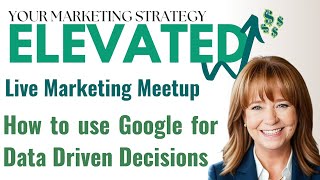
Andy walks through GA4 to turn traffic data into decisions. He shows a 179% traffic lift and 102% increase in engaged sessions after a campaign, then digs into which pages convert best and what technical issues to fix first.
Questions this video answers
22,000 emails
Almost 30%
About 3%
Up 179% (traffic) and 102% engaged sessions
149 people
Chapters
We had our team, our all team meeting a couple days ago and one of the things that I brought to the team was a little bit of training around Google Analytics and not just looking at the numbers. Like that's what people tend to focus on. It's what kind of traffic are we getting to our website. That doesn't do a whole lot for you from a decision making standpoint because it doesn't give things a lot of context. So I thought as I was talking through this with my team and showing them the analytics on the MSW site and then how I go about reading the data and then making decisions about what we're doing, I thought this would probably be the kind of stuff it would be just really good to share in a marketing meetup. So if you guys are good with it, I'll take, I don't know, 20 minutes or so and walk you through that and I'm going to pick a topic for every session and do some training on it. So it's just a little bit deeper, dive into stuff and give you some insight into like how my brain works. I don't know if that's good or bad.
Really twisted sometimes. But I'm going to share my screen and I'm going to show you first the MSW Google Analytics page. So if you don't have Google Analytics installed on your website, you want to make sure that we do get that installed. Have you guys accessed analytics or looked at analytics at all on your websites?
No.
Yeah.
Okay.
So just out of curiosity, Katie, when you look at analytics, what are some of the things that you pay attention to and what do you.
Why are people in Poland looking at my website?
Yeah. Yeah. You know what that means? That was the one thing that shocked me up front.
I'm like, oh, those are just bots or so I don't know.
Yeah, those are hackers. But that you're online. It happens. So. Yeah, yeah. So what else?
Just that I just don't. Since we're just getting started, we don't really know what to do with this information.
Yeah, yeah. So when you go and you're looking though, do you just look at the numbers of visitors to the site or what do you go look at when you go in there? I kind of look at the dump.
Yeah, I just look at the numbers and the, the trends based on the days that the things got busy and I'm wondering if it's holiday weekends or if it's like after a certain Facebook post or.
Yeah.
Don't really know how to interpret it.
That's really good. Actually. Most people don't even go that far. But it's really smart to look at like spikes and traffic and things around events like what could be causing the spike. Did you run an ad? Did you do a certain kind of post? All of that. So that's definitely a deeper look than most business owners do. So I'm going to just show you mine here. So I we have made some marketing changes this year. So this is our traffic January through today. And I'm going to show you a more zoomed in version. I just want to give you an overview of the dashboard first. So this is traffic. The top line here is this year. The bottom line is the preceding period in the previous year. These are users in the last 30 minutes. These are people that some people just went on and registered to get the link. I saw them come through in real time. And then this is direct. So direct traffic is people going direct to your website by typing in the URL. Organic social is people coming from your social media posts, not paid ads. Organic search is people coming from Google search, not pay per click. And then referral traffic is people clicking on a link from another website that drives them back to your website. So that's what referral traffic is. And then paid search is paid per click. Unassigned is untrackable. And then on, in my case, organic video. So traffic coming from our YouTube channel. And then you can see these are activity, user activity over time. So this is the same period January through today. I don't really pay attention to this one as much as I do this one. And we're going to go into a little bit deeper dive on this one. So I'm going to pop over to a larger version of this so it's a little more readable. And I want to talk about a few things here. Starting in January, we were a little bit up, but I'm going to say this was pretty flat by the same time last year. And it's fine. It's basically 200 stayed at right around 200 visitors.
Per day through the course of the month. And then we really kicked it into high gear by implementing some new marketing efforts. We stepped up our social media and we stepped up cold email outreach campaign and if you don't go look at your Google Analytics, you don't really know if anything's working right. So by looking at Google Analytics I can clearly see because we did this, we started this in March, I can clearly see that this has dramatically impacted the traffic to our website overall. Up 179%, 102% engaged sessions. I haven't defined any key events for us, so that's really not.
Relevant. But you can define specific events that you want to target for people to track. So this is just Google Analytics picking one. But this right here, Engaged Sessions, is users actually interacting with things on your website. So this is good. You want to see this. And then these are the number of events and events are things that they did on the website. So that would be like clicking through things, watching videos, all of that stuff. So what does this tell me? It tells me that the stuff that we're doing is definitely having the impact that I wanted it to have, driving a lot of traffic to our website. Now, when people come to your website, if they don't convert right away, they pop off the website. What I want to bring to your attention is here's direct. So people coming to the website. Now when I say direct, that email campaign, that email thing that we're doing. So this is instantly, this is the application we're using for our cold email outreach. So starting in March, all the way up to Today, we sent 22,000 emails with an open rate of almost 30% and a click through rate of a little about 3%, which is actually a good click through rate on cold email because these are people who never asked to be contacted in the first place. So you can see that this ties to the traffic coming over here and people coming to our website direct. So going directly to our website from emails. All right, so that is way up. Organic Social is our social media team. Of course, we're just posting a ton more than we did before, so that's working. And we've got a great engagement rate, meaning people are interacting with the content and then the engaged sessions. So referral, though, this is where I want to call your attention. Our referral traffic then is people coming back to our website from a link from another website. So they came direct from the email campaigns that we're doing. The referral traffic then is coming from a referral source, another website, in other words. So that would include things like if you are on the Convention and Visitors bureau site, if you're on the chamber site, third party websites that link back to you. But what we do to capture these direct people is we engage in what's called retargeting. And we can do a whole session on retargeting in a future call. But I'm just going to show you, retargeting is the ads that follow people around the Internet. Once They've been to your website one time, at least one time. So they'll be on like the a news site or on weather.com or on some site where they're reading an article and all of a sudden your ad will show up. A display ad. And retargeting then reminds them, like, hey, you are interested in us at one point because you saw our website, you came to our website, here we are, come back and it brings them back to your website. So the idea is to really leverage whatever kind of marketing investment you're making and essentially I'm going to say double down on it at half the cost. So people start seeing if they came to your site from Facebook or if they came to your site from an email or if they came to your site from an ad. Now these other ads just start following, following, following, following ads that look like these show up when people are reading articles, checking the weather, all the stuff so that you want to keep the branding the same, so that the visual key is there. And then you can see over the period of time for this report, these are the number of clicks that came back to our website from people that already been there one time as a result of clicking on one of these ads. So it's highly targeted advertising to people who have already shown an interest at some level. So that's what we see here in the referral traffic and then of course, organic search, page search and all that stuff. So when you're looking at whether marketing things are working, you want to look at whatever you're doing versus the previous year and then look at the referral sources coming to your website. I'm going to jump back to analytics real quick. Katie, when you're in analytics on the dashboard, these dots in the trends are anomalies in traffic. And so you can tie the dates of those anomalies to things that you're doing to see if they're actually working as well. So if you have, let's say a radio ad that starts on a certain day or runs over a certain period of time, you can see if it's driving some kind of anomaly traffic to your website.
So just throwing that out there so that, you know, you can go look at that kind of data. And then I'm going to come back over here, I'm going to come over to this screen and this is where we drill down a little bit. So now we know the traffic that's coming to the website. We've looked at anomalies, we know where they're coming from, we know if our traffic has increased over the previous period, I just happen to show a year. But you could look at it month to month or week to week and any kind of. But then when we drill down to see the pages that people look at, this is where we make decisions around, you know, what we're doing message wise and content wise on the pages of our website. So this right here is the homepage. So when you just see this plain size, so that most of your traffic is always going to enter through the homepage. Right. So if they're finding you through links or search or anything like, that's why that traffic is so high there. But then you want to look at what other people are looking at. Go ahead. Katie, you have a question. How did you get to that view? Yeah, so it's. You go under engagement. So reports engagement pages and screens. Okay. See, I didn't even know that left menu.
Always looking at the home screen.
Thank you.
You learned something already. Thanks, Andy.
Yeah, you're welcome. And it's interesting because I just want to point this out because I'm going to jump back to this other screen. You can see now that the pages here are different. This. Now I've got the free marketing meetup I've got as the second highest page, whereas before it was the AI marketing thing and then a blog post that I did and how to get your business in the Covenant three pack and then the Rockstar team. So looking at this data helps you make decisions. And then you also want to make sure that you're looking at the time period. So this is May 8th through June 4th, whereas on this one we're looking at January through June 4th or through June, whatever, June 3rd, I think it was that I captured this one. So the time period makes a difference too. So just coming back here, this is more recent data and then this one is data for the year. Okay.
Okay.
Yeah. So you can change. Wow, that's exciting.
Yeah.
Yeah. So you can see people have gone to the free marketing meetup. So we've had in the past month basically 84 views on the page, 75 users. So that means that I have the 75 people who come to it. Some of them have come back more than once. And that makes sense right here because it's an average of 1.15 views per user. They spend an average of 12 seconds on the page.
Okay. And that makes sense because it's a form. So they're just filling out the form to register for the meetup.
Ooh.
So let me come back here. And show you this now because I'm going to, I'm going to show you some things on the website that we're going to make some decisions on based on what we see. So it makes sense to me that this AI marketing mastermind over the year has been our most visited page because I've run ads to promote that training that I do every month and it's a hot topic. So it makes perfect sense to me. That is the most visited page since day one. The question is though, man, I've had essentially 478 views on that page. I definitely have not had 478 people in the marketing AI mastermind sessions. So some of them aren't converting. Why aren't they converting now? I have to look at the content on a page. Okay. How do I give it them image or the perception or the messaging that more value? Like what are they really going to get out of it? So I could change content on that page and hopefully increase the conversions. Another thing that I could do on that page, since I've got so many people checking out that training and the opportunity to attend the training, I can also add a lead magnet to that page. A lead magnet captures the email addresses of these people. So. So that I can remarket to them, get them into our email flow. And if I go there now to the AI one.
Let'S see. So here's the AI one. So they might be leaving because if they're not a client, they have to pay for it. So that could be the abandonment. But with all of those people coming, it could be. Since I don't have a lead magnet on here and they're leaving, that ad budget that I put toward promoting it has gone to waste a little bit because I haven't captured anything about them. So adding a lead magnet to this page would be super helpful. And then I think to myself, all right, what kind of lead magnet would these people be interested in? And so we talked about this at our team meeting and the team came up with let's do a lead magnet with like 100 AI prompts. So it can't just be 10 AI prompts. Right. Needs to be like 100 AI prompts that business owners need so that there's. They see perceived value in the lead magnet in exchange for the email address and or phone number and then they get into our whole marketing cycle. Does that make sense to you? Okay, yeah. So let's go look at another one.
Interesting to us, we've talked about it as a team. I would not expect Our third most visited page to be Meet Our Rockstar Team. I understand that people want to know who they're working with, but I just wouldn't have ever thought they'd go to our team page. What could we do on our team page? So let's go look at that. I mean we have to even work to find this page. This is the page and we're not capturing anything about the visitors, like we're highlighting our team. So how could we make this page more interesting to people in exchange for an email address. So this is definitely a page that we want to consider adding a lead magnet to of some sort. Maybe it's a lead magnet about. I've already written this lead magnet. I put it on here and it's about how to work with an agency and like a detailed step by step guide to maximize your return on investment, something like that. So they're coming and looking at the team and they're like do I want to work with these people or not? And then we give them a guide like how working with an agency works so they can just quickly download that and then hopefully move on and work with us. So I'm going to come back over here to show you another one. So web design services, that's one of our main revenue drivers. The second big revenue driver that we have is social media services. But in our top 10 pages, do you see social media listed anywhere? Like people aren't going to the social media page. What? Let's go check it out. I did not have this link here before. Instead marketing, it didn't say social media and so it said marketing. And then there was a dropdown and social media was listed under it as well as some other things. So I've changed this because of that data because this is one of our main web design and social media are big revenue drivers. So I want people going to that social media page. So I need to make it more obvious. So we'll look now I'm going to let this run for 3045 days and now see if we move social media up in the list of pages. So again, just a data driven decision around the content on the website. The FAQs is doing well, people are reading the blogs, that's great. And then down here request a quote. So we really want them to come here because when they request a quote, chances are we're going to close the deal. Right. So we had 153 people come to that page over this period and we had 189 views which means some of them came back more than once, maybe didn't convert the first time but converted the second time. So if we had 153 visitors come to the quote page and we did not get 153 requested quotes, then there's something wrong on the page meaning they either couldn't fill out the form, the page didn't appeal to them, to entice them to convert like all kinds of things. Now this is a, this is from the 1st of January mind you. So what we did is we went and looked at these numbers and this was about a month and a half ago as a team on one of our calls and we're like we haven't had 153 quotes, so what's going on? So we all brought up the page and it was just a plain page. So I've got that here.
And on some of our teams monitors they couldn't see the submit button. First of all the template on the form had the submit button all the way over on the right so it wasn't right underneath where they filled out the stuff. And then on some of the screens they couldn't even see the submit button at all because the form code was too short to display all of the form. And I had no idea because when we tested it on our website or on my screen everything worked. I could see it, it was functional and all that stuff. So it was just different resolution monitors. I had no idea that was going on until we couldn't match up the numbers. That's a problem. And had we not looked at those numbers we probably never would have caught it. So that's another reason why looking at your numbers matters. I'm also going to suggest that now if you had this fixed on the website for a month and a half, two months, something like that and the numbers still don't match up. They're better but they still don't match up. So what else is going on? It's a pretty friggin plain page, right? So I've taken it to the extreme like you normally on quote request pages you don't want anything else to get in the way like that. That is the only action you want them to take and that's why it's there. But clearly it's still not converting as well as I want it to. So now we're making subtle changes. So here's the new one and we just made this change last week, now it's get a quote and so a little more enticement, get instant access to our 67 point checklist so now I. And I've given them steps. Enter your information, tell us what you're looking for. Click on submit, get your link to the checklist, and then one of our team members will contact you. I showed a picture of the checklist and all that stuff. So now we'll just see if these changes make a difference. But this, all of this stuff was driven by this data. So that is when I pitched this through the email blast. It's not just going to Google Analytics and looking at the traffic, it's. You look deeper and you actually analyze it. And it's good to analyze it with other people too. So like, we started doing this as a team because the team sees things that I might not have seen and then I see things that the team might not have seen. And these two slides are actually from our team meeting. I'm like, so. So I had the team look at it. What do you see? What do you guys see? And everybody saw something a little different. And then. Okay, now that you see that, do we have any recommendations on this data based on what we see? And so what I've just walked you through is the result of that team conversation that we had. So I'm going to stop sharing my screen and then we can jump back to a share, but I'm going to answer any questions that you've got.
The event count again, that is just the number of clicks. Yeah, it's people interacting, engaging on the site. So clicking on things, watching videos, anything that you've got on there for them to do, those are events. Great. Yeah. And can I when I'm on that.
Pages and screens screen and I see the certain page, got this many views per user, this much time, this many events. Can I find out when those were or is there more analytics?
I can. Let's go.
I come back over here to analytics.
Okay. Is it up?
Oh.
Okay.
So you can see here by the day.
Let's see here. There is a place to see. Tons of time. I just need to find it. Okay. But we'll just click around a little bit.
With the new GA4, I don't know where everything is anymore.
I'll find it for you, Katie.
But there is a way, I'd say figure it out.
There's absolutely a way to look at the time. Yep. Okay, I'll find it for you and send you a link to the page.
Okay.
Stop sharing.
What questions do you have about that or anything else for that matter?
We've already learned that there's a lot of different analytics on here. That we weren't even looking at. We were just looking at numbers. Strictly. It's almost like you look at likes on your Facebook page page and that's the only thing you care about when there's so much other information out there that you can use and more importantly, you can use to sell. And that's what it all comes down to. How can we use this to sell more ads in our magazine, help more veterans, more money to the charities? That's what I'm focused on, trying to get those two or three things accomplished. I don't know if we've had a conversation with you since this may be off subject a little bit, but we did. I read the book. Kate read the book. The one we were talking about, the small marketing when we finally came up with our.
The books you were giving away at your social how to Start how to Succeed in a Small Business. Yeah, Great book.
Yeah, it is a great book.
We worked through the.
We worked through it and went through the worksheets and actually finally came up with a business model and some things that were important to us and think. I think like that. And we may have got around to it eventually, but the book really focused us on the important things and. Thank you.
Oh, you're very welcome. You're very welcome. If you guys liked that book, I. I'm in Donald Miller's Sounders group, so it's a mastermind where we meet every month and he gave me several gift subscriptions to Business Made Simple University. So I will send you an invite and give you. Yeah.
Because we can only go so far on the website.
Yeah, I'll gift you one. Oh, wow. Thank you. Yeah, you're welcome. You're welcome. One other thing I just have. It just caught my eye while we were talking. So I'm going to share my screen again and jump over to analytics. One other thing to look at is see this 404 not found.
You want to look at those because when a 404 not found error shows up, that's somebody landing on a dead page. So you want to find out what those dead pages are. In my case, I can just show you. See this teen HTML here? So I relaunched a new design of our website on. It was in early March, I think, when that whole traffic increase happened as well. And it's no longer an HTML website, it's on Shopify on a different platform. And so Team HTML is an old page, but it must be indexed in Google because 149 people went to it and got an error code. So what you want to do is create these things called redirects. And if you start finding any errors like that on your site over time, what you need to do is just reach out to us, because we're. You're a web people. But if anybody's watching this replay on YouTube, reach out to your web person and they can create a redirect that will take any error URL's that are popping up like this and redirect them to the homepage so that instead of getting the 404 not found error, it'll just. You'll capture that visitor and take them back to your homepage. So just keep your eyes open for those and then let your web person know us.
And we'll fix it.
But that happens sometimes when changes are made to websites, and it's inevitable the longer your website is up, Google indexes more pages, indexes more things. And then if you change something and that page goes away, it doesn't mean that Google has dropped it out of the index. And so that will ultimately lead to that 404 error over time.
All right, this is, this is completely out of the box, but is there a way to use AI to analyze our data from Google to give recommendations to us, things we may miss? Because we don't have a team, it's just us had multiple people. You, if, if you missed it, you know for sure we're going to miss it. But you've got people sitting there that'll help back you up. Is there an AI program that we could use that says, hey, you need to be doing this more often or less often or try this?
Yeah, so ChatGPT will do that. Do you guys have a paid version of ChatGPT? Not yet.
Not yet.
Okay, so that's worth paying for. That's $20 a month. And what you can do is copy and paste the data into ChatGPT and ask it to analyze it for you. And you can also copy screenshots. So you can use the snipping tool in Are you on Windows or are you on Mac Windows. Okay, so you can use the snipping tool in Windows and just capture a screenshot and upload the screenshot to ChatGPT and just say, here's a screenshot from Google Analytics. Tell me what in this data and make some recommendations based on what? How I can improve my website. You guys just actually gave me a really good idea for some prompts that I can send out in the next newsletter. Because, yeah, ChatGPT has gotten so much better over the past year and its ability to read screenshots is awesome. So if I just go, let's see here. If I just go to Google Analytics and then come down here and just type in snipping tool. So I just sni and it'll bring up then this tool right here. Let you just screen grab this.
More from Sandy

Calm is your best strategist. Market with intention, not emotion. #MarketingTips #MSWInteractive


Show up with the kind of energy you want YOUR business to receive - every single day! ❤️