Notebook LM by Google: The Secret Weapon for Content Creation & Training
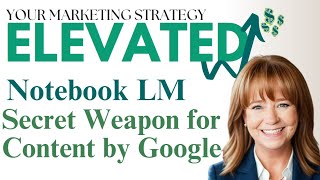
YouTube demo by Sandy Wardenburg Waggett showing Google’s NotebookLM (experimental/beta) used to ingest and analyze content. Sandy uploads chapters 1–3 of her book Bold Moves and demonstrates automated outputs (study guide/FAQ/table of contents/timeline/briefing doc/deep-dive audio podcast), and discusses practical small-business uses and complementary workflows with ChatGPT.
Chapters
So this is called notebooklm.google.com it's still in beta. They call it experimental, so it's still in beta mode. But so it says. NotebookLM is an AI powered research and writing assistant and it helps you. You take your a bunch of documents and NotebookLM will answer detailed questions or surface key insights, convert complex materials into understandable formats like FAQs, and add key resources to a notebook and share with your organization. I'm actually, I'm going to click on Create.
And I'm going to upload. And just for fun, I am going to upload.
The digital version of my book.
Let's see what it does with that. Curious, because with the demo that I saw.
Full FAQs, they called them study documents. So they were like interactive worksheets based on the material I uploaded. And it created an AI podcast with a male and female voice talking back and forth about the key points in the content. It was fascinating. So I'm going to upload my book and just see what the heck it does with it. So I encourage you. You guys, the thing about this AI stuff is that don't be afraid to go in and try. You're not going to break anything and just play with it and see if it's something that would benefit your business or if it's something that you could leverage in your business. So, like, I'm going to upload my book, but you could upload like an SOP in your business. You could upload training manuals that might go along with a product or some kind of service that you do. So let's see if it takes. This is chapters one through three that might be more manageable. And I have no idea if it's going to do a good job with the PDF or not, but let's find out. So I've uploaded it while it is reading the document. Oh my gosh. Check this out. Okay, so I can choose. Help me create a FAQ study guide, table of contents, a timeline, a briefing doc, suggested questions. Let's see here. I'm going to save the the deep dive conversation for last. So what are the main strategies? What specific examples did the author provide to illustrate the process of setting boundaries?
Oh, my gosh, you guys, I'm actually really excited about this. Let me move this out of the way. Okay, first I'm going to have it do a study guide. So I'm just going to click on this.
And let's see what it comes up with. This is just crazy. All right, while it's doing that, I Am going to come back and rename this. So I'm going to say Bold Moves.
All right, the study guide for chapters one through three quiz. What's the first bold move outlined in chapter one and why it's significant? What is the relationship between toxic relationships and development? Interesting. Okay, so this is fascinating. Can you see how this would be really cool for teachers at any level? This is awesome. Or internal training of teams? This is cool. Okay, so I'm going to close that.
Let me finish naming it Bold Moves test.
All right.
So that's the first thing.
To that screen.
So I've got one source. You can upload multiple things. Okay. So you can link to YouTube videos, which is awesome. You can paste text in, you can upload slides, you can link to a website or you can upload documents from your computer or from Google Drive. So it looks like the max is 50 documents. Check this out.
This is awesome. Just for fun, I'm going to go ahead and put in the website for the book. So the website is happy on purpose dot com.
So now I've got two sources over here on the left hand side and I do want to figure out how to bring this up again every time. So I did a study guide. Let's do an faq.
And it looks like if I click over here on notebook guide down here in the lower right, that brings up that screen where I can see everything. Okay, so here's the faq. What is the main message of Bold Moves? Encourages readers to take control of their lives and pursue happiness by identifying and addressing negative personality traits and toxic relationships. This is just chapters one through three. So that's all it's working with. If I had uploaded the full book, I presume that it would actually give me this FAQs for the full book instead of just the first three chapters. You guys, I hope you can make the leap of how powerful this could be for use in your business, with your teams, with your clients. This is amazing. So here's the questions in case the live is too small where you can't read them. What is the main message of Bold Moves? And it gives a very accurate answer. What are the common joy sucking traits mentioned in the book? And it answers. It says Wardenberg lists several traits that can hinder personal and professional growth, including lack of confidence, imposter syndrome, lack of trust, repressed emotions. Da da da da da da. All the stuff in the book. How cool is this? And the next one. How does the book recommend dealing with toxic relationships? What are the key steps in the claim Your courage framework. This is amazing. Can you imagine all the stuff that you could create fast using this? Okay, so I'm going to close this. Let's try another one. Notebook guide. I think I found my new favorite AI tool, honestly, because I haven't had to prompt anything. I just uploaded existing stuff that I already had and it's already doing this for me. So let's have it do a briefing document. This is insane. So, briefing doc. I can think of a time where this would have come in really handy. Way back in the day, I used to be a computer based training designer engineer for BA Systems, Lockheed Martin. And could you imagine uploading a big document and then just have it summarized? Do a briefing doc of this big long technical document. That would be amazing. Here's a briefing doc on Bold moves. It talks about the main themes. Again, this is the first three chapters. The most important facts and ideas.
And key takeaways, quotes from the book and calls to action.
My mind is blown. This is. Okay. Okay, look, I'm, I'm going to close this because I am actually very excited to hear this.
And hopefully, hopefully you'll be able to hear the audio. But if not, I will make sure that I upload this. So I'm going to. Here's a deep dive conversation.
This is what blew my mind in the demo that I saw of this. So what it's going to do is it's going to take. It's going to take the first three chapters of my books and it's essentially going to create an audio podcast between two people discussing the stuff in my book. While that's going on, I'm actually going to stop share real quick and then I'm going to share again so that I can intentionally make sure the audio is turned on. I'm going to go over here to advanced and I'm also going to share computer audio. I'm going to share my screen.
And I'm going to share audio.
Okay, so let's go back to.
Share.
Okay, so it looks like we're going to wait on this for a couple minutes. So while that's going on, let's do.
A timeline. I'm curious what this one does while we're waiting on the audio. This is awesome. I'm so excited about this. And think about the podcast part depending on how the voices sound. But in the demo that I heard, the voices sounded like real humans. Okay, so here's the timeline of events in the first three chapters. So it started in the distant past and then around 25 years ago in the year 2000. This happened around 2010, this happened 2013. My dad passes away. Then within the last 10 years, we did this. This is crazy. And then it's got the cast of characters, me, my mom, Dwayne, Mike, Shila. This is insane, you guys. Okay, so I'm sorry to be so excited, but this is one of the best things that I have seen.
In I don't even know how long. Seriously, this is crazy. All right, so let's see if the audio is finished yet. I would love to know while we're waiting what you guys are using that you are in love with when it comes to AI. Put it in the comments in Facebook if you're watching this live and just let me know because I'm curious. This when it's evolving so fast.
That it's almost impossible to keep up. But this is why I do this once a month, because it gives me Time to 30 days to learn about some of the new tools and then pick what I think are going to be some of the most powerful and best investments of your time to potentially leverage in your business. My mind, though, is absolutely racing on this. In fact, let's do this. I'm going to show you another way that I regularly use AI While we're waiting on this audio thing to generate, I want to go and I want to. I'm going to go back to Chat GPT because I use Chat GPT for brainstorming all the time and also just ideating around things. So what I'm going to do, I'm going to. I'm going to get off of canvas because I really don't see a whole lot of value there yet. So I'm just going to go 4.0 and I'm going to create a new thread. I always do new threads around new topics so that when you do new threads each time on a new topic.
Reduces the amount of hallucinations and bad answers you get from Chat GPT. So when I'm working on stuff for msw, I have an MSW thread that I always go back to if I'm working on something for a client. I've got trained models, trained custom models around all my clients, and I always go back to those models because each one of them is trained differently for different clients. So what I want to do here is I want to say, hey, chat. Yeah, I'd like to be friendly with it. It's just my personality. Hey, Chat GPT. Have you heard of the new.
Google AI tool? I'm going to give it the AI tool. I'm going to see what it's so it's going to go look.
Since I gave it a URL. This is the paid chatgpt4o, so it will go out and crawl the web. It says the tool is designed to help users interact with and better understand their notes and sources, offering more than a traditional note taking app, I'd say. Built on Gemini Pro, it allows users to upload documents, Google Docs, PDFs and whatever and ask the AI questions about the content. And it can also summarize, identify, identify key points and provide suggestions. It's specifically helpful for tasks such as organizing complex information, generating insights, and creating summaries, making it a great tool for both personal and professional use. It can handle up to 20 sources per notebook. Now I feel like I saw 50, so maybe that's changed. And then it supports features like note board spaces where users can pin quotes. And while it's currently in experimental phase, it's a powerful assistance for research. Okay, so I want to ask it can you help me brainstorm.
Some great uses for small business owners?
And let's just see what it well, it's not a very detailed prompt, so let's just see what it comes up with, obviously. Okay. Content creation.
Repurposing content. So it said like it says for repurposing content. It says let's start with content creation. You can upload marketing documents. You can upload your marketing plan if you have a marketing strategy document. You can upload blog ideas and then you can ask it to summarize or suggest new content. You can repurpose content by uploading older content like old newsletters, old blogs, white papers and things like that. And then have it create fresh new formats like blog outlines, email campaigns, or social posts. To maximize efficiency for business planning and strategy, you can upload documents like sales reports, market research, strategic plans, and have it generate insight summaries or even new business forecasts based on performance. You can have it do a SWOT analysis. Now this is interesting. And get competitor insights. So upload competitor data like articles, internal business documents. I'm not sure how you would get those. I don't know, maybe your stuff. And then competitor data that you might have that's publicly available because we need to be on the up and up here. And then habits, summarize trends, market conditions, strengths and weaknesses, aiding in better strategic decision making, client management and proposals. So if you do customer feedback, you can upload all of the surveys and reviews and have it do a summary and analyze the data proposal drafting. You can upload multiple sources of data, contracts, quotes, client communications to assist in drafting proposals or responses.
Operational efficiency. I mean this is gold guys. Internal training materials you can upload have it organized. Training guides, standard operating procedures and employee manuals. You can upload project documents, meeting notes and organizing checklists to create timelines and suggest steps next steps for ongoing projects. Oh, I know exactly what I'm going to do with that. Something just came to mind for my business finance and reporting. Small business owners can upload financial reports and ask notebook LM to generate key takeaways such as P and L summaries, cash flow trends and budgeting advice, saving time, tax document organization. I'm still hesitant I they say a lot of these are now secure and have settings and all of that but I'm still hesitant to upload anything with my social or ein that sort of stuff. But you do you customer engagement and team collaboration so you can upload meeting summaries.
You saw. You could do YouTube videos, you could do transcripts. So if you meet with clients you record the meetings. You can do meeting summaries and I presume you could do.
More from Sandy

Calm is your best strategist. Market with intention, not emotion. #MarketingTips #MSWInteractive

Show up with the kind of energy you want YOUR business to receive - every single day! ❤️