This is a YouTube video titled "How to install And Reset A Tire pressure Sensor" containing a technical tutorial demonstrating the process of diagnosing a tire pressure sensor issue, replacing the sensor, and programming the system using an OBD scanner. The content is instructional and presented by a single speaker explaining the steps involved in the repair process.
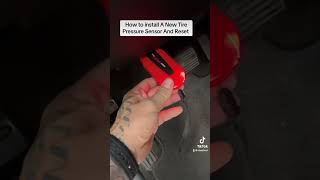
Had a customer come in, had a tire pressure light on. So we hook our tool up to the OBD scanner, and then you go around each tire driver front, pass your front, pass your rear, driver rear. And what we found out, that pass, your front sensor is dead. So you have to replace the whole sensor itself. The reason being the battery is sealed inside of here. So now we're gonna put our new sensor in there. So once we get that new sensor in that wheel, we're going to show you how to program these trucks. All right, as you see, he's popping that new sensor in there. Now we're going to stick it back on there. Let's go ahead and start the reset. All right, you got to hook this up to the obd. Now, it says service tire monitor system. Let's fix that. All right, let's start the reset process. All you do is hold that check mark down, and it'll put us into learner mode. There we go. Turn, learn, and active. All right, now on the tool, we're going to hit relearn. Obd. Relearn. Now we're going to start.