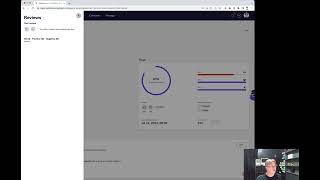
Shagility shows how to review data in Agile Data's Catalog. Each table or view displays a trust score from automated validation tests. You can rate data with a thumbs-up or thumbs-down, add a note, and the review saves with your name and the date.
Chapters
Welcome to another Agile Data Gone in 60 Seconds. Today I want to have a quick chat about the feature we've got called Catalog Review. So if we have a look at the catalog, we've got a bunch of tiles, a tile effectively being a table or a view of information, and I can drill down on one of these tiles and see a little bit more detail in the catalog detail. So if I go down to the Shopify orders, you can see we're getting back our trust scores. So every time data runs, the validation tests or the trust tests are run to tell us what's passed and what failed. A bit of context down there that I can augment and update effectively like a wiki, and a data preview. The other thing I can do is I can create a review of this data. So think of a review you do on Airbnb or Yelp or any of those kind of services. So I can see here that actually nobody else has done a review. I go and click on the review feature, and the first thing I need to do is give it a review score. So we made it really simple. I can either go, uh, thumbs down or thumbs up. So in this case, I might go thumbs up, but I might put a bit of a note in there. I might say, uh, good quality data but often arrives late. Once I'm happy with that, I post that review. And that review is now there with the date I did it, the score I gave it, thumbs up or thumbs down, who actually added it, and any text that they added. So, quick and easy way to create a review against the data that's been stored. So that was another Agile Data Gold in 60 Seconds. I hope you have a simply magical day.