Shagility shows how to pull Agile Data into Google Sheets using BigQuery. Pick a pre-built tile like orders or customers, authenticate with Google, and get live data you can sort, filter, and chart without leaving Sheets.
Chapters
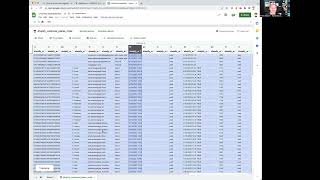
Welcome to another Agile Data Gone in 60 Seconds. Today I want to do a quick show and tell about how you can use Google Sheets to access the data in Agile Data. And as you guessed it, a simply magical way. So if we have a look at the catalogue within Agile Data, you'll see a bunch of tiles, and each of those tiles is effectively a table or a view of data. And you'll see we've got some people tiles, they're the consumable tiles. So they're information that's been put together in a way that makes it easy to consume as a user or a data analyst in your organisation. And you'll see we've got a bunch of tiles, so we can see supplier information, order information, customer information, and this one here, which is based on an event. So this is a tile that will give us the data about all the customers or the orders they placed and details about those orders. So I'm going to jump over to Google Sheets. So we all know that Excel is the number one BI tool in the world, and I'd have a guess that Google Sheets now is pretty close to being not far behind. So one of the new things Google's added for us, which we can then leverage to make things magical, is the ability for Google Sheets to access Agile data. So if I go into data and data connectors and I connect to BigQuery, it's going to go away and authenticate me so it knows who I am. It's got a bunch of projects there. I'm going to type in one that I'm looking for. Which is my tenancy, in this case Capiti, which is my demo one. Click on there, it's going to go away and bring back a list of consumable tiles. So each one of these is effectively a tile that we saw in the catalog, and our Shopify customer places order, I'm going to connect to that. And now what it's doing is it's connecting Google Sheets up to Azure Data using my credentials, right? If I have access and I'm authorized, I can see it. If I don't, You guessed it, I won't. And now I have data in Google Sheets that's coming directly from Agile Data, and it's dynamic. If I go through and say sort A to Z and then apply that, that's going to go away and requery the data in Agile Data and bring it back with that sort on it. Again, I can go through and change that, you know, make it sort the other way, apply that. And again, it's rerunning that query in Agile Data and bringing the data back. So I can use all the standard Google Sheets capability, you know, create pivot tables, create graphs, do some really weird freaky things in Excel or Google Sheets if I really wanted to. And all that data is dynamically coming from agile data. So I think that's a pretty cool feature. It's going to enable our analysts to use the data really quickly and really easily with minimum friction. So that's another go on agile data gone in 60 seconds. Hope you have a simply magical day.