Shagility shows how Azure Data's Notifications pane tracks trust rule failures on incoming data. When a rule breaks, you see the exact column and value that caused it, then drill down to diagnose whether the problem is in your data contract, the incoming data, or the rule itself.
Chapters
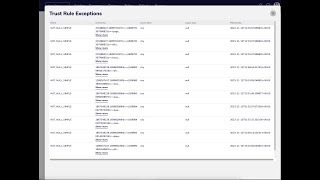
Welcome to another Agile Data Gone in 60 Seconds. Today I want to talk about this idea of notification trust rules and exception records. So scenario, let's hop onto our demo. We've got a bunch of tiles, data's being collected on a regular basis and fed into those tiles, and every time data is collected, the trust rules that we've set, uh, run to ensure the data is of quality that's fit for purpose. So what happens when a rule's run and that rule's failed? What we want to do is we want to see which records are available, uh, which records have failed those tests, uh, so we can go and remediate it. So as you would expect with Azure Data, nice and simple and magical way of doing that. So first thing we do is we go into notifications and what we're going to see here is, uh, the DataOps capability where we can see every rule that's run over the last 24 hours, week, month, and last 3 months. And when each rule runs, uh, so a change rule or a load or a trust rule, effectively, uh, we get a scorecard, uh, to see whether the data is meeting its SLA, whether it's fresh enough, uh, rules that have run, rules that have failed, and rules that have failed their trust rules. So as you can see here, 94 trust rules have successfully completed today, but 2 of them are sitting there with the warning or the shark. So if I click on 2, I'm going to get back the rules that have failed and if I click on the, that one, what I'm gonna see is each of the exceptions. So we can see here that for this key, we effectively, for this column of column value, we had a rule which was not null. We can see for this key, effectively this rule had failed. So I can go through and see each of the records and then go and figure out why did that rule fail? Was it a problem with the data contract? Problem with the data coming through, problem with the rule, or problem with the trust rules. So nice and simple, easy way to see when a trust rule fails, which records cause that failure. So that was another Gone in 60 Seconds. I hope you have a simply magical day.