Agile Data's new menu system lets you jump instantly between related objects like tiles and rules without leaving your screen. Jump from a tile to the rule that created it, or from a rule back to its tile, eliminating multiple clicks and saving minutes per task.
Chapters
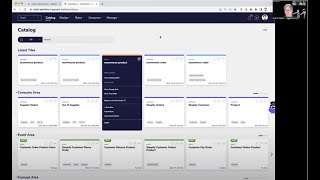
Welcome to another Agile Data Golden 60 Seconds. Today I want to have a quick chat about the bounce anywhere or go anywhere menus that we've designed. So if you have a look in the Agile Data app, you'll see we've got a bunch of menus. We can look at the catalog, we can design the data, we can create rules that populate the data, or we can go and look at the data that we're going to consume. So what we wanted to do was the ability to be able to bounce from, say, a tile to the rule that populated the tile. So if we pop into the data map, let's have a quick look about how all the objects relate to each other. So effectively, we have a bunch of history tiles. The data is taken from there and populated some of the other tiles like concept or detail or event. And from there, we go through and populate the consume. And each of these lines is effectively a rule that takes data from there, transforms it or changes it, and moves it over to there. So there's a relationship between those tiles, those rules, how we do custom sync about when we want to load it, automagic, or do we want to load on a regular basis? So a whole lot of different things that we can define if we want to, and we want to be able to see those relationships and move between them really quickly. So for example, we may want to be able to go from a catalog tile and pop down and have a look at its tile details. And from there, we may actually want to see, well, we've got some data, but what rule was created to populate this data? So we can go up to the little three dots and we can say view change rules. And what that's doing is taking me directly into the rule that populates that tile. If I didn't do it that way, what I'd have to do is go into the catalog, figure out which tile it was, then go into the rules list, and then effectively scroll down until I can see the detail there of the tile that I'm populating. Exactly the same from the other way. So I can go into the tile, and if I wanted to, then I can pop from there and— sorry, into the rule, and then I can go from there and say view tile. And that's now going to take me from the rule to the tile that it populates. Again, just bouncing from the rule to the tile that's related to it. Maybe I want to go and have a look at the data map. Yeah. And so I want to go through and I want to say, well, actually for this one here, let's have a look at the catalog detail. Yeah. So that's the tile that relates to that node that we just saw. Or if I go back to it, Maybe we want to see the rule that populates that. So I can go view rule, and that's now going to take me down to the rule that populates that tile. So you can see how we're able to jump from one thing to the other thing really, really quickly without having to go in and out of different screens and searching for the things we want. Same thing with custom sync. If I'm in a rule, I can set the custom sync. If I bounce out to the tile, Exactly the same thing. I can set the custom sync, right? So again, I can set or see what's happening from any level. And the last one, again, at a summary level, at a tile level, we want the same menus. So I want to be able to see, you know, the detail, the change rule, the trust rules, the custom syncs at this level as well. So that's the go anywhere, bounce anywhere menuing system. It saves me lots of clicks. It saves me minutes per task. And that's what we're all about at Agile Data is saving time and making things less complex. So that was another Agile Data Gone in 60 Seconds. I hope you have a simply magical day.