Cash In On Camera LIVE!
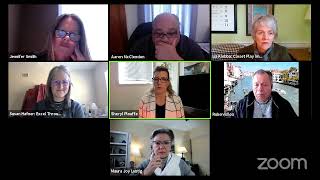
Video strategist Sheryl Plouffe teaches how to build authority and drive leads with video using the 80/20 rule: give value first, then pitch. She shows how to repurpose one video into multiple formats for every platform using Restream, OBS, ClipScribe, and Rev.com.
Chapters
try to limit that to 30 minutes. And everyone's nodding in agreement, probably. OK, Sheryl likes to talk. I am a video strategist. And really what I do is help entrepreneurs, coaches, consultants, small business owners to increase their influence, impact, and income with video. And today's topic for our livestream is video content creation for coaches. So if you are here in the Zoom meeting, that means that you have registered officially and that you're getting these friendly reminders every week of the topic and the friendly reminders to come and join me on Wednesday. And you can interact with me and ask questions in the chat. If you are watching on YouTube, welcome. You can certainly leave a comment and I'm going to get notified and can respond to you there. If you're watching on LinkedIn Live or on my Facebook page or in the Cash In On Camera Facebook group, you can certainly ask questions there. I always go back after and take a look and make sure that all of your answer— your questions get answered. If for some reason it doesn't, just reach out to me. Just send me a DM. Send me a private message on any platform. I am Cheryl at Cheryl I'm also now on Clubhouse. So those of you who are on Clubhouse, let's connect over there as well. So today we're going to dive into video content creation for coaches. And I am using the Restream tool today to do this multi-stream and taking this broadcast and putting it out everywhere. So if you're interested to know how you can do the same, you can go to restream.com forward slash— or sorry, restream.io forward slash join/cioc, which stands for Cash In On Camera, and you can start your own free account. So today, let's talk about video content creation. I want to, I want to really look at this from two, from, from the standpoint of two different buckets. OK, bucket one is the message. It's the messaging. It's like that whole piece around what are you saying? How are you saying it? Um, where are you saying it, right? I like to use the 80/20 rule on that, and let me explain what I mean by that. So 80% of the content and messaging that you put out there should be— if you are looking to position yourself as an authority, as a leader, as a resource, and as an expert in your field, which by and large is what I encourage and teach people to do, because when you're positioned as an authority, resource leader, and expert, really good things happen in your business. People start coming to you. They start approaching you to be on their shows, to be on their live streams, to be on their summits, to be on their podcasts. And it's less of a drag. It's less of an uphill battle to try to forcefully get yourself into these places. They come to you. So being positioned as an expert also allows you to, uh, charge what you're worth. You know, there are a lot of people in the coaching industry who just are not charging what they're worth because they're not positioned the way they should be. When you're positioned as an expert, you can charge what you're worth. You can also increase your prices. Um, it's easier to do lead generation, you know, when you are positioned as an expert. So lots of really good things come from being positioned as an expert. So That's the lens through which I'm telling you this today. From an 80/20 rule, 80% of the content and messaging that you put out into the world, we want 80% of it to be positioning you as an expert, sharing your thoughts, sharing your ideas, teaching, a lot of how-to content, tutorials, demonstrating your expertise. Showing off your expertise in some ways. I think sometimes a lot of us are just like, well, I don't want to seem too braggy, you know. There's no time to be humble. Like, you know, you need to be— you need to show what you can do, demonstrate that, teach that, mentor others, show others by leading by example, right? So the messaging piece over here needs to be 80% of the time that kind of content. 20%. If you do that, if you do that 80% of the time, then 20% of the time you have earned the right to pitch something, sell something. And I hear from a lot of people say, oh, I just feel like selling online feels kind of slimy, feels kind of salesy. Okay, well listen, you know, you, you still need to sell. We're all Truthfully, we're all selling something, aren't we? Aren't we all really, at the core of it, all selling something? Maybe we're selling ourselves, right? So thinking about the 80/20 rule, 80% of the time, value. And we hear that term a lot in the marketing, was like, well, provide value, provide value. What does that really mean? It means help people, help people. I love Frank Kern, one of the top direct response marketers in the world, and he says the best way to demonstrate that you can help people is by actually helping them. I could just like— good point, Frank. It's so simple. Sometimes we make it out to be this really complicated thing. Um, it doesn't have to be. Now the question really becomes, are you, are you knowledgeable about your industry? Do you know? Can you share value? That's a different question. There are, I think there are still are people out there who, you know, are in this industry, like they're, they've, they've put the shingle out to say I'm a coach or consultant, but really at the core of it, they're kind of lacking a little bit in that area. So you might need, maybe you need more skill set to be able to actually do the thing you propose to do. But I'm coming from the standpoint of no, no, we already know that you're excellent at what you do. We already know that you have knowledge, insight, experience, wisdom, years of service in that industry potentially. Um, you have something to share, right? And so, um, I don't know if I've got it here. Um, if you're familiar— oh, there it is! Hang on. So this book— yeah, I've got it here. So this is a great book. This is a little older book, but it's, um, Gary Vaynerchuk's Jab, Jab, Jab, Right Hook. Who's familiar with it? Show of hands on the screen if you're familiar with this book. Okay, this is— I don't know what year this is from, um, but the concept of this book is, is that idea that you jab, jab, jab is value, value, value, right hook is sell, pitch, and that, that is the formula that you should be doing more value stuff than pitching. That's kind of the idea behind it. This is an excellent book. It is a few years old, so social media has changed a little bit, I think, since this came out. But nonetheless, it is a great book. I'm just looking to see what year this is from. Does it say here? I can't find it real quick. So I'm a big Gary Vee fan. And I know Aaron, I think you are too, right? Yes, ma'am. Love Gary Vee. So 80/20. So that's the messaging side, right? Is what are you sharing? What are you saying? So let's pair that now since we're talking about video content creation for coaches and we're doing this on video. And so how— well, that could be recorded video, right? It could be prerecording content that shares those messages and that you put them out on social media or share them with your email list and text message people links to that content. There's a whole host of things you can do to get that out in front of more people. But I'm particularly excited about the live streaming aspect. And you, if you've been following me for a bit, you know, I'm really focusing a lot on the live streaming aspect of getting you out there more first and then doing more of the recording stuff, the recorded video content after. So there's no reason why you couldn't even do this today. Right, that you couldn't just open your phone. I know a lot of you here are on in my challenge, and I'm watching you do your videos every day, which I'm so proud of you for doing, Liz. Looking at you, right? And many of you have done the challenge, but, you know, there's no reason why you can't do that and apply this 80/20 rule to the next month's worth of content that you put out there. So just make sure— this is a big mistake that I see a lot of people making, is that they go out there and they create promotional videos because they think that they have to create commercials, and they don't work. They do not work. I just got off the phone with a marketing agency owner, okay, with a roster of 30 clients that she's serving month in and month out. And, um, and those people that she's, that she's working with are, um, you know, they, they have to be putting out more, they have to be putting out valuable content. And she's trying to guide them in that area, like to move them toward this idea of moving away from promotion, promotion, selling, selling, and moving more toward the idea of providing value. So even the marketing are struggling to get their clients to understand this concept. That because— and why are they doing that? They're doing it because they know it works. Okay, so the other side of the equation— we've talked about messaging over here. So the other side of the equation over here in terms of that video content creation is that we've got the message dialed in. Now it's like the technology. It's the other side of the equation, the technology. That is the part that freaks people out because there's a lot to it. There's a lot to it. I'm going to talk about it from the perspective of just one kind of angle to this, and this is the idea of omnipresence. Does anyone know what omnipresence is? If you want— if you do, type it in the chat. Liz, what is omnipresence?
To be everywhere. Omni everywhere presence, omnipresence, to be everywhere at all times.
Exactly. Exactly. And so really kind of that's the name of the game because you do want to be omnipresent. You want to be in people's feeds. I've been having conversations in the last few days with a few people who've been like, I'm not sure about the ROI of video. Right. And I'll be like, it is about being top of mind with your ideal clients. It's about being in their feed. They're on this device all day long. It's the first thing they see in the morning and last thing they see at night. Are you present? Are you showing up here for them? And it's really— that's the ROI, is that omnipresence and that idea that you're kind of all— you're everywhere. You want them to go, man, it feels like Sheryl's everywhere. Good, then I'm doing my job. Then I'm doing something right. So doing something right if I get that type of reaction. From the perspective of omnipresence, we have a bunch of different platforms, right? We have— and I'll just talk about social media— we've got your Facebook, you've got your Instagram, you got your LinkedIn, we got the Twitter, you know, we've got all these different social platforms from a video perspective that we could be, you know, putting video content on. And so those platforms require they have different, um, uh, considerations and different layouts that you need to have your video content in in order to put on those platforms. So I want to show you an example of what I mean. I'm going to show you a picture here of, um, hopefully this works. Um, where is she? Hang on a second. Oh, let's just move this little doodad out of the way. Um, where is she? Hang on, I'm gonna have to find it. I've got a little picture here. Oh, there it is. Okay, so if I go like this and I go like this and I go like this, do you see that on the screen? Um, these little boxes? Okay, so, so from a technical, um, you know, technical perspective, and if you want to have omnipresence online you have to kind of get your technology dialed in to the point where you're able to take your video content and make it and turn it into different aspect ratios. So, for example, this is Vanessa Lau as an example here. But we have this on the top left is the square version of this same video. So, look at the, the actual video itself of Vanessa is the same on all of these examples, these examples off the top top of this image, but it's just being wrapped a different way. It's in a different envelope, and the envelope that she's in here is square. Okay, in this case, it has her website at the bottom, a little bit of branding, some image, you know, some colors. That same video, we, you know, take that and then put it into a landscape format or aspect ratio, and in this case, the aspect ratio is 16 wide, 16 by 9. So, 16 wide and 9 tall.
YouTube.
For YouTube, exactly. YouTube, LinkedIn, um, you can use this on really probably any platform, frankly, but definitely YouTube. This is the ideal type of aspect ratio that you want. Um, having said that, there is a new thing in on YouTube called YouTube Shorts that's coming out, and that is out, and it's in beta right now, and I've done a couple of videos on it. And that would be taking this vertical approach. So, you see the example on the right-hand side is the same video, only it is wrapped or enveloped in a 9-wide, 16-tall aspect ratio. Right? Still the same branding, but notice how they all kind of go together in the same, the same branding, the same ecosystem here. They all have the same look and feel. Now, below this, we're seeing some image quotes to complement this. This suite of assets, um, as well as the thumbnails to go with this suite of assets. So this vertical thumbnail goes with this one, this square thumbnail goes with this one, um, this landscape or 16:9 thumbnail goes with this one. So, you know, these are some of the, these type of things that we do in our company, but I'm just showing you these top 3 here, right, just to give you an idea that from a technical perspective, you want to think about omnipresence and you want to think about taking your video content and putting it in the right aspect ratio so that it fits in those different social media platforms in the right way. Okay, so, so two things: message. We've talked about messaging, the 80/20 rule, that jab, jab, jab, right hook kind of approach, mostly giving, you know, valuable video content, sharing your knowledge, sharing your expertise, and then marrying that with the technology and the repurposing of that video content into different envelopes, different sizes of envelopes and branding so that you can put that out there and have omnipresence online. That, to my thinking, to my way of thinking, is the key to video content creation for coaches. Why? Because it's tackling all of the problems that you're facing as a coach. People don't know who you are yet, so that's why you need omnipresence. You're not well known enough yet. We have to get you in front of people all the time, all the time. You know, you're not positioned as an authority expert resource yet. That's why the expertise, why the 80/20 rule comes into play, because you need to be showing and demonstrating that you can help people by actually helping them in the right ratio. Talking a lot about math here today, but in the right ratio. And not reversing that, not doing 80% of the time pitching your stuff. Buy my cream, buy my this, da da da da. No one cares. You have to make them care first before you're ever going to get them to buy anything, right? So, I'm going to open it up to questions for the last 10 minutes. I see a lot of familiar faces here. I just see some new people today, which is great. Jennifer, I would encourage you to unmute if you have questions. So, let's discuss. Liz asked a question. Liz, I'm just going to read your comment here, but for the benefit of others. One of the best pieces of advice I was given for blog posts was to make sure to include images in all 3 shapes ratios in every blog post. I have not heard that. That's interesting. So, actually including the different aspect ratios for images in a blog post.
I had not— Because that way, if you're saving it, you can repurpose your blog post repeatedly without having to recreate images. And also, if anybody's saving it, they can save the best image. Like if I've got somebody who wants to save to Pinterest, for example, which is 16:9 vertical as well, they get a Pinterest-friendly pin right away.
That's really intriguing because I'm thinking about, you know, from the standpoint of the repurposing side of what we do in our company, that those thumbnails that we're creating as part of that asset suite, I hadn't thought of— that's a great angle that I could also share with my clients is to say, use those thumbnails and post them on your blog post. I did not know that. I just learned something new. Thanks, Liz. Great share. Really good.
If you don't mind, it's not quite this, but it's about video and on YouTube. I have been trying to post something on YouTube, and it's not the first time I've done this, but I am unable to get the captions Does it sometimes get glitchy?
I have had it, yeah. I've experienced that glitchiness for sure.
Yeah.
I mean, I would say this more, I've probably experienced glitchiness on every platform to some degree. Like, it doesn't— yeah, I think it can.
I mean, I shouldn't have to jump through any special hoops, right?
I should be able to add a language and then, you know, have it, you know, say, create, published by creator, and be able to click the button for auto, autofill or whatever, right?
Yeah, I do remember when, this is kind of going way back, when I was doing more of the auto-generation, like auto-generating those captions, I would run into more problems when I was doing that.
It's not letting me even have an option to do it.
Well, one thing to consider, one thing to think about is that YouTube has recently upgraded their YouTube Studio. Like, front— they sort of, they, um, what's that called when you— is it called deprecate? When you, when you kind of, uh, eliminate like the old platform and they've gone to the new platform. Yeah, it may be something like that. It could be that in the new YouTube Studio that that option's maybe not there or maybe harder to find. It could be glitchy. That's a possibility too. Yeah, I wish I knew. I haven't encountered that problem myself recently, but I know in the past I have. And in fact, I can think of times when I went to, went to auto-generate a YouTube video and it was just like the option, it just wasn't doing it. It just wasn't. And then I would have to give up. Yeah, what I would do, actually, what I would do in place, if you do, one solution might be to take that video and you could go to like a Rev.com and you could submit your YouTube video to them and have them transcribe it and then upload the SRT file to that video. And it would cost you a little bit of money, but that wouldn't be too much. Yeah, that might be an option in that case, just because it's giving you that kind of glitch.
Okay. Yeah, yeah.
Jennifer, is some restream.io/join/cioc— is this where you're saying that we can get the different, um, do our videos in the different ratios or aspects? Did you— oh, there you are.
Yeah, no, no, um, so how do you do that? There are different tools. Yeah, there are different tools if you want to do it yourself. There are different tools that you can use to do it. On my website, if you go to resources I recommend, there's a whole list of all kinds of resources including Restream. But there's another thing there called ClipScribe, and that is a program that you can purchase to allow you to do that retooling and that resizing yourself.
No, okay.
Yeah, so ClipScribe.
Do you do that as well then?
We, we do that as a service. Yes, we do.
Yeah.
Okay. Yeah. Awesome.
Thank you. Welcome. Yeah.
And, and that's the thing, like, you know, one of the things that you're going to encounter is, you know, there's, there's really two, there's two buckets to what we do. One is like the teaching and coaching, which is kind of what I'm doing today, teaching, coaching. Challenges, coaching programs, that kind of thing to teach people to make them to do it themselves. And then the other part of our business is the done-for-you service side. This is for people who are like, I can't be— I shouldn't be transcribing my own videos and redoing all this stuff myself. And they'll hire that out in some cases.
Yeah.
OK, that's good to know.
Yeah.
OK, questions.
Thoughts?
I have a question.
Hi, Ruben.
Hi.
What's the difference between the OVC and Restream?
Restream?
Uh, the difference between OBS, you mean?
Yes, OBS.
OBS. Um, OBS is an open source, um, encoder. I think that we actually call that like an officially an encoder, but the idea is that OBS is a program that you can download on your computer, and it's going to allow you to produce your content, your live content, and switch between elements and add stuff to the screen. And it does a whole host of things. I'm no— I'm not an expert on OBS by any means. I've experimented with it. But I would say this about OBS, Ruben. It's, it's free. It's open source, but it's also more complex for the average person, and there is a high learning curve with it. But you can learn it. You definitely can. YouTube is full of tutorials on OBS that you can learn, but it is more intense, I guess, in that sense. So the difference between that and a Restream is Restream is— it is designed in such a way to make that process more seamless and easier for the average person to be able to switch between all the different elements in their own production.
So you only need one of them, not both?
Well, OBS is not a multi-streamer. So just to be clear, Restream is a tool that I'm doing this broadcast right now on Zoom and I'm— and it's going out to YouTube, Facebook, LinkedIn, wherever the places I want it to go. It's going out there right now live. OBS will do that I believe— I don't know how many platforms. I think it can do that, but I'm not sure how many platforms it would do that to. Whereas Restream will take one feed and put it out to up to 30 platforms at the same time. OBS, I believe, does that. Maybe like you could share it to like, um, Facebook or YouTube or something like that. I, I believe— I'm not an expert on OBS, but I'd have to look into that a bit more.
Thank you. You're welcome.
All right, who have we not heard from? Jane, Beautify with Jane. And, uh, Beautify with Jane, uh, yes, yes, uh, and Sue. Hi, Sherry, we would love to see your beautiful faces.
Oh, I just have a, uh, what you call it, um I'm working from home today.
Okay.
Yeah, so are we all.
I'm making a request to be off video today.
I got it, I got it. So, Jamie, do you have— what's, what's on your mind?
Well, for me, this is all new to me. I'm trying to, um, um, I'm in the process of getting into becoming both a health and life coach, um, but in the meantime, with my other products I'm finding out that, um, social media is the way that I must go. I have found it difficult. Um, like you said, uh, I started with trying to use OBS, um, because that you can stream it, um, you can stream it to multi-channels at one time. Yeah, yeah, more than two. But the thing is, is like you said, it's complicated and it has a huge learning curve. And so, um, knowing that being the only one, I kind of gave up on video streaming. And then you came along.
Oh, good. Well, I'm glad. It's great to have you again. Yeah, OBS is great, but it is, it is definitely important— not for the faint of heart. Like, you know, you do need to put some time in, and there's a high learning curve there. Don't give up on live, Jane. Please don't give up on live. I really feel strongly that it is the fastest way for you to get your message and your identity out there and to, um, get that content out there. One thing you may not know, I'm going to tell you now, um, registration for the February Go Live Challenge is open. So this is available on my website. If you just go to CherylCliff.com, go to— I believe it's under the Resources I Recommend tab— you'll see something called the Go Live Challenge, and it's $17, Jane.
I have no clue what to do.
I'm gonna tell you, it's all good. I'm gonna walk you through it. Liz, we're doing it. Liz knows. What do you think, Liz? Should Jane do that?
Yes, I think Jane should do it. It, you know, there's mornings and afternoons where you go, I don't really want to do this, but it's just a matter of sucking it up and pulling up.
I just don't know what to use for content. Is that That's my whole—
no worries, she gives it to you. She gives you a prompt every day and you just run with the prompt. Or if you don't feel like doing the prompt, which I've been bad about that this week, I'm just kind of going off on my own tangent, which is totally fine, Liz, by the way. Thank you, I'm glad I don't lose points for that.
No, listen, the prompts are meant to be for Jane, right, who doesn't have a clue. She's like, I don't know what to talk about.
I didn't have a clue for weeks and then all of a sudden it just sort of started happening.
And you see now what's happening is you're getting more comfortable, which is really the whole point of the challenge because it's 30 days long. You're so confident now that you're kind of like, I feel like I can go out on my own, which is exactly what we want.
Right.
That's the point.
So I will be doing that. Will you be posting that link in your recap of this or for the restream and for that? Because I'm going to do that because I was just thinking like, okay, For the month of February, I must do something in social media every day.
Well, it's already decided you're going to do the challenge.
Yes, I am. So send me that info and I would definitely sign up for it.
OK, Beautify with Jane. Are we connected on Facebook?
Do you know? No, we're not.
Just find me on Facebook. Message like friend request me and I'll just send you the links there.
OK, thank you.
OK, Susan, what's the difference between subtitles and closed captions? I did a whole video on this in my— on my YouTube channel. Um, so subtitles are like— I want you to think about French movies, right? Like if you're watching a movie and it's French and then you have like the English subtitles on it. So it's really intended to be more for people like to understand what's going on, whereas closed captions are generated. Um, it's more like an embed, I think, is a way of looking at it. I did a whole video on this on my YouTube channel, Susan. I'll try and send you the link. Um, let me just look at that link on YouTube. Subtitles, closed captions. Actually, I think it was a live call. I want to say it was a live call. I'll find the link and I'll send it to you. I did think I did a whole 30 minutes on it, but, um, okay, cool. So how are y'all feeling? Feeling good, feeling good. Okay, cool. So we're at 3:31. I'm gonna zip it now because that's one of the things I'm challenging myself to do in 2021 is stick to my, uh, my time frame because I will talk forever and nobody wants to hear me talk forever. But I hope that this was beneficial for you and that this helped to lay a foundation for just some, some foundational things to think about. Got your message? You got the technology. Thinking about omnipresence and thinking about the 80/20 rule. If you do those things, it's really going to benefit you.
Maura?
Carol, did you see Susan's question in the chat?
The difference between subtitles and closed captions?
Yeah. Yes.
Yeah, did you hear that part? Oh, there's a whole training I did on that. I'm going to send her the link to it.
OK. Yeah.
Yeah. Awesome. Okay, well, thank you so much for being here. If you know anyone who should be here next week, send them to my website at CherylPlouffe.com, and there's a big, big button at the top right that says free coaching, and they can register there. There are a whole host of other things on the website as well, and I appreciate you being here and spending half an hour with me. We'll be here again next week. I don't know the topic off the top of my head right now, But do you have any questions? Maybe there's things that are on your mind that you would like for me to broach next week.
Cheryl, have you done a, for Restream, a training on that?
You know what, I haven't done like maybe, Ruben, and really in depth. Maybe I could do that. I could, I could probably do that next week. Let me think about technically how I would do that because I'm doing these calls on Zoom. If I can figure out how to technically do that, I will.
That'll be wonderful.
Thank you.
You're welcome.
Tools from working with smartphones. In other words, Liz, like how to record video on a smartphone?
Uh, more like you talked about different tools for when you're using your desktop. Was that last week? I'm trying to remember. Yeah, and I'm not on my desktop. I'm actually— I record on my phone and then I have to upload it to my computer.
Okay.
I mean, sometimes I do record on my computer here itself, but not usually.
So maybe it was like record, record on the smartphone and upload to your computer.
Yeah, just a little bit of what are some better ways to do that.
Yeah, yeah, good topics.
I like it.
Okay.
Or to actually go the other way, because like I need to get things from my computer onto my phone, for example, that like I've downloaded from Facebook or from somewhere else. And I need to get them onto my phone so that I can pop them onto Instagram, for example, because you can't do that on your desktop from Instagram.
I see what you mean. Yeah. Okay. Let me get, let me wrap my head around that and see if I can come up with something for that. I mean, I can do it, but I have to think about how I teach it in the most succinct way.
Okay, cool.
Awesome. Well, thank you so much for being here. Have a great rest of your day. Go out there and do some live streaming. Get your message out to the world. As I know you can, and if you need help, we're here to help you. So, um, be sure to visit sherylplouffe.com and, uh, and do that. So the reason for my question is because the YouTube Studio, it looks like they have put CC under the subtitles tab. Yeah, sometimes, Susan, what happens is subtitles and CC is an interchangeable term. They actually technically do mean different things, but sometimes we just use those terms interchangeably, which sometimes leads to confusion. Yes, yes. Okay, have a great rest of your day, and, um, we will see you next week. Thank you.
Cheers.
Thank you so much.
You're welcome.
More from Sheryl



From 'agreeable' to 'ruthless mentor' to 'strategic sparring partner' #substack #shorts







