Cash In On Camera LIVE!
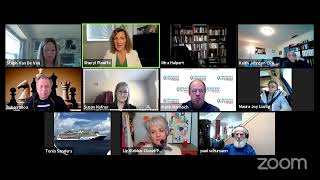
Sheryl Plouffe shows how to use Restream's Live Studio to run strategy calls with up to ten people, branded overlays, and pre-recorded videos. She covers pricing, technical limits like no green-screen support, and recommends editing tools like Camtasia and ClipScribe for short-form video.
Chapters
Eastern. I carve out 30 minutes, and those of you who've been with me since the mid part of 2020, you know that that has been a challenge for me to keep it to 30 minutes, and I'm working on that. But nonetheless, 30 minutes of time where we dig into a specific topic, and then I open it up to Q&A for you to ask me questions about any topic. Doesn't have to be specifically to the training today. So welcome, glad you're here, and I am on all the platforms right now. I'm using Restream to do that. So if you're watching on YouTube, welcome. LinkedIn Live, glad you're here. Facebook group, page, profile, wherever you're watching this from, just know that you can comment below the video that you're watching and ask questions. I or someone on my team can go back and take a look at the comments that you've, you've laid there. If you are here in the interactive portion in the Zoom meeting, then you can ask questions in real time and you can ask whatever you'd like in the chat. And I'll open it up to Q&A for you at the end of this as well. My name is Sheryl Plouffe. I'm a video strategist. For those of you who are new to me, what I do is help coaches, consultants, online entrepreneurs, solopreneurs to increase their influence, impact, and income with video. I like to do that through live video. I love to do multistreaming like I'm demonstrating today. And we also do virtual video production as well. So let's get into today's topic. Some of you who are in our challenge right now, I see you here. So glad that you're joining us for the free training. And today's topic is Restream as it pertains to strategy calls. So like I said, I'm not able to spend a whole, you know, hour and a half teaching you everything there is to know about Restream. But I want to focus on how would you use it for strategy calls? So what are strategy calls? Um, strategy calls are, for those of you who are already doing coaching and consulting, you may be using them. Uh, for those of you who are new to the concept, the idea is that you meet people online and then you bring that conversation into a, it could be a phone call or it could be a video, video conference call where you have a conversation and see if you are a fit to work together. So some people call them Sales calls. For the purpose of this conversation, we're calling it a strategy call. Sometimes people get creative and call them by another name. It could be like a— in my case, it would be a video strategy call. But whatever that is for you, it's having a conversation with someone to see if you're a fit to, to work together. Why I love to use Restream for strategy calls is because it has more capability to customize that experience and uplevel it from just a regular phone call or even from Zoom. Now listen, nothing against Zoom. I'm using it right now. I love Zoom. I think Zoom is an amazing platform. I use it regularly in our virtual video production. I'm all about the Zoom. I really am. But with Restream, it's just another way if you were looking for a way to uplevel. I would say that Restream is a multi-streaming tool, and the concept of it is that you use it to go live on up to 30 platforms at the same time. That's really, that's really what it does. That's the function of Restream. Now, but also in addition to that, there are other ways you can use it. So I would not recommend necessarily that you get Restream only to do your strategy calls. Like, that really wouldn't make sense. What does make sense is if you would use a platform like this to go live to up to 30 platforms at once and you already have that tool, that you could then also use it in this way. Okay, just so, just so that we're clear, I'm not suggesting you need this tool to do strategy calls as much as if you have it and you already have access to it Here's another way you could utilize it. And some of you, like Liz, we did one just the other day, right? Like, so I used Restream when you and I just met privately. Like, we just, we're just chit-chatting, right? And kind of getting acquainted or whatever. So let me share the screen. Let me make sure I have this. And like, by all means, type in the chat if you have questions on this. Hi, Kathleen. I see you here. Good afternoon. Great to have you here. Okay, so I'm going to share my screen. This might get a little bit difficult because I'm doing a few little things here, but let's see if this works. All right, so are you seeing on the screen the— it says Live Studio on the top left. Susan, can I see you nodding your head? You do? Okay, great, thank you. And I can bring this down to the bottom. Okay, so what we're looking at here is the, the back end of Restream, and in particular we're looking at the live studio aspect of it. So this is where you could, if you have an account, you could go live from this platform, from this interface, and go live. You see there's an orange button here on the top, and you would start your broadcast, and then you would go live. And that would, depending on the settings that you've set up in Restream, it would go live to any of the platforms you want, right? YouTube, LinkedIn Live if you've got it, Periscope, Facebook, like I'm doing today. If we're using it for a strategy call, here's what you would do. When you set up the call, you would say, okay, Liz, I'm just gonna use you as the example. Hey Liz, you know, let's get together and talk about whatever. Oh, can I just ask of you to mute yourself? I hear a few voices in the background there. Oh, sorry. You would kindly mute yourself. That's, that's great. I can't see you on the screen. So thank you. What you would do is you go to the little person icon here where it says Invite Guests. You click on that and up comes a link to invite your guests. Now you can see it says you can have up to 10 people in the stream. So including yourself, right? So I would go like this, click. And then I could send that link through a text message, an email, or whatever means I want to get this link to the person who I am inviting into the call. Now when that person clicks on that link, they are sent through a series of prompts. It's not difficult, and their box will show up right under mine, right about here. And it will be grayed out at first. It won't show up right away because this little toggle button here will be off. Okay, so see how it turns gray? That's how you know the person's in the green room. They're kind of waiting for you. And then when you see your guest come up, you would just turn this little toggle button on, and now both of you would appear in the big canvas here, in the big box. And once that happens, you could click on a variety of different, uh, different views, layouts, and you could, again, if it's 2 people on a call, you could use this one, you could use this one, you could use any of these layouts depending on how many people were on it. Like I said, you could have up to 10 people. So another use scenario would be if you had, if it was a private strategy call, just you and one other person, then clearly it's just the two of you. But those of you, and I'm thinking, Maura, congrats by the way on your amazing launch of your coaching program, which I'm so excited for you about. And she's working with a multitude of women and helping really elevate them. So a platform like this may be used in that case if you had fewer than 10 people, like that would work in that case. You could have all those, they would all get the same link and they would all pop into that room. Now here's where it gets— where— here's the part that I really enjoy about Restream from this perspective is that on the right-hand side you'll see there's a chat. And I can see here that Kathleen and Jill are commenting. They're on Facebook watching us right now, so hi. And I will see if anyone else comments from some of the other platforms. They will populate in here and the icon will show up, LinkedIn or whatever. But what I love about it from the standpoint of, of strategy calls in particular is just the ability to uplevel it with graphics, you know. So I could have, you know, different themes. I can set— this is my brand color, you would set it to whatever color you like. There's also a new feature here called Overlay Chat. So if, if people in my call were commenting, like I could put it in here. But as I go down here, you'll see there's different backgrounds. So maybe it's not going to show up right now because I'm only just me on the screen. But see all these different colored backgrounds at the bottom? I can choose any one of those just to customize the experience for me and the person who's on the call. I know this might sound minor, but it just makes it a different experience and a more elevated experience for the person who's joining you on the call. It makes it special. It's just making it a little bit different and a little special than what is the regular experience. And most people are using Zoom to do it, and there's nothing wrong with that, but it's just a way to take it to the next level. I wonder if one of you actually might like to experiment with me. So I'm going to put this in the chat, and those of you who are watching on Zoom, I'm gonna— I just put the link in the chat. If there are a few of you who'd like to click on it, and then I'm going to go over to Restream and you'll see what that experience is like. If a few of you want to experiment with it, click on it and join me in this. There we go. Here Liz coming in. Cool. So Liz, I can see Liz. There's Steph. So you can see what that experience looks like here. Right, so now I'm going to say, okay, cool. Liz, Steph, Harvey, there might be some feedback because you guys are also watching me on Zoom, but I want you to thank you for just, and just, it was, I can mute that. We just try yours, Liz, real quick. But there, just to kind of give you a sense of what it would look like with one other person in here. So let's say it would look like this would be side by side, just the two of us. If there were a few of us, it could look something like this. I have to turn it off because of the feedback, but you get the sense of it. Now, if I wanted to have a different background, I might do that, or I might do this. Or I might like to do the blue, whatever that looks like. I can also import my own background. So for example, this is my mind map. It's just a random image, but I can create something in Canva that was maybe in my own brand colors, and I could import that and upload it as a background. So this is where you could start getting really creative and have maybe your logo at the top or some words on the bottom. That would brand, essentially brand this strategy session with you. So there are overlays here as well. So for example, let me show you a better look at this. So I could import different overlays. I created these in Canva. There's an example of mine. This is the Restream example. I also have a logo. So here I loaded my logo. Here's the Restream logo just to give you sort of a sense of what that looks like. So there's a lot of customization that you can do from the brand perspective. If I wanted my color to be, um, I don't know, what is my color? Yellow, right? Say my color is some type of yellow or green. You can see that these all sort of change as a result of that, of those changes. So it's just an interesting way, I think, a different way of looking at it and saying, how can we uplevel the experience. Because if a person who's on a strategy call with you feels like it's special, I think there's something to be said for that. I think there's something to be said for that. And also it makes you appear to be on the cutting edge of technology. It kind of puts you in an echelon of where the person on the receiving end might go, oh, okay, all right, here's a person who knows their stuff, if that's important to you. It may not be, you know, it may not be important to you. So those are just some ways to think about Restream and how you might utilize it with strategy calls. I'm open to answering any and all questions you have about this or anything else that's going on for you in the world of video, in the world of social media. Please feel free to unmute and ask your questions.
Cheryl, how much is it per month?
Well, that is a good question, Maura. Um, I don't know. I think it's $40— I want to say $49 a month. I think, I think it depends on the level. There's different— you can get a free account, just so you know. It's more— it's like anything, right? You get the free, and then depending if you want the, the next things, it goes on. Uh, but just check. I'll send you a link. You can check out the pricing, but I believe you, you can definitely do stuff for free. There's no doubt about that. It's just more about like what other bells and whistles you want.
Yeah, I'm paying about $20 a month for Zoom.
Yeah, I do too. I pay— well, actually I pay, um, $19 plus $40. I pay $60 a month for Zoom because I have upgraded the recording capability because I do so much recording, you know. But yeah, I'm on the pro level of Zoom as well, which I pay about, I think, $19 a month.
And then you have this on top of that.
So, okay. Yeah, exactly. Yeah. So like I said, it— this is one of those tools where you have to weigh, is, is this important enough to me? Is it important for me? I would not suggest that you necessarily get Restream to do strategy calls. It's more like if you already have it or you're already going to be investing in it to go to multistream, one, one live video to up to 30 platforms at the same time. Like, that's really the core of what this does. This is just another way of utilizing it if you already have it. So, uh, let's see. Restream, can you do video and audio editing? Uh, Keith, not on, not on Restream. No, that's not really what this tool is for. What it does do is if you go live through the live studio platform like I just showed you, it does record that for, I believe, up to 14 days. And so you would have to download that recording and then edit it. So you would have to download it, you would have to bring it up into like an editing software like a Camtasia, and then edit it from there. Can you do this with a virtual background? Yeah, I mean, Tasneem, those, those those examples of those backgrounds in essence are virtual backgrounds. In those cases, they're graphics, but yes, you would— they're not really virtual. No, I shouldn't say they're not really virtual backgrounds. They're just graphics that are behind you. Yeah, so there's no, it's not a green screen type of technology.
Cheryl, I would call it a wallpaper.
What do you think? Yeah, a wallpaper. That's exactly right, Maura. It's a wallpaper behind you, so You don't have to have green screens and all of that or special lighting, none of that. Keith says, does the person you are presenting with need to have Restream as well for this to work? No, they don't. Steph asks— Oh, sorry. Well, you did show us though a green screen option in there, did you not? Not in Restream, no. It's not a green screen, Doug. It's more like Maura said, it's like a wallpaper. These are just backdrops that you can initiate behind you to add some branding, but it's not really, it's not really green screen technology.
It's like the wallpaper you change on your phone.
Yeah, it's like the wallpaper you change on your phone. That's a good point. Okay. So Steph asked, what's your experience with TikTok for business? Okay, cool. I'd like to get an account going, but I actually find it overwhelming. Does it also hook up to livestream? No, TikTok and Instagram do not play into these platforms, so you would have to address TikTok and Instagram as separate strategies. So there isn't a way— I would love it if I could restream right now to all those, all those platforms plus Instagram. That would be perfect. Instagram is a funny animal. I don't know of a platform that would do it because of the way that Instagram protects itself from that. So no, there isn't a way. But in answer to your question, Steph, the truth is with TikTok, I haven't done a lot of it. I was really gung-ho about it back in, I don't know when it was, October or so. And I was like, this is it. I'm going to do it. Everybody else in the world is doing it. Time. And I did, I don't know, maybe 20 of them, maybe 15 to 20 of them. And I didn't get a ton of traction. I think I have 85 followers on TikTok, so I never went viral. Um, I don't really live for going viral, frankly. I, I just think virality isn't something that you control as much as the market does. And while some people have gone viral and get millions of views on their videos. That hasn't been my experience. Having said that, my videos have been more educational in nature, and that's my style. So I, I don't know, I feel like Instagram's more my jam, to be honest with you. Yeah. So I think it's more about looking at who your ideal people are and also looking at your own personality. You know, are you funny? Are you an entertainer? I think TikTok leans more toward those people who kind of have entertainment dialed in. Not to say you can't be successful on TikTok with educational content. There are many, many marketers who are killing it with that type of content, like a lot. I kind of wanted to be one of them, but it just— I was doing it and I was like, oh, I just kind of got on to other things. So So I'm not saying you can't be successful, but I do think you need to be, have some type of, I don't know, maybe a little bit more on the personality side. I think I have personality, but you also have to be committed to it. Right now they're saying that you should be doing like 3 to 5 TikToks daily to get traction. I just don't have it in me right now to do that. Well, and YouTube is starting short form as well, correct? Exactly. Liz. So YouTube Shorts are short vertical videos, and I've done a few videos on this on my channel. Vertical, I know it sounds weird because you're like, I, I've always heard that you shouldn't do vertical video on YouTube. No, you shouldn't have because they would have had these black bars on the side. But now YouTube Shorts is coming on board, which they are encouraging creators to put vertical videos on YouTube. It's crazy. But the reason they're doing that is because they want a chunk of that pot, right? They want to get in on all that, on that vertical mobile video thing. So, um, I personally would prefer to spend probably more of my time building up my Instagram, which already has 4,500 people, and, and work on Reels. Like, I'm more interested, I think, in the Reels because I have more traction and kind of more upside there. I would also like to probably dig more into the YouTube Shorts because I have 15,600 subscribers there now versus 85. It feels like more of an uphill battle for me right now on TikTok. And if I'm going to put energy into short-form video, I might as well leverage the ones that I have at least some traction on already, is my thinking. How is, how is the latency on Restream? Susan, I wish I knew. Like, I, That's more technical probably than I know. I don't know actually. When you say latency, you mean like how is the bandwidth kind of thing? I'm not sure I know how to answer that. Which platform has better audio quality, Restream or Zoom? It has more to do with what technology you have. Like, I don't have it plugged in right now, but like, do you have good microphone? It's not really about the platform, I think, as much as it is in your control. And, um, what's the length of time limit for the YouTube How short? 1 minute. 1 minute.
Thank you.
Sorry. Yeah, yeah, yeah, 1 minute. I can see Restream being possible tool for music education. Yeah, absolutely. Yeah, the only thing to keep in mind again is that it has— you have up to 10 people. Can you play videos? Yes, Ruben, you can. Just what I— one thing I love about it, and I didn't get into it today, there could be cases on a strategy call if you're using Restream where Let's say you had a presentation that you needed to make to that person and you said, okay, great, Liz, awesome, so glad we're here. Let's see if we're fit to work together. Let me, tell me about your business. You conduct the strategy call and you say, I'd like for you to watch this short video which explains who we are and what we're all about. Now, obviously that video has to be pre-produced, but Ruben, to your point, you would upload that into Restream and hit play. Play. And now that video would play right within the meeting on the screen. So yes, it does. And that's a, that's a really great point, because that could be very powerful, especially if you're in an industry where a lot of figures, a lot of numbers, you know, you're really trying to paint a picture to the prospect of what it is that you do and how you can help them. That could be a great way to do that. Awesome. Great questions. Okay, so anything else? It's 3:23, so I'm good for 7 more minutes. Look at me staying to time. Look at me staying to time. Um, assume same answer for, uh, for PowerPoint. PowerPoint, um, yeah, I mean, yeah, exactly, because you can share your screen, so it doesn't matter. You can play videos, which is a different function in Restream than sharing your screen. So if you shared, if you had a Keynote, you had a PowerPoint, you have a website, you have a document on your computer, then you would just hit the share screen similar to Zoom, share screen, and be able to bring that up and discuss it. Yes. What are good video editing software? I'm being at, I've been asking and haven't heard anything good. So for desktop, Keith, like desktop video editing, because the one that I like for desktop— okay, the one I like for desktop is Camtasia. I've been using it for years. I love it. It is a platform that, again, I think it's one of these things where it's not as important what platform you use to edit your videos on your computer as much as having the skill set to know how to craft a story. Because the tools, frankly, all do similar things, right? Camtasia does similar functions to Adobe Premiere or Final Cut Pro or one of these other ones that are more robust.
Wondershare Filmora.
What's that, Maura?
Filmora. Wondershare is another one.
Filmora. I've heard of it. I've never used it, but there are no— there's no shortage. iMovie, right? There's no shortage of video editing programs out there. It's more about the onus is on the operator. It's how are you actually assembling that story? How are you telling the story? What kind of value are you? It's the creativeness. That's the most important thing. Because the truth is, I mean, I'm a self-taught editor and now I'm like whiz bang. But when I was first starting out, I was like, whoa, I don't know what I'm doing here. And I had to learn it all. So I'm proof that you can learn it, but it is a skill set that does take time, persistence, and in order to be proficient with it. But the underlying thing that I like to focus on is what kind of video am I putting together? What is the messaging? What is the order, the sequencing here? What kind of elements am I adding to that production? What do your lower thirds look like?
Are you familiar with Subtitle or ZoopTitle? Have you heard of that?
No, I, I've heard of it. I think I'm being targeted with Facebook ads for it, so I, I've heard of it. I like ClipScribe, so I've been using ClipScribe for well over like a year and a half now. But that would be an example along the same lines of that sort of thing. It does the transcription. It does the subtitling and all of that.
So compare that with Camtasia, for example. You're using both ClipScribe and Camtasia. How do you— when do you use either or both?
ClipScribe would be used if you want to automatically generate the transcription of a video.. And it does more than— like, anything that you really want to do can be done the long way. Like, I could go into Camtasia and I can import a file and I could, you know, change the canvas and change the aspect ratio manually. And I could, I could— and I've done this, so trust me, I know from experience. Before there were tools that I knew of that could do this for me, I would listen to the audio on the And it'd be like, you know, somebody would say something for a sentence and I'd be like typing it out on a lower— typing it out on the text and putting it on the screen. And then I have like a million of these little snippets of words. So I was doing it manually. I was captioning the video manually. It's crazy, right? But I didn't know. And it was probably before a time where maybe these tools even existed. So So they do different things, Maura. The— I think there you need to kind of have both if you're going to be doing your own videos, and you have to have proficiency in both, I believe. Like Camtasia, you can do all of that stuff, but you'd be doing it the long way. It would be laborious. It would take forever. You have to have a skill set. You have to know that, whereas these tools like ClipScribe are more to transcribe your videos, to add, to turn them into different sizes, to add branding and headlines and turn them into memes. So like with our video editing, our, our done-for-you editing virtual video production services that we do, we do all of that for people. But, and, but for people who want to DIY it, then I would suggest ClipScribe. It's probably the most intuitive interface to learn to do it yourself. Thank you. Um, okay, uh, let's see. You're welcome, Keith. Is there a good training site for editing video? Um, it depends. Again, Doug, it's depending what kind of videos you want to do. Um, get in touch and I can probably suggest some things to you for for sure. There are oodles of tutorials on YouTube, Liz says. Yes, that is so true, depending on the platform you choose. Absolutely. Like, for example, and Liz, to your point, Camtasia. Okay, if— and this is publicly available, like you can go on the YouTube channel for Camtasia, that the company that owns it is called TechSmith. TechSmith Camtasia. It's all there. Like, because they want you to use their platform. They want the people who purchase their platform to use their platform. So the training's all out there. Yeah, the training's all out there depending on the platform that you want.
Cheryl, the links you gave us last week, you gave us a page of all the different links you recommend. That was at CherylPlouffe.com?
Everything, I have put everything now at CherylPlouffe.com, yes. I'm making a real concerted effort. It's 3:30, so I'm going to be mindful of time, but I'm making a real concerted effort now to put everything from my website, and I've been terrible at doing that in the last many years. But if you go to CherylPook.com, on the top it says resources I recommend, and that is where you can go and find everything I'm doing, everything I recommend, free, some low cost. Everything is, is there. That's our intent, is to keep that up to date. So if you're looking to join the challenge, you want to, um, book an hour of my time with me, you want free resources, you want to get to the publishing plan, you want to— whatever those things are, that will all be found on CherylCook.com. So including ClipScribe and all those. Some of those are affiliate links. But I only ever recommend things that I use and love, so I'm very particular about that, and you can go there and find that. What is transcription in chat? Hard to hear, Paul says. So transcription, Paul, is just literally the, the, the, the, hmm, it listens to what's being said in the video and it makes it turn it into the text format of that. No, I understand that. What I was looking for was the name of it because I couldn't hear it. Oh, I'm sorry. Okay, my apologies. Uh, it's called ClipScribe. ClipScribe. Yeah, yeah, and you'll find it on my website there, Paul.
Yeah, might be a good topic for a session, Cheryl.
Yeah, ClipScribe would be fun. It is a It's an awesome platform for the DIYers for sure. So I'll note that.
I mean, it's a topic for a Wednesday training.
Yeah, no, I exactly— I may well do that next week. Awesome. Great. Let's see, Keith. I learn everything off an individual inquiry. Cool. Okay, awesome. So thank you for being here. I appreciate your time. If you know someone who should be here, please just send them to my website. There's a big button at the top that says free coaching. They click there, they register just like you have. They'll get the same friendly reminders every week. And then we'll meet here again next Wednesday at 3:00 PM Eastern time for a new topic. And I appreciate you spending 30 minutes of your week with me. Get out there and go live, make your videos. Those of you in the challenge, yay, make sure you do your videos. If you have any challenges, reach out to us. Um, if you're, you know, want to know, maybe you're not getting the list or whatever it is, because sometimes these technical things happen in the early stages of the challenge, which we're in the February one now, uh, please reach out. We'd be happy to, to help you. Also, just a quick little thing to think about, we are actually going to be looking for, um, partnerships with you potentially. If you have an audience of people who are my audience and the people I'm looking to reach, coaches, consultants, speakers, authors. We are actually looking for partnerships, and it could even turn into an income stream for you promoting our challenge and then having, um, that become a stream of income for you. So if that's of interest to you, um, you can actually just send an email to community@sherylcook.com and express your interest, um, and then we'll just make note of that and be in touch with you about that. By the end of the month.
All right, put me on the list now.
Okay, awesome. Yay! I think you already are. I know you already are. Okay, great. Thank you so much. Have a blessed day. Thank you so much. Have fun, do your videos. I'll see you next week.
Bye everyone.
Bye.
More from Sheryl



From 'agreeable' to 'ruthless mentor' to 'strategic sparring partner' #substack #shorts







