Email Marketing Simplified: Canned Emails That Don't Feel Impersonal
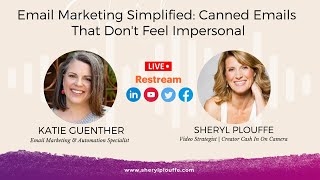
In this episode of Cash In On Camera, host Sheryl Plouffe interviews email marketing specialist Katie Gunther to demystify email marketing and show how canned emails can be efficient yet personal. They discuss why many entrepreneurs feel overwhelmed—technology complexity, content creation, and inconsistent results—and propose a simplification strategy: repurpose existing social media content and build reusable email assets. Katie explains two main kinds of canned emails: (1) FAQ‑style responses saved in a system like Trello, which are customized per recipient, and (2) template‑style “Mad Libs” emails that outline structure (pain point, solution, bullet points, summary) and are filled in with specific details. They explore storage options, comparing Trello (quick personal access) with Google Drive/Sheets for team collaboration, and stress the importance of naming conventions for easy retrieval. Personalization tactics are highlighted, such as reading emails aloud, adjusting tone for each recipient, and using smart fields with fallback text to handle missing name data. Platform‑specific tips include leveraging built‑in templates in AWeber, Kajabi, and using dynamic code for default greetings. The conversation wraps with a “Stop Marketing Like It’s 1999” segment, where Katie advises treating marketing as a conversation rather than broadcast, encouraging authentic, one‑to‑one dialogue. She shares her contact info and a free email template resource, positioning herself as a go‑to resource for simplifying email marketing.
Chapters
Email marketing should be a, and is a critical part of your overall marketing strategy. Yet so many of us, I think, feel overwhelmed with email. And so we've brought on a great expert today. Katie Gunther is here to talk about this because she's an email marketing specialist, an automation specialist, and we're going to talk about how to save time, energy, sanity, all of that with regard to email marketing. So Katie, so great to have you here on Cash In On Camera. You have a lot of experience in this area, but why do so many entrepreneurs feel so overwhelmed when it comes to email marketing in the first place?
Thanks for having me. First of all, I'm really excited to— I'm always excited to talk about email. It's— I realize that it's not something everyone enjoys doing, and I think it is because it can feel overwhelming. And One of the reasons it feels overwhelming is the technology behind it, right? Like once you figure out how to learn, use Instagram or Facebook, you throw up a photo, you add a caption, you post it, you get immediate feedback for the most part. Email's a little bit more of a slow burn. It takes a little bit longer to see results, kind of see if it's working. And then the technology behind it can be a little bit overwhelming at first, picking a platform to use, picking an email address to use, having automated campaigns versus sending out emails. What do I write? How often do I send? So there's a lot tied up into it. And unfortunately, a lot of people go, well, like, I'll get to it later.
Yes, I think, you know, I'm, I think I'm one of those people. I focus so much on content and video and authority and things of that nature that I have had a tendency to want to ignore the email part. It's not that I don't think it's valuable. It's not that I don't understand that it's a critical part. It's just that there are so many moving pieces to it that it can feel like, oh man, like, how am I going to get all of, all of that done? You mentioned technology. I'm okay with the technology. I think where for me it's all about the creative, right? It's the it's the copywriting, frankly, right? I'm a better speaker. I would rather speak it out than to type it out, right? And so, you know, there's a lot to that. And the fact that we have, you know, people like yourself who are email marketing specialists, I think says it all, that that is a whole field of study unto itself and that there are a lot of pieces to it.
Yeah, because like you said, like, you might be okay with the technology, but the, the content is intimidating. And some, for some people it's the reverse. Like, I totally get the technology, but, um, or, or I, I'm okay with the content. The technology is like, oh, I don't know how to do this. So what I usually say to people, and I know we're going to talk about canned emails in a little bit, but as far as like getting started is you can make it work for you. And I think that's where the simplification comes in, is don't think too much about how you're supposed to do it. I started in another business. My husband and I are both entrepreneurs, various things going on, but I just started by repurposing my social media content. So taking, you know, 3 Facebook posts and Instagram posts, and I don't know, a video or something and throwing those in a biweekly email summarizing like what you may have missed. Because I knew that people weren't seeing everything I was putting out there on social. If I could get them on my email list, um, I, I'd get another chance to show them that content. And so that's really where I started. I really wasn't creating any specific content for email. I was just kind of reusing it basically. Um, and then it grew from there. So I think that's how I like to look at it is simplify it, work it into what you're already doing, make it work for you. You don't have to start by doing all the things. You don't have to have automations and tags and all that. Just collect emails and then communicate with those people.
Yeah, yeah, yeah. It's so— it always comes back down to that consistency piece. It's just kind of making it a part of your marketing that you're going to set aside the time or, or people, or designate, or whoever's going to do it. But it has to be done on the regular. I know for us with this show, with Cashin' on Camera, we make a point of You know, emailing our database with the guests that we bring on the show, right? Like that in and of itself is a, it's, it's an email that we send out in addition to others, but leverage what you're already doing. Like you said, repurposing I think is a great idea as well. So when we wanna take our business to the next level and we really want to dive into this idea of using email marketing to, to further our business. Instead of reinventing the wheel every single time, okay, canned emails is a great way to leverage, you know, writing something out once and then putting it into like a format that you could use it again and again. However, I think sometimes people might be a little bit afraid to do that because it can seem impersonal. So let's just kind of start at the beginning. We're talking about canned emails. What, in your view, constitutes a canned email?
So when I think of a canned email, I kind of think of two things. I have canned emails that I use when I'm communicating maybe through my business email to one person, right? So if I, when I have people come to me with specific questions, like frequently asked questions, I have a canned email that I save in Trello. You can save them wherever it works for you. I copy and paste that into a new email But then I kind of go through it and customize it based on that conversation, that person. Is this a total stranger? I'm gonna be more, maybe more professional or formal. Or if it's somebody I talk to all the time, it's gonna be more casual. But even if I know somebody, I still might use that canned email because what's in there is the stuff I don't wanna go dig up and find. You know, it's like, hey, if you wanna schedule a call from me, here's my link. Can't wait to talk to you. Here's what happens when you push the button, blah, blah, blah. So that's one kind of canned email, which I think is really important to have in your workflow. It just saves you tons of time, whether you're doing everything yourself or you have a virtual assistant. You can say, hey, can you send this email to so-and-so, but like customize it, warm it up, make it warm and fuzzy.
Can I just dig into that a little bit?
Yeah.
Ask questions as I go because I love that idea. And so you mentioned having a database, maybe Trello or maybe some other project management system whereby you're keeping those emails or those canned emails. It's like the foundation of emails in a certain place. Are you categorizing that? Are you naming them? Like, do you have a specific naming convention so that you can identify that and say to your VA, hey, use email 1A to send to said person, or how are you doing that?
Yeah, mine isn't. I think if I had a VA, it would probably be a little bit more organized. It's really only organized for me because I don't hire that out. I hire out other things I don't enjoy doing. Okay. All right. There are people who like doing that, but it'll be like, well, like if somebody has a question, I get a lot of questions about which email platform should I use. I don't want to I would love to be able to sit and write a personalized note every single time, but I don't have the time. And so I have like one that's called email platforms. That's it. And then in that, it's like, here's what I use. Here's the 3 I recommend. Here's some links. And then I always recommend like, you know, pick the one that works the way your brain works. So that's just ready to go and I'll copy and paste it and again customize it. But yeah, they're just named basically like whatever the question is or whatever the topic is. And so I just kind of scan through until I find it.
I love that. Okay, so those are the emails that are canned for frequently asked questions, questions that come up a lot of times that you have pre-built the foundation of. You might tweak them so that you're not impersonal. You're tweaking them and you're customizing it to that one person who asked that question, right? Okay, what is another kind of canned email?
Right. So the other kind I think of, I like, we refer, we refer to them more as templates. And I think that templates can, it's kind of a vague word, right? A template can mean a lot of things, but an email template is something that like, if you're, if you ever played, if you have kids or if you remember when you were a kid playing Mad Libs, where the story is kind of drawn out with all these blank spaces and you're supposed to fill in the noun and the adverb and all that. So I, like to use templates like that. And I have templates in, like, in my Trello that I use for my clients' emails when it's like, I have a sales email or I have a new lead magnet that I want to promote. I'll pull from a template and kind of customize it because we can get lost in the, in the, in the fluff, right? Or the, all the information we wanna say if we're excited about something that we wanna share or something that we're selling. And what we have to remember, especially in something where we're selling, is to keep it succinct. And so you do a lot of like live video, right? You know, you have to sort of know what you're gonna say, say it, and then wrap it up, right? You can't go on and on and go 30 minutes instead of 15. Right. And email, I think of it as the same way. It's like, you need to tell them what their problem is, like what their pain point is, like relate to them. Hey, I bet you're feeling like this, but I have a solution. And when I'm done telling you my solution, you're gonna feel like this. And then you lay out the solution, you might bullet point it, and then at the end, you're gonna summarize it. So a lot of my templates just kinda look like that. I know it's hard to explain without seeing it, but then what happens is if you have templates like that, to pull from. Then when you need to create an email, you can save time, you can save energy, and you just kind of fill in those spots. It's your product. You know what the pain point is. You know what, what problem you solve. You know what the, the value points or the unique value is of what you're offering. So use a template to kind of structure that for you. And then all you have to do is sort of fill in the blanks with like your secret sauce. Does that make sense?
Yeah, yeah, I love that. And I think that's more along the lines of what we're doing for this show. So we have a bunch of emails that have been pre-templated, and then what we're doing is we're customizing that for each guest. So you would have received that, right? You received an email that had the link to join me on this show today, but that link was specific to you. We can't make that part of the template because it changes for each person. So we try to, we template as much as we can and then we will sub out the information that's different for each person. I guess that's an example of the canned email that you're referring to, the templated one.
Yeah, for sure. And then you know that there's room in there for like, let's say you and I had a conversation that we were going to do something really special today that maybe you didn't, you haven't done in the past. Then you know you have your template that has all the information that has to be there. So you're not going to forget anything. That's right. You can still customize it and add like, oh yeah, and don't worry, we're still going to do blah, blah, blah. Blah, blah, blah. I think that's a key too, is like if you had to build it from scratch every single time, there's gonna be a time where you might like get the— put the— forget the link or the link's wrong, or you might spell someone's name wrong. So like having those templates helps you be more efficient and accurate too, I think, just because you're saving that energy and time.
One thing that you mentioned is that you save these templates in Trello. I use Trello for a video approval, like, so from my agency side, I have Trello used as a video approval system whereby we can comment back and forth. But I never thought about using Trello to save the templates. What we're doing is saving them in Google Drive. So we have like a Google spreadsheet and that has tabs for different things. And I guess, is that advisable to save the emails that way, or is that—
I think it's I think it's however it works for you. Because I do that. I have for Trello, for things that I just, I know I'm gonna access every single day. I need to go in there, grab it real quick. Great. When I'm really organizing something that other people are going to access. So if I have team members or I'm working with someone else's team, like I'm just part of someone's team, but I'm organizing everything. I prefer to do it in Google Drive. Cause then I'll have like a spreadsheet. So everybody knows where to find stuff. Naming conventions. And then yeah, in Google Docs so that everybody can access it. Because yeah, it's not that my Trello system is really for my eyes only. It is for your eyes only. Yeah.
Yeah. At least we're doing it right.
All right. Good.
Yeah.
You're doing it right. Exactly. All right.
Is there, is there another type of canned email that we should know of?
I think that One thing that some people overlook, because email can be really easy to get stuck in the mud and overthink it, is when you start with an, an email marketing platform, if you haven't already, a lot of them will have templates and things already in the system ready for you to use. And don't overlook those. Some of them, like I use AWeber for my email right now, and they will have templates that when you pull them up, it actually has writing prompts in the template. And so don't overlook that. Those are incredibly valuable. And, you know, somebody spent a lot of time kind of thinking of how to use that or like what to put in there to help you. So don't overlook those free templates that are out there. And also you can look on Pinterest, Google it. It's sort of like back in the day when we would create stuff from scratch in like Microsoft Word, you know, and you could go look for templates and it would like pre-fill a resume for you, stuff like that. Like, think outside the box and, and don't be afraid to lean on templates. Like, it— you don't have to create everything from scratch. It does not help anybody. Not you, not your clients, not your customers. It doesn't help anybody. Yeah.
Well, and the reason why that's good advice is because it gets you there faster.
Yeah.
It gets those emails out to your, your list faster than if you were to sit there and try to make it perfect for the next 12 months.
Right. And then you're, you're, you free up that time and energy to spend on the things that only you can do in your business, which I think is like, that is the key thing I want to help my clients do is to, to take that off their plate so that they can, if email's not their thing, content repurposing isn't their thing, then they have time and energy to go do the thing only they can do, whether it's the one-on-one coaching or just, or even just like taking time off, spending time with family, like use those automations, those templates, those helpers that help you so that you can like focus on the fun stuff. Like, you know, business. Yeah. I mean, if you're, if you're all the time.
Yeah, exactly. I mean, if your email service provider, AWeber or wherever, I use Kajabi for mine, but like if it has a pre-templated sequence that you can use as a jumping off point, You know, use that and personalize it. And that's what I'm hearing from this conversation is how do you make your canned emails not feel impersonal is to have it be a foundation but customize the approach, whether it's going out to one person or multiple people. But that customization, you're not having to reinvent the wheel every single time you want to write an email.
Right. And if you're really, if you're worried that it's not personal enough, couple things I usually recommend is have someone else read it, someone who knows your voice and make sure it sounds like you. And also read it out loud. So when you write an email, I don't do this as much as I should probably with like social media posts, but when I write an email newsletter to my list, I read it out loud and I, if I trip on a word, I need to change it because that's not how I talk. It's going to come through whether it's subconsciously or not. So if you're worried about that, read it out loud. Does it feel like something you would say? It's going to come through on the other side. If you're worried about, even if it's something like, like you were saying, Cheryl, like the emails for like today where it's like, here's your link, click here, show up at this time. It still sounds like I know it came from you. It didn't come from a robot.
Yeah, no, it did not come from a robot, although sometimes, you know, I might feel—
no, I'm not.
I have a question about— so when you make— one of the customizations in an email is the ability to add the— I think it's called like a smart field. So it's like, hi, first name, doo doo doo doo doo. One of the challenges and frustrations I've had is that depending on how people sign up for your email list, they may not have added their name in properly. So like, let's say the field on the form is first name, last name, but they put their first name and last name in the first name field, right? So now the system is registering that as incorrect. So then when you put the smart field in your email, it messes everything up. Yeah. How do you get around— is there a, is there a a way to kind of mitigate that, or is it just the what it is? You have to manually go in and fix each of those contacts.
Well, I mean, you could manually go in, but I personally wouldn't. If it's a matter of, like, you may— people have forms out there floating around maybe that don't even have a name field, just email. So they have empty name fields in the backend. I know Kajabi, AWeber, and a few others have code, um, oh God, dynamic code that you can put in the email. And we're probably going like way too complicated, but I'll— if you just Google dynamic code or like check with the support with whoever you do email with, there's like in AWeber, I can put subs— hi subscriber first name or friend. So if there's no first name, it'll say hi friend. Um, other than that, I think the first name customization is something that has— is so widely used now that people are so used to seeing it that it doesn't have the same effect as it used to. So it used to be like, oh, someone's writing to me, and it kind of had that like, oh, effect. But now we see it so much, um, with spam that it doesn't have the same effect. So I actually would say don't worry about it too much, but do make sure that even when you're sending a, like a mass email to everyone on your list or a big group on your list, is write it like you're talking to one person. Don't like, hey everyone, you know, you can just say hello and be in the tone, in the space that you're talking to one person. 'Cause just like the reading it aloud and make sure it sounds like you, it'll come through on the other side like, oh, Cheryl's talking to me.
And so I think more about what, it's more about the creative of how, like how you actually, the copy that you write and making that personal as opposed to relying strictly on the hi first name field at the beginning. We've actually stopped using the first name field. Like we just start the email, we just open it and be like, boom, here's the email. It's like, hi, blah, blah, blah. You know, we just launch right into it.
Yeah.
And that, and that prevents from that. Happening from that mistake from happening. So this has been really interesting. I love it. Email marketing simplified, canned emails that don't feel impersonal. I think it's really important to have a good understanding and strategy around email. One of the segments that we do on the show is called Stop Marketing Like It's 1999, where I ask you for a tip, a tool, a tactic, or a technique that's working to help you, Katie, market yourself for the year that we live in. What do you have to share with the audience today?
Well, I think of marketing in 1999. I just think of like newspaper ads, you know, sort of like broadcasting your message and like, this is what I have to sell. And I think the opposite of that is having conversations, having conversations like this, like talk, write, post as yourself. Talk like you're talking to a friend, someone you want to get to know and have fun with it. But really just like everything's a conversation. So don't think about, like, when you meet someone or you connect with somebody online, um, what can I get from this, or what do they want from me, but just like, oh, this is just a conversation I'm having. And I think especially with being locked in our houses for 2 years with COVID we are dying for conversation and contact with other human beings, even introverts like myself. So just have conversations, just talk to people, ask questions, and share what you know, and I think that's the best marketing we have right now. I love it.
So I would love for you to share how people can get in touch with you at Bella Blue Solutions. Tell us about getting in touch with you.
Sure. So my— I'm everywhere on Facebook and Instagram as Email Katie, but bellablue.com is probably the best place to start because you can find all my socials. But that'll also give you sort of a rundown of kind of what I help people do. And also there's a freebie that I think is on the screen right now where you can download one of these email templates. And it is a super simple, like, one sheet that just helps you break down and simplify how you're formatting your emails to your email list. And yeah, you can always find me on Instagram, send me a DM, shoot me an email. If I can't answer a question, I probably have a blog post I can share with you it'll help you out. And I, yeah, I, I love talking about email.
So yeah, I'd love it. And I know that this is just scratching the surface of email marketing. We're just talking about canned emails today, but there's so much to explore. So we'll likely have to have you back, Katie, and have you on the show again.
Yeah.
Thank you so much for being on Cashing On Camera today and sharing your expertise with us.
More from Sheryl



From 'agreeable' to 'ruthless mentor' to 'strategic sparring partner' #substack #shorts







